📊 Full opportunity report: Best Low-Noise PC Cases for Airflow and Sound Dampening on ThorstenMeyerAI.com — validation score, market gap, and execution plan.

Get everyday essentials delivered free with Prime
- Fast, free delivery on millions of items
- Prime Video, Amazon Music and more included
- Member-only deals all year
TL;DR
This article reviews leading PC cases designed for optimal airflow and sound dampening in 2026. It highlights cases suitable for high-power workstations, explaining the tradeoffs and best options for different needs.
Several high-performance PC cases designed for optimal airflow and noise reduction are now available in 2026, with choices tailored to different workloads and preferences. This guide evaluates the top options, emphasizing the tradeoff between sound dampening and cooling efficiency for demanding, sustained workloads such as AI workstations.
The article discusses the inherent tradeoff between sound dampening and airflow in PC case design. Sealed, foam-lined ‘silent’ cases effectively reduce noise but often trap heat, leading to increased fan speeds and noise. Conversely, open mesh cases with large fans promote better cooling and quieter operation under sustained high loads, especially for AI or GPU-intensive tasks. Key features to consider include mesh fronts, large fans (140mm or larger), clearance for high-end GPUs and coolers, and dust filters. Notable case recommendations include the Fractal Design North and Meshify 3 for balanced airflow and aesthetics, the Fractal Design Torrent for maximum cooling, and the be quiet! Silent Base 802 for quiet operation. The article underscores that in high-power workloads, airflow-oriented cases often outperform silent cases in both thermal and acoustic performance, challenging common assumptions about noise reduction strategies.Best low-noise PC cases
for airflow & dampening.
Sound dampening and airflow pull in opposite directions — and for a sustained AI load, the choice lands somewhere most people don’t expect. Flip the toggle in Part 2 to see why a sealed “silent” case can end up louder than an open one.
Why Airflow Matters More Than Silence for High-Power PCs
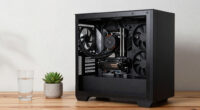
For high-performance workstations, especially those running continuous workloads like AI training, effective cooling is essential to prevent thermal throttling and hardware degradation. While silent cases appeal for their noise reduction, they can lead to higher internal temperatures and louder fans. This article highlights that choosing an airflow-optimized case can result in quieter operation and better thermal stability, which is critical for maintaining system performance and longevity in demanding environments.low noise PC case with good airflow
As an affiliate, we earn on qualifying purchases.
As an affiliate, we earn on qualifying purchases.
Tradeoffs Between Silence and Cooling in PC Case Design
Historically, silent, foam-lined cases have been favored for quiet desktop setups. However, recent insights show that under sustained high loads, such cases can trap heat, forcing fans to run faster and louder. Open mesh designs with large, slow-spinning fans provide superior cooling and can be quieter overall during prolonged high-intensity tasks. This shift is particularly relevant for AI workstations and gaming PCs with continuous workloads, where thermal management directly impacts performance and noise levels."Sound dampening always comes at the cost of reducing airflow — generally it's one or the other."
— Thorsten Meyer, tech reviewer
silent computer case for high performance
As an affiliate, we earn on qualifying purchases.
As an affiliate, we earn on qualifying purchases.
Uncertain Impact of Future Cooling Technologies
It remains unclear whether upcoming advancements in cooling or noise reduction technologies will alter the current tradeoff dynamics between airflow and sound dampening. As new materials and designs emerge, the balance may shift, but current best practices favor airflow for sustained workloads.mesh front PC case with large fans
As an affiliate, we earn on qualifying purchases.
As an affiliate, we earn on qualifying purchases.
Next Steps for PC Builders and Users
Consumers should evaluate their workload needs and prioritize airflow if operating high-power, continuous tasks. Case manufacturers may introduce new designs that better balance noise and cooling, but current top choices remain consistent. Monitoring reviews and updates in case technology will help users refine their selections in future builds.sound dampening PC case for gaming
As an affiliate, we earn on qualifying purchases.
As an affiliate, we earn on qualifying purchases.
Key Questions
Why do silent cases sometimes run louder under high loads?
Silent cases with foam-lined panels can trap heat, causing fans to spin faster to compensate, which increases noise levels during sustained workloads.
Can I get both quiet and good airflow in a PC case?
Achieving both is challenging; cases with large mesh panels and sound-dampening features exist, but tradeoffs mean you must prioritize based on your workload and noise tolerance.
Are larger fans always quieter?
Generally, larger fans (140mm or 180mm) operate at lower RPMs to move the same amount of air, resulting in quieter operation, especially under load.
What features should I look for in a high-performance workstation case?
Look for mesh front panels, large fans, ample clearance for GPUs and coolers, dust filters, and a design that matches your noise and airflow priorities.
Source: ThorstenMeyerAI.com
Halloween Picks
halloween
As an affiliate, we earn on qualifying purchases.