
📊 Full opportunity report: Best Quiet Case Fans + the Airflow Setup That Actually Works on ThorstenMeyerAI.com — validation score, market gap, and execution plan.

Get everyday essentials delivered free with Prime
- Fast, free delivery on millions of items
- Prime Video, Amazon Music and more included
- Member-only deals all year
TL;DR
This article identifies the best quiet case fans in 2026 and explains the airflow setup that ensures efficient cooling with minimal noise. It emphasizes large, slow-moving fans and proper placement for optimal results.
In 2026, the most effective way to achieve both quiet operation and reliable cooling in high-performance AI workstations is to use large, slow-moving fans combined with a carefully designed airflow setup, according to recent expert analysis.
Based on current testing and expert recommendations, the top quiet case fans are the Noctua NF-A12x25 and NF-A14, which move significant air at low RPMs, producing minimal noise. These fans are praised for their engineering quality, durability, and near-silence operation, making them ideal for continuous use in demanding workloads.
For budget-conscious builders, Arctic P12 Pro and P14 fans offer nearly comparable airflow and static pressure performance at a fraction of the price, making them the best value choices for filling a case with multiple fans. Additionally, the be quiet! Silent Wings 4 fans excel at minimizing noise, suitable for office environments or noise-sensitive setups.
Proper airflow setup involves larger fans (140mm over 120mm) running at low speeds, creating a gentle, continuous airflow through the case. Intake fans should be open-blade airflow types, while static-pressure fans are recommended for radiators and dust filters to push air through dense fin stacks efficiently. The key principle is moving a lot of air slowly, rather than fast, to reduce noise while maintaining cooling performance.
Best quiet case fans
+ the airflow that works.
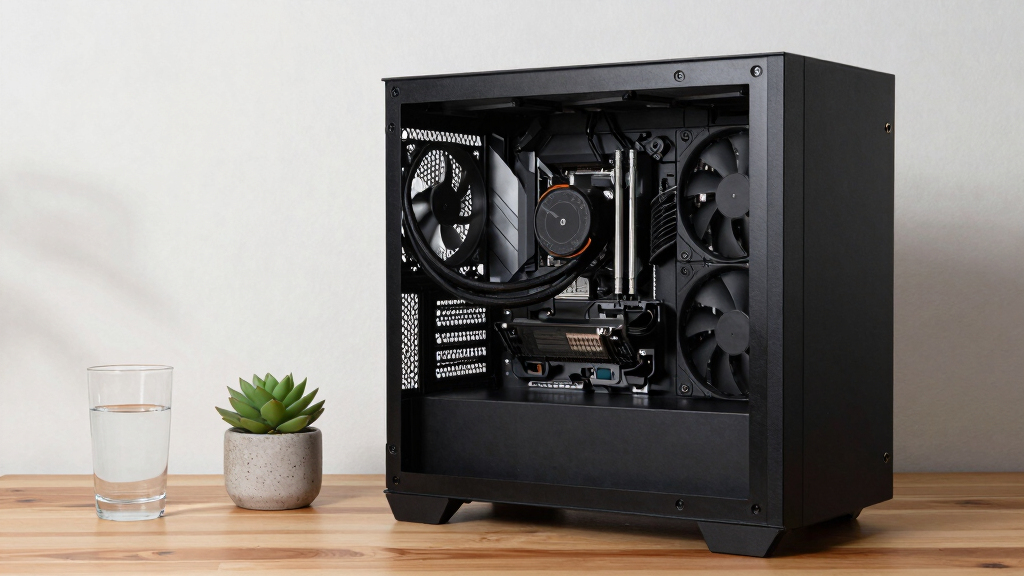
The best fan won’t help if it’s pointed the wrong way. The whole recipe: big fans, running slowly, in a clean front-to-back path, with slightly more intake than exhaust. Build a config in Part 2 and watch the pressure balance respond.
Why Quiet Fans and Airflow Matter in High-Performance Workstations
Choosing the right fans and airflow configuration directly impacts the noise levels and thermal performance of AI workstations. Effective cooling prevents thermal throttling, prolongs hardware lifespan, and ensures stable operation under sustained loads. For users working in shared or office environments, minimizing noise is crucial for productivity and comfort. This guide helps builders balance cooling needs with noise reduction, optimizing both hardware longevity and workspace quality.
As an affiliate, we earn on qualifying purchases.
Current Trends and Proven Fan Choices for 2026
In recent years, the emphasis on quiet, efficient cooling has grown alongside the rise of high-power AI workloads. Experts recommend larger fans running at lower RPMs because they move more air quietly than smaller, faster fans. The Noctua NF-A12x25 remains widely regarded as the top-engineered fan, while Arctic's P12 Pro offers a high-value alternative. Proper airflow setup, including the placement of intake and exhaust fans and choosing between airflow and static-pressure fans, is essential for achieving the best thermal and acoustic balance.
Previous developments, such as the shift towards larger diameter fans and low-RPM operation, have proven effective for reducing noise without sacrificing cooling performance. These principles are now standard advice for building high-performance, quiet systems in 2026.
"Moving a lot of air slowly is the key to quiet, effective cooling in high-performance workstations."
— Thorsten Meyer, AI hardware expert
As an affiliate, we earn on qualifying purchases.
Remaining Questions About Long-Term Fan Performance
While current testing supports the effectiveness of large, slow fans and specific airflow setups, long-term durability and performance consistency across different case configurations remain to be fully validated. Variations in case design, ambient conditions, and workload intensity could influence results. Additionally, the impact of future hardware changes on airflow needs is still uncertain.
As an affiliate, we earn on qualifying purchases.
Next Steps in Optimizing Quiet AI Workstation Cooling
Upcoming developments may include new fan models with even lower noise profiles and improved static-pressure capabilities. Further testing across diverse case designs and workloads will refine airflow strategies. Users should stay informed about firmware updates and new product releases that could enhance cooling efficiency and silence. Implementation of adaptive fan curves and case modifications might also become standard for achieving optimal performance.
As an affiliate, we earn on qualifying purchases.
Key Questions
Are larger fans always quieter than smaller ones?
Generally, yes. Larger fans can move the same amount of air at lower RPMs, which produces less noise compared to smaller fans running faster.
Can I use these fans in any case?
Most modern cases support 120mm or 140mm fans, but compatibility should be confirmed based on your specific case model and mounting options.
Is it worth paying extra for premium fans like Noctua?
If you prioritize silence, longevity, and consistent performance, investing in high-quality fans like Noctua is justified, especially for 24/7 workloads.
How should I configure my airflow for optimal cooling and noise reduction?
Use larger, low-RPM intake fans at the front, static-pressure fans for radiators or filters, and exhaust fans at the rear or top, ensuring a gentle, continuous airflow through the case.
Source: ThorstenMeyerAI.com
Fall Picks
fall essentials
As an affiliate, we earn on qualifying purchases.