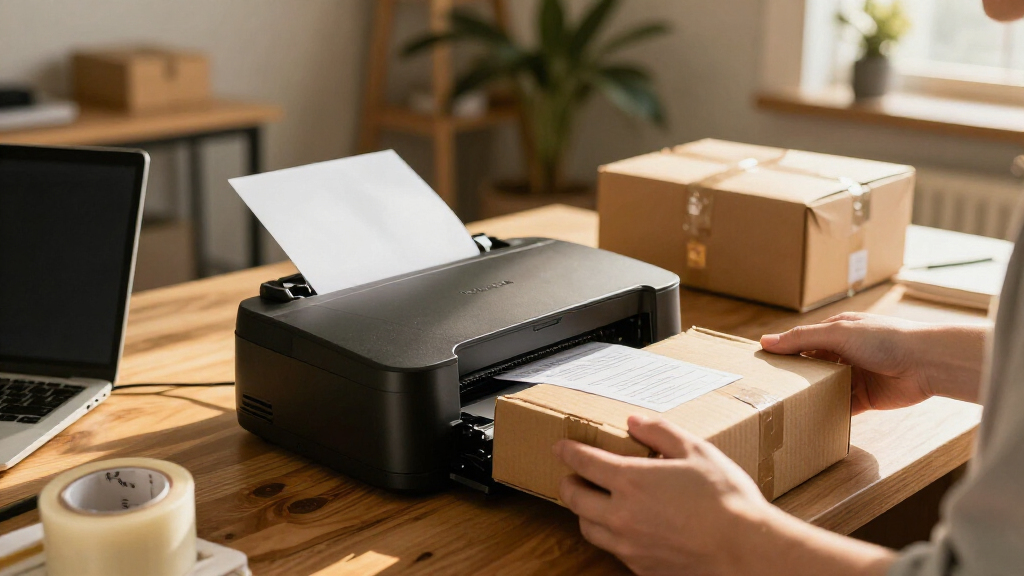
For a home office that ships regularly, the MUNBYN Bluetooth Thermal Label Printer, Wireless 4 × 6 is my best overall pick for its balance of wireless convenience and standard shipping-label support. The Rongta RP425 models stand out for shoppers who want to compare a different printer line, while the Phomemo 241BT is worth a look if a starter bundle with labels appeals to you. The main tradeoffs are wireless flexibility versus connection simplicity, and compact storage versus the convenience of handling label rolls. Check your computer or phone compatibility and label format before choosing. Read on for the full breakdown of all 15 options and the right fit for your home office.

Get everyday essentials delivered free with Prime
- Fast, free delivery on millions of items
- Prime Video, Amazon Music and more included
- Member-only deals all year
Key Takeaways
- MUNBYN’s wireless 4 × 6 model leads the roundup because it pairs the category’s common shipping-label format with Bluetooth convenience, a useful combination for a home workspace.
- The Rongta RP425 appears in both wireless and Bluetooth listings, so buyers should check the exact connection method and model details rather than assuming the names describe identical configurations.
- Phomemo 241BT includes 20 labels, giving first-time buyers a way to start printing without sourcing a separate initial label supply.
- Bluetooth is common across these 15 options, which makes device and operating-system compatibility a key point to verify before purchase.
- Several listings share similar 4 × 6 shipping-label positioning; the differentiators are less about label size and more about connectivity, bundled supplies, and whether a printer’s setup suits the devices already in the home office.
| MUNBYN Bluetooth Thermal Label Printer, Wireless 4 × 6 Shipping Label Printer |  | Best for Flexible Label Projects | Printer type: Thermal, monochrome | Resolution: 203 × 300 dpi | Connectivity: Bluetooth and USB | VIEW LATEST PRICE | See Our Full Breakdown |
| Bluetooth 4×6 Thermal Shipping Label Printer |  | Best Compact Pick | Printer type: Direct thermal | Label size: 4×6 inches | Maximum media size: 4.1 × 9.5 inches | VIEW LATEST PRICE | See Our Full Breakdown |
| MUNBYN Bluetooth Thermal Label Printer, Wireless 4 x 6 |  | Best for Easy Label Alignment | Model: MUNBYN RW403B | Printer type: Thermal, monochrome | Connectivity: Bluetooth | VIEW LATEST PRICE | See Our Full Breakdown |
| Nelko Bluetooth Thermal Shipping Label Printer, 4 x 6 in | 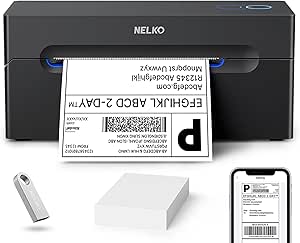 | Best for Roll and Fanfold Labels | Printer type: Direct thermal, monochrome | Connectivity: Bluetooth via NELKO app and USB | Compatible systems: iOS, Android, Windows 7 or later, Mac OS, Chrome OS | VIEW LATEST PRICE | See Our Full Breakdown |
| KNAON Y41BT Bluetooth 4×6 Thermal Shipping Label Printer |  | Best for Broad OS Compatibility | Printer type: Thermal, monochrome | Resolution: 200 × 200 dpi | Print speed: Up to 180 mm/s | VIEW LATEST PRICE | See Our Full Breakdown |
| Labeer Bluetooth Thermal Shipping Label Printer |  | Best for Flexible Label Sizes | Printer type: Direct thermal, monochrome | Resolution: 203 × 203 dpi | Supported label width: 1.57–4.41 inches | VIEW LATEST PRICE | See Our Full Breakdown |
| KNAON Bluetooth Thermal Shipping Label Printer |  | Best for App-Based Label Customization | Printer type: Thermal, monochrome | Resolution: 203 × 203 dpi | Print speed: Up to 180 mm/s | VIEW LATEST PRICE | See Our Full Breakdown |
| NULLTONEX 4×6 Bluetooth Thermal Shipping Label Printer |  | Best for Ready-to-Ship Setup | Printing technology: Direct thermal, monochrome | Resolution: 203 dpi | Print speed: Up to 150 mm/s | VIEW LATEST PRICE | See Our Full Breakdown |
| labelhive Bluetooth Thermal Shipping Label Printer, 4×6 |  | Best for Roll and Fanfold Media | Printer type: Direct thermal, 203 × 203 DPI | Supported label width: 1.57–4.41 inches | Media types: Roll and fanfold thermal labels | VIEW LATEST PRICE | See Our Full Breakdown |
| N40 Bluetooth Thermal Shipping Label Printer, 4 × 6 in |  | Best for Small Labels and Templates | Printer type: Thermal, monochrome, print only | Resolution: 203 × 203 dpi | Supported media width: 25–110 mm | VIEW LATEST PRICE | See Our Full Breakdown |
| Gloryang 4×6 Bluetooth Thermal Shipping Label Printer |  | Best for Cross-Device Home Offices | Model: 668BT | Print technology: Thermal | Resolution: 203 × 203 dpi | VIEW LATEST PRICE | See Our Full Breakdown |
| Rongta RP425 Wireless 4 x 6 Thermal Shipping Label Printer |  | Best for Bluetooth-and-USB Flexibility | Model: RP425 (RP425-WH) | Print technology: Thermal | Resolution: 203 × 203 dpi | VIEW LATEST PRICE | See Our Full Breakdown |
| KNAON 4×6 Bluetooth Thermal Shipping Label Printer, White |  | Best for Custom Labels and Templates | Print technology: Thermal | Print output: Monochrome | Resolution: 203 dpi | VIEW LATEST PRICE | See Our Full Breakdown |
| Phomemo 241BT Bluetooth Thermal Label Printer with 20 Labels |  | Best for Broad Device and Platform Support | Print technology: Direct thermal | Resolution: 203 × 203 dpi | Print speed: Up to 150 mm/s | VIEW LATEST PRICE | See Our Full Breakdown |
| Rongta RP425 Bluetooth 4×6 Thermal Shipping Label Printer |  | Best for Automatic Label Feeding | Model: RP425 | Print technology: Thermal | Resolution: 203 dpi | VIEW LATEST PRICE | See Our Full Breakdown |
| thermal label printers for home office | Connectivity | Resolution | Printer type | Print speed |
|---|---|---|---|---|
| MUNBYN Bluetooth Thermal Label | Bluetooth and USB | 203 × 300 dpi | Thermal, monochrome | — |
| Bluetooth 4×6 Thermal Shipping | Bluetooth and USB | 203 dpi | Direct thermal | Up to 150 mm/s |
| MUNBYN Bluetooth Thermal Label | Bluetooth | — | Thermal, monochrome | — |
| Nelko Bluetooth Thermal Shippi | Bluetooth via NELKO app and USB | 203 × 203 dpi | Direct thermal, monochrome | Up to 150 mm/s |
| KNAON Y41BT Bluetooth 4×6 Ther | Bluetooth and USB | 200 × 200 dpi | Thermal, monochrome | Up to 180 mm/s |
| Labeer Bluetooth Thermal Shipp | Bluetooth and USB | 203 × 203 dpi | Direct thermal, monochrome | — |
| KNAON Bluetooth Thermal Shippi | Bluetooth via FlashLabel Pro app and USB | 203 × 203 dpi | Thermal, monochrome | Up to 180 mm/s |
| NULLTONEX 4×6 Bluetooth Therma | Bluetooth and USB | 203 dpi | — | Up to 150 mm/s |
| labelhive Bluetooth Thermal Sh | Bluetooth and USB 2.0 | — | Direct thermal, 203 × 203 DPI | — |
| N40 Bluetooth Thermal Shipping | Bluetooth and USB | 203 × 203 dpi | Thermal, monochrome, print only | — |
| Gloryang 4×6 Bluetooth Thermal | Bluetooth | 203 × 203 dpi | — | — |
| Rongta RP425 Wireless 4 x 6 Th | Bluetooth, USB | 203 × 203 dpi | — | 15 pages per minute |
| KNAON 4×6 Bluetooth Thermal Sh | Bluetooth via FlashLabel Pro app; USB | 203 dpi | — | Up to 180 mm/s |
| Phomemo 241BT Bluetooth Therma | Bluetooth, USB | 203 × 203 dpi | — | Up to 150 mm/s |
| Rongta RP425 Bluetooth 4×6 The | Bluetooth | 203 dpi | — | Up to 150 mm/s |
More Details on Our Top Picks
MUNBYN Bluetooth Thermal Label Printer, Wireless 4 × 6 Shipping Label Printer
The MUNBYN Bluetooth Thermal Label Printer suits a home office that handles more than parcels: its 1.57–4.3-inch media range accommodates shipping, inventory, and smaller organization labels, while Bluetooth and USB cover mobile and desktop workflows. Its app and browser-based editor offer templates, file import, and OCR, giving it more label-creation flexibility than the simpler Bluetooth 4×6 Thermal Shipping Label Printer. That range is useful when one machine needs to serve a small shop or busy household office.
The tradeoff is a larger, heavier footprint than that 1.5-pound alternative, and the product notes possible incompatibility with UPS thermal paper. Like the other picks here, it prints monochrome only. Choose it for adaptable label design and connection options, not for color output or guaranteed compatibility with every label supply.
Pros:- Bluetooth and USB support mobile and desktop printing.
- Supports label widths from 1.57 to 4.3 inches, including 4×6 shipping labels.
- Editor includes templates, fonts, design elements, file import, and OCR.
- Inkless design avoids ink and toner supplies.
Cons:- Product details flag possible incompatibility with UPS thermal paper.
- At 2.3 pounds and 8 × 6.88 × 4.72 inches, it is less compact than the 1.5-pound Bluetooth 4×6 model.
- Monochrome printing cannot produce color-coded labels.
Best for: Home-office sellers who print both 4×6 shipping labels and smaller inventory or organization labels, and want app-based design tools.
Not ideal for: Buyers who rely on UPS thermal paper, need color labels, or have very little desk space.
- Printer type:Thermal, monochrome
- Resolution:203 × 300 dpi
- Connectivity:Bluetooth and USB
- Supported label width:1.57–4.3 inches
- Maximum media size:4 × 6 inches
- Compatible systems:Android, iOS, Windows, macOS, Chrome
- Dimensions:8 × 6.88 × 4.72 inches
- Weight:2.3 lbs
Our verdict“Choose this MUNBYN if your home office needs flexible label sizes and editing tools more than the smallest possible footprint.”
Bluetooth 4×6 Thermal Shipping Label Printer
For a home office that mainly prints parcel labels, the Bluetooth 4×6 Thermal Shipping Label Printer keeps the setup focused: it prints standard 4×6 shipping and return labels without ink, toner, or ribbon, and its listed weight is about 1.5 pounds. That makes it easier to move or tuck away than the 2.3-pound MUNBYN Bluetooth Thermal Label Printer, which offers a wider selection of label sizes and editing tools.
This model is the better fit when compactness and straightforward shipping work matter more than broad label-making features. Its stated speed of up to 150 mm/s may help during a batch, though the printer remains monochrome and the connection options vary by computer: Mac requires USB, while Bluetooth is listed for phones and compatible Windows computers. The product title and listed dimensions differ in how they describe its footprint, so check the space available before setting it up.
Pros:- Lightweight design is easier to move than the 2.3-pound MUNBYN option.
- Prints 4×6 shipping labels, return labels, and compatible barcodes.
- Direct thermal printing avoids ink, toner, and ribbon.
- Bluetooth and USB connections support phones and computers, with platform-specific limits.
Cons:- Mac computers require a USB connection rather than Bluetooth.
- Monochrome output rules out color-coded labels.
- Its 4×6 focus offers less label-width flexibility than the MUNBYN models in this roundup.
Best for: Home-based sellers who print mostly 4×6 parcel and return labels and want a lightweight printer for a small packing desk.
Not ideal for: Mac users who require wireless printing, or office owners who need frequent smaller-format labels and more design flexibility.
- Printer type:Direct thermal
- Label size:4×6 inches
- Maximum media size:4.1 × 9.5 inches
- Resolution:203 dpi
- Print speed:Up to 150 mm/s
- Connectivity:Bluetooth and USB
- Compatible devices:iPhone, Android devices, compatible Windows computers, Mac computers
- Weight:About 1.5–1.6 lbs
Our verdict“Pick this model for a compact, shipping-focused home setup, but skip it if you need Mac wireless printing or varied label formats.”
MUNBYN Bluetooth Thermal Label Printer, Wireless 4 x 6
The MUNBYN RW403B earns its place for a home office where label misalignment wastes time or supplies. Its automatic label calibration is designed to help position labels correctly, and the printer accepts widths from 1.57 to 4.25 inches for shipping, inventory, and household organization. Compared with the more shipping-focused Bluetooth 4×6 Thermal Shipping Label Printer, this MUNBYN gives you more room to use smaller label formats.
Bluetooth app control and listed compatibility with Android, iOS, Windows, Mac, and Chromebook devices keep it suitable for mixed-device households. The tradeoff is that Bluetooth is the only listed connection, unlike the USB-equipped MUNBYN B0D3PVP6VM and KNAON Y41BT. It also prints monochrome on thermal paper only, so it cannot replace a regular printer for documents or colored labels. The supplied speed figure is expressed in pages per minute, so buyers focused on throughput may want clearer label-specific performance details.
Pros:- Automatic label calibration helps reduce misalignment.
- Supports widths from 1.57 to 4.25 inches for shipping and smaller labeling tasks.
- Bluetooth app control is listed for Android, iOS, Windows, Mac, and Chromebook.
- Thermal printing requires no ink cartridges.
Cons:- Bluetooth is the only listed connection, unlike the USB-equipped KNAON Y41BT.
- Monochrome thermal output cannot print color or standard paper documents.
- Listed speed is stated in pages per minute rather than a clearly comparable label rate.
Best for: Home-office sellers and organizers who use several label widths and want automatic calibration to help reduce misaligned prints.
Not ideal for: Users who need a wired USB fallback, color output, or a printer that also handles ordinary paper documents.
- Model:MUNBYN RW403B
- Printer type:Thermal, monochrome
- Connectivity:Bluetooth
- Supported label width:1.57–4.25 inches
- Maximum media size:4 × 6 inches
- Compatible systems:Android, iOS, Windows, Mac, Chromebook
- Dimensions:4.9 × 9.67 × 6.49 inches
- Warranty:2 years
Our verdict“Choose the RW403B if varied label sizes and automatic calibration matter more than having a USB connection.”
Nelko Bluetooth Thermal Shipping Label Printer, 4 x 6 in
The Nelko Bluetooth Thermal Shipping Label Printer stands out for a practical home-office choice: it accepts both roll and fanfold labels. That gives sellers more flexibility in how they store and feed supplies than the Bluetooth 4×6 Thermal Shipping Label Printer, whose description centers on standard shipping labels. Nelko supports widths from 1.54 to 4.1 inches, so it can also handle some smaller labeling jobs alongside 4×6 parcels.
Bluetooth printing runs through the NELKO app on iOS and Android, while USB serves Windows, Mac, and Chrome OS. That split is less convenient than the USB-and-Bluetooth setup of the KNAON Y41BT for households expecting broad wireless computer use. The printer’s stated speed of up to 150 mm/s is suited to batches, but it prints monochrome only, and Mac printing is listed as USB-only. Its 1.4 kg weight also makes it less appealing if you plan to move it often.
Pros:- Accepts both fanfold and roll labels.
- Supports label widths from 1.54 to 4.1 inches.
- Bluetooth app printing is available for iOS and Android, with USB for desktop systems.
- Direct thermal printing needs no ink or toner.
Cons:- Mac OS printing is limited to USB according to the product details.
- Bluetooth printing requires the NELKO app rather than a direct device connection.
- At 1.4 kg, it is heavier than the 1.5-pound Bluetooth 4×6 model.
Best for: Home-based sellers who want to choose between roll and fanfold label supplies and print from phones or a USB-connected computer.
Not ideal for: Mac users who require Bluetooth printing, or people who need a lightweight printer they can move around frequently.
- Printer type:Direct thermal, monochrome
- Connectivity:Bluetooth via NELKO app and USB
- Compatible systems:iOS, Android, Windows 7 or later, Mac OS, Chrome OS
- Label width:1.54–4.1 inches
- Supported label types:Fanfold and roll
- Resolution:203 × 203 dpi
- Print speed:Up to 150 mm/s
- Weight:1.4 kg
Our verdict“Pick Nelko if roll-versus-fanfold supply flexibility matters more than wireless Mac printing or portability.”
KNAON Y41BT Bluetooth 4×6 Thermal Shipping Label Printer
The KNAON Y41BT is a strong match for a home office with a mix of devices: its listed operating systems include iOS, Android, Windows, macOS, ChromeOS, and Linux, while Bluetooth and USB provide two ways to connect. That makes it more versatile across computer platforms than the Nelko Bluetooth Thermal Shipping Label Printer, whose Mac printing is listed as USB-only and whose Bluetooth route depends on its app.
The Y41BT also supports a broad 1.38–4.41-inch paper width and prints at up to 180 mm/s, making it useful beyond standard parcel labels. Its small listed dimensions help when desk space is tight. The main workflow catch is that Bluetooth printing requires FlashLabel Pro, and shipping-platform labels must be saved as PDFs and imported into the app. That extra step can make routine label printing less direct than on a simpler setup. Its 200 × 200 dpi resolution is also lower than the 203 dpi listings on several alternatives.
Pros:- Listed compatibility spans iOS, Android, Windows, macOS, ChromeOS, and Linux.
- Bluetooth and USB offer alternative connection methods.
- Supports paper widths from 1.38 to 4.41 inches.
- Compact dimensions and print speed up to 180 mm/s suit small work areas and batch jobs.
Cons:- Bluetooth printing requires the FlashLabel Pro app.
- Shipping-platform labels need to be saved as PDFs and imported into the app.
- Its 200 × 200 dpi resolution is lower than the 203 dpi specifications of several alternatives.
Best for: Home-office sellers and small businesses using a mix of Apple, Windows, Chromebook, or Linux devices who can work with app-based PDF imports.
Not ideal for: Buyers who want to print shipping-platform labels directly without saving and importing PDFs, or who prefer direct Bluetooth pairing without a dedicated app.
- Printer type:Thermal, monochrome
- Resolution:200 × 200 dpi
- Print speed:Up to 180 mm/s
- Connectivity:Bluetooth and USB
- Supported paper width:1.38–4.41 inches
- Compatible systems:iOS, Android, Windows 7 or later, macOS, ChromeOS, Linux
- App:FlashLabel Pro
- Dimensions:7.2 × 3.15 × 2.65 inches
Our verdict“Choose the KNAON Y41BT for broad device compatibility and compact size if its app-based PDF workflow fits your routine.”
Labeer Bluetooth Thermal Shipping Label Printer
The Labeer makes sense for a home office that prints more than standard shipping labels. Its 1.57–4.41-inch width range and support for common and custom sizes give it more media flexibility than the N40, whose listed range starts at 25 mm. Bluetooth and USB let you choose phone printing or a computer connection, while automatic calibration and paper-out and jam detection can reduce interruptions during batches. Like the labelhive, it uses the FlashLabel Pro app for mobile printing, so the wireless setup depends on that app rather than a direct phone-to-printer connection. Its main limitation is a 4 × 6-inch maximum media size; it is a practical choice for labels and small parcels, not larger-format office printing.
Pros:- Supports common label formats and custom widths from 1.57 to 4.41 inches
- Bluetooth and USB connectivity cover phones and compatible computers
- Automatic calibration can simplify switching between label sizes
- Paper-out and jam detection help flag print interruptions
Cons:- Mobile printing depends on the FlashLabel Pro app
- Maximum media size is limited to 4 × 6 inches
Best for: Home-office sellers who print both 4 × 6 shipping labels and smaller custom labels from phones or computers
Not ideal for: Buyers who need label media wider than 4.41 inches or want to print from a phone without the FlashLabel Pro app
- Printer type:Direct thermal, monochrome
- Resolution:203 × 203 dpi
- Supported label width:1.57–4.41 inches
- Supported sizes:4 × 6, 4 × 4, 4 × 2, 2 × 1 inches, and custom sizes
- Connectivity:Bluetooth and USB
- Compatibility:Windows, macOS, ChromeOS, Linux, iPhone, and Android
- Dimensions and weight:7.2 × 2.64 × 3.15 inches; 450 g
Our verdict“Choose the Labeer if your home office needs one compact printer for shipping labels and smaller custom formats.”
KNAON Bluetooth Thermal Shipping Label Printer
The KNAON is the pick for a home office where labels need occasional personalization, not just shipping addresses. Its FlashLabel Pro app includes templates, icons, and fonts, giving it a creative edge over the NULLTONEX, whose supplied details emphasize shipping-platform compatibility and offline templates instead. It also connects by USB and supports Windows, macOS, ChromeOS, and Linux, though ChromeOS requires a separate extension. The 1.5–4.2-inch paper range suits many parcel labels and smaller projects, but is narrower than the Labeer’s 4.41-inch maximum. The listed speed reaches 180 mm/s, but the product data gives two different dimension sets, making its physical footprint harder to judge before buying.
Pros:- App templates, icons, and fonts allow customized label layouts
- USB and app-based Bluetooth support several computer operating systems
- Accepts thermal paper from 1.5 to 4.2 inches wide
- Includes 10 test sheets for initial setup and print checks
Cons:- Bluetooth printing requires FlashLabel Pro rather than direct device pairing
- ChromeOS setup requires a separate extension
- Product information lists conflicting dimensions
Best for: Home-based sellers who want to personalize package labels in an app and print from a computer when needed
Not ideal for: Buyers who need dependable published dimensions, direct Bluetooth pairing without an app, or a wider media range
- Printer type:Thermal, monochrome
- Resolution:203 × 203 dpi
- Print speed:Up to 180 mm/s
- Supported paper width:1.5–4.2 inches
- Connectivity:Bluetooth via FlashLabel Pro app and USB
- Compatible operating systems:Windows 7 or later, macOS, ChromeOS, and Linux
- Included:10 test printing papers
- Dimensions listed:7.17 × 3.9 × 3.43 inches; also listed as 5.46 × 2.97 × 2.61 inches
Our verdict“Pick the KNAON if app-based label design matters more than broad media support or clear dimensional information.”
NULLTONEX 4×6 Bluetooth Thermal Shipping Label Printer
The NULLTONEX is a straightforward fit for a home office that wants to start printing standard parcels without sourcing every accessory separately. It includes 25 thermal labels, a power cord, and a USB cable, while the Labeer focuses on broader label-size flexibility and does not list starter labels. The NULLTONEX supports Bluetooth and USB, works with major shipping platforms, and stores offline templates, which may help when a saved layout is more useful than rebuilding a label each time. Its speed is listed at up to 150 mm/s, below the KNAON’s stated 180 mm/s, and its black-and-white output is intended for shipping information rather than color graphics. The 1.57–4.3-inch width range covers common home-office tasks but not larger media.
Pros:- Includes 25 4 × 6 thermal labels, a USB cable, and a power cord
- Bluetooth and USB offer phone, tablet, and computer connection options
- Supports common shipping platforms including Amazon, Shopify, Etsy, and major carriers
- Offline template storage and printhead overheat protection add practical safeguards
Cons:- Monochrome output cannot produce color graphics
- Requires thermal paper rather than ordinary office paper
- Listed top speed is lower than the KNAON’s stated maximum
Best for: New home-based sellers who want a 4 × 6 printer with starter labels and support for common shipping platforms
Not ideal for: Users who need color output, labels wider than 4.3 inches, or a printer with a documented app name and detailed operating-system list
- Printing technology:Direct thermal, monochrome
- Resolution:203 dpi
- Print speed:Up to 150 mm/s
- Supported label width:1.57–4.3 inches
- Connectivity:Bluetooth and USB
- Compatible platforms:Amazon, Shopify, Etsy, USPS, UPS, FedEx, and DHL
- Dimensions and weight:8.08 × 4.73 × 6.9 inches; 1.2 pounds
- Included:Power cord, USB cable, and 25 sheets of 4 × 6 thermal labels
Our verdict“Choose the NULLTONEX for a ready-to-use shipping setup with included labels and broad platform support.”
labelhive Bluetooth Thermal Shipping Label Printer, 4×6
For a home office that buys labels in different formats, the labelhive stands out because it supports both roll and fanfold media across a 1.57–4.41-inch width range. That gives it a more explicit media-format advantage over the NULLTONEX, whose supplied details specify label widths but not roll and fanfold support. PDF cropping and rotation can also help adapt shipping files before printing, while automatic calibration and jam detection suit repeat batches. Mobile printing uses FlashLabel Pro, as it does on the Labeer; the key distinction is that labelhive requires USB for macOS, ChromeOS, and Linux, so its wireless appeal is strongest for phones and Windows users. It is a flexible shipping printer, but not a fully wireless choice across every listed system.
Pros:- Supports both roll and fanfold thermal labels
- Accepts widths from 1.57 to 4.41 inches and custom formats
- PDF cropping and rotation help adjust shipping-label files
- Automatic calibration and paper-out and jam detection support batch printing
Cons:- macOS, ChromeOS, and Linux connections require USB
- Mobile printing depends on the FlashLabel Pro app
- Uses thermal labels and prints monochrome only
Best for: Home-office sellers who use both roll and fanfold labels and want tools for adjusting PDF shipping labels
Not ideal for: Mac, ChromeOS, and Linux users who want wireless printing, or phone users who prefer not to rely on FlashLabel Pro
- Printer type:Direct thermal, 203 × 203 DPI
- Supported label width:1.57–4.41 inches
- Media types:Roll and fanfold thermal labels
- Supported sizes:4 × 6, 4 × 4, 4 × 2, 2 × 1 inches, and custom sizes
- Connectivity:Bluetooth and USB 2.0
- Compatible systems:iPhone, Android, Windows, macOS, ChromeOS, and Linux
- Special features:PDF cropping and rotation, automatic calibration, paper-out and jam detection
- Dimensions and weight:7.2 × 2.4 × 3.15 inches; 2 pounds
Our verdict“Pick the labelhive if media-feed flexibility and PDF adjustments matter more than wireless printing across every device.”
N40 Bluetooth Thermal Shipping Label Printer, 4 × 6 in
The N40 is a better match for a home office that prints a mix of parcel labels and small barcode or QR labels than for someone focused only on standard shipping batches. Its 25–110 mm media range, NADA Print templates, and text recognition features broaden its use beyond the NULLTONEX, which centers more squarely on shipping-platform compatibility. Bluetooth and USB provide phone, tablet, and computer connections, and the box includes 20 4 × 6 labels plus both USB-C and USB-A-to-USB-C options. A significant caveat is the speed information: the description claims up to 55 4 × 6 labels per minute, while product information lists one page per minute. Compared with the Labeer, it also has a lower maximum width, so buyers should verify their preferred media and workflow before choosing it.
Pros:- Supports media from 25 to 110 mm wide, including small-label formats
- NADA Print offers templates and text recognition features
- Bluetooth and USB support mobile and wired printing
- Includes 20 4 × 6 labels and USB-C connection accessories
Cons:- Published speed claims conflict between up to 55 labels per minute and one page per minute
- Monochrome printing cannot produce color labels
- Printhead cleaning may be needed to maintain print clarity
Best for: Home-office sellers who print shipping labels alongside smaller barcode, QR, or text labels using app templates
Not ideal for: High-volume shippers who need a clearly documented print speed or buyers whose labels exceed 110 mm in width
- Printer type:Thermal, monochrome, print only
- Resolution:203 × 203 dpi
- Supported media width:25–110 mm
- Maximum media size:4 × 6 inches
- Connectivity:Bluetooth and USB
- App:NADA Print, with templates and text recognition features
- Capacity and included labels:Maximum sheet capacity of 100; includes 20 sheets of 4 × 6 labels
- Dimensions and weight:18.5 × 9.35 × 9.23 cm; 722.5 g
Our verdict“Choose the N40 for mixed small-label and shipping tasks, but look elsewhere if speed consistency is a priority.”
Gloryang 4×6 Bluetooth Thermal Shipping Label Printer
The Gloryang is a practical pick for a home office where shipping labels may come from a phone one day and a computer the next. Its Bluetooth connection and broad OS compatibility cover iOS, Android, macOS, and Windows, while the 1.57–4.1-inch range handles standard 4×6 labels as well as narrower ones. At 8.43 × 6.5 × 5.12 inches, it has a modest desk footprint compared with the Phomemo 241BT, though it is not the smallest option here. The tradeoff is a straightforward feature set: it prints monochrome at 203 dpi and offers no USB connection in the supplied specs. Choose the Rongta RP425 Wireless if you want both Bluetooth and USB; choose the Gloryang if wireless access across several device types matters more.
Pros:- Supports 4×6 labels and narrower widths from 1.57 to 4.1 inches.
- Bluetooth compatibility covers iOS, Android, macOS, and Windows.
- Compact, lightweight design suits a crowded home-office desk.
- Thermal printing avoids ink and toner.
Cons:- The supplied connectivity information lists Bluetooth but not USB.
- Monochrome output cannot produce color-coded labels.
- Simplex printing only.
Best for: Home-office sellers who print standard shipping labels from a mix of phones, tablets, and computers and want a compact wireless unit.
Not ideal for: Buyers who need a wired USB fallback, color output, or double-sided printing.
- Model:668BT
- Print technology:Thermal
- Resolution:203 × 203 dpi
- Supported label width:1.57–4.1 inches
- Connectivity:Bluetooth
- Compatible operating systems:iOS, Android, macOS, Windows
- Dimensions:8.43 × 6.5 × 5.12 inches
- Weight:1.11 kg
Our verdict“Pick the Gloryang if you want a compact Bluetooth printer that can serve several operating systems, but choose the Rongta RP425 Wireless for a stated USB option.”
Rongta RP425 Wireless 4 x 6 Thermal Shipping Label Printer
The Rongta RP425 Wireless suits a home office that needs a choice of connection methods rather than Bluetooth alone. Pair a phone through the RONGTA app, or connect a computer by USB; that wired route is a useful fallback if mobile pairing is inconvenient. It supports Windows, macOS, Android, and iOS, and prints monochrome thermal media up to 4 × 6 inches at 203 dpi. Compared with the Gloryang, the RP425 adds USB but lists a narrower maximum media width and less detail about compact dimensions. The listed 4 × 1 × 2-inch measurements are unusually small, so I would verify the physical fit and label-loading arrangement before setting aside a desk spot. It is a sensible connection-first choice, not a color or duplex machine.
Pros:- Offers both Bluetooth through the RONGTA app and USB for computers.
- Supports Windows, macOS, Android, and iOS.
- Prints standard 4 × 6-inch shipping labels.
- Thermal operation needs no ink or toner.
Cons:- Bluetooth phone printing depends on the RONGTA app.
- Monochrome, simplex printing limits label design and output options.
- Supplied dimensions are unusually small and provide little guidance about desk setup.
Best for: Home-office sellers who want to print from a phone or connect a laptop directly by USB, with support for the main desktop and mobile systems.
Not ideal for: Buyers who need labels wider than 4 inches, color printing, or a clearly documented compact footprint.
- Model:RP425 (RP425-WH)
- Print technology:Thermal
- Resolution:203 × 203 dpi
- Print speed:15 pages per minute
- Maximum media size:4 × 6 inches
- Connectivity:Bluetooth, USB
- Compatible operating systems:Windows, macOS, Android, iOS
- Weight:16 ounces
- Warranty:1 year
Our verdict“Choose this RP425 if USB plus app-based Bluetooth matters more than wider media support or richer output.”
KNAON 4×6 Bluetooth Thermal Shipping Label Printer, White
The KNAON stands apart from simpler shipping-focused options by offering a broad range of label widths and built-in design resources. Its 1.38–4.41-inch media range can handle standard parcels and narrower home-office labels, while the listed templates, icons, and fonts give users more ways to make custom layouts. It also includes 20 test sheets, which lets a beginner check alignment before loading a full roll. Compared with the Phomemo 241BT, the KNAON lists more template resources and wider maximum media; the Phomemo instead offers specified USB and Bluetooth connections without a required named design app in the provided details. KNAON Bluetooth printing runs through FlashLabel Pro, and ChromeOS needs a separate extension. That software dependency makes it less direct for buyers who want simple plug-and-print shipping labels.
Pros:- Supports thermal paper widths from 1.38 to 4.41 inches.
- Includes 20 test printing papers for checking alignment.
- Lists extensive templates, icons, and font choices for custom labels.
- Provides Bluetooth and USB connectivity.
Cons:- Bluetooth printing requires the FlashLabel Pro app rather than direct device connection.
- ChromeOS use requires a separate Chrome extension.
- Monochrome output cannot print color graphics.
Best for: Home-office sellers who create varied label layouts, need widths beyond standard 4×6, or want test sheets to check setup.
Not ideal for: Buyers who prefer direct Bluetooth pairing or want to avoid app and Chrome extension requirements.
- Print technology:Thermal
- Print output:Monochrome
- Resolution:203 dpi
- Supported paper width:1.38–4.41 inches
- Print speed:Up to 180 mm/s
- Connectivity:Bluetooth via FlashLabel Pro app; USB
- Compatible operating systems:Windows 7 or later, macOS, ChromeOS, Linux
- Dimensions:7.3 × 2.56 × 3.15 inches
- Included:20 test printing papers
Our verdict“Choose the KNAON if label variety and built-in design resources outweigh the extra app and extension steps.”
Phomemo 241BT Bluetooth Thermal Label Printer with 20 Labels
The Phomemo 241BT is a flexible home-office choice for someone who switches between mobile devices and computers. It connects by Bluetooth or USB, supports iOS, Android, Windows, macOS, Chrome OS, and Linux, and accepts label widths from 1 to 4.6 inches. That wider stated range gives it an edge over the Gloryang for nonstandard label sizes, while its included 20 labels make initial setup easier. It also lists compatibility with major shipping platforms, a useful fit for sellers who already manage orders online. The tradeoff is that computer printing requires a driver or Chrome extension, so it is not as frictionless as a basic mobile-only workflow. Like the Rongta RP425 Wireless, it is monochrome and simplex; its advantage is broader stated media width and system coverage.
Pros:- Bluetooth and USB connections cover mobile and computer workflows.
- Supports iOS, Android, Windows, macOS, Chrome OS, and Linux.
- Accepts label widths from 1 to 4.6 inches.
- Includes 20 labels for initial setup.
Cons:- Computer printing requires a driver or Chrome extension.
- Monochrome output does not support color-coded labels.
- Simplex printing only.
Best for: Home-office sellers who use multiple operating systems, need a choice of Bluetooth or USB, and may print varied label widths.
Not ideal for: Buyers seeking color output or a computer setup with no driver or extension installation.
- Print technology:Direct thermal
- Resolution:203 × 203 dpi
- Print speed:Up to 150 mm/s
- Supported label width:1–4.6 inches
- Connectivity:Bluetooth, USB
- Supported systems:iOS, Android, Windows, macOS, Chrome OS, Linux
- Dimensions:6.3 × 8.66 × 4.41 inches
- Weight:720 g
- Included labels:20
Our verdict“Pick the Phomemo 241BT for broad system support and flexible connections, provided you are comfortable installing computer software.”
Rongta RP425 Bluetooth 4×6 Thermal Shipping Label Printer
This Rongta RP425 is a good fit for a home office where loading different label widths should take less manual adjustment. It automatically detects and feeds direct thermal labels from 0.98 to 4.37 inches, a broader lower end than the Gloryang’s stated 1.57-inch minimum. At up to 150 mm/s and 203 dpi, it covers routine shipping work without adding ink or toner to the desk. It also supports Bluetooth printing from iOS and Android, with driver support for Windows, Mac, and Chrome OS. Compared with the Rongta RP425 Wireless listed above, this version highlights automatic feed detection and a wider media range, but its connectivity details focus on Bluetooth rather than a stated USB port. Mobile printing requires the RONGTA app, so buyers seeking a direct, app-free phone workflow should look elsewhere.
Pros:- Automatically detects and feeds labels.
- Supports direct thermal label widths from 0.98 to 4.37 inches.
- Bluetooth printing works with iOS and Android, with computer driver support.
- Compact design and 0.65 kg weight suit limited desk space.
Cons:- Mobile printing requires the RONGTA app.
- The supplied connection details do not list USB.
- Requires direct thermal labels and prints monochrome only.
Best for: Home-office shippers who use several direct thermal label widths and value automatic label detection and feeding.
Not ideal for: Buyers who need stated USB connectivity, avoid companion apps, or want color printing.
- Model:RP425
- Print technology:Thermal
- Resolution:203 dpi
- Print speed:Up to 150 mm/s
- Label width:0.98–4.37 inches
- Connectivity:Bluetooth
- Supported operating systems:Windows 7 and newer, Mac OS 10.11 and newer, Chrome OS, Android, iOS
- Dimensions:10.2 × 7.4 × 5.3 inches
- Warranty:1 year
Our verdict“Choose this RP425 for automatic feeding across varied direct thermal label widths, but not if USB or app-free phone printing is a requirement.”
How We Picked
I compared the 15 listed models as tools for a home office, where a printer needs to fit a limited workspace and work with the devices used to create shipping labels. The main criteria were 4 × 6 label support, stated wireless or Bluetooth connectivity, setup practicality, and how clearly each listing communicates its intended use. I also looked for buyer-facing differences, such as the Phomemo 241BT’s included labels and the distinct Rongta RP425 listings.
The ranking favors models with a clear fit for routine home-office shipping and a useful balance of convenience and straightforward use. I placed options with a specific point of difference higher for buyers who can benefit from it, while similar listings without a clear distinguishing advantage appear lower. Because product names alone do not confirm device compatibility or identical specifications, I recommend checking the individual listing’s supported operating systems, connection details, and label requirements before ordering.
| thermal label printers for home office | Printer type |
|---|---|
| MUNBYN Bluetooth Thermal Label | Thermal, monochrome |
| Bluetooth 4×6 Thermal Shipping | Direct thermal |
| MUNBYN Bluetooth Thermal Label | Thermal, monochrome |
| Nelko Bluetooth Thermal Shippi | Direct thermal, monochrome |
| KNAON Y41BT Bluetooth 4×6 Ther | Thermal, monochrome |
| Labeer Bluetooth Thermal Shipp | Direct thermal, monochrome |
| KNAON Bluetooth Thermal Shippi | Thermal, monochrome |
| NULLTONEX 4×6 Bluetooth Therma | — |
| labelhive Bluetooth Thermal Sh | Direct thermal, 203 × 203 DPI |
| N40 Bluetooth Thermal Shipping | Thermal, monochrome, print only |
| Gloryang 4×6 Bluetooth Thermal | — |
| Rongta RP425 Wireless 4 x 6 Th | — |
| KNAON 4×6 Bluetooth Thermal Sh | — |
| Phomemo 241BT Bluetooth Therma | — |
| Rongta RP425 Bluetooth 4×6 The | — |
Factors to Consider When Choosing Thermal Label Printers For Home Offices
Choosing a home-office label printer is less about collecting features and more about matching the printer to your workflow. These questions can help you avoid a poor fit before comparing individual listings.
Match the printer to your devices and shipping software
Bluetooth can make a printer easier to place near a packing area, but wireless connection does not automatically mean it works with every phone or computer. Check the exact operating systems and devices supported, then compare them with the app or shipping platform you use. A printer that suits your phone may not offer the same workflow from a desktop. Avoid relying on a broad “Bluetooth” label as proof of universal compatibility. If you print mainly from one computer, a connection that works reliably with that device may matter more than extra wireless flexibility. Confirm the supported setup before buying, especially if multiple household users will print labels.
Choose a label format around your actual parcels
Many of the listed printers focus on 4 × 6 shipping labels, a familiar format for common parcel workflows. That does not mean every home office needs a dedicated shipping-label printer: check whether your carriers, marketplaces, and shipping software can generate a label in the format you plan to use. Consider your smallest parcels and whether a full-size label will fit neatly on them. A format mismatch can lead to awkward scaling, wasted labels, or extra steps before packing. If you also need address, file, or product labels, verify supported widths and software options instead of assuming a shipping-focused model handles every task. Buy around the labels you print most, not occasional possibilities.
Estimate volume before paying for extra convenience
For occasional shipments, a simple printer that fits your existing workflow may be a better choice than one selected for features you rarely use. A growing side business may benefit more from an easy label-loading process and a setup that multiple users can operate than from a small difference in footprint. Think about your busiest shipping days, not only your average week. If printing labels in batches is routine, interruptions to reload supplies become more noticeable. If you send only a few parcels at a time, prioritize simple setup and storage. This volume check helps prevent both overspending and buying a printer that becomes a bottleneck.
Plan for label storage, loading, and workspace space
A printer’s footprint is only part of the space it needs; the label roll or stack also needs room to feed without catching on nearby items. Measure the intended shelf or desk area and allow space around the printer for loading supplies. Check whether the listing supports the label format and supply style you expect to use. Poorly stored labels can collect dust or curl, so a tidy, dry storage spot can help keep them ready for printing. A compact workspace may favor a setup that can be put away between shipping sessions. For a permanent packing station, easy access to labels may matter more than saving a few inches.
Compare total setup needs, not just the printer
Thermal printing avoids ink cartridges, but it still relies on compatible labels and a working device connection. Check whether a bundle includes labels, as the Phomemo 241BT listing does, and note how many are supplied before treating it as a complete long-term setup. Confirm that replacement labels in the needed size are easy for you to source. Read setup requirements for any driver, app, or account tied to your preferred device. A low-friction first setup can be more valuable to a beginner than a feature that adds steps to every print job. Budget time and space for the whole workflow, including packing materials and label storage.
Frequently Asked Questions
Will a Bluetooth thermal label printer work with my phone and my computer?
Not automatically: Bluetooth describes a connection method, not universal compatibility. Check the specific model’s supported operating systems and whether it prints through a phone app, a computer driver, or both. Also confirm that your shipping platform can send labels to that printer through the supported route. If you switch between devices, verify that both are listed before buying. A printer that works well with one device may require a different setup from another.
Should I choose a Bluetooth printer or a model described as wireless?
Start with the devices and location you plan to use, since product listings may use wireless terms differently. The roundup includes Bluetooth-focused models as well as a Rongta RP425 listing described as wireless, so check the exact connection options for the configuration you are considering. Bluetooth may suit a nearby phone or computer, while another wireless method may better fit a shared workspace setup. Do not assume two similarly named listings connect in the same way. Choose the connection that matches your home network and daily printing routine.
Is a 4 × 6 printer the right choice if I ship only small parcels?
It can be, but first check whether your carrier or marketplace provides labels in that format and how the label sits on your smallest packages. A large label may cover more of a small parcel than you want, even if the printer itself supports the workflow. Review whether your software can scale or format labels without cutting off required information. If your shipments vary widely, confirm the printer’s supported label widths before committing to a single format. The right choice depends on your shipping service and packaging, not just the printer’s headline size.
Does the Phomemo 241BT bundle remove the need to buy labels separately?
The listing includes 20 labels, which can help a new owner start printing without a separate first purchase. That supply is a starter amount rather than a reason to skip planning for replacements. Check the included label size and confirm it matches your shipping platform’s output. Before ordering, also verify that compatible replacement labels are available in the quantity and format you prefer. The bundle is most useful when its included labels fit your first planned jobs.
What should I verify before ordering one of the similar-looking models?
Compare the exact model name and listing details, especially connection type, supported devices, label format, and included accessories. This matters here because the roundup contains multiple similar 4 × 6 Bluetooth listings and two Rongta RP425 entries with different connection descriptions. Check the manufacturer’s setup information if the listing leaves compatibility unclear. Do not infer that products with near-identical names share the same specifications. A short compatibility check can prevent a printer from arriving without a workable route from your device to your labels.
Conclusion
For most home-office shippers, I recommend the MUNBYN Bluetooth Thermal Label Printer, Wireless 4 × 6 as the best overall choice in this lineup, thanks to its straightforward fit for routine shipping labels and wireless use. For best value, compare the standard 4 × 6 Bluetooth listings and select the one whose compatibility and included accessories are clearest; the product names alone do not establish a meaningful difference. For a best premium-style pick, consider the Rongta RP425 only after confirming which connection configuration the listing offers. The Phomemo 241BT is my beginner-friendly choice if its included 20 labels match your needs. If your main priority is working from a phone or placing the printer away from your computer, focus on verified device support and connection details before choosing among the Bluetooth models.