For most live streamers, I’d start with the Magewell Director Mini 55110: it combines switching, encoding, streaming, and recording in a compact unit. The Osee GoStream Duet 8 ISO stands out for productions that need isolated camera recordings, while the Blackmagic Design ATEM Mini Pro is a straightforward pick for an HDMI-based desk setup. The main tradeoff is between a smaller, simpler switcher and a larger system with more inputs, monitoring, or built-in production tools. Your camera connections, streaming workflow, and tolerance for extra gear should guide the choice. Read on for a ranked breakdown of all 15 options and advice for matching one to your production.

Get everyday essentials delivered free with Prime
- Fast, free delivery on millions of items
- Prime Video, Amazon Music and more included
- Member-only deals all year
Key Takeaways
- The Magewell Director Mini 55110 leads for all-in-one portability: its combination of switching, encoding, streaming, and recording can reduce the number of separate devices in a mobile kit.
- ISO recording is a meaningful workflow divider: the Osee GoStream Duet 8 ISO is the standout for keeping separate camera feeds for later editing, rather than relying only on the finished program output.
- Built-in screens change what “portable” means: kits such as the Osee GoStream Duet and GoStream Deck with 14-inch monitors offer a self-contained work surface, but take up more space than compact switchers.
- Connection type can matter more than headline resolution: the lineup includes HDMI-only choices and models with SDI options, so camera compatibility and cable runs can narrow the field quickly.
- There is no single best form factor: compact units such as the ATEM Mini Pro suit simple desk streams, while larger systems like the AVMATRIX SHARK S6 PLUS better fit crews that need multiple inputs and integrated monitoring.
| Magewell Director Mini 55110 Compact Live Production Switcher, Encoder, Streamer and Recorder |  | Best All-in-One Standalone | HDMI inputs: 2 | USB inputs: 2 USB-A | IP sources: Up to 3 simultaneous | VIEW LATEST PRICE | See Our Full Breakdown |
| Osee GoStream Duet 8 ISO Live Streaming Video Switcher |  | Best for ISO Recording and Mixed Camera Systems | HDMI inputs: 4; HDMI signals up to 4K60 | SDI inputs: 4 | Program output: 1080p | VIEW LATEST PRICE | See Our Full Breakdown |
| Blackmagic Design ATEM Mini Pro HDMI Live Stream Switcher |  | Best for Straightforward Multicamera Streaming | HDMI inputs: 4 | Audio inputs: 2 x 3.5 mm stereo analog; 2-channel embedded audio | Outputs: 1 HDMI and 1 USB-C 3.1 Gen 1 | VIEW LATEST PRICE | See Our Full Breakdown |
| CINETREAK Mixer Plus 4-Input HDMI Video Switcher with Built-In 4-Inch Screen |  | Best for On-Device Monitoring and PTZ Control | HDMI inputs: 4 | Built-in display: 4-inch | Transition effects: 30 customizable effects | VIEW LATEST PRICE | See Our Full Breakdown |
| VIXLW Dual 4K HDMI Video Switcher and Capture Card |  | Best Compact Computer-Based Pick | HDMI inputs: 2; supports 4K at 60 Hz | Output resolution: 1080p at 60 fps | Interface: USB 3.0 via USB-C | VIEW LATEST PRICE | See Our Full Breakdown |
| RGBlink Mini V3 4K Video Switcher with 2.1-Inch Touchscreen |  | Best for Compact Multicamera Control | HDMI inputs: 4 | HDMI outputs: 2 (1080p) | Touchscreen: 2.1 inches | VIEW LATEST PRICE | See Our Full Breakdown |
| Osee GoStream Deck HDMI Live Streaming Video Switcher |  | Best for Direct Multiplatform Streaming | HDMI inputs: 4 | HDMI outputs: 2 | USB Type-C ports: 2 | VIEW LATEST PRICE | See Our Full Breakdown |
| YoloLiv YoloBox Ultra 4K Live Streaming Studio |  | Best Premium All-in-One Studio | Display: 8-inch touchscreen | Video resolution: 4K | HDMI inputs: 4 | VIEW LATEST PRICE | See Our Full Breakdown |
| Osee GoStream Duet Live Streaming Switcher Kit with 14-Inch Monitor |  | Best Portable Kit for Field Monitoring | Inputs: 4 HDMI/SDI | Outputs: 2 HDMI | USB ports: 2 | VIEW LATEST PRICE | See Our Full Breakdown |
| FEELWORLD LIVEPRO L1 V1 Multi-Camera Video Switcher |  | Best for Simple Computer-Based Streaming | HDMI inputs: 4 | HDMI output: 1 | Supported video resolution: 1080p | VIEW LATEST PRICE | See Our Full Breakdown |
| AVMATRIX SHARK S6 PLUS Portable 6-Channel Video Switcher with 17.3-Inch FHD Display |  | Best for an Integrated SDI Production Setup | Display: 17.3-inch Full HD IPS | Inputs: 6 × 3G-SDI; 2 × HDMI, up to 4K | Outputs: 2 × HDMI program; 4 × SDI program; 1 × HDMI multiview | VIEW LATEST PRICE | See Our Full Breakdown |
| OBSBOT Talent 2 Live Streaming and Production Switcher |  | Best for High-Source-Count Mobile Streaming | Video inputs: Up to 16 sources: 4 × HDMI, 2 × USB, and 10 × IP streams | Protocols: NDI, SRT, RTSP, and RTMP | Maximum streaming resolution: 4K at 60 fps | VIEW LATEST PRICE | See Our Full Breakdown |
| Tenveo PC500 4K HDMI/SDI Live Streaming Video Mixer Switcher with 5.5-Inch FHD Screen |  | Best for Hybrid HDMI and SDI Inputs | Video inputs: 4 × HDMI, 4 × SDI, and 1 × USB | HDMI input capability: Two HDMI inputs support up to 4K60 | Video output resolution: Up to 1080p60 | VIEW LATEST PRICE | See Our Full Breakdown |
| Osee GoStream Duet SDI and HDMI Live Stream Video Mixer Switcher |  | Best Compact Multi-Platform Switcher | Inputs: 4 × SDI, 4 × HDMI, USB-C, NDI HX, and SD/SSD playback | Simultaneous streaming: Up to 3 platforms | Control methods: Built-in GUI, Mac/Windows software, and Bitfocus Companion | VIEW LATEST PRICE | See Our Full Breakdown |
| Osee GoStream Deck Live Streaming Switcher Kit with 14-Inch Monitor |  | Best Complete Kit for HDMI-Based Mobile Setups | Included monitor: 14-inch, 1080 × 1920 | HDMI inputs: 4 | HDMI outputs: 2 | VIEW LATEST PRICE | See Our Full Breakdown |
| portable video switchers for live streaming | HDMI inputs |
|---|---|
| Magewell Director Mini 55110 C | 2 |
| Osee GoStream Duet 8 ISO Live | 4; HDMI signals up to 4K60 |
| Blackmagic Design ATEM Mini Pr | 4 |
| CINETREAK Mixer Plus 4-Input H | 4 |
| VIXLW Dual 4K HDMI Video Switc | 2; supports 4K at 60 Hz |
| RGBlink Mini V3 4K Video Switc | 4 |
| Osee GoStream Deck HDMI Live S | 4 |
| YoloLiv YoloBox Ultra 4K Live | 4 |
| Osee GoStream Duet Live Stream | — |
| FEELWORLD LIVEPRO L1 V1 Multi- | 4 |
| AVMATRIX SHARK S6 PLUS Portabl | — |
| OBSBOT Talent 2 Live Streaming | — |
| Tenveo PC500 4K HDMI/SDI Live | — |
| Osee GoStream Duet SDI and HDM | — |
| Osee GoStream Deck Live Stream | 4 |
More Details on Our Top Picks
Magewell Director Mini 55110 Compact Live Production Switcher, Encoder, Streamer and Recorder
The Magewell Director Mini is the most self-contained choice here: it switches, encodes, streams, records, and monitors without requiring a computer to run the production. Its 5.44-inch AMOLED touchscreen, HDMI and USB inputs, and support for up to three IP sources suit small crews mixing cameras with network feeds. Compared with the Blackmagic ATEM Mini Pro, it adds on-device controls and IP-source support, while hot-swappable NP-F battery slots make it better suited to locations without convenient mains power. The tradeoff is a 1080p60 encoding ceiling, and cellular streaming requires a separately supplied USB modem. I’d choose it for a portable, computer-light setup, but not for productions that need 4K output or extensive physical controls.
Pros:- Combines switching, encoding, streaming, recording, and monitoring in one standalone unit.
- Accepts HDMI, USB, and up to three simultaneous IP sources.
- Touchscreen production tools include overlays and chroma key.
- Dual hot-swappable NP-F battery slots support mobile productions.
Cons:- Encoding is limited to 1080p60.
- USB modem for cellular connectivity is not included.
Best for: Small production teams and mobile streamers who want switching, recording, and streaming in one battery-capable device.
Not ideal for: Crews that need 4K encoding, or cellular connectivity without sourcing a compatible USB modem separately.
- HDMI inputs:2
- USB inputs:2 USB-A
- IP sources:Up to 3 simultaneous
- Encoding:H.264 and H.265/HEVC, up to 1080p60
- Display:5.44-inch capacitive AMOLED touchscreen
- Connectivity:Ethernet and dual-band Wi-Fi
- Recording media:SD cards or internal storage
- Power:DC input and dual hot-swappable NP-F battery slots
Our verdict“Choose the Director Mini for a portable, standalone production hub; pick a simpler HDMI switcher if you do not need its built-in streaming and IP-source tools.”
Osee GoStream Duet 8 ISO Live Streaming Video Switcher
For productions that need to keep every camera feed for later edits, the Osee GoStream Duet 8 ISO offers an unusual advantage: it records eight isolated inputs plus the program output. Its four HDMI and four SDI inputs also make it a better fit than the Blackmagic ATEM Mini Pro for crews combining consumer cameras with SDI-equipped broadcast gear. XLR audio connections, NDI|HX and SRT support, and streaming to as many as three RTMP destinations widen its use beyond a basic HDMI stream. The main compromise is that accepting HDMI signals up to 4K60 does not mean 4K output; program output is 1080p. Its layered tools and network options also call for more setup knowledge than a straightforward compact switcher.
Pros:- Records eight isolated feeds alongside the program output.
- Combines four HDMI inputs with four 3G-SDI inputs.
- Offers XLR and 3.5 mm audio connections with audio processing.
- Supports NDI|HX, SRT, and up to three RTMP destinations.
Cons:- Program output is limited to 1080p despite accepting HDMI signals up to 4K60.
- Advanced routing, layers, and network features can take time to configure.
- A one-year warranty is shorter than the Magewell Director Mini’s two-year warranty.
Best for: Event and corporate video crews using a mix of HDMI and SDI cameras who want isolated recordings for post-production.
Not ideal for: Solo beginners seeking a quick, simple setup or productions that require a 4K program output.
- HDMI inputs:4; HDMI signals up to 4K60
- SDI inputs:4
- Program output:1080p
- Recording:8 ISO feeds plus program output
- Recording formats:H.264 or H.265
- Network protocols:NDI|HX, SRT, and RTMP
- RTMP destinations:Up to 3 simultaneous
- Audio connections:XLR and 3.5 mm
Our verdict“Pick the GoStream Duet 8 ISO when isolated camera recordings and HDMI/SDI flexibility matter more than simple setup or 4K output.”
Blackmagic Design ATEM Mini Pro HDMI Live Stream Switcher
The Blackmagic Design ATEM Mini Pro is the practical pick for a four-camera HDMI stream when you want dedicated switching hardware without the extra IP and standalone-production scope of the Magewell Director Mini. Its built-in audio mixer, multiview monitoring, transitions, and keying give a small production room useful control, while USB-C webcam output lets a computer recognize the switcher as a camera source. At 1.2 pounds and under 10 inches wide, it also packs more easily than larger multi-input systems such as the Osee GoStream Duet 8 ISO. The limits are clear: there are only four HDMI inputs, and the supplied specifications do not state recording resolution or storage details. It is a focused choice for HDMI-based streaming, not a hub for mixed SDI and IP workflows.
Pros:- Four HDMI inputs support a compact multicamera setup.
- Multiview monitoring helps operators check sources and program output.
- Built-in audio mixing, transitions, and keying add production control.
- USB-C webcam output connects the switcher to streaming computers.
Cons:- Limited to four HDMI inputs, with no SDI inputs listed.
- Does not offer the Director Mini’s built-in touchscreen and IP-source support.
Best for: Streamers and small teams with up to four HDMI cameras who want hardware switching and a USB webcam feed to a computer.
Not ideal for: Productions needing SDI or IP camera inputs, more than four sources, or the standalone battery-ready operation of the Magewell Director Mini.
- HDMI inputs:4
- Audio inputs:2 x 3.5 mm stereo analog; 2-channel embedded audio
- Outputs:1 HDMI and 1 USB-C 3.1 Gen 1
- Ethernet:1 x RJ45
- Weight:1.2 pounds
- Dimensions:4.07 x 9.35 x 1.38 inches
- Included power supply:External 12V DC with international socket adapters
Our verdict“Choose the ATEM Mini Pro for a compact, computer-connected HDMI production; move to the Magewell Director Mini if you need standalone streaming or IP sources.”
CINETREAK Mixer Plus 4-Input HDMI Video Switcher with Built-In 4-Inch Screen
The CINETREAK Mixer Plus puts a useful control surface and source monitoring in one compact box, making it a better fit than the Blackmagic ATEM Mini Pro for operators who want a built-in screen rather than relying on a separate monitor. Its four HDMI inputs cover a small multicamera setup, while VISCA-over-IP PTZ control can manage up to four cameras and assign four presets to each. Chroma and luma keying, picture-in-picture, logo overlays, and a configurable AUX output provide flexibility for presentations and live events. That said, its display is only four inches, and the product data does not specify supported resolutions or frame rates. I’d favor it when screen-based monitoring and PTZ operation matter more than clearly documented video-format support.
Pros:- Four HDMI inputs support multicamera productions.
- Built-in 4-inch display provides on-device source and program monitoring.
- VISCA-over-IP controls up to four PTZ cameras with four presets each.
- AUX output, scene presets, keying, and picture-in-picture support flexible layouts.
Cons:- The 4-inch screen is small for detailed multiview monitoring.
- Supported video resolutions and frame rates are not specified.
- Its one-year warranty is shorter than the Magewell Director Mini’s two-year warranty.
Best for: Small event teams using up to four HDMI sources and VISCA-over-IP PTZ cameras who want monitoring and controls on the switcher.
Not ideal for: Buyers who need confirmed resolution and frame-rate support before building a workflow, or who want a larger multiview display.
- HDMI inputs:4
- Built-in display:4-inch
- Transition effects:30 customizable effects
- Scene presets:4 user-defined presets
- PTZ control:VISCA over IP; up to 4 cameras with 4 presets each
- Video features:Chroma key, luma key, PIP, DSK, and logo overlay
- AUX output:Configurable HDMI signal options
- Dimensions:8 x 8 x 3 inches
Our verdict“Choose the Mixer Plus for a compact HDMI setup where built-in monitoring and PTZ control are priorities, but verify format support before purchase.”
VIXLW Dual 4K HDMI Video Switcher and Capture Card
The VIXLW Dual 4K HDMI Video Switcher and Capture Card suits a different kind of portable stream: two sources into a computer, with switching and layouts handled by the capture device and streaming software. Its USB-C connection and compatibility with Windows, macOS, Linux, and Android make it more flexible across computer setups than the Blackmagic ATEM Mini Pro, which is a dedicated four-input switcher. The VIXLW accepts two 4K60 HDMI signals and supports picture-in-picture and picture-by-picture, but its output tops out at 1080p60. That may be fine for many live streams, yet it is not the choice for four-camera productions or standalone operation. With no external power required, it favors a light kit, though it still depends on a host device and compatible software.
Pros:- Two HDMI inputs accept signals up to 4K60.
- USB-C connection supports use with several major operating systems.
- Includes input switching, picture-in-picture, and picture-by-picture layouts.
- Plug-and-play operation requires no external power.
Cons:- Output is limited to 1080p60.
- Requires a host device and streaming software rather than operating as a standalone switcher.
- Two inputs offer less room to expand than the four-input ATEM Mini Pro.
Best for: Solo streamers and presenters who need two HDMI sources, computer-based streaming, and a lightweight capture device.
Not ideal for: Crews needing four or more inputs, standalone switching and streaming, or output above 1080p60.
- HDMI inputs:2; supports 4K at 60 Hz
- Output resolution:1080p at 60 fps
- Interface:USB 3.0 via USB-C
- Audio connections:3.5 mm microphone and audio input/output
- Video features:Input switching, PIP, and PBP
- Compatible operating systems:Windows, Android, macOS, and Linux
- Weight:0.39 kg
Our verdict“Pick the VIXLW for a lightweight, two-source computer streaming setup, but choose a dedicated switcher if you need more inputs or standalone control.”
RGBlink Mini V3 4K Video Switcher with 2.1-Inch Touchscreen
I’d pick the RGBlink Mini V3 for a portable setup that needs four camera inputs and hands-on switching without carrying a monitor. Its 2.1-inch touchscreen and T-bar give operators a direct way to manage cuts and effects, while UVC mode lets it act as a webcam interface for streaming software. Compared with the FEELWORLD LIVEPRO L1 V1, it adds a second HDMI output, USB recording, PTZ control, and more built-in creative tools. The tradeoff is a less plug-and-go setup: some advanced functions and recording rely on TAO Cloud licensing, and configuration can involve firmware updates and Ethernet activation. I’d also plan for a 35W-or-higher USB-C PD adapter; a compact body does not mean every power source will suffice.
Pros:- Four HDMI inputs and two 1080p HDMI outputs support multicamera switching and separate monitoring.
- UVC webcam mode connects to common computer-based streaming workflows.
- Touchscreen and T-bar provide physical and on-device control in a compact unit.
- USB recording supports drives up to 2TB.
Cons:- Recording and some advanced features require optional TAO Cloud licensing.
- Setup may involve firmware updates, Ethernet, and cloud activation.
- Stable operation calls for a 35W-or-higher USB-C PD adapter.
Best for: Solo streamers and small production teams who need four HDMI sources, USB streaming, and onboard recording in a compact switcher.
Not ideal for: Buyers who want a simple, immediately ready switcher without cloud activation, firmware setup, or a suitable high-wattage USB-C adapter.
- HDMI inputs:4
- HDMI outputs:2 (1080p)
- Touchscreen:2.1 inches
- Recording:USB drives up to 2TB
- Connectivity:HDMI, USB Type-A, Ethernet
- Power:USB-C PD; recommended adapter 35W or higher
- Weight:0.49 kg
- Warranty:1 year
Our verdict“Choose the Mini V3 if you want four-source switching and extra production tools in a small unit, and can accommodate its setup and licensing requirements.”
Osee GoStream Deck HDMI Live Streaming Video Switcher
The Osee GoStream Deck suits producers who want switching, audio controls, and streaming features in one desk-friendly unit. Its standout advantage over the FEELWORLD LIVEPRO L1 V1 is the ability to stream to up to three platforms over Ethernet, alongside recording and playback from SD card or USB SSD. Four HDMI inputs and two outputs also leave room for multiple cameras and monitoring. Chroma key, graphics overlays, and portrait and landscape modes make it more adaptable to varied shows than a basic source switcher. The tradeoff is uncertainty around format support: the supplied product details don’t state resolution or frame rates, so I’d verify compatibility with cameras and delivery requirements before buying. Some advanced controls may also depend on companion PC software or a module.
Pros:- Four HDMI inputs and two HDMI outputs support multicamera production and monitoring.
- Can stream to up to three platforms over Ethernet or connect to PC streaming software.
- Supports SD card or USB SSD recording and playback.
- Includes audio controls, chroma key, graphics overlays, and portrait and landscape modes.
Cons:- Product details do not specify supported video resolutions or frame rates.
- Some advanced control features may require companion PC software or a module.
- Its Ethernet-based multiplatform streaming depends on a reliable wired network connection.
Best for: Small production teams and independent streamers who want to send a show to several platforms and record or play back media without relying on a separate switcher.
Not ideal for: Buyers with strict resolution or frame-rate requirements who need those capabilities confirmed before purchase, or operators seeking a fully self-contained workflow for every advanced control.
- HDMI inputs:4
- HDMI outputs:2
- USB Type-C ports:2
- Audio connections:2 audio inputs and 1 headphone output
- Ethernet:1 port
- Streaming platforms:Up to 3 simultaneously
- Recording media:SD card or USB SSD
- Warranty:1 year manufacturer
Our verdict“Pick the GoStream Deck if direct multiplatform streaming and media recording matter more than having fully specified video-format details.”
YoloLiv YoloBox Ultra 4K Live Streaming Studio
I’d choose the YoloBox Ultra when portability means reducing the number of separate production devices, not minimizing the size of the switcher itself. It combines a 4K encoder, switcher, recorder, and 8-inch touchscreen, with four HDMI inputs and support for horizontal and vertical streams. Compared with the RGBlink Mini V3, it offers a larger built-in display and a broader standalone production role, including NDI, SRT, and cellular bonding. ISO recording is useful when I need individual inputs available for post-production rather than only a finished program feed. That capability comes with tradeoffs: NDI/SRT features may involve extra charges, and the 1 kg unit is heavier than the compact switchers here. The supplied battery recovery guidance also calls for two 45W chargers, a detail worth factoring into mobile power planning.
Pros:- Combines a switcher, 4K encoder, recorder, and large touchscreen in one device.
- Supports horizontal and vertical multistreaming.
- Four HDMI inputs and NDI, SRT, RTMP, and RTMPS support a range of production workflows.
- ISO recording preserves separate input footage for post-production.
Cons:- NDI and SRT features may involve additional charges.
- At 1 kg, it is heavier than smaller switchers such as the RGBlink Mini V3.
- The listed battery recovery procedure may require two 45W chargers.
Best for: Mobile producers who need a self-contained switching, encoding, monitoring, and recording station, especially for simultaneous horizontal and vertical streaming.
Not ideal for: Streamers who only need a lightweight HDMI-to-computer switcher, or buyers who want advanced network features without potential added charges.
- Display:8-inch touchscreen
- Video resolution:4K
- HDMI inputs:4
- Network connections:Up to 5 bonded connections
- Supported protocols:NDI, SRT, RTMP, RTMPS
- Recording:ISO recording
- Power source:Battery
- Weight:1 kg
Our verdict“Choose the YoloBox Ultra if you need a portable standalone studio with 4K encoding and ISO recording, and accept its weight and possible feature charges.”
Osee GoStream Duet Live Streaming Switcher Kit with 14-Inch Monitor
The Osee GoStream Duet Kit is aimed at crews who want a switcher and a substantial viewing screen packed together. Its 14-inch monitor and three mounting plates make it easier to build a small field station than assembling a monitor and accessories separately. Four HDMI/SDI inputs offer more connection flexibility than the HDMI-only FEELWORLD LIVEPRO L1 V1, while AC, DC, and USB power options help when the production location changes. The compromise is weight: at about 5 kg, this is portable as a kit, not an especially light handheld setup. The listing also gives two weight figures—about 5 kg and 12 pounds—so I’d confirm the exact shipped configuration before planning a tight travel loadout. The available details focus on connections and packaging rather than switcher-specific streaming features.
Pros:- Includes a 14-inch, 1080 × 1920 monitor and three mounting plates.
- Four HDMI/SDI inputs accommodate a mix of source connections.
- Can run on AC, DC, or a USB power bank.
- Two HDMI outputs support external display connections.
Cons:- About 5 kg, with another listed weight of 12 pounds, makes travel planning less straightforward.
- Bulk and weight are a poor fit for operators who need a minimal carry kit.
- The supplied product details do not specify encoding or direct streaming capabilities.
Best for: Small field crews who need a built-in 14-inch monitor, HDMI/SDI connections, and flexible power options in one transportable setup.
Not ideal for: Solo creators prioritizing a very light carry, or buyers who need confirmed details about encoding and streaming functions before choosing a switcher.
- Inputs:4 HDMI/SDI
- Outputs:2 HDMI
- USB ports:2
- Monitor:14-inch, 1080 × 1920
- Power options:AC, DC, or USB power bank
- Weight:About 5 kg; item details also list 12 pounds
- Mounting plates:3 cheese plates with 1/4-inch and 3/8-inch threads
- Warranty:1 year
Our verdict“Choose this Duet kit if a built-in large monitor and flexible field power matter more than keeping your portable setup light.”
FEELWORLD LIVEPRO L1 V1 Multi-Camera Video Switcher
For a straightforward four-camera stream that runs through a computer, the FEELWORLD LIVEPRO L1 V1 keeps the workflow focused. It switches four 1080p HDMI sources and sends video to streaming software over USB 3.0, while a 2-inch LCD shows the program, preview, and input feeds. That makes it a more compact, direct fit for a single operator than the monitor-equipped Osee GoStream Duet Kit, which adds a large screen and more carrying weight. The L1 V1 also offers transition effects and LAN-based remote control. Its limits are just as clear: it tops out at 1080p, has one HDMI output, and relies on an AC adapter rather than the varied power options listed for the Duet Kit. LAN control also means remote operation requires a network connection.
Pros:- Switches between four 1080p HDMI sources in real time.
- USB 3.0 output connects the switcher to computer streaming software.
- LCD provides views of the program, preview, and input feeds.
- Compact 500 g design and transition effects suit single-person operation.
Cons:- Supports video only up to 1080p.
- Provides one HDMI output.
- Remote control requires a LAN connection, and power is via AC adapter.
Best for: Solo streamers using a computer who want compact four-source 1080p switching, USB 3.0 output, and on-device multiview monitoring.
Not ideal for: Productions needing 4K switching, multiple HDMI outputs, battery-oriented power choices, or remote control without a LAN connection.
- HDMI inputs:4
- HDMI output:1
- Supported video resolution:1080p
- USB output:USB 3.0
- Display:2-inch LCD
- Remote control:LAN connection
- Weight:500 g
- Dimensions:1.7 × 7.48 × 4.3 inches
Our verdict“Pick the LIVEPRO L1 V1 for a compact, computer-based 1080p multicamera stream, but skip it if you need 4K or flexible field power.”
AVMATRIX SHARK S6 PLUS Portable 6-Channel Video Switcher with 17.3-Inch FHD Display
The SHARK S6 PLUS is the strongest fit here when a portable production needs a substantial built-in monitor and several SDI connections. Its 17.3-inch Full HD display gives an operator more room to monitor sources than the compact screen on the Tenveo PC500, while six 3G-SDI inputs suit multicamera rigs built around broadcast-style cameras. It also combines RTMP streaming, recording, USB-C capture, and balanced audio, reducing the number of separate devices to pack. PTZ control and tools such as chroma key and picture-in-picture add flexibility, but also create a steeper setup and learning curve than a simpler HDMI switcher. The main limitation for higher-resolution workflows is that recording tops out at 1080p60; this is a portable control-room choice, not a 4K recorder.
Pros:- Large 17.3-inch Full HD display supports monitoring without a separate screen.
- Six 3G-SDI inputs plus two HDMI inputs accommodate mixed-camera setups.
- Built-in RTMP streaming, recording, and USB-C UVC output support several live workflows.
- Balanced audio inputs, PTZ control, and keying tools add production flexibility.
Cons:- Recording is limited to 1080p60, despite HDMI inputs supporting up to 4K.
- The wide feature set may take time to configure and operate.
- The integrated display and control surface make it less compact than screenless switchers.
Best for: Small production teams using several SDI cameras who want a large built-in monitor, direct streaming, and audio mixing in one portable unit.
Not ideal for: Creators whose workflow depends on 4K recording or who want a simple, quick-to-learn switcher with few setup choices.
- Display:17.3-inch Full HD IPS
- Inputs:6 × 3G-SDI; 2 × HDMI, up to 4K
- Outputs:2 × HDMI program; 4 × SDI program; 1 × HDMI multiview
- Streaming:RTMP over LAN
- Recording:USB drive or SD card; MP4/TS up to 1080p60
- Audio:2 × balanced XLR/TRS inputs with 48V phantom power; 8-channel mixing
- PTZ control:Up to 6 cameras via VISCA, ONVIF, or Pelco
- USB capture:USB-C UVC output
Our verdict“Choose the SHARK S6 PLUS for a portable, SDI-heavy production that benefits from a large built-in monitor and can work within 1080p recording.”
OBSBOT Talent 2 Live Streaming and Production Switcher
The OBSBOT Talent 2 stands apart from the other picks by handling a mix of direct connections and network video sources: up to 16 sources, including HDMI, USB, and IP streams. That makes it a better match than the Tenveo PC500 for productions pulling in many remote or network cameras, and its stated 4K60 streaming support targets a higher-resolution workflow than the 1080p60 output limit listed for that model. The 7-inch AMOLED touchscreen keeps monitoring and control on the unit, while dual hot-swappable NP-F slots support mobile sessions away from fixed power. Its streaming, recording, and app features can replace some computer-based work, but the compact screen is less generous than the AVMATRIX SHARK S6 PLUS display. Plan for a firmware update, and note that advanced camera controls depend on compatible OBSBOT Tail cameras.
Pros:- Accepts up to 16 sources across HDMI, USB, and IP streams.
- Supports streaming up to 4K at 60 fps with H.264 or H.265 encoding.
- Dual hot-swappable NP-F battery slots support extended mobile operation.
- Combines switching, encoding, recording, and monitoring in one unit.
Cons:- A firmware update is recommended before use.
- NP-F batteries are not included.
- Some PTZ, AI tracking, and preset controls require compatible OBSBOT Tail Series cameras.
Best for: Mobile creators and small teams combining HDMI cameras with NDI, RTSP, or other IP sources who want high-resolution streaming without relying on a separate computer.
Not ideal for: Operators who need a large monitoring surface, already use non-OBSBOT cameras for advanced PTZ control, or expect batteries to come in the box.
- Video inputs:Up to 16 sources: 4 × HDMI, 2 × USB, and 10 × IP streams
- Protocols:NDI, SRT, RTSP, and RTMP
- Maximum streaming resolution:4K at 60 fps
- Encoding:H.264 and H.265
- Recording:4-channel ISO recording
- Display:7-inch AMOLED touchscreen, 800 nits
- Connectivity:HDMI, USB, Ethernet, Wi-Fi, 5G, and Bluetooth
- Battery support:Dual hot-swappable NP-F slots; batteries not included
Our verdict“Pick the Talent 2 when network sources and 4K60 streaming matter more than a large built-in screen or universal advanced camera control.”
Tenveo PC500 4K HDMI/SDI Live Streaming Video Mixer Switcher with 5.5-Inch FHD Screen
The Tenveo PC500 is a practical middle ground for productions mixing HDMI and SDI cameras: it provides four inputs of each type, plus a USB input, in a unit with a built-in 5.5-inch Full HD screen. Compared with the AVMATRIX SHARK S6 PLUS, its monitoring panel is much smaller, but the Tenveo still brings a broad input mix and support for dual-platform streaming. SRT, RTMP, RTSP, UVC, and NDI|HX3 options make it adaptable to different distribution setups, while PTZ control for up to four cameras can reduce hands-on camera adjustments. Its key tradeoff is a clear distinction between input and output: some sources can enter at 4K60, but the stated program output stops at 1080p60. That makes it a capable live-production hub, not a 4K output switcher.
Pros:- Four HDMI and four SDI inputs support mixed-camera productions.
- Offers dual-platform streaming and several transport or capture options.
- Records to USB storage, HDD, or SD card.
- Controls up to four PTZ cameras and includes production effects.
Cons:- Program output is limited to 1080p60 even though some inputs support 4K60.
- The 5.5-inch screen offers less monitoring space than the AVMATRIX SHARK S6 PLUS display.
- Its many streaming and production settings may be demanding for first-time operators.
Best for: Churches, event crews, and small studios combining HDMI and SDI cameras that need PTZ control, recording, and dual-platform streaming.
Not ideal for: Teams that require 4K program output or a large screen for monitoring several sources directly on the switcher.
- Video inputs:4 × HDMI, 4 × SDI, and 1 × USB
- HDMI input capability:Two HDMI inputs support up to 4K60
- Video output resolution:Up to 1080p60
- Video outputs:1 × SDI PGM, 1 × HDMI PGM, 1 × HDMI AUX, and 1 × USB 3.0 UVC
- Display:5.5-inch Full HD
- Streaming:Dual-platform streaming; UVC, SRT, RTMP, RTSP, and NDI|HX3
- Recording:USB drive, HDD, or SD card; H.264 encoding
- PTZ control:Up to 4 PTZ cameras
Our verdict“Choose the PC500 for a feature-rich mix of HDMI and SDI inputs when 1080p60 output is sufficient and its smaller screen fits your setup.”
Osee GoStream Duet SDI and HDMI Live Stream Video Mixer Switcher
The Osee GoStream Duet is the most compact choice in this group for crews that need broad connections without carrying a built-in monitor. At about 1 kg and 4.2 × 10.6 × 1.94 inches, it is easier to pack than the monitor-equipped AVMATRIX SHARK S6 PLUS, while retaining four SDI and four HDMI inputs. It can stream to up to three platforms simultaneously and accepts USB-C, NDI HX, and SD/SSD playback, giving operators several ways to bring in sources. Built-in controls, desktop software, and Bitfocus Companion support different control preferences. The tradeoff is that you need a separate display or control setup, and the supplied details do not describe onboard recording or a built-in encoder in the same terms as some all-in-one competitors. NDI HX also requires a firmware download to unlock its license.
Pros:- Combines four SDI and four HDMI inputs with USB-C, NDI HX, and SD/SSD playback.
- Can stream to up to three platforms simultaneously.
- Compact, lightweight body is easier to transport than monitor-integrated switchers.
- Supports control through its GUI, Mac or Windows software, and Bitfocus Companion.
Cons:- No built-in display is listed, so monitoring requires another device.
- The NDI HX license requires downloading the latest firmware.
- The supplied product details do not specify onboard recording or a built-in encoder.
Best for: Traveling stream crews with an external monitor or computer who need SDI and HDMI inputs plus simultaneous distribution to multiple platforms.
Not ideal for: Solo streamers seeking an all-in-one device with a built-in screen, or buyers who want NDI HX ready without a firmware step.
- Inputs:4 × SDI, 4 × HDMI, USB-C, NDI HX, and SD/SSD playback
- Simultaneous streaming:Up to 3 platforms
- Control methods:Built-in GUI, Mac/Windows software, and Bitfocus Companion
- Key effects:Multisource, luma key, chroma key, pattern key, PIP, and DSK
- Transitions:Mix, dip, wipe, and T-bar
- Orientation support:Landscape and portrait
- Dimensions:4.2 × 10.6 × 1.94 inches
- Weight:1 kg
Our verdict“Pick the GoStream Duet if low carry weight and multi-platform streaming matter more than an integrated monitor or a clearly specified recording workflow.”
Osee GoStream Deck Live Streaming Switcher Kit with 14-Inch Monitor
The GoStream Deck Kit pairs a four-input HDMI switcher with a 14-inch monitor, fan, and mounting plates, making it a more ready-to-rig package than the screenless Osee GoStream Duet. Its two HDMI outputs and two USB ports suit creators who route cameras into software such as OBS, vMix, or Zoom, while AC, DC, and USB power-bank options add flexibility for locations without convenient mains power. The kit is not as connection-rich as the Tenveo PC500 or the AVMATRIX SHARK S6 PLUS: the listed inputs are HDMI only, with no SDI or network-video inputs specified. Portability also has a limit. At 11.9 pounds, it is a transportable rig rather than a lightweight handheld switcher, and the monitor’s brightness and refresh rate are not given.
Pros:- Includes a 14-inch monitor, fan, and three mounting plates.
- Four HDMI inputs and two HDMI outputs support flexible camera routing.
- Can run on AC, DC, or a USB power bank.
- Compatible with OBS, vMix, and Zoom workflows.
Cons:- At 11.9 pounds, the complete kit is relatively heavy for frequent travel.
- The listed inputs are HDMI; SDI and network-video inputs are not specified.
- Monitor brightness and refresh rate are not provided.
Best for: HDMI-based creators and small crews who want a bundled monitor and mounting hardware for mobile streaming with OBS, vMix, or Zoom.
Not ideal for: SDI production teams, solo travelers prioritizing low carry weight, or operators who need published monitor brightness and refresh-rate details.
- Included monitor:14-inch, 1080 × 1920
- HDMI inputs:4
- HDMI outputs:2
- USB ports:2
- Power options:AC, DC, or USB power bank
- USB power output:5V
- Compatible software:OBS, vMix, and Zoom
- Included accessories and weight:Fan and 3 mounting plates with 1/4-inch and 3/8-inch threads; 11.9 pounds
Our verdict“Choose this kit for a bundled, mountable HDMI streaming setup when included monitoring matters more than low weight or SDI connectivity.”
How We Picked
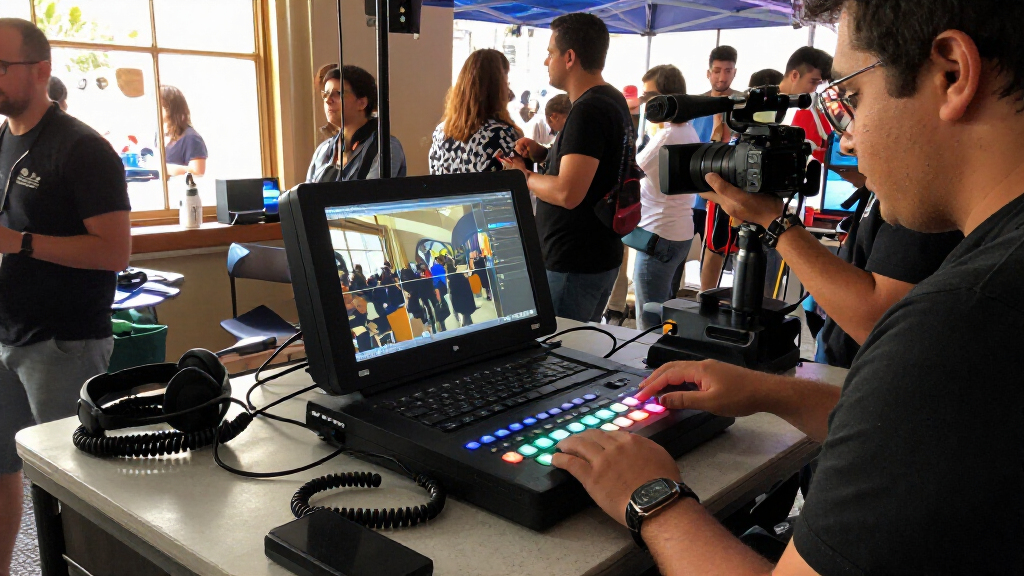
I compared these portable video switchers for live streaming by how well they support a real production workflow: available inputs and connection types, live switching and monitoring, encoding or streaming features, recording options, and the amount of extra equipment needed. I also weighed portability as a complete setup, not just the size of the switcher. A unit with an integrated screen or production tools may take more room but reduce the number of separate devices a crew must carry and connect.
The ranking favors models that balance useful production capability with manageable setup for their likely audience. All-in-one functionality and flexible workflows raise a product’s position; specialized strengths, such as ISO recording or SDI connections, earn recognition when they solve a clear need. Products with a narrower role, a larger footprint, or a more involved setup rank lower for general use, even when they may be the better choice for a particular production. The 15 products are included as requested; each review should be read against its stated workflow and connection needs rather than treated as interchangeable.
Factors to Consider When Choosing Portable Video Switchers For Live Streaming
Before choosing a switcher, I’d map the full stream from camera to audience. A device that looks portable on its own can still require a laptop, display, capture gear, power supplies, and extra cabling. These decisions help separate a compact mixer from a genuinely self-contained field setup.
Match Inputs to Your Cameras and Cables
Count the cameras you plan to connect now, then leave room for a likely addition such as a laptop feed or presentation camera. Check the actual input types on every source: an HDMI switcher will not directly accept an SDI camera without suitable conversion, and conversion adds cost, connections, and potential failure points. Also check whether your cameras output clean video and whether they can stay powered for the length of a stream. Long cable runs make connector choice more than a convenience; SDI is often chosen for production runs where cable handling and distance matter. Avoid buying based only on the maximum input count if some inputs do not match your gear. A smaller compatible switcher can be more useful than a larger one that calls for adapters on every source.
Separate Switching From Streaming
A video switcher may only select and arrange sources, or it may also encode and send a stream to a platform. Those are different jobs, so confirm which device in your setup handles encoding, network access, and platform delivery. If you use a laptop for streaming, check how the switcher connects to it and whether your software can recognize the output as expected. An all-in-one design can simplify a remote setup, but it may be less convenient if your team already has a preferred computer-based workflow. Plan for what happens if the network drops, too: local recording can preserve footage even when a live stream is interrupted. Do not assume that a device’s streaming label means every platform, account, or network setup is supported without additional configuration.
Decide Whether You Need ISO Recording
Program recording captures the switched show, while ISO recording saves individual camera feeds for later editing. Separate recordings can rescue a missed camera cut and give editors more options, but they bring extra storage needs and a more demanding post-production workflow. Ask who will manage the files, how quickly they need to deliver the edit, and where footage will be backed up. If the stream is a one-time event with no planned edits, program recording may be all you need. For interviews, events, or content that will be repurposed, isolated feeds can justify a more specialized switcher. Check recording formats and storage media before buying; recording capability alone does not tell you how practical the workflow will be.
Treat Monitoring as Part of the Carry Kit
A built-in display can make field setup easier by putting source checks and production controls in one place. The tradeoff is that a larger integrated monitor takes up more room and can add weight compared with a switcher connected to a display you already own. Consider where the operator will stand, whether they need to see all sources at once, and how the screen will be viewed in the production environment. A compact touchscreen may help with basic adjustments but will not necessarily replace a larger view for a multi-camera crew. If you choose a switcher without a screen, include the monitor, mounting, and cable requirements in your packing plan. Compare the size of the whole working setup, not just the product’s listed dimensions.
Check Power, Network, and Backup Plans
Portability depends on reliable power and connectivity as much as a small chassis. Confirm the device’s power requirements and whether the planned location has enough outlets or a compatible battery solution. Streaming also depends on network stability, so test the venue’s upload connection and consider a wired connection where available. A mobile or backup connection can help, but it adds another device and may not perform consistently in crowded venues. Decide whether you need a local recording as a safety copy if the stream fails. Pack spare cables and a plan for a failed source, since a compact setup can still be vulnerable to one loose connection. Rehearsing the complete rig at home is a better check than relying on a feature list.
Choose for the Operator, Not Just the Feature List
More inputs and production controls only help when someone can manage them during a live show. A solo creator may prefer fewer controls and a shorter setup, while a crew can put more advanced switching features to work. Think through the actual sequence: who selects shots, monitors audio, checks the stream, and handles problems? If one person must do all of that, a simpler workflow may be more dependable than a feature-rich system that demands constant attention. For a shared production, control layout, labeling, and repeatable setup matter because different operators may use the same rig. Evaluate how much learning and setup time your team can take on before adding capability you may seldom use.
Frequently Asked Questions
Can I stream without a laptop using one of these switchers?
Some switchers in this roundup combine video switching with streaming or encoding functions, while others are designed to work as part of a computer-based setup. Check the exact product workflow before buying: a control panel or built-in screen does not automatically mean the device can send a stream on its own. You will also need to confirm how it connects to your streaming platform and network. If you want to leave a laptop at home, prioritize a model with the required standalone streaming tools and test the full setup before an event. If you already use streaming software, a computer-connected switcher may fit better.
Should I choose HDMI or SDI for a portable streaming setup?
Start with the outputs on your cameras and other sources, then consider the distance between those sources and the switcher. HDMI often suits compact rigs with short cable runs and consumer or prosumer cameras. SDI can be a better match for production cameras and longer, more robust cable runs, but it will not help if your sources lack SDI outputs. Converters can bridge formats, though they add equipment and more points to check during setup. Choosing a switcher that matches your existing cameras usually beats choosing one for a connection type you may never use.
Do I need ISO recording if I already record the live program?
Not necessarily. A program recording preserves the finished switched feed, which is often enough for a stream that will not be edited. ISO recordings preserve individual camera feeds, giving an editor the option to change cuts, recover a missed moment, or create alternate versions afterward. That flexibility comes with more files, storage requirements, and editing work. If post-production is part of your plan, check how many sources can be recorded and what storage workflow the switcher supports. If not, prioritize reliable program recording and straightforward operation.
Is a built-in monitor worth the extra space in a portable rig?
A built-in monitor is useful when you need to check sources and control a stream without bringing a separate display. That can simplify setup and make an all-in-one kit easier to hand to an operator. The cost is a larger unit to pack, transport, and position, and a small screen may still be limiting for detailed multi-source monitoring. If you already carry a suitable monitor, a smaller switcher may use your space better. Compare the packed size of the entire setup, including stands and cables, before deciding that an integrated display saves room.
How many inputs should I buy if I only use two cameras today?
Two cameras may cover your current show, but a computer presentation, remote guest, or spare camera can quickly become another source. Buy extra inputs when you have a clear plan to use them or when replacing the switcher later would disrupt an established rig. More inputs can also mean a larger control surface and a more involved workflow, so they are not free in practical terms. Check whether the listed input count reflects the connections you need and whether some inputs share functions or limitations. For a fixed two-camera setup, a compact compatible model can be the more convenient choice.
Conclusion
For a general-purpose mobile production, I’d choose the Magewell Director Mini 55110 as best overall because its switching, encoding, streaming, and recording functions can reduce the number of separate devices in the kit. The Blackmagic Design ATEM Mini Pro is my value-minded pick for a simpler HDMI-based desk or small-camera setup, while the YoloLiv YoloBox Ultra is the premium option for buyers who want a broader all-in-one production approach. Beginners should favor a workflow they can set up and operate confidently; the compact ATEM Mini Pro is a sensible starting point when its HDMI connections and computer-based needs fit. For post-production flexibility, choose the Osee GoStream Duet 8 ISO; for an integrated large display, look at the AVMATRIX SHARK S6 PLUS or monitor-equipped Osee kits. My final choice would depend on camera connections, whether I need ISO files, and how much of the stream I want the switcher itself to handle.