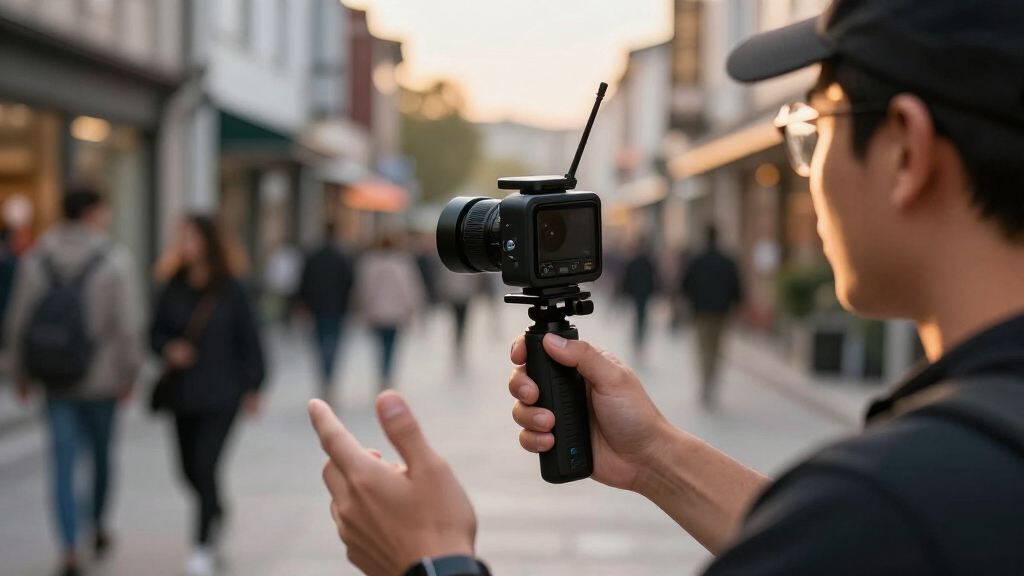
For most solo creators, I’d start with the OBSBOT Tail Air: its 4K capture and AI tracking suit a presenter who needs a camera to follow the action. The Mevo Core is a strong alternative for creators who want a wireless camera built around flexible streaming, while the AVKANS Go 4K with 30x optical zoom makes more sense when framing distant subjects matters most. Wireless live streaming cameras differ on more than resolution: tracking, zoom, connection options, and multi-camera control can matter more to a real setup than a 4K label. I’ve ranked these picks by how well their features fit distinct streaming needs, not by specs alone. Read on for the full breakdown and guidance on choosing the right setup.

Get everyday essentials delivered free with Prime
- Fast, free delivery on millions of items
- Prime Video, Amazon Music and more included
- Member-only deals all year
Key Takeaways
Tracking and zoom solve different problems. The OBSBOT Tail Air and EMEET PIXY models focus on automated framing, while AVKANS cameras with optical zoom better suit distant or tightly framed subjects.
Wireless does not mean the same workflow across the lineup. Mevo Start and Mevo Core are streaming-focused options, while several PTZ models put more emphasis on camera movement and zoom.
Resolution alone is a weak way to rank a live camera. A 1080p camera with useful optical zoom or dependable tracking may fit a live production better than a 4K camera that cannot frame the scene you need.
Bundles and multi-camera packs target different buyers. Three-camera kits can help cover events or several angles, but they add setup and coordination needs that a solo streamer may not want.
The best choice depends on the shooting distance and crew. Solo presenters benefit from tracking and simple operation; stage, classroom, and event crews may gain more from optical zoom and multiple cameras.
| OBSBOT Tail Air 4K AI Tracking Streaming Camera with Remote Control |  | Best for Compact, Flexible Productions | Sensor: 1/1.8-inch CMOS | Video: 4K up to 30 fps; 1080p up to 60 fps | Lens: 8-piece lens, f/1.8, 23 mm focal length | VIEW LATEST PRICE | See Our Full Breakdown |
| Logitech for Creators Mevo Core Wireless 4K Video Camera |  | Best Premium Lens Flexibility | Sensor: CMOS | Video: Maximum UHD | Lens system: Interchangeable Micro Four Thirds lenses | VIEW LATEST PRICE | See Our Full Breakdown |
| TONGVEO Wireless AI PTZ Camera with Auto-Tracking, 1080p 60fps, 3x Optical Zoom |  | Best for Speaker-Focused Rooms | Sensor: 1/2.7-inch CMOS | Video: 1080p up to 60 fps | Optical zoom: 3x | VIEW LATEST PRICE | See Our Full Breakdown |
| Logitech Mevo Start Wireless Live Streaming Camera, Black |  | Best for Beginners | Video: 1080p HD | Connectivity: Wi-Fi, Ethernet, smartphone network | Battery life: Up to 6 hours | VIEW LATEST PRICE | See Our Full Breakdown |
| EMEET PIXY Dual-Camera AI PTZ 4K Webcam Kit with Adjustable Tripod |  | Best for Desk-Based Presentations | Video: 4K UHD | Sensor: Sony 1/2.55-inch | Autofocus: PDAF and AI autofocus; 0.2-second focusing | VIEW LATEST PRICE | See Our Full Breakdown |
| AVKANS Go Wireless Streaming Camera 4K, 3X Optical Zoom, 9X Hybrid Zoom |  | Best for Multi-Camera Sports Production | Video resolution: 4K and 1080p | Optical zoom: 3× | Sensor: 1/2.7-inch CMOS | VIEW LATEST PRICE | See Our Full Breakdown |
| EMEET PIXY Wireless 4K Dual-Lens AI Tracking Camera |  | Best for Hands-Free Presenters | Video resolution: UHD 4K | Sensor: 1/2.55-inch CMOS | Field of view: 97° | VIEW LATEST PRICE | See Our Full Breakdown |
| NearStream VM33 Gen 3 Wireless Streaming Camera |  | Best for Long-Range 1080p Streaming | Streaming resolution: 1080p | Recording resolution: 1440p | Zoom: 10× optical, 4× digital | VIEW LATEST PRICE | See Our Full Breakdown |
| AVKANS Go 4K Wireless Live Streaming Camera with 30x Optical Zoom | | Best for Distant Sports Action | Video resolution: Up to 4K | Optical zoom: 30× | Digital zoom: 3× | VIEW LATEST PRICE | See Our Full Breakdown |
| EMEET PIXY Wireless 4K Dual-Lens AI Tracking PTZ Streaming Camera | | Best Compact Kit for Multi-Platform Streaming | Video resolution: 4K (3840 pixels) | Video format: MP4 | Sensor: 1/2.55-inch CMOS | VIEW LATEST PRICE | See Our Full Breakdown |
| NearStream VM33 3-Pack Wireless Live Streaming Cameras, 10X Optical Zoom |  | Best for Multi-Angle Events | Camera count: 3 | Live streaming resolution: 1080p | Recording resolution: 1440p | VIEW LATEST PRICE | See Our Full Breakdown |
| Logitech Mevo Start 3-Pack Wireless Live Streaming Cameras |  | Best for App-Directed Multi-Camera Streaming | Camera count: 3 | Video resolution: Up to 1080p | Wireless connectivity: Wi-Fi (802.11ac) | VIEW LATEST PRICE | See Our Full Breakdown |
| NearStream VM20 Pro 4K Streaming Camera with 10X Optical Zoom |  | Best for Higher-Resolution Production | Resolution: 4K | Sensor: 1/2-inch CMOS | Optical zoom: 10x | VIEW LATEST PRICE | See Our Full Breakdown |
| Logitech Mevo Start Wireless Live Streaming Camera Bundle (3 Pack) with 64GB Micro SDXC Cards |  | Best for Ready-to-Record Mevo Kits | Camera count: 3 | Video resolution: FHD | Streaming connectivity: Wi-Fi or LTE | VIEW LATEST PRICE | See Our Full Breakdown |
| wireless live streaming camera | Sensor | Connectivity | Battery life | Water resistance |
|---|---|---|---|---|
| OBSBOT Tail Air 4K AI Tracking | 1/1.8-inch CMOS | Wireless, HDMI, USB, Ethernet | 2.5 hours | Not water resistant |
| Logitech for Creators Mevo Cor | CMOS | Wireless, USB-C | Up to 6 hours | Not water resistant |
| TONGVEO Wireless AI PTZ Camera | 1/2.7-inch CMOS | USB wireless dongle | — | — |
| Logitech Mevo Start Wireless L | — | Wi-Fi, Ethernet, smartphone network | Up to 6 hours | Not water resistant |
| EMEET PIXY Dual-Camera AI PTZ | Sony 1/2.55-inch | 5 ft USB 2.0 C-C cable; Type-C to A adapter | — | Not water resistant |
| AVKANS Go Wireless Streaming C | 1/2.7-inch CMOS | Wi-Fi, Ethernet, PoE, HDMI, USB | About 6 hours | Not water resistant |
| EMEET PIXY Wireless 4K Dual-Le | 1/2.55-inch CMOS | Wi-Fi, USB | Up to 8 hours | — |
| NearStream VM33 Gen 3 Wireless | 1/2.8-inch CMOS | Wi-Fi, USB-C, Ethernet with USB-C adapter | Up to 6 hours | — |
| AVKANS Go 4K Wireless Live Str | 1/2.7-inch CMOS | Wi-Fi, Ethernet, HDMI, USB | 6 hours | Not water resistant |
| EMEET PIXY Wireless 4K Dual-Le | 1/2.55-inch CMOS | Wi-Fi, USB | Up to 8 hours | — |
| NearStream VM33 3-Pack Wireles | 1/2.8-inch CMOS | — | Up to 6 hours | — |
| Logitech Mevo Start 3-Pack Wir | — | — | Up to 6 hours | Not water resistant |
| NearStream VM20 Pro 4K Streami | 1/2-inch CMOS | USB-C, HDMI, RJ45 Ethernet | — | — |
| Logitech Mevo Start Wireless L | — | — | — | — |
More Details on Our Top Picks
OBSBOT Tail Air 4K AI Tracking Streaming Camera with Remote Control
The OBSBOT Tail Air fits creators who want a portable camera with more tracking flexibility than a basic webcam. Its AI can follow people, animals, and objects, while wireless, HDMI, USB, Ethernet, and NDI options give it room to fit into different streaming setups. Compared with the Logitech Mevo Start, it offers 4K capture and broader subject tracking, rather than prioritizing a simple 1080p workflow and long battery life. Its compact size also makes it easier to reposition between shoots.
The tradeoff is endurance: its 2.5-hour battery is shorter than the Mevo Start’s stated six hours, so extended sessions may need power nearby. It is also not water resistant, and firmware updates require a microSD card. I’d choose it for mobile indoor productions, not unattended outdoor streams.
Pros:- AI tracking supports people, animals, and objects
- 4K capture with 1080p at up to 60 fps
- Wireless, HDMI, USB, Ethernet, and NDI support
- Compact body and app, remote, and gesture controls
Cons:- 2.5-hour battery life is short for extended streams
- Not water resistant, limiting outdoor use
- Firmware updates require a microSD card
Best for: Solo creators and small production teams who need a compact wireless camera that can track moving people, pets, or objects.
Not ideal for: Streamers running long sessions away from power or filming in wet outdoor conditions; its battery is limited to 2.5 hours and it is not water resistant.
- Sensor:1/1.8-inch CMOS
- Video:4K up to 30 fps; 1080p up to 60 fps
- Lens:8-piece lens, f/1.8, 23 mm focal length
- Connectivity:Wireless, HDMI, USB, Ethernet
- Streaming support:NDI supported
- AI tracking:People, animals, and objects
- Battery life:2.5 hours
- Water resistance:Not water resistant
Our verdict“Choose the Tail Air for a highly portable, tracking-capable 4K setup, but pick the Mevo Start instead if longer battery life matters more.”
Logitech for Creators Mevo Core Wireless 4K Video Camera
The Mevo Core is the most adaptable choice here for creators who want to shape their image with interchangeable Micro Four Thirds lenses. That flexibility can matter more than built-in zoom when a production needs a specific field of view or lens character. Its 4K streaming, wireless connectivity, and stated six-hour battery life also suit longer mobile productions better than the OBSBOT Tail Air, whose battery is rated for 2.5 hours.
This is a more involved setup than the Mevo Start: lens choice and multicamera workflows call for more planning, and the available product details list USB-C and wireless connectivity rather than the broad connection list of some alternatives. The camera is not water resistant, and its 0.96 kg weight makes it less convenient to carry than a pocket-sized camera. I’d favor it for controlled productions where lens choice justifies the added gear.
Pros:- Interchangeable Micro Four Thirds lenses allow framing choices
- 4K streaming for detailed live video
- Up to six hours of stated battery life
- Wireless and USB-C connectivity
Cons:- Lens selection and multicamera workflows add setup complexity
- At 0.96 kg, it is less portable than the OBSBOT Tail Air
- Not water resistant for wet outdoor productions
Best for: Experienced streamers and production teams who want 4K wireless capture, longer battery life, and the ability to select compatible Micro Four Thirds lenses.
Not ideal for: Beginners seeking a simple all-in-one camera, or mobile creators who prioritize minimal weight and quick setup over lens flexibility.
- Sensor:CMOS
- Video:Maximum UHD
- Lens system:Interchangeable Micro Four Thirds lenses
- Connectivity:Wireless, USB-C
- Wireless compatibility:802.11ax
- Battery life:Up to 6 hours
- Weight:0.96 kg
- Image stabilization:Digital
- Water resistance:Not water resistant
Our verdict“Pick the Mevo Core when lens choice and long runtimes matter more than a lightweight, beginner-friendly setup.”
TONGVEO Wireless AI PTZ Camera with Auto-Tracking, 1080p 60fps, 3x Optical Zoom
The TONGVEO wireless PTZ is aimed at meetings, presentations, and classes where one speaker needs to stay framed without an operator moving the camera. Its AI human tracking, 350-degree pan, 90-degree tilt, and 3x optical zoom provide useful room coverage, while 1080p at up to 60 fps keeps motion smoother than a basic fixed camera. The USB wireless dongle supports Windows and macOS workflows, including OBS and common meeting platforms.
Compared with the OBSBOT Tail Air, this model trades 4K and tracking for animals or objects for a more conventional speaker-and-room setup. Its stated wireless range is only 10 m (33 ft), so it is best for a nearby receiver rather than a large venue. At 2.74 kg, it is also less portable, and it lacks water resistance. I’d choose it for a fixed indoor room, not roaming coverage.
Pros:- AI human tracking follows a presenter automatically
- 3x optical zoom helps frame speakers from across a room
- 350-degree pan and 90-degree tilt cover broad areas
- Works with Windows, macOS, OBS, and common meeting platforms
Cons:- Wireless range is limited to 10 m (33 ft)
- 1080p resolution lacks the detail available from 4K alternatives
- At 2.74 kg, it is less convenient to move between locations
Best for: Schools, conference rooms, and presenters who need a mounted camera to follow a speaker over a short wireless distance.
Not ideal for: Mobile creators seeking a lightweight 4K camera, or venues where the camera must sit more than 10 m from its wireless receiver.
- Sensor:1/2.7-inch CMOS
- Video:1080p up to 60 fps
- Optical zoom:3x
- Pan and tilt:350° pan; 90° tilt
- Wireless frequency:5.8 GHz
- Wireless range:Up to 10 m (33 ft)
- Connectivity:USB wireless dongle
- Compatibility:Windows, macOS, Zoom, OBS, Webex, Teams
- Weight:2.74 kg
Our verdict“Choose the TONGVEO for a fixed indoor room where speaker tracking and optical zoom matter more than 4K detail or portability.”
Logitech Mevo Start Wireless Live Streaming Camera, Black
The Mevo Start is the approachable pick for streamers who want to get a wireless 1080p camera running without building a lens-based production kit. It connects over Wi-Fi or Ethernet, can also use a smartphone network, and is controlled through a phone app with Auto-Director controls. Its built-in microphone and support for external audio keep a basic setup straightforward, while support for up to three cameras adds a path to multiple angles.
Compared with the OBSBOT Tail Air, the Mevo Start gives up 4K and advanced tracking for a simpler workflow and a stated six-hour battery life. Fixed focus also means it offers less control over changing subject distance than the TONGVEO PTZ’s optical zoom. The 1080p ceiling is a limitation for detail-heavy productions, and the camera is not water resistant. I’d recommend it for first-time streamers who value setup ease over resolution.
Pros:- Streams and records in 1080p HD
- Wi-Fi, Ethernet, and smartphone network connectivity
- Up to six hours of battery life
- Built-in microphone, external audio support, and app-based Auto-Director
Cons:- Fixed-focus lens offers less flexibility than the TONGVEO’s optical zoom
- 1080p resolution falls short of the 4K OBSBOT Tail Air and Mevo Core
- Not water resistant
Best for: New live streamers, educators, and small creators who want a compact 1080p camera with phone control, built-in audio, and multicamera support.
Not ideal for: Creators who need 4K, adjustable optical zoom, or reliable use in wet outdoor conditions.
- Video:1080p HD
- Connectivity:Wi-Fi, Ethernet, smartphone network
- Battery life:Up to 6 hours
- Weight:8.2 ounces
- Focus:Fixed focus
- Audio:Built-in microphone; supports external audio sources
- Streaming protocols:Webcam Mode, RTMP, NDI|HX
- Digital zoom:4x
- Water resistance:Not water resistant
Our verdict“Choose the Mevo Start for a straightforward, portable first streaming camera, unless your workflow calls for 4K or optical zoom.”
EMEET PIXY Dual-Camera AI PTZ 4K Webcam Kit with Adjustable Tripod
The EMEET PIXY kit combines 4K video, AI autofocus, subject tracking, and an included adjustable tripod for a tidy desk or presentation setup. Its PDAF and AI autofocus are specified to focus in 0.2 seconds, which can help keep a speaker sharp while moving. The three-microphone array offers sound modes for different recording situations, and software features such as presets, whiteboard detection, and privacy controls make it more presentation-oriented than the Logitech Mevo Start.
This is a USB-connected webcam kit rather than a fully wireless camera system: the supplied cable is 5 ft, so placement depends on a nearby computer or compatible setup. Compared with the wireless Mevo Start, it brings 4K and a tripod but does not list battery-powered operation. Framing options are also restricted at 4K 30 fps and 1080p 60 fps, and the remote is sold separately. I’d choose it for a controlled desk, not untethered streaming.
Pros:- 4K video with PDAF and AI autofocus
- AI subject tracking and 310-degree pan with 180-degree tilt
- Three-microphone array with three sound modes
- Included tripod adjusts from 6.7 to 18.5 inches
Cons:- USB cable connection limits placement compared with the wireless Mevo Start
- Field-of-view adjustment is restricted at specified 4K and 1080p 60 fps modes
- Remote control is sold separately
Best for: Presenters and home-office creators who want 4K autofocus, subject tracking, an included adjustable tripod, and software tools for whiteboards and saved framing.
Not ideal for: Streamers who need a battery-powered wireless camera or adjustable framing across all listed resolutions and frame rates.
- Video:4K UHD
- Sensor:Sony 1/2.55-inch
- Autofocus:PDAF and AI autofocus; 0.2-second focusing
- Pan and tilt:310° pan; 180° tilt
- Tripod height:6.7–18.5 inches
- Microphones:Three-microphone array with three sound modes
- Connectivity:5 ft USB 2.0 C-C cable; Type-C to A adapter
- Field-of-view adjustment:Available at 1080p and 2K at 30 fps
- Water resistance:Not water resistant
Our verdict“Pick the PIXY kit for a feature-rich, tripod-mounted 4K desk presentation setup, but choose the Mevo Start for battery-powered wireless streaming.”
AVKANS Go Wireless Streaming Camera 4K, 3X Optical Zoom, 9X Hybrid Zoom
I’d choose the AVKANS Go when the stream needs more than a camera feed: its NDI HX, SRT, RTMP, HDMI, USB, and PoE support can fit into varied broadcast setups, while the AVKANS Live App adds overlays, scoreboards, and instant replay tools. Its 3× optical zoom preserves detail better than relying on digital enlargement, making it useful for covering play from a fixed position. Compared with the 30× AVKANS Go model in this lineup, this version gives up reach but keeps the setup more compact and still offers a flexible production toolkit. The tradeoff is a steeper learning curve than the EMEET PIXY’s gesture-led tracking, plus roughly six hours of battery life and no weather protection. I’d favor it for planned indoor or sheltered events, not quick, unattended outdoor shoots.
Pros:- Broad NDI HX, SRT, RTMP, HDMI, USB, and PoE support suits varied production workflows
- 3× optical zoom retains more image detail than digital zoom alone
- Companion app offers multi-camera tools, overlays, scoreboards, and instant replay
- Wi-Fi, Ethernet, and PoE provide flexible installation options
Cons:- The production features may take time to learn if you are new to live streaming
- About six hours of battery life can fall short for long event days
- Not water resistant, so it needs protection outdoors
Best for: Sports clubs and event teams building a multi-camera stream with overlays, scoreboards, or replay features
Not ideal for: First-time streamers who want simple automatic framing, or crews filming in wet conditions or beyond a six-hour session
- Video resolution:4K and 1080p
- Optical zoom:3×
- Sensor:1/2.7-inch CMOS
- Connectivity:Wi-Fi, Ethernet, PoE, HDMI, USB
- Streaming protocols:NDI HX, SRT, RTMP
- Battery life:About 6 hours
- Weight:0.7 kg
- Water resistance:Not water resistant
Our verdict“Choose this AVKANS if your sports or event stream needs production controls and flexible connections more than long-range zoom or beginner-friendly setup.”
EMEET PIXY Wireless 4K Dual-Lens AI Tracking Camera
The EMEET PIXY is the easiest fit here for a solo presenter who wants framing to follow them rather than operate a camera. Its AI tracking and gesture controls reduce the need for a camera operator, and the 97° field of view suits demonstrations, lessons, and talking-head streams where the presenter moves around. A built-in microphone and external 3.5 mm input give it a more self-contained starting point than the AVKANS Go models, which lean harder on production connections and event controls. Its 4K capture, HDR, and up-to-eight-hour battery support portable sessions, though fixed focus limits placement flexibility and digital stabilization is less reassuring for movement than a camera designed around optical zoom. I’d skip it for distant sports action or demanding outdoor work: it is not weather resistant, and its wide view favors room coverage over tight shots.
Pros:- AI subject tracking and gesture controls support hands-free presentation
- 97° field of view covers a broad area in a compact setup
- Built-in microphone plus 3.5 mm input allow audio without a separate interface
- Up to eight hours of battery life supports extended portable sessions
Cons:- Fixed focus offers less placement flexibility than autofocus models
- Digital image stabilization is a limitation for camera movement
- Not water resistant for outdoor streaming in exposed conditions
Best for: Solo teachers, coaches, and presenters who move around a room and want wireless AI framing without a dedicated operator
Not ideal for: Sports crews filming distant action, or streamers who need optical zoom, rugged weather protection, or adjustable focus
- Video resolution:UHD 4K
- Sensor:1/2.55-inch CMOS
- Field of view:97°
- Focus:Fixed focus
- Connectivity:Wi-Fi, USB
- Microphone:Built-in 48 kHz microphone; 3.5 mm external mic jack
- Battery life:Up to 8 hours
- Weight:4.8 ounces
Our verdict“Pick the PIXY for mobile indoor presenters who value automatic tracking and a self-contained setup over optical zoom and production-grade connections.”
NearStream VM33 Gen 3 Wireless Streaming Camera
The NearStream VM33 Gen 3 suits streamers who need to frame speakers or activity from farther away without giving up wireless operation. Its 10× optical zoom is the key difference from the EMEET PIXY: it can tighten a shot while retaining more detail, which helps in lectures, meetings, and event spaces. The eight-microphone array, AI noise suppression, and 360° pickup range also make it more capable as a room audio source than a camera with only a small built-in mic. Connection options include Wi-Fi, USB-C, and RTMP, RTSP, and NDI; Ethernet is possible with a USB-C adapter, but that adapter is not included. One important limitation is that it streams at 1080p even though it records at 1440p, so the AVKANS 4K models are a better match when live resolution matters more than zoom reach.
Pros:- 10× optical zoom helps frame distant subjects without relying only on digital enlargement
- Eight-microphone array offers 360° pickup up to 16 feet with AI noise suppression
- Supports RTMP, RTSP, and NDI alongside Wi-Fi and USB-C
- App supports up to three cameras, with 20GB of cloud storage listed
Cons:- Live streaming resolution is limited to 1080p despite 1440p recording
- Ethernet requires a USB-C adapter that is not included
- Up to six hours of battery life may not cover a full extended event
Best for: Lecturers, meeting hosts, and event streamers who need optical zoom and room-wide audio in a 1080p live feed
Not ideal for: Creators who require 4K live streaming or want Ethernet connectivity without buying an additional adapter
- Streaming resolution:1080p
- Recording resolution:1440p
- Zoom:10× optical, 4× digital
- Sensor:1/2.8-inch CMOS
- Connectivity:Wi-Fi, USB-C, Ethernet with USB-C adapter
- Streaming protocols:RTMP, RTSP, NDI
- Microphones:Eight-MEMS array with AI noise suppression
- Battery life:Up to 6 hours
- Cloud storage:20GB
Our verdict“Choose the VM33 Gen 3 if optical reach and built-in room audio matter more to your stream than 4K live output.”
AVKANS Go 4K Wireless Live Streaming Camera with 30x Optical Zoom
For a fixed camera position far from the action, I’d put the 30× optical zoom in this AVKANS Go ahead of the compact 3× AVKANS Go. That reach is the main reason to choose it: it can frame distant activity without depending on digital zoom, while 4K streaming and recording preserve detail for live coverage and local footage. Its RTMP, RTMPS, NDI, and SRT support gives production teams several ways to connect it, and simultaneous microSD recording can leave a local copy while the stream runs. Compared with the NearStream VM33 Gen 3, this model offers 4K live output and much greater stated optical zoom, but gives up the NearStream’s eight-microphone array and cloud storage. It is not a self-sufficient outdoor rig: the card is not included, battery life is around six hours, and the body is not weather resistant.
Pros:- 30× optical zoom is suited to distant subjects and fixed-position coverage
- Supports 4K streaming and recording
- RTMP, RTMPS, NDI, SRT, HDMI, USB, Wi-Fi, and Ethernet support varied workflows
- Can record to microSD while streaming
Cons:- MicroSD card is not included
- About six hours of battery life may be limiting for long event coverage
- Not water resistant, and stable streaming is recommended over Wi-Fi or wired Ethernet
Best for: Sports and event crews filming distant action from a fixed, sheltered camera position
Not ideal for: Traveling creators who need weather protection, longer battery endurance, or a ready-to-record setup without purchasing a microSD card
- Video resolution:Up to 4K
- Optical zoom:30×
- Digital zoom:3×
- Sensor:1/2.7-inch CMOS
- Connectivity:Wi-Fi, Ethernet, HDMI, USB
- Streaming protocols:RTMP, RTMPS, NDI, SRT
- Recording:Simultaneous microSD recording; card not included
- Battery life:6 hours
- Water resistance:Not water resistant
Our verdict“Choose this AVKANS when distant action demands substantial optical reach and 4K live output, and you can provide a stable, sheltered setup.”
EMEET PIXY Wireless 4K Dual-Lens AI Tracking PTZ Streaming Camera
This PIXY is the better fit for creators who want 4K AI-tracked framing in a portable package and plan to send a stream to RTMP platforms. Like the other EMEET PIXY in this lineup, it offers gesture controls, a 97° view, and a built-in 48 kHz microphone; this listing adds an autofocus specification and carrying case, making it the more travel-minded of the two. Its Wi-Fi and USB connections suit mobile and desktop workflows, while multi-camera control can support a broader setup. Compared with the AVKANS Go 3× model, it is easier to carry and more automated, but it lacks the AVKANS’s broad NDI, SRT, HDMI, and PoE options for production integration. The stated battery life reaches eight hours, yet sessions beyond that need a power plan. It is also not a substitute for optical zoom when the subject is far away.
Pros:- 4K video with HDR and AI tracking supports detailed, hands-free presentation
- Autofocus and a 97° field of view suit changing subject positions
- Supports wireless multi-camera control and simultaneous RTMP platform streaming
- Includes a carrying case and provides up to eight hours of streaming
Cons:- No optical zoom is specified, limiting framing for distant subjects
- Battery life may not cover sessions longer than eight hours
- Not water resistant for exposed outdoor use
Best for: Mobile presenters and small creator teams who need portable 4K tracking, autofocus, and RTMP streaming to multiple platforms
Not ideal for: Sports broadcasters needing long-range optical zoom, wired production protocols such as NDI or SRT, or sessions that routinely exceed eight hours
- Video resolution:4K (3840 pixels)
- Video format:MP4
- Sensor:1/2.55-inch CMOS
- Field of view:97°
- Focus:Autofocus
- Connectivity:Wi-Fi, USB
- Microphone:Built-in 48 kHz microphone; 3.5 mm external mic jack
- Battery life:Up to 8 hours
- Weight:131.54 g
Our verdict“Pick this PIXY for portable, automated 4K presenting and RTMP workflows, but choose an AVKANS model for long-distance zoom or deeper production connectivity.”
NearStream VM33 3-Pack Wireless Live Streaming Cameras, 10X Optical Zoom
I’d choose the NearStream VM33 3-pack when a live event needs several camera positions and the crew wants zoom flexibility without placing an operator at every angle. Its three cameras combine 10x optical zoom with app control, RTMP streaming, and up to six hours of battery life, making it more adaptable to distant subjects than the fixed-focus Logitech Mevo Start 3-Pack. The built-in microphone array and noise reduction can simplify a lightweight setup, while the 3.5 mm input gives you an option for external audio.
The tradeoff is setup complexity: managing three feeds and supplying suitable microSD cards takes more planning than a single-camera stream. The listed specifications also differ from the marketing description on zoom, so buyers should verify the exact configuration before relying on a particular hybrid zoom figure. I’d skip it for rain-exposed events or a simple, fixed-angle stream.
Pros:- Three cameras support multi-angle coverage in one kit
- 10x optical zoom helps frame distant subjects
- App control and RTMP support suit platform-based streaming workflows
- Up to six hours of battery life per camera supports mobile setups
Cons:- Three cameras and their feeds require more setup and coordination than a single-camera system
- microSD cards are required for local recording and are not listed among the included items
- Not water resistant, limiting use in exposed outdoor conditions
Best for: Event streamers and sports organizers who need multiple angles, remote framing, and battery-powered cameras.
Not ideal for: Solo creators seeking the simplest one-camera setup, or outdoor crews needing weather protection.
- Camera count:3
- Live streaming resolution:1080p
- Recording resolution:1440p
- Optical zoom:10x (product information also lists 8x)
- Sensor:1/2.8-inch CMOS
- Battery life:Up to 6 hours
- Audio:8-MEMS microphone array with AI noise suppression; 3.5 mm audio input
- Recording media:microSD, 32GB–128GB specified for multiple-camera recording
- Streaming protocol:RTMP
Our verdict“Choose this kit for mobile, multi-angle events where optical zoom matters more than a simple setup.”
Logitech Mevo Start 3-Pack Wireless Live Streaming Cameras
The Logitech Mevo Start 3-Pack is the more approachable choice for creators who want three angles coordinated through one app. Its Mevo Multicam app includes Auto-Director, which can help shape a stream without requiring the operator to switch every shot manually. Compared with the zoom-equipped NearStream VM33 3-Pack, Mevo gives up optical zoom and higher-resolution recording, but its straightforward 1080p workflow may suit panels, classes, and events where cameras stay close to the action.
Each camera can stream or record at up to 1080p and run for as long as six hours, with external audio support when the built-in microphones are not enough. Fixed focus keeps operation simple, but it also limits framing flexibility: these cameras are less suited to changing subject distances than the NearStream. I’d pass if the event needs weather resistance, zoom, or 4K capture.
Pros:- Three cameras provide multi-angle coverage from one kit
- Mevo Multicam app includes Auto-Director for assisted shot selection
- Streams and records at up to 1080p
- Built-in battery supports up to six hours of operation per camera
Cons:- Fixed-focus lenses limit framing flexibility as subject distance changes
- No water resistance for outdoor use in rain
- 1080p ceiling lacks the detail and cropping room of 4K options
Best for: Small production teams, educators, and event hosts who want app-controlled three-angle 1080p streams.
Not ideal for: Creators who need optical zoom, adjustable focus, 4K capture, or cameras rated for wet conditions.
- Camera count:3
- Video resolution:Up to 1080p
- Wireless connectivity:Wi-Fi (802.11ac)
- Wired connectivity:USB-C
- Battery life:Up to 6 hours
- Focus:Fixed focus
- Viewing angle:82 degrees
- Weight:232 g per camera
- Water resistance:Not water resistant
Our verdict“Pick the Mevo kit for coordinated, app-directed 1080p coverage when ease of operation matters more than zoom.”
NearStream VM20 Pro 4K Streaming Camera with 10X Optical Zoom
For a single-camera production where image detail and connection choices matter, the NearStream VM20 Pro is the strongest fit in this group. Its 4K resolution and 10x optical zoom provide more room to crop or frame a distant speaker than the 1080p Logitech Mevo Start 3-Pack. HDMI, USB-C, and Ethernet also make it easier to adapt the camera to a wired studio workflow, while wireless AV transmission can reduce cable runs when the optional transceiver is available.
The key distinction is that this is not a ready-to-go wireless kit: the wireless AV transceiver is sold separately, and the supplied details do not specify a battery life. Its microSD recording supports cards up to 1TB, but compatible media still needs to be selected. The 8-microphone array and AI noise reduction help with basic audio capture, though a dedicated external microphone may better suit controlled productions. I’d skip it if you need three cameras in one box.
Pros:- 4K capture offers more detail and cropping flexibility than 1080p models
- 10x optical zoom frames distant subjects without relying only on digital enlargement
- USB-C, HDMI, and RJ45 Ethernet support varied production setups
- microSD recording supports cards up to 1TB
Cons:- Wireless AV transceiver is sold separately
- No battery-life figure is provided in the product data
- Single-camera unit does not provide the multi-angle coverage of the Mevo and VM33 three-packs
Best for: Solo streamers, presenters, and small studios that want 4K capture, optical zoom, and several connection options.
Not ideal for: Buyers who need an immediately complete wireless multi-camera kit, a built-in battery workflow, or weather-resistant hardware.
- Resolution:4K
- Sensor:1/2-inch CMOS
- Optical zoom:10x
- Digital zoom:4x
- Connectivity:USB-C, HDMI, RJ45 Ethernet
- Wireless feature:Wireless AV transmission; transceiver sold separately
- MicroSD recording:Supports cards up to 1TB
- Audio:8-microphone array with AI noise reduction
- Dimensions:5.4 × 3.8 × 2.8 inches
Our verdict“Choose the VM20 Pro for a flexible 4K production camera if you are prepared to source the wireless transceiver and recording media separately.”
Logitech Mevo Start Wireless Live Streaming Camera Bundle (3 Pack) with 64GB Micro SDXC Cards
This bundle takes the familiar Logitech Mevo Start 3-Pack approach and adds a 64GB microSD card for each camera, so local recording needs less add-on shopping. That makes it a better match than the standard Mevo kit for creators who want to capture three angles as well as stream them. Wi-Fi or LTE streaming and app-based Auto-Director support mobile productions, while the fixed-focus cameras keep operation uncomplicated when subjects stay at a steady distance.
Compared with the NearStream VM33 3-Pack, the Mevo bundle has no optical zoom, so it is less useful when cameras must sit far from the action. It also tops out at FHD and is not water resistant. The supplied information says continuous use requires external power, so the included cards do not make it a fully self-contained all-day system. I’d choose it for straightforward multi-camera recording, not changing-distance or weather-exposed shoots.
Pros:- Three cameras support multi-angle streaming and recording
- Includes a 64GB microSD card for each camera
- Wi-Fi and LTE options support streaming beyond a fixed Wi-Fi setup
- App control includes Auto-Director features
Cons:- Fixed-focus, fixed-lens cameras offer no optical zoom
- FHD resolution provides less detail than the NearStream VM20 Pro’s 4K capture
- External power is needed for continuous operation, and the cameras are not water resistant
Best for: Mevo users and mobile event teams who want three 1080p cameras with recording cards included.
Not ideal for: Production crews needing optical zoom, adjustable focus, 4K capture, or rain-ready cameras.
- Camera count:3
- Video resolution:FHD
- Streaming connectivity:Wi-Fi or LTE
- Included memory cards:Three 64GB microSDXC cards
- Focus:Fixed focus
- Lens:Fixed, non-zoom
- Image stabilization:Digital
- Dimensions:2.95 × 3.43 × 2.95 inches
- Warranty:1-year limited warranty
Our verdict“Choose this bundle for convenient three-camera Mevo recording with cards included, provided you do not need zoom or 4K.”
How We Picked
I compared the 14 listed cameras around the jobs buyers actually need them to do: stream wirelessly, frame a subject, and fit a practical production setup. My criteria include the stated video resolution and frame rate, AI tracking, optical versus hybrid zoom, control and connection flexibility, and whether a single camera or bundled kit is offered. I also weighed usability and setup demands: a feature only helps when it suits the operator’s workflow and shooting environment.
The ranking gives priority to versatile cameras that combine live-streaming relevance with useful framing tools, then assigns specialist positions to products built around particular needs, such as long-range zoom or multi-camera coverage. Bundles rank by their value to a crew needing several angles, not by camera count alone. Product names and listed features inform this comparison; I do not treat similar model names as proof of identical capabilities. Since the lineup does not provide comparable details for every connection, battery, or software feature, buyers should confirm those specifications before purchase.
Factors to Consider When Choosing Wireless Live Streaming Cameras
Before choosing a camera, I’d map the stream you want to produce: who or what is on camera, how far away it will be, and how much control you can give the setup. These decisions can matter more than choosing the highest resolution on a product page.
Choose Tracking for Movement, Zoom for Distance
AI tracking helps a camera follow a presenter or moving subject, which can reduce the need for a dedicated operator. Optical zoom addresses a different need: it brings a distant subject closer in the frame without relying on a digital crop. A common mistake is treating tracking and zoom as interchangeable, especially when filming a stage or a speaker across a room. For a person moving around a small space, tracking may be the more useful feature; for a fixed, distant subject, optical zoom may matter more. Hybrid zoom claims should be weighed separately from optical zoom because the two do not describe the same framing method. Match the feature to the subject’s distance and movement before paying for either.
Treat Wireless as a Workflow, Not a Guarantee
“Wireless” can refer to how a camera connects, how it streams, or how easily it moves around a venue, and those are not always the same capability. Check which connections and streaming platforms a model supports, then compare those details with your network and production software. A camera that fits a phone-led workflow may not suit a computer-based production without the right connection path. Wireless links can also be affected by distance, obstacles, and network congestion, so a critical event stream may call for a wired backup or a tested fallback plan. Do not assume the word wireless means every camera can stream directly to every platform. Confirm the exact connection workflow before building the rest of your setup around it.
Decide Whether You Need 4K in the Final Stream
4K capture can give a production room to crop or reframe footage, but the delivered stream may be viewed at a lower resolution. If your audience watches mainly on phones or your bandwidth is limited, tracking, stable framing, and reliable streaming may be more useful than extra pixels. On the other hand, 4K can help when you need to crop a wide shot or reuse footage outside the live broadcast. Check whether your computer, network, and streaming service can handle the capture and output settings you plan to use. A frequent buying error is selecting a camera for its maximum resolution without checking what the rest of the production can support. Choose resolution for the complete signal path, not the camera alone.
Plan the Number of Angles Before Buying a Pack
Multi-camera packs can cover a speaker, a wide room, and close-up details without moving one camera during a stream. They also add work: each camera needs placement, power planning, framing, and a way to switch or manage its feed. A three-camera kit is a better fit for a crew with a clear shot plan than for a solo creator who wants a quick setup. For a first system, one versatile camera may teach you more about your actual needs than buying several units at once. Check whether the bundle includes accessories you will use, and whether the cameras can be controlled together in your intended workflow. Count the angles your show needs, not just the cameras in the box.
Check the Full Setup: Mounts, Power, and Control
A camera’s headline features do not tell you whether it will fit your existing tripod, room, or control setup. Confirm mounting options, included accessories, power requirements, and how the camera is operated during a stream. Remote control can be useful when the camera sits out of reach, while an included tripod may make a kit easier to place straight away. For long sessions, verify expected power arrangements rather than assuming a wireless model will run untethered for the entire event. Also check whether a bundle’s storage card or other extras match your workflow; included accessories do not automatically solve connection or switching needs. These practical checks often separate a camera that looks suitable on paper from one that fits the room.
Frequently Asked Questions
Should I choose AI tracking or optical zoom for a live stream?
I’d choose based on what changes during the shot. Tracking is useful when a presenter moves and you want the camera to maintain framing without a camera operator. Optical zoom is more helpful when the subject stays at a distance, such as a speaker on a stage or a person at the far end of a room. If both needs matter, compare the specific camera’s tracking and optical zoom rather than relying on a general AI or zoom label. The lineup includes options centered on each approach, so the best fit depends on your room and shot plan.
Is a 4K wireless camera worth choosing if I stream in 1080p?
It can be, particularly if you want room to crop a 4K image into a closer view while keeping a 1080p stream. That benefit depends on the camera’s framing, your computer, and the production software, so 4K does not automatically improve every broadcast. If you use a fixed shot and prioritize a simple workflow, a lower-resolution camera with useful tracking or optical zoom may suit you better. Check the supported capture and output settings before buying. Think about how the image will be used both live and after the stream.
Do I need a three-camera bundle for a livestream?
A bundle can be worthwhile when your program needs several simultaneous angles, such as a wide room view and close shots of a presenter or demonstration. It is less useful if you stream alone and do not have a practical way to place, manage, or switch between the cameras. Multiple units add setup and coordination, so the extra coverage should solve a clear production need. I’d sketch the shots you want before comparing packs with single-camera options. If you are still learning your format, starting with one camera can keep the setup easier to manage.
What should I verify before relying on a wireless camera for an event?
Check the exact connection method, supported streaming workflow, and whether the camera works with your network and production tools. Test the setup from the camera’s planned position, since distance, walls, and network congestion can affect a wireless link. Plan power for the length of the event and consider a backup connection for a stream that cannot drop. For a multi-camera production, test how feeds will be controlled and switched before the audience arrives. A spec sheet cannot replace a rehearsal in the actual venue.
Which type of camera makes the most sense for a solo presenter?
A solo presenter usually benefits from simple setup and dependable framing more than from a large multi-camera kit. A model with AI tracking can help keep a moving person in view, while a streaming-focused camera may suit someone who stays in a fixed position. If you present from across a room, zoom capability may take priority instead. Consider whether you will control the camera yourself while speaking, since remote operation and straightforward framing can make a bigger difference than an extra angle. Match the camera to how much movement your presentation involves.
Conclusion
For most solo creators, the OBSBOT Tail Air is my best overall pick because its 4K capture and AI tracking address two common live-streaming needs. For a streaming-focused alternative, I’d look at the Logitech Mevo Core; for a beginner who wants a straightforward single-camera path, the Logitech Mevo Start is a sensible place to start. For premium or distance-focused production, the AVKANS Go 4K with 30x optical zoom stands apart when close framing from far away matters more than automated presenter tracking. For multi-angle needs, compare the NearStream VM33 and Mevo Start three-camera packs, choosing according to the zoom and workflow details that fit your production. The EMEET PIXY and TONGVEO options suit buyers who prioritize AI tracking or PTZ control; I’d confirm each model’s connections, power needs, and software compatibility before committing. Pick the camera for the subject, room, and operator you have—not for resolution or bundle size alone.
Halloween Picks
halloween
As an affiliate, we earn on qualifying purchases.