For journalists who need to print and share images away from a newsroom, the Canon SELPHY CP1500 is my best overall pick for its 4×6-inch prints and flexible wireless workflow. The Canon IVY 2 stands out for quick, adhesive-backed mini prints, while the Liene M100 suits reporters who want larger dye-sublimation prints in a portable setup. The central tradeoff is between compact, easy-to-carry printers that make small prints and larger-format models that take more room and planning. Paper, power, connection options, and the time needed to produce a print can matter as much as image size on assignment. Read on for the full breakdown of all 15 options and how I’d match them to different reporting needs.

Get everyday essentials delivered free with Prime
- Fast, free delivery on millions of items
- Prime Video, Amazon Music and more included
- Member-only deals all year
Key Takeaways
- 4×6-inch dye-sublimation models lead this roundup for keepsake-quality field prints: the Canon SELPHY CP1500 and Liene M100 lines offer a larger format than the 2×3-inch ZINK and mini dye-sublimation options.
- The CP1500 appears in two configurations, not two distinct printer designs: compare the standalone printer with the kit based on included supplies rather than assuming the hardware differs.
- Bundles can reduce setup friction but add little value if their paper and ribbon quantities do not match your assignment volume: this applies to the HPRT CP4100 and several other bundled listings.
- Small adhesive prints serve a different reporting purpose from 4×6 prints: Canon IVY 2, Liene Pearl K100, and similar compact models prioritize easy sharing and labeling over larger image presentation.
- Charging and connectivity deserve a field check before image quality: a printer that cannot connect reliably to your phone or stay powered through the workday can be less useful than a less feature-rich model.
| Liene Pearl N200 Pro Portable Dye-Sublimation Photo Printer, Gold |  | Best for Annotated Field Notes | Printer type: Dye sublimation | Print resolution: 300 × 300 dpi | Maximum media size: 2 × 3 inches | VIEW LATEST PRICE | See Our Full Breakdown |
| Canon SELPHY CP1500 Compact Photo Printer Kit with 2x KP-108IN Ink and Paper Sets |  | Best for Newsroom-Ready 4 × 6 Prints | Printer type: Dye sublimation | Print resolution: 300 × 300 dpi | Supported media size: Up to 4 × 6 inches | VIEW LATEST PRICE | See Our Full Breakdown |
| Canon IVY 2 Mini Photo Printer, Portable ZINK Printer with Peel-and-Stick 2 x 3-Inch Prints, White |  | Best for Pocket-Carried Source Keepsakes | Printer technology: ZINK | Print size: 2 × 3 inches | Print resolution: 313 × 512 dpi | VIEW LATEST PRICE | See Our Full Breakdown |
| KODAK Mini 2 Retro Portable 2×3 Photo Printer, White |  | Best for Protected Credit-Card Prints | Printer type: Dye sublimation, 4PASS | Print size: 2.1 × 3.4 inches | Print resolution: 291 × 300 | VIEW LATEST PRICE | See Our Full Breakdown |
| Liene M100 4×6-Inch Wi-Fi Dye-Sublimation Photo Printer |  | Best for Multi-Device Field Teams | Printer type: Thermal dye sublimation | Print resolution: 300 × 300 dpi | Maximum media size: 4 × 6 inches | VIEW LATEST PRICE | See Our Full Breakdown |
| Canon Selphy CP1500 Wireless Compact Photo Printer (Black) |  | Best Overall for Field-Ready 4×6 Prints | Printer type: Dye sublimation | Connectivity: Wi-Fi, USB 2.0, memory card | Display: 3.5-inch LCD | VIEW LATEST PRICE | See Our Full Breakdown |
| Liene Pearl K100 2×3″ Portable Photo Printer with 50 Sheets Zink Adhesive Paper, Bluetooth 5.2, White |  | Best for Pocketable Peel-and-Stick Prints | Printer type: Zink technology | Connectivity: Bluetooth 5.2 | Print size: 2×3 in glossy adhesive-backed paper | VIEW LATEST PRICE | See Our Full Breakdown |
| KODAK Dock Plus 4×6 Photo Printer with Smartphone Docking |  | Best for Desk-Side Phone Printing | Printer type: 4PASS dye sublimation | Print size: 4×6 in | Print speed: Approximately 55 seconds per photo | VIEW LATEST PRICE | See Our Full Breakdown |
| HPRT CP4100 4×6 Dye-Sublimation Photo Printer with 108 Sheets and 2 Ribbons |  | Best for Starting with a Large Media Supply | Printer type: Dye sublimation | Print size: 4×6 in | Connectivity: 2.4 GHz Wi-Fi, network and direct access-point modes | VIEW LATEST PRICE | See Our Full Breakdown |
| Liene Amber M110 Bluetooth Portable Photo Printer with 80 Sheets and 2 Cartridges |  | Best for Mixed Photo and Sticker Output | Printer type: Thermal dye sublimation | Connectivity: Bluetooth, USB | Supported print sizes: 4×6 in and 3×3 in | VIEW LATEST PRICE | See Our Full Breakdown |
| HPRT CP4100 Portable 4×6 Dye-Sublimation Photo Printer Bundle |  | Best for Ready-to-Print 4×6 Coverage | Printing technology: Dye-sublimation | Maximum print size: 4×6 inches | Connectivity: Wi-Fi | VIEW LATEST PRICE | See Our Full Breakdown |
| Liene M100 4×6-Inch Dye-Sublimation Photo Printer |  | Best for Multi-Device Field Teams | Printing technology: Dye-sublimation | Maximum media size: 4 × 6 inches | Resolution: 300 × 300 dpi | VIEW LATEST PRICE | See Our Full Breakdown |
| Nelko PP01 Portable Photo Printer, Pink |  | Best for Pocket-Sized Visual Notes | Printing technology: Inkjet | Print size: 2×3 inches | Resolution: 600 × 600 dpi | VIEW LATEST PRICE | See Our Full Breakdown |
| Canon SELPHY QX20 Wireless Compact Photo Printer Bundle (Dark Gray) |  | Best for Square and Card-Size Story Displays | Printing technology: Dye-sublimation | Supported paper sizes: 2.7 × 2.7 inches and 2.1 × 3.4 inches | Connectivity: Wi-Fi and USB-C | VIEW LATEST PRICE | See Our Full Breakdown |
| Canon SELPHY QX20 Compact Photo Printer – Dark Gray |  | Best for Battery-Powered Grab-and-Go Printing | Printing technology: Dye-sublimation | Weight: 1.4 lbs | Dimensions: 5.7 × 4 × 1.3 inches | VIEW LATEST PRICE | See Our Full Breakdown |
| portable photo printers for journalist | Connectivity | Weight | Printer type | Resolution |
|---|---|---|---|---|
| Liene Pearl N200 Pro Portable | Bluetooth | 340 g | Dye sublimation | — |
| Canon SELPHY CP1500 Compact Ph | Wi-Fi, Bluetooth, and USB | — | Dye sublimation | — |
| Canon IVY 2 Mini Photo Printer | Bluetooth 5.0 | 145 g | — | — |
| KODAK Mini 2 Retro Portable 2× | Bluetooth | 255 g | Dye sublimation, 4PASS | — |
| Liene M100 4×6-Inch Wi-Fi Dye- | Built-in Wi-Fi hotspot; wired PC connection | 2.2 pounds | Thermal dye sublimation | — |
| Canon Selphy CP1500 Wireless C | Wi-Fi, USB 2.0, memory card | 1.58 kg | Dye sublimation | 300 × 300 dpi |
| Liene Pearl K100 2×3" Portable | Bluetooth 5.2 | 200 g | Zink technology | 300 × 300 dpi |
| KODAK Dock Plus 4×6 Photo Prin | Bluetooth, docking, USB Type-C | — | 4PASS dye sublimation | — |
| HPRT CP4100 4×6 Dye-Sublimatio | 2.4 GHz Wi-Fi, network and direct access-point modes | 2 lb | Dye sublimation | — |
| Liene Amber M110 Bluetooth Por | Bluetooth, USB | 2.9 lb | Thermal dye sublimation | 300 × 300 dpi |
| HPRT CP4100 Portable 4×6 Dye-S | Wi-Fi | 5.6 lbs | — | 300 × 300 dpi |
| Liene M100 4×6-Inch Dye-Sublim | Wi-Fi and USB Type-C | — | — | 300 × 300 dpi |
| Nelko PP01 Portable Photo Prin | Bluetooth and USB Type-C | 308 g | — | 600 × 600 dpi |
| Canon SELPHY QX20 Wireless Com | Wi-Fi and USB-C | 1.7 lbs | — | 300 × 300 dpi |
| Canon SELPHY QX20 Compact Phot | Wi-Fi via QR code and USB-C charging | 1.4 lbs | — | 300 × 300 dpi |
More Details on Our Top Picks
Liene Pearl N200 Pro Portable Dye-Sublimation Photo Printer, Gold
The Liene Pearl N200 Pro suits journalists who want small, shareable images they can stick beside notes, captions, or contact details. Its 2 × 3-inch adhesive dye-sublimation prints add color and monochrome options, while the app’s timestamps and editing tools can help prepare an image for a quick newsroom handoff. Compared with the Canon IVY 2, it offers dye-sublimation output and a stated capacity of up to 27 prints per charge, rather than relying on ZINK paper; both remain limited to small-format images. The editing extras are useful for presentation, but they do not replace a journalist’s normal image archive or reporting workflow. Its phone-only Bluetooth connection and small print area make it a poor match for larger handouts, and the charge limit may interrupt a long field session.
Pros:- Dye-sublimation output supports color and monochrome images.
- Adhesive 2 × 3-inch prints can be placed in notebooks or on storyboards.
- App includes timestamps, background removal, frames, and other editing tools.
- Compact 340 g design and Bluetooth pairing suit phone-based field work.
Cons:- Prints are limited to 2 × 3 inches, too small for many presentation needs.
- A full charge is specified for up to 27 stickers, which can constrain extended assignments.
- Bluetooth smartphone support does not provide the broader computer and media-source options of the Canon SELPHY CP1500.
Best for: Mobile reporters who want adhesive, timestamp-ready image prints for field notebooks, source handouts, or visual storyboards.
Not ideal for: Journalists who need standard 4 × 6-inch prints, computer connections, or enough output for a large press briefing.
- Printer type:Dye sublimation
- Print resolution:300 × 300 dpi
- Maximum media size:2 × 3 inches
- Connectivity:Bluetooth
- Compatible devices:Android and iOS smartphones
- Weight:340 g
- Maximum prints per charge:Up to 27 stickers
- Included media and cartridges:50 sheets of 2 × 3-inch adhesive paper and 5 cartridges
Our verdict“Choose the Pearl N200 Pro if your field workflow benefits from small adhesive prints and app-added timestamps, not larger photo handouts.”
Canon SELPHY CP1500 Compact Photo Printer Kit with 2x KP-108IN Ink and Paper Sets
For journalists who need a conventional photo size rather than pocket prints, the Canon SELPHY CP1500 kit is the most presentation-friendly option in this group. It supports media up to 4 × 6 inches, offers glossy, semi-gloss, and satin finish choices, and can print directly from an SD card or USB drive—useful when a phone is not the source of the image. Wi-Fi and Bluetooth add mobile options, while the included two ink-and-paper sets give a reporter supplies to start with. Compared with the smaller KODAK Mini 2 Retro, the CP1500 produces a larger format and provides more ways to feed images, but it is less pocketable and still prints only up to 4 × 6 inches. Its dye-sublimation process takes time, and replacement media is specific to Canon. Optional battery support is noted, but no battery is listed among the included items.
Pros:- Prints up to 4 × 6 inches, larger than the compact 2 × 3-inch models here.
- Wi-Fi, Bluetooth, USB, SD-card, and USB-drive printing support varied newsroom workflows.
- Glossy, semi-gloss, and satin finish options allow some control over print presentation.
- Kit includes two KP-108IN ink-and-paper sets.
Cons:- Larger and less convenient to carry than the Canon IVY 2 or KODAK Mini 2 Retro.
- Requires specific Canon ink and paper sets for replacement supplies.
- Optional battery support does not mean a battery is included in this kit.
Best for: Reporters who need durable 4 × 6-inch prints for interviews, editorial meetings, or small press briefings and can carry a compact tabletop printer.
Not ideal for: Journalists working primarily on foot who need a pocket-sized printer, or those who want an included battery for printing away from an outlet.
- Printer type:Dye sublimation
- Print resolution:300 × 300 dpi
- Supported media size:Up to 4 × 6 inches
- Connectivity:Wi-Fi, Bluetooth, and USB
- Display:3.5-inch LCD
- Direct printing sources:SD cards and USB drives
- Included supplies:Two KP-108IN ink-and-paper sets
- Warranty:Limited 1-year manufacturer warranty
Our verdict“Pick the CP1500 kit when a 4 × 6-inch handout and flexible image sources matter more than pocket portability.”
Canon IVY 2 Mini Photo Printer, Portable ZINK Printer with Peel-and-Stick 2 x 3-Inch Prints, White
The Canon IVY 2 prioritizes carry size and simplicity: at 145 g, it is the lightest printer in this batch, and its ZINK system prints without separate ink cartridges. For a journalist, that means a compact way to make peel-and-stick images for a notebook, source packet, or informal visual reference while reporting away from a desk. It connects to iOS and Android devices over Bluetooth 5.0, but the included paper capacity is only ten sheets. Compared with the Liene Pearl N200 Pro, the IVY 2 is lighter and avoids cartridges, while the Liene offers dye-sublimation printing and more app effects. The IVY 2’s 2 × 3-inch output is best treated as a quick-use accessory, not a way to prepare larger editorial prints. Journalists needing larger, more formal output should step up to the Canon SELPHY CP1500 instead.
Pros:- At 145 g, it is especially easy to carry in a field bag.
- ZINK printing does not require separate ink cartridges.
- Peel-and-stick backing makes prints easy to place in notebooks or on boards.
- Bluetooth 5.0 connects with compatible iOS and Android devices.
Cons:- Prints are limited to 2 × 3 inches.
- The maximum sheet capacity is 10, limiting uninterrupted printing.
- Smartphone and app dependence offers less flexibility than the CP1500’s SD-card and USB printing.
Best for: Reporters who want the lightest phone-connected option for occasional peel-and-stick images in field notebooks or source packets.
Not ideal for: Journalists who need larger prints, substantial paper capacity, or a printer that can work without a compatible smartphone.
- Printer technology:ZINK
- Print size:2 × 3 inches
- Print resolution:313 × 512 dpi
- Connectivity:Bluetooth 5.0
- Compatible devices:iOS and Android smartphones and tablets
- Weight:145 g
- Maximum sheet capacity:10 sheets
- Included paper:10 sheets of ZINK photo paper
Our verdict“Choose the IVY 2 for pocketable, occasional sticker prints, but not for larger or high-volume assignment output.”
KODAK Mini 2 Retro Portable 2×3 Photo Printer, White
The KODAK Mini 2 Retro is a sensible fit for reporters who want small physical images with a protective finish. Its 4PASS dye-sublimation process applies a laminate designed to resist fingerprints, water, and fading, a practical advantage when prints travel in a notebook or pocket. The included bundle supplies four cartridges and 38 sheets, so it starts with more paper than the Canon IVY 2’s ten-sheet pack, though the Kodak printer holds up to 15 sheets at once. At 255 g, it is still compact, but it is heavier than the IVY 2 and does not offer that model’s ink-free ZINK system. The 2.1 × 3.4-inch format remains small beside the Canon SELPHY CP1500’s 4 × 6-inch output. Bluetooth and app dependence also make it a phone-first tool rather than a flexible newsroom printer.
Pros:- 4PASS dye sublimation adds a protective laminate designed to resist water, fingerprints, and fading.
- Bundle includes four cartridges and 38 sheets of photo paper.
- Compact 255 g body suits mobile carry.
- App supports photo editing, cropping, and customization.
Cons:- Small 2.1 × 3.4-inch prints are less suitable for formal handouts than the CP1500’s 4 × 6-inch output.
- Maximum capacity is 15 sheets, so frequent printing requires reloading.
- Printing depends on a compatible smartphone and the KODAK app.
Best for: Mobile journalists who want laminated, credit-card-sized color prints and plan to print from an iOS or Android phone.
Not ideal for: Reporters who need prints larger than 2.1 × 3.4 inches, direct computer printing, or a pocket-light device.
- Printer type:Dye sublimation, 4PASS
- Print size:2.1 × 3.4 inches
- Print resolution:291 × 300
- Print speed:Approximately 55 seconds per photo
- Connectivity:Bluetooth
- Weight:255 g
- Maximum sheet capacity:15 sheets
- Included supplies:Four cartridges and 38 sheets of photo paper
Our verdict“Choose the Mini 2 Retro for protected small prints from a phone, not for larger newsroom presentation copies.”
Liene M100 4×6-Inch Wi-Fi Dye-Sublimation Photo Printer
The Liene M100 makes more sense for a small reporting team than for a journalist seeking a printer to carry in a pocket. It produces 4 × 6-inch dye-sublimation prints with a finish designed to resist water, scratches, and fading—useful when images need to circulate as physical copies. Its built-in Wi-Fi hotspot lets up to five devices connect without a home network, so a reporter, editor, and photographer can send images from compatible phones or laptops. Compared with the Canon SELPHY CP1500, the M100 emphasizes direct multi-device Wi-Fi rather than media-card and USB-drive printing; the CP1500 offers more listed input routes and finish choices. The tradeoff is a larger, 2.2-pound body, while PC use requires a wired connection. Its 20-sheet capacity and included supplies suit small batches, but this is not a pocket printer for constant travel.
Pros:- Prints up to 4 × 6 inches for more legible handouts than the mini printers.
- Built-in Wi-Fi hotspot supports connections from up to five devices.
- Protective finish is designed to resist water, scratches, and fading.
- Works with iOS, Android, laptops, and PCs, with a wired PC connection.
Cons:- At 2.2 pounds and roughly 7.48 × 9.88 × 7.48 inches, it is less portable than the CP1500 and mini printers.
- PC connection requires a cable rather than Wi-Fi.
- Maximum media size remains 4 × 6 inches, limiting larger display or presentation prints.
Best for: Small reporting teams or journalists who need shared 4 × 6-inch output from several phones and occasional laptop printing at a field base.
Not ideal for: Solo reporters who need a pocket-sized printer, PC users seeking wireless printing, or teams needing output beyond 4 × 6 inches.
- Printer type:Thermal dye sublimation
- Print resolution:300 × 300 dpi
- Maximum media size:4 × 6 inches
- Maximum sheet capacity:20 sheets
- Connectivity:Built-in Wi-Fi hotspot; wired PC connection
- Simultaneous connections:Up to 5 devices
- Compatible devices:iOS, Android, laptops, and PC
- Weight:2.2 pounds
Our verdict“Pick the M100 when several reporters need shared 4 × 6-inch Wi-Fi printing at a field base, not when low carry weight is the priority.”
Canon Selphy CP1500 Wireless Compact Photo Printer (Black)
For journalists who need shareable 4×6 prints rather than just pocket-sized keepsakes, the Canon Selphy CP1500 offers the most flexible setup in this group. Its Wi-Fi, USB, and memory card connections give you several ways to print when a phone-only workflow is inconvenient, while the 3.5-inch screen lets you review and make basic edits without relying entirely on an app. Dye-sublimation output is described as instantly dry and water-resistant, a useful safeguard when prints are handled on the move. Compared with the phone-focused KODAK Dock Plus, the CP1500 adds memory-card input and optional battery operation. The tradeoffs are its slow pace of about 1.5 pages per minute and the separate purchase required for the battery; it also prints photos and labels, not standard documents.
Pros:- Wi-Fi, USB, and memory-card connections support varied field workflows.
- Dye-sublimation prints are instantly dry and water-resistant.
- 3.5-inch LCD supports image viewing and basic edits at the printer.
- Optional battery pack allows operation away from an outlet.
Cons:- Print speed is approximately 1.5 pages per minute.
- Battery pack is sold separately.
- Limited to photo and label printing, not standard documents.
Best for: Reporters who want durable 4×6 handouts and multiple ways to print from a phone, camera, or memory card.
Not ideal for: Journalists who need rapid batches, ordinary document printing, or a battery included in the box.
- Printer type:Dye sublimation
- Connectivity:Wi-Fi, USB 2.0, memory card
- Display:3.5-inch LCD
- Resolution:300 × 300 dpi
- Supported media:4×6 in, 2.1×3.4 in, 2.1×2.1 in, mini label stickers
- Print speed:Approximately 1.5 pages per minute
- Weight:1.58 kg
- Dimensions:5.24 × 7.17 × 2.27 in
Our verdict“Choose the CP1500 if you need durable 4×6 prints and flexible input options, and can accept slow output or buy its battery separately.”
Liene Pearl K100 2×3″ Portable Photo Printer with 50 Sheets Zink Adhesive Paper, Bluetooth 5.2, White
The Pearl K100 suits journalists who want to attach a small image to a notebook, assignment board, or contact sheet on the spot. At 200 g, it is far easier to carry than the 4×6 Canon Selphy CP1500, and its Zink process avoids carrying ink cartridges. The included 2×3-inch adhesive paper makes prints immediately useful for labeling and visual notes, though the format is too small for a polished handout or a detailed image review. Bluetooth pairing avoids dependence on a Wi-Fi network, but printing is restricted to the Liene app, a tighter workflow than the CP1500’s memory-card and USB options. Its stated battery capacity is up to 30 photos per charge; expect a measured pace, and keep the blue calibration card needed for print-head cleaning safe.
Pros:- Very light at 200 g and compact enough for a field bag.
- Zink printing avoids ink cartridges.
- Sticky-backed 2×3-inch media is convenient for notebooks and labels.
- Bluetooth 5.2 connects without needing a Wi-Fi network.
Cons:- Prints are limited to the small 2×3-inch format.
- Printing requires the Liene app.
- Print-head cleaning depends on a specific blue calibration card.
Best for: Mobile reporters who want lightweight, adhesive-backed reference photos for notebooks, field boards, or source follow-ups.
Not ideal for: Journalists who need large, presentation-ready prints, app-independent printing, or fast output.
- Printer type:Zink technology
- Connectivity:Bluetooth 5.2
- Print size:2×3 in glossy adhesive-backed paper
- Resolution:300 × 300 dpi
- Battery life:Up to 30 photos per charge
- Charging port:USB Type-C
- Weight:200 g
- Dimensions:4.92 × 3.35 × 0.98 in
- Included media:50 sheets of Zink adhesive paper
Our verdict“Pick the Pearl K100 for pocketable adhesive notes and reference images, not for full-size photos or flexible printing workflows.”
KODAK Dock Plus 4×6 Photo Printer with Smartphone Docking
The Dock Plus is built around a straightforward routine: dock a compatible phone, edit in the KODAK app, and print a borderless 4×6 photo. Its charging dock is a practical distinction from the HPRT CP4100, which uses Wi-Fi and app control but does not offer phone charging while printing. KODAK’s 4PASS dye-sublimation process adds a protective laminate intended to resist fingerprints, water, and fading, making prints easier to handle than an unprotected image. That convenience is tied to a less flexible setup: the printer needs a power outlet, and its media choice is limited to 4×6 paper. At roughly 55 seconds per photo, it is not a rapid batch printer, but it can suit a newsroom desk or a powered reporting location where phone-first operation is the priority.
Pros:- Integrated dock charges a phone during printing.
- 4PASS prints receive a protective laminate.
- App tools support editing, cropping, and customization.
- Produces borderless 4×6-inch photos.
Cons:- Requires a power outlet for operation.
- Supports only 4×6-inch photo paper.
- Prints take approximately 55 seconds each.
Best for: Journalists who print occasional 4×6 images directly from a smartphone at a newsroom desk or another powered location.
Not ideal for: Reporters who need battery-powered field printing, memory-card input, or multiple print sizes.
- Printer type:4PASS dye sublimation
- Print size:4×6 in
- Print speed:Approximately 55 seconds per photo
- Connectivity:Bluetooth, docking, USB Type-C
- Compatible devices:iOS and Android smartphones and tablets
- Power:Requires a power outlet
- Maximum sheet capacity:20 sheets
- Dimensions:4.5 × 8.5 × 2 in
Our verdict“Choose the Dock Plus for convenient phone-based 4×6 printing at a powered desk, and skip it if you need a genuinely untethered field printer.”
HPRT CP4100 4×6 Dye-Sublimation Photo Printer with 108 Sheets and 2 Ribbons
The CP4100’s strongest newsroom advantage is its included supply of 108 sheets and two ribbons, which gives a reporter more room to print a run of 4×6 images before restocking. Its Wi-Fi supports both network and direct access-point modes, so it can connect through a local network or directly to a phone or tablet. That flexibility contrasts with the KODAK Dock Plus, which centers its workflow on a phone dock but needs an outlet. HPRT’s protective coating is designed to resist water, oil, and fingerprints, helpful when prints pass between people. The tradeoffs are app-only control, 2.4 GHz Wi-Fi support, and a stated pace of one color page per minute. Its extra editing and collage tools may be useful, but the AR video feature is less relevant to fast field documentation.
Pros:- Includes 108 sheets of glossy photo paper and two ribbons.
- Offers network Wi-Fi and direct access-point connection modes.
- Protective coating is designed to resist water, oil, and fingerprints.
- App includes editing and collage tools.
Cons:- Supports 2.4 GHz Wi-Fi only.
- Print speed is listed as one color page per minute.
- App-based operation is limited to smartphones and tablets.
Best for: Reporters who expect to print many 4×6 photos from a phone or tablet and value having paper and ribbons included.
Not ideal for: Journalists who need battery-powered use, computer or memory-card printing, or faster output.
- Printer type:Dye sublimation
- Print size:4×6 in
- Connectivity:2.4 GHz Wi-Fi, network and direct access-point modes
- Print resolution:300 dpi
- Print speed:1 color page per minute
- Included media:108 sheets of glossy photo paper
- Included ribbons:2
- Weight:2 lb
- Dimensions:5.12 × 7.87 × 3.35 in
Our verdict“The CP4100 makes sense for phone-led reporting that needs a ready supply of 4×6 media, but not for untethered or high-speed printing.”
Liene Amber M110 Bluetooth Portable Photo Printer with 80 Sheets and 2 Cartridges
The Amber M110 is the most flexible choice here for reporters who want both conventional handouts and smaller visual notes: it handles 4×6 photos and 3×3 sticker sheets using two paper trays. The included 80 sheets and two cartridges make it ready for a mix of those formats, while Bluetooth and the Liene app keep the workflow phone-centered. Unlike the pocket-size Pearl K100, the M110 produces larger 4×6 prints; unlike the Canon Selphy CP1500, it offers square sticker media but lacks the listed memory-card connection and built-in editing screen. Its laminated output is designed to resist water, scratches, fingerprints, and fading. The main compromise is proprietary cartridge compatibility, which narrows replacement-media choices, and its 2.9-pound weight is less appealing for journalists counting every item in a shoulder bag.
Pros:- Supports both 4×6-inch photos and 3×3-inch sticker sheets.
- Two trays make switching between media formats more convenient.
- Laminated prints are designed to resist water, scratches, fingerprints, and fading.
- App offers filters, borders, and brightness and contrast adjustments.
Cons:- Requires compatible Liene cartridges, limiting media flexibility.
- Maximum print size is 4×6 inches.
- At 2.9 lb, it is heavier than the pocket-sized Liene Pearl K100.
Best for: Reporters who want to print full-size photos and square adhesive images from a phone during the same assignment.
Not ideal for: Ultralight field crews or journalists who prefer open media choices, memory-card input, or prints larger than 4×6 inches.
- Printer type:Thermal dye sublimation
- Connectivity:Bluetooth, USB
- Supported print sizes:4×6 in and 3×3 in
- Paper trays:2
- Included paper:80 sheets: 60 4×6-inch sheets and 20 3-inch square sticker sheets
- Included cartridges:2
- Resolution:300 × 300 dpi
- Weight:2.9 lb
- Dimensions:8.07 × 3.48 × 5.38 in
Our verdict“Choose the M110 if one printer needs to produce both 4×6 photos and square stickers, but skip it if low weight or broad cartridge compatibility matters more.”
HPRT CP4100 Portable 4×6 Dye-Sublimation Photo Printer Bundle
For reporters who need to hand over a conventional-sized print at an event or in the field, the HPRT CP4100 pairs 4×6 dye-sublimation output with a generous starter supply: 108 sheets and two ribbons. Its Wi-Fi connection and Heyphoto app let a smartphone serve as the source, while the laminated finish is described as water-resistant and resistant to fingerprints—useful when prints will be handled or passed around. Compared with the Canon SELPHY QX20, the HPRT makes larger, standard-format prints; the Canon is lighter and better suited to small square or card-size images. The tradeoff is a slower, desk-like workflow: output is listed at about one page per minute, and the printer weighs 5.6 pounds. It also cannot print beyond 4×6 or handle duplex jobs.
Pros:- Prints standard 4×6-inch color photos
- Bundle includes 108 sheets of photo paper and two ribbons
- Laminated output is described as water-resistant and fingerprint-resistant
- Wi-Fi printing and Heyphoto editing tools support phone-based workflows
Cons:- At 5.6 pounds, it is heavier than the compact Canon SELPHY QX20
- Listed print speed is about one page per minute
- Limited to 4×6-inch, simplex printing
Best for: Field journalists who want to print and distribute standard 4×6 color photos from a smartphone without immediately sourcing paper and ribbons.
Not ideal for: Reporters who prioritize a light carry kit, need prints larger than 4×6, or want quick batches while moving between assignments.
- Printing technology:Dye-sublimation
- Maximum print size:4×6 inches
- Connectivity:Wi-Fi
- Resolution:300 × 300 dpi
- Print speed:1 page per minute
- Weight:5.6 lbs
- Dimensions:5.11 × 7.86 × 3.42 inches
- Included media:108 sheets of photo paper and 2 ribbons
- Compatible devices:Smartphones
Our verdict“Choose the HPRT CP4100 if standard 4×6 prints and a substantial included media supply matter more than a very light carry kit.”
Liene M100 4×6-Inch Dye-Sublimation Photo Printer
The Liene M100 is a practical fit when a reporter, photographer, and editor may all need to send images to one printer. Its built-in Wi-Fi hotspot supports up to five simultaneous devices, so it can operate without relying on a venue’s network. The 4×6 dye-sublimation prints receive a laminated surface designed to resist water, scratches, fingerprints, and fading, and the box includes 100 sheets plus three proprietary cartridges. That makes it better provisioned than the Canon SELPHY QX20 bundle, which uses smaller formats and does not include paper. The M100’s limits are its fixed 4×6 output and dependence on Liene cartridges; it is also not the pocketable choice suggested by its compact positioning, with listed dimensions of 7.48 × 9.84 × 7.48 inches. Smudging may call for print-head cleaning.
Pros:- Built-in Wi-Fi hotspot supports up to five simultaneous connections
- Includes 100 sheets of 4×6 paper and three cartridges
- Laminated output is designed to resist water, scratches, fingerprints, and fading
- Works with smartphones, laptops, and PCs across major operating systems
Cons:- Prints only on 4×6-inch media
- Requires proprietary Liene cartridges
- Print-head cleaning may be needed if smudges appear
Best for: Small reporting teams that want several phones or computers to connect to one printer and need durable 4×6 handouts.
Not ideal for: Solo reporters seeking a pocket-sized printer, or anyone who wants broad media choices and does not want to depend on proprietary cartridges.
- Printing technology:Dye-sublimation
- Maximum media size:4 × 6 inches
- Resolution:300 × 300 dpi
- Connectivity:Wi-Fi and USB Type-C
- Simultaneous connections:Up to 5 devices
- Compatible devices:Smartphones, laptops, and PCs
- Paper handling capacity:20 sheets
- Included media:100 sheets of 4×6 paper and 3 proprietary cartridges
- Warranty:12 months
Our verdict“Pick the Liene M100 for shared, phone-friendly 4×6 printing when several team members need access to one printer.”
Nelko PP01 Portable Photo Printer, Pink
When a journalist needs quick visual notes rather than a handout-sized photograph, the Nelko PP01 has a distinct advantage: it weighs 308 grams and prints 2×3-inch sticky-backed images that can go straight into a notebook, contact sheet, or assignment journal. Bluetooth links it to iOS and Android phones, and its app offers editing tools, frames, and collages. Its 600 × 600 dpi specification is higher than the 300 × 300 dpi listed for the Canon SELPHY QX20, but the tiny print format makes the Nelko a poor substitute for a 4×6 printer such as the HPRT CP4100. Its inkjet system also relies on specific paper and cartridges, and the package does not include a USB charging adapter. This is a carry-along annotation tool, not the right choice for distributing larger field prints.
Pros:- Lightweight at 308 g for a small field bag
- Prints 2×3-inch sticky-backed photos for notebooks and working files
- 600 × 600 dpi resolution specification
- Bluetooth phone connection and app-based editing tools
Cons:- The 2×3-inch format is too small for conventional photo handouts
- Requires specific proprietary ink cartridges and paper
- USB charging adapter is not included
Best for: Reporters who want lightweight, adhesive-backed images for notebooks, timelines, interview records, or visual story planning.
Not ideal for: Journalists who need standard-size photos for sources or editors, or who want to avoid proprietary consumables and small-format output.
- Printing technology:Inkjet
- Print size:2×3 inches
- Resolution:600 × 600 dpi
- Connectivity:Bluetooth and USB Type-C
- Compatible devices:iOS and Android
- Weight:308 g
- Paper type:Sticky-backed glossy photo paper
- Cartridge yield:Up to 80 photos per cartridge
Our verdict“Choose the Nelko PP01 when portability and adhesive photo notes matter more than producing presentation-size prints.”
Canon SELPHY QX20 Wireless Compact Photo Printer Bundle (Dark Gray)
The Canon SELPHY QX20 bundle suits journalists who want a small image to pin up, share, or add to a visual notebook rather than a conventional 4×6 print. Dye-sublimation produces dry-to-the-touch color output in square or card-size formats, and built-in Wi-Fi works with phones and tablets through Canon’s SELPHY Photo Layout app. At 1.7 pounds, it is easier to carry than the HPRT CP4100, which prints standard 4×6 photos but weighs 5.6 pounds. This bundle also includes a USB-C cable and adapter, so the listed kit has basic power accessories. Its main newsroom limitation is media: paper is not included, and the printer supports only two small sizes with a one-sheet capacity. That makes it less useful for preparing multiple conventional photo handouts.
Pros:- Light 1.7-pound design is easier to carry than 4×6 models such as the HPRT CP4100
- Dye-sublimation output is dry to the touch
- Wi-Fi printing works with phones and tablets through Canon’s app
- Bundle includes a USB-C cable, power adapter, and cleaning cloth
Cons:- Photo paper must be purchased separately
- Limited to square and card-size media
- One-sheet capacity interrupts multi-print workflows
Best for: Mobile reporters who want compact square or card-size color prints for visual notes, displays, or quick sharing from a phone.
Not ideal for: Journalists who need 4×6 prints, want to carry a ready-to-print paper supply, or plan to print several sheets without reloading.
- Printing technology:Dye-sublimation
- Supported paper sizes:2.7 × 2.7 inches and 2.1 × 3.4 inches
- Connectivity:Wi-Fi and USB-C
- Resolution:300 × 300 dpi
- Weight:1.7 lbs
- Compatibility:iOS and Android
- Included items:Printer, USB-C cable, USB-C adapter, and cleaning cloth
- Paper capacity:1 sheet
Our verdict“Choose this QX20 bundle for compact square or card-size prints, but skip it if your reporting workflow calls for 4×6 handouts.”
Canon SELPHY QX20 Compact Photo Printer – Dark Gray
For reporters who may need to print away from an outlet, the Canon SELPHY QX20 has a built-in battery and weighs 1.4 pounds. QR-code Wi-Fi setup offers a direct path from an iOS or Android phone to a print, while dye-sublimation output is described as water-resistant, instantly dry, and ready for marker notes. Canon lists a print time of about 40 seconds, a useful pace for one-off images between interviews. Unlike the HPRT CP4100, this model cannot produce standard 4×6 prints; it accepts only Canon’s square and card-size sticker papers. Paper is also not included, so a reporter must pack the right media separately. Compared with the QX20 bundle listed above, this product listing specifies the built-in battery and dimensions, but buyers should check the box contents before relying on included accessories.
Pros:- Built-in battery supports printing away from a power outlet
- Compact 1.4-pound body with USB-C charging
- QR-code Wi-Fi connection supports Android and iOS phones
- Listed print time is approximately 40 seconds per photo
Cons:- Photo paper is not included
- Limited to specific Canon square and card-size sticker papers
- 300 × 300 dpi resolution and small formats do not replace larger field prints
Best for: Solo journalists who need a battery-powered printer for occasional square or card-size images while reporting away from a desk.
Not ideal for: Reporters who need 4×6 output, frequent multi-print batches, or a kit that includes paper for immediate use.
- Printing technology:Dye-sublimation
- Weight:1.4 lbs
- Dimensions:5.7 × 4 × 1.3 inches
- Connectivity:Wi-Fi via QR code and USB-C charging
- Resolution:300 × 300 dpi
- Print speed:Approximately 40 seconds per print
- Supported paper sizes:2.1 × 3.4 inches and 2.7 × 2.7 inches
- Power source:Built-in battery
- Compatibility:Android and iOS
Our verdict“Pick this QX20 if battery-powered, small-format prints matter more than standard 4×6 output or an included media supply.”
How We Picked
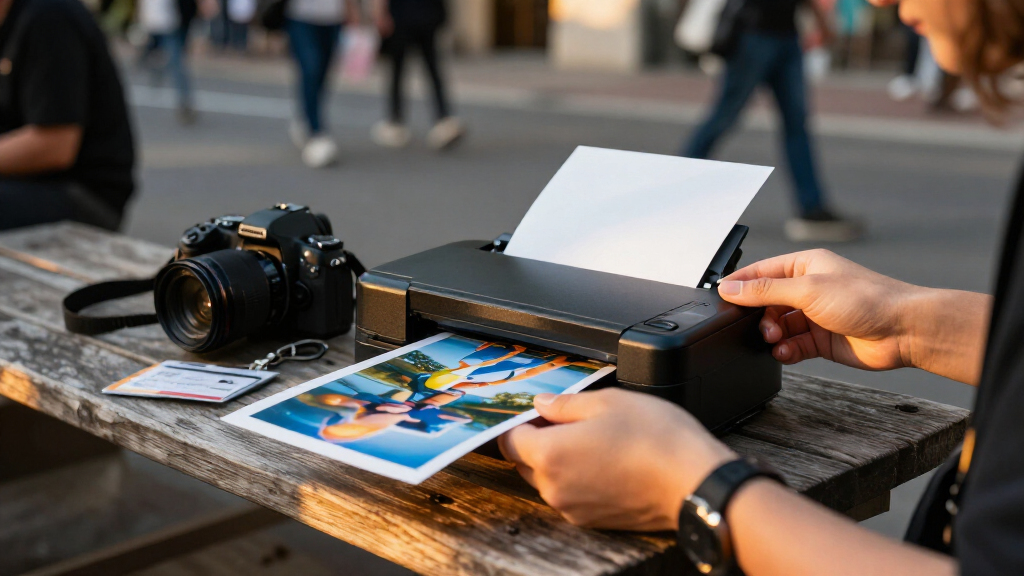
I ranked these printers for the realities of reporting away from a desk: carrying the device and supplies, connecting it to a phone, producing a useful print without a complicated setup, and choosing a format that fits the job. I weighed print size and process against portability, since dye-sublimation 4×6 models and small adhesive-print models solve different problems. I also considered whether a listing includes paper or consumables, how its connection approach fits a phone-centered workflow, and whether the product’s role is clear from its stated features.
The ranking favors options with a practical balance of usable print size, straightforward mobile operation, and flexibility for different assignments. Models that share hardware are treated as configuration choices rather than entirely separate performance tiers; bundles rank higher only when their added supplies are useful to a working reporter. Compact printers remain strong choices for quick handouts and labeling, but they rank below larger-format models when the goal is a more substantial photo print. The list also distinguishes printers suited to regular field use from those best reserved for lightweight, occasional output.
Factors to Consider When Choosing Portable Photo Printers For Journalists
Choosing a field printer is less about chasing the longest feature list and more about deciding what a printed image needs to do on assignment. I’d start with the reporting task, then check how the printer fits the phone, power, and supply workflow you already carry.
Choose the print format for the job
A 4×6 print is easier to show as a finished photograph or leave with a source than a 2×3 mini print, but the larger format asks for more room in your bag and more attention to paper supplies. Small adhesive-backed prints are useful for labeling, quick handouts, or informal visual notes, where convenience matters more than presenting detail at larger size. A common mistake is buying the smallest printer because it is portable, then finding its print format too limited for the way sources or editors use the images. Think through the final recipient and setting before choosing a format. If you often need both, decide which task is more frequent rather than assuming one printer will do each equally well. The CP1500 and M100 families represent the larger-print direction here, while the IVY 2 and Pearl K100 suit miniature output.
Check the full phone-to-print workflow
For a journalist working from a phone, connection steps can matter more than a headline wireless feature. Confirm that the printer’s companion app supports your device and that the setup is workable when you have limited time or network access. Some printers emphasize direct wireless or Bluetooth connections, while the KODAK Dock Plus adds a physical smartphone docking approach; each fits a different habit. Do not assume a dock means every phone will fit without an adapter or that wireless operation requires no app setup. If you switch between phones, share equipment, or work in a location with unreliable internet, prioritize a connection method you can use locally and repeat reliably. A short setup check before an assignment can prevent a printer from becoming dead weight when a source is waiting.
Plan around power, weight, and supply volume
“Portable” does not always mean equally practical for a full day in the field. Check whether a model’s power arrangement suits your assignment, and account for the printer, paper, ribbon or cartridge, and any charging accessories as one carry system. A compact 2×3-inch model may be easier to pack, while a 4×6 printer can make more useful prints but take up more space. Bundles can help you start with supplies on hand, yet a large included pack is only an advantage if you can carry and store it. Estimate how many prints you may need, then leave room for a spare supply rather than planning around the exact included quantity. If you cannot confirm battery behavior or power requirements from the listing, check the manufacturer’s specifications before relying on it away from outlets.
Compare print processes by upkeep, not just output
Dye-sublimation printers and ZINK printers approach printing differently, so the process affects the supplies you need and how you plan replenishment. Dye-sublimation models generally require compatible paper and ribbon or a cartridge, making supply compatibility a practical part of ownership. ZINK models use their designated paper, which can simplify the items you carry but still ties you to a specific consumable format. Avoid assuming that paper from another printer will work just because the sheet size looks similar. Before buying, identify the correct refill name and whether it is sold in a quantity suitable for your workload. For a reporter who prints only occasionally, easy storage and simple replenishment may matter more than maximizing the number of prints in a bundle.
Decide when a bundle is worth choosing
A kit can save setup time by including paper and printing supplies, but bundle labels do not tell you whether the contents suit your actual use. Compare the included media and ribbon or cartridge quantities with the printer’s compatible refills, and check whether those supplies are the exact type you would buy later. The CP1500 kit and the standalone CP1500 should be judged as supply configurations, not separate generations of printer. The HPRT CP4100 listings also call for a close look at bundle contents before choosing between them. A bundle is most useful when you already know the printer fits your workflow and the included supplies cover a realistic first assignment. If you are still deciding on format or print volume, a larger supply pack can commit you to a workflow you may not want.
Set expectations for professional use
A portable printer can create a physical copy for a source, a quick reference, or a personal field record, but it is not a replacement for your camera files or newsroom delivery system. Keep the original digital image and treat the print as a separate output, especially when image metadata, high-resolution delivery, or editing continuity matters. Check whether your chosen app changes images during preparation and whether you can control crop and layout before printing. Small prints can make faces and details harder to inspect, so do not select them for a task that depends on close visual review. For sensitive reporting, also decide where the phone and printer store image data and who may handle the printed copy. These workflow checks help prevent a handy print from creating avoidable privacy or documentation problems.
Frequently Asked Questions
Is a 4×6 portable printer a better choice than a 2×3 model for reporting?
It depends on what the print needs to accomplish. A 4×6 image is easier to present as a finished photo or leave with someone who needs a more substantial copy, while 2×3 models are better suited to quick handouts, labels, and lightweight carrying. The larger format also means more space for the printer and its supplies, so frequent travel may favor a mini model. If your work involves both tasks, choose based on the one you do most often and keep the other format’s limits in mind. In this roundup, the CP1500 and M100 families represent 4×6 output, while the IVY 2 and Pearl K100 focus on smaller prints.
Can I rely on a portable photo printer when there is no internet connection?
Often, a printer can connect to a phone locally, but the exact process depends on its wireless or Bluetooth setup and companion app. Do not equate wireless printing with printing from anywhere without preparation: you may need the app installed, the printer paired, and the image stored on your phone. A phone dock, as used by the KODAK Dock Plus, offers a different connection approach, but physical fit and compatibility still need checking. Before an assignment, test a print with the phone and connection method you plan to carry. If the printer’s offline behavior is unclear, confirm it with the manufacturer rather than relying on mobile data in the field.
Should I buy a bundle with paper and ribbons or choose the printer alone?
A bundle makes sense when its included supplies match the printer and cover the number of prints you expect to make soon. It is less useful when you are uncertain about the format, carry space, or ongoing refill cost, because a large supply pack can tie you to a choice before you know it suits your workflow. Compare the exact paper and ribbon or cartridge type, not just the sheet count shown in a listing. Also check whether the bundle includes the accessories you need for power and connection. The Canon CP1500 kit and HPRT CP4100 bundles should be compared with their corresponding printer listings as supply choices, not presumed to have different core hardware.
Which print process is easier to manage on assignment: ZINK or dye-sublimation?
Neither process is automatically better for every reporting day; the practical difference is the supplies and print format you are prepared to carry. ZINK models in this roundup make small prints and use their compatible paper, which can suit a lightweight kit. Dye-sublimation options such as the CP1500 and M100 families target 4×6 prints and require their compatible printing supplies. Before choosing, check refill availability, how supplies are packed, and whether you can keep them protected during travel. The easiest process is the one whose media you can replenish and carry without disrupting the rest of your reporting kit.
Are these printers suitable for delivering publication-ready images?
They are best treated as tools for making physical prints, not as substitutes for delivering original digital files to an editor. A print can help with a source handoff, a quick visual reference, or an informal record, but your digital original remains the better route for high-resolution publication workflows and metadata retention. Check how the companion app handles cropping and image preparation if the printed result matters for documentation. Keep a separate copy of the original file and follow your newsroom’s image-handling policies. For any assignment where print fidelity or chain of custody matters, confirm the printer’s output and workflow requirements before relying on it.
Conclusion
For a reporter who wants one versatile field printer, I’d choose the Canon SELPHY CP1500 as the best overall option, with the kit making more sense when its included supplies fit the planned workload. The Liene M100 is my value-oriented choice for buyers focused on portable 4×6 dye-sublimation printing; compare its two listings by configuration and supplies. For a premium-style setup centered on small, shareable prints, I’d look at the Canon SELPHY QX20, while noting that its compact format differs from the larger CP1500 prints. Beginners who want a simple, lightweight entry point can start with the Canon IVY 2, provided 2×3 adhesive prints meet their needs. For journalists who prioritize a phone dock, the KODAK Dock Plus is the more specific fit; for a tiny adhesive-print kit, compare it with the Liene Pearl K100. Choose by assignment, print size, connection, and the supplies you are willing to carry—not by portability alone.