📊 Full opportunity report: What Happens When A Small Office Adds OCR To Document Scanning? on IdeaNavigator AI — validation score, market gap, and execution plan.
TL;DR
IdeaNavigator AI proposes testing an OCR-based scanner that classifies, names and files documents for small offices. The suggested pilot would involve five offices scanning 200 real backlog documents each over one week; no results or product launch are reported.
IdeaNavigator AI has proposed a one-week pilot of a document-scanning workflow that uses optical character recognition (OCR) to classify, name and file paperwork for small offices. According to the proposal, the plan would test the system at five small organizations, each scanning 200 documents. This is a proposed validation exercise, not a report of a completed trial or a launched service.
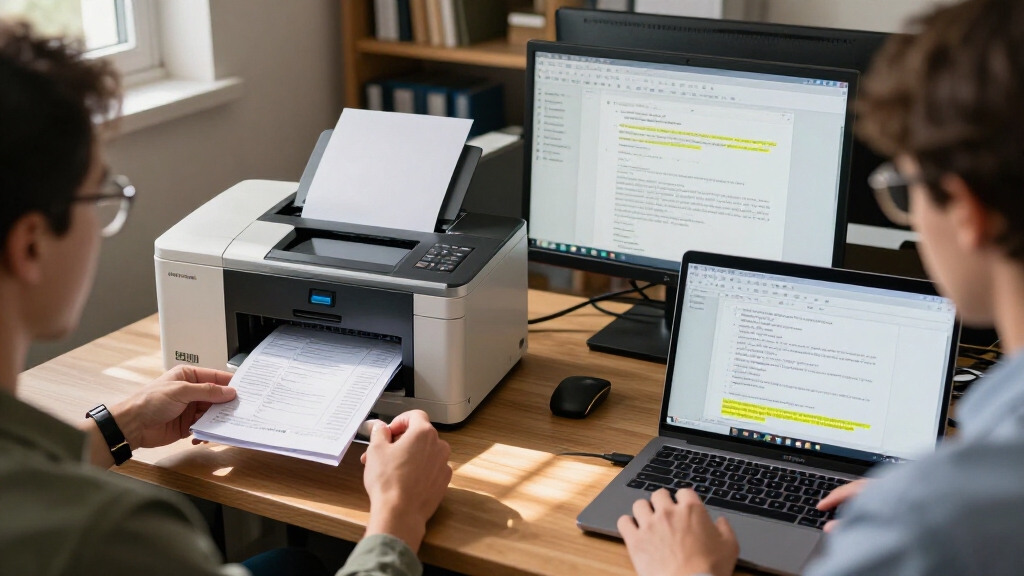
IdeaNavigator AI describes the proposed workflow as aimed at office managers in small nonprofits, clinics and law offices that handle substantial amounts of paper. In the workflow outlined by the company, a user would photograph a stack of documents by phone; the software would recognize text, suggest a document category and filename, then save searchable PDFs to a shared folder. The proposal gives an invoice named using its type, date and vendor as an example.
IdeaNavigator AI frames the problem as offices accumulating intake forms, invoices and records while basic scanning apps can leave users with unsorted image files and little searchable information. The proposal says OCR is intended to turn scanned pages into searchable text and help automate filing. It does not provide evidence about recognition accuracy across document layouts or whether staff would accept suggestions without review.
To test the idea, IdeaNavigator AI recommends asking five small offices to scan a backlog of 200 documents each during a one-week pilot. The proposal identifies correct automatic classification and willingness to pay per seat as measures. It also suggests a possible monthly subscription with a page-volume limit and charges for usage above that cap. No price, accuracy result, participating office or finalized product is identified in the proposal.
Less Manual Filing for Small Teams
If the workflow performs reliably, it could reduce the time staff spend naming, sorting and retrieving paper records. That may matter especially in small organizations without dedicated IT teams, where administrative duties often sit alongside other work. Searchable PDFs could also make it easier to locate a record without checking multiple cabinets or opening files one by one.
Those benefits remain a hypothesis until a real-world test measures both accuracy and staff workload. Incorrectly classified documents can create extra checking and filing work, and sensitive records may require careful access controls. The pilot plan from IdeaNavigator AI focuses on classification accuracy and willingness to pay, but does not specify how it would measure time saved, error correction, privacy safeguards or performance across document types.
The commercial question is also practical: small offices would need to see enough value to justify a recurring per-seat fee, while page caps and overage charges could affect costs for organizations with changing workloads. The short pilot proposed by IdeaNavigator AI could provide an initial signal, but would not by itself establish long-term retention, reliability or demand across the broader small-organization market.
portable document scanner with OCR
As an affiliate, we earn on qualifying purchases.
As an affiliate, we earn on qualifying purchases.
From Scanned Images to Searchable Files
The proposal from IdeaNavigator AI targets a gap between capturing a page and managing it afterward. A conventional scan can preserve a document visually, but without recognized text, useful labels or an organized destination, staff may still need to open files manually and decide where they belong. The suggested product combines OCR, document-type suggestions and automated naming in a single workflow.
IdeaNavigator AI says on-device and API-based OCR, together with layout-aware models, are now affordable and accurate enough to support this kind of automation without a dedicated IT team. This is the proposal’s rationale for testing the idea now, not an independently reported performance finding. The plan does not identify a particular OCR provider, model, software product or integration with existing office systems.
The suggested first step in the proposal is deliberately narrow: process a defined backlog, observe whether the software classifies documents correctly and ask users whether they would pay. It does not describe a broad rollout, a completed market study or evidence that offices have adopted the workflow.
As an affiliate, we earn on qualifying purchases.
Accuracy, Privacy and Pilot Results
No pilot results are available in the IdeaNavigator AI proposal. It remains unknown how often the system would assign the right document type, extract dates or vendor names correctly, or produce filenames staff consider useful. The proposal also does not say whether a human must approve each suggestion before filing or how mistakes would be corrected.
The proposal does not specify privacy or security arrangements. Small nonprofits, clinics and law offices can handle sensitive personal, financial or legal information, so the storage location, access permissions, retention rules and handling of data sent to an OCR service would need clarification before use. IdeaNavigator AI also gives no subscription price, page cap, overage rate or details about which shared-folder services could be supported.
searchable PDF scanner for small office
As an affiliate, we earn on qualifying purchases.
As an affiliate, we earn on qualifying purchases.
A One-Week Test Is Proposed
IdeaNavigator AI’s proposed next step is to recruit five small offices and run a one-week test using 200 backlog documents at each location. The proposal calls for measuring correct auto-classification and willingness to pay per seat. No start date, participating organizations or completed results are identified in the material provided.
A follow-up would need to report how accuracy was calculated, what document types were included, how much staff review was required and what users said about pricing. Details on privacy controls and the handling of sensitive files would also help offices judge whether the workflow is suitable for their records.
Source: IdeaNavigator AI
automatic document classification scanner
As an affiliate, we earn on qualifying purchases.
As an affiliate, we earn on qualifying purchases.
Key Questions
Has the OCR scanning tool launched?
No launch is reported. IdeaNavigator AI’s material describes a proposed product workflow and a suggested pilot, not an available service.
What would the proposed scanner do?
In the workflow described by IdeaNavigator AI, users would photograph documents by phone. OCR would recognize text, suggest a document type and filename, and save searchable PDFs in a shared folder.
How would the pilot be run?
IdeaNavigator AI recommends a one-week pilot at five small offices, with each office scanning 200 documents from a real backlog.
What would the test measure?
According to the proposal, it would measure the correct auto-classification rate and whether offices would be willing to pay per seat. No results are available yet.
What is not yet known?
The proposal does not provide accuracy results, pricing, privacy and security arrangements, supported shared-folder systems, pilot participants or a test schedule.
Source: IdeaNavigator AI