
TL;DR

Get everyday essentials delivered free with Prime
- Fast, free delivery on millions of items
- Prime Video, Amazon Music and more included
- Member-only deals all year
The traditional cost advantage of building your own AI workstation no longer holds in 2026. Price, time-to-productive, and support options now make buying equally attractive for many users, especially as component shortages and bulk buying shift the economics.
Imagine turning on your AI workstation, ready to train or run models—without fuss. That’s what many ask: should I build my own or buy a prebuilt system? The answer has shifted. It’s no longer just about saving money or time. The choice now involves risk, support, customization, and total ownership costs.
Whether you’re a hobbyist, researcher, or enterprise team, understanding the real tradeoffs can save you headaches and cash. This article breaks down the costs, control, and support angle, so you can pick what truly fits your needs in 2026’s complex hardware landscape.
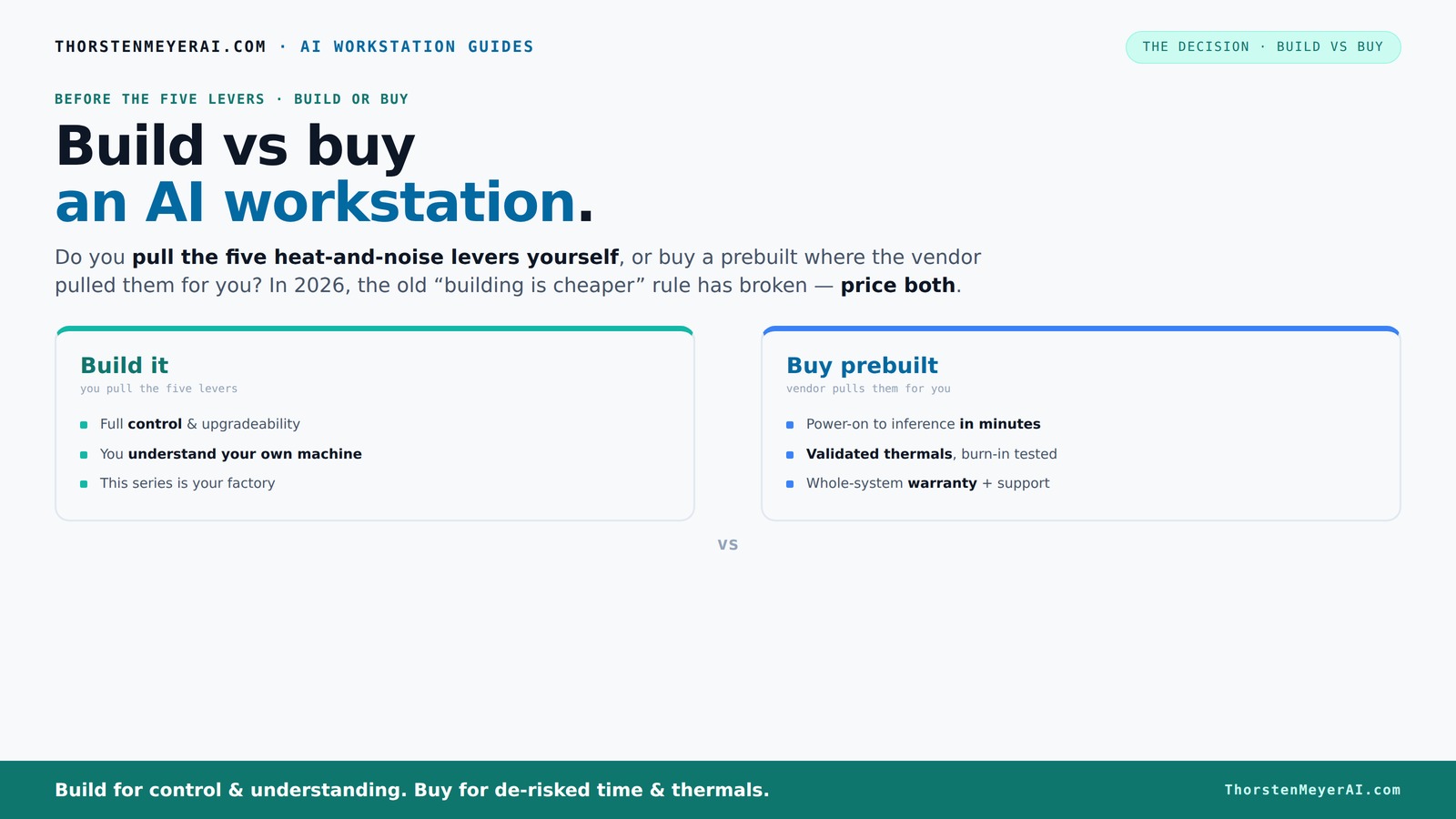
Build vs buy
an AI workstation.
The real question behind this whole series: do you pull the five heat-and-noise levers yourself, or buy a prebuilt where the vendor pulled them for you? And in 2026, the old “building is cheaper” rule has broken. Match your situation in Part 3.
Key Takeaways
- In 2026, prebuilt AI workstations often match or beat DIY prices due to bulk buying and component shortages.
- Thermal management is a key factor—prebuilts handle heat and noise testing, saving you setup time and frustration.
- Speed to deployment favors prebuilt systems, especially for teams needing quick results or support.
- Support and warranties reduce operational risk, making prebuilt systems attractive for critical workloads.
- Hybrid approaches offer a smart middle ground—buy the base, upgrade the key parts later.
As an affiliate, we earn on qualifying purchases.
Why Price Isn’t the Whole Story in 2026
Building your own AI workstation used to be cheaper—by a good margin. But today, supply chain issues, component shortages, and bulk buying change that. A DIY rig that cost $1,000 in 2024 now often hits $1,250+ due to GPU and RAM price spikes. Learn more about building vs buying.
Meanwhile, big vendors like Lambda or Puget have locked in lower prices through bulk orders. They can offer systems that match or beat DIY prices, even with added support and validation. So, the old rule—"build is cheaper"—no longer holds automatically.
For example, a high-end GPU like the NVIDIA RTX 4090 has jumped by 20% in the last year. A prebuilt system with this GPU, tested for thermals and noise, might cost less than sourcing and assembling the same parts yourself. Always price both options for your exact config before deciding.
Understanding this shift is crucial because it underscores that the economics of building versus buying are now more nuanced. For many, the decision hinges less on raw component costs and more on factors like time, support, and future upgradeability. The implication is that blindly assuming DIY is cheaper can lead to overlooked costs, such as troubleshooting or thermal tuning, which may erode any initial savings.
As an affiliate, we earn on qualifying purchases.
The Heat and Noise Levers: Who Handles Them?
The real challenge of powerful AI workstations isn’t just the parts—it’s controlling heat and noise during intense workloads. In 2026, building your own means you pull all five levers: undervolt GPUs, pick cooling solutions, optimize airflow, tune fans, and position the machine.
Buying a prebuilt shifts that work to the vendor. Companies like BIZON or Lambda test their systems for hours, then tune fans and cooling to keep heat and noise down. They even offer water-cooling options that run whisper-quiet during deep training runs.
For example, a DIY system might run at 80°C under load, requiring you to upgrade fans or add water cooling. A prebuilt, validated for thermals, might stay below 70°C and operate with a fraction of the noise. Your choice hinges on how much time and effort you want to spend tuning.
This thermal management impacts not just operational stability but also long-term hardware lifespan and user comfort. Overheating can cause thermal throttling, reducing performance, while excessive noise can be disruptive in shared or office environments. The tradeoff involves balancing initial effort against ongoing maintenance and performance stability. Vendors investing in thermal validation save end-users from the trial-and-error process, which can be time-consuming and costly.
As an affiliate, we earn on qualifying purchases.
Speed vs. Customization: What’s the Real Win?
Prebuilts are fast. Power on, install your software, and start training in days—not weeks. If you’re in a hurry or need reliable support, buying wins. But building your own offers deep customization—selecting exact GPUs, cooling, and case configurations to match your workload.
For instance, if you need a machine with four GPUs for multi-model training, a vendor like Lambda has validated setups ready to go. DIY requires sourcing, testing, and tuning, which can take months. The choice depends on whether time-to-productive matters more than perfect fit.
Beyond speed, customization allows tailoring the system precisely to your workflow, which can lead to better long-term performance and efficiency. For example, hobbyists building for specific projects might prioritize unique cooling solutions or case layouts that aren’t available prebuilt. Conversely, enterprise environments often favor prebuilt systems for their reliability and quick deployment, accepting some compromise on exact specifications. The key is understanding whether your immediate timeline or your specific technical requirements are the priority.
As an affiliate, we earn on qualifying purchases.
Support, Warranty, and Risk: Why They Matter
A prebuilt system often comes with a warranty—sometimes up to 5 years—and dedicated support. If something goes wrong during a training run, you call support, and they troubleshoot. It’s a safety net.
Building yourself shifts that risk onto you. You’re responsible for compatibility, thermal tuning, and fixing hardware issues. While you gain control, you also take on ongoing maintenance and troubleshooting.
This support structure can greatly influence operational uptime. For instance, a research lab with tight deadlines and critical projects benefits from vendor support that ensures quick resolution of hardware failures or thermal issues, minimizing downtime. On the other hand, DIY enthusiasts might enjoy the learning process and flexibility, but they accept the risk of extended troubleshooting periods or hardware incompatibilities that can delay projects. The tradeoff is clear: support and warranties reduce operational risk but often come at a higher initial cost, while DIY offers control but demands technical expertise and ongoing effort.
The Hybrid Approach: Best of Both Worlds?
In 2026, many experts suggest blending the two. Buy a solid base system from a trusted vendor, then upgrade key components—like adding extra SSDs or tweaking cooling. This way, you save time while customizing for your needs.
For example, you might buy a pretested system with a robust GPU and upgrade the RAM or storage later. It’s a way to get near DIY control without the full hassle.
This hybrid approach is especially appealing for teams balancing speed, budget, and customization. It allows leveraging the reliability and validation of prebuilt systems while still tailoring critical components to optimize performance, noise levels, or expandability. The tradeoff involves initial investment and potential compatibility considerations, but overall, it offers flexibility and efficiency in managing evolving hardware needs.
Who Should Build? When Is It Worth It?
If you love tinkering, have time, and want a cost-effective, tailored setup, building is still a good choice. Hobbyists and students often find the process rewarding and educational.
For example, a student building a rig for local AI projects might prefer sourcing parts from Amazon or Newegg, tuning the system, and learning along the way. It’s cheaper initially and offers complete control.
However, the landscape in 2026 means that the cost savings from DIY are diminishing, especially when factoring in the time spent troubleshooting or upgrading. For those who lack the necessary skills or simply want a reliable, ready-to-go system, building may no longer be the most practical or economical choice. The decision should weigh personal technical ability, project urgency, and total lifecycle costs to determine if DIY remains a worthwhile endeavor today.
When Buying Makes More Sense
If you need a ready-to-run system fast, prefer support, and want to reduce risks, buying is the smarter move. Prebuilt vendors test, validate, and support their systems, reducing your downtime.
For example, a startup deploying multiple AI models needs to get operational quickly. Purchasing a prebuilt with validated thermals and support minimizes delays and troubleshooting.
Additionally, organizations lacking in-house hardware expertise or those with tight project timelines often find that prebuilt solutions offer the best balance of reliability and speed, allowing them to focus on their core AI work rather than hardware issues.
Can You Mix and Match? The Hybrid Strategy
Yes, many users combine buying and building. Purchase a preconfigured system from a trusted vendor, then upgrade or tune specific parts—like adding an extra NVMe SSD or custom cooling.
This approach lets you enjoy fast deployment and support, while still customizing critical components to fit your workload.
For example, a research team may buy a base system and later upgrade its RAM or install specialized cooling for quieter operation. It’s a flexible, budget-friendly compromise that balances reliability with customization potential, especially in scenarios where initial speed and future expandability are priorities. The tradeoff involves initial costs and potential compatibility questions, but overall, it provides a pragmatic solution for evolving needs.
Frequently Asked Questions
Is it cheaper to buy a prebuilt AI workstation or build one?
In 2026, bulk purchasing and component shortages mean prebuilt systems often match or beat DIY costs, especially when factoring in support and validation. Always compare prices for your specific configuration.Which option is better for training LLMs, running inference, or content creation?
Prebuilts are ideal for quick deployment and reliable thermal performance, making them great for production workloads. DIY might be better if you need custom configurations or want to optimize for specific tasks.How much faster is a prebuilt workstation to deploy?
Prebuilt systems can go from unboxing to working in days, not weeks. They come with software preinstalled, tested hardware, and support, saving you setup and troubleshooting time.What hidden costs come with building a custom workstation?
Hidden costs include time spent sourcing parts, tuning, testing, troubleshooting, and ongoing maintenance. These can add up to significantly more than initial hardware costs.How do warranty and support compare between prebuilt and DIY?
Prebuilts usually include support and warranties—sometimes up to 5 years—while DIY relies on your own skills or third-party repair services, which can be more uncertain.Conclusion
The decision isn’t just about upfront cost anymore. It’s about how much control you want, how fast you need results, and how much risk you’re willing to take on. In 2026, many find that buying a validated, support-backed system often makes more sense than building from scratch.
Imagine a quiet, cooled GPU rig humming along, ready to run models—without the hours of tuning or troubleshooting. That’s the power of smart buying in today’s complex hardware landscape. What will you choose—speed, control, or a little of both?
Halloween Picks
halloween
As an affiliate, we earn on qualifying purchases.