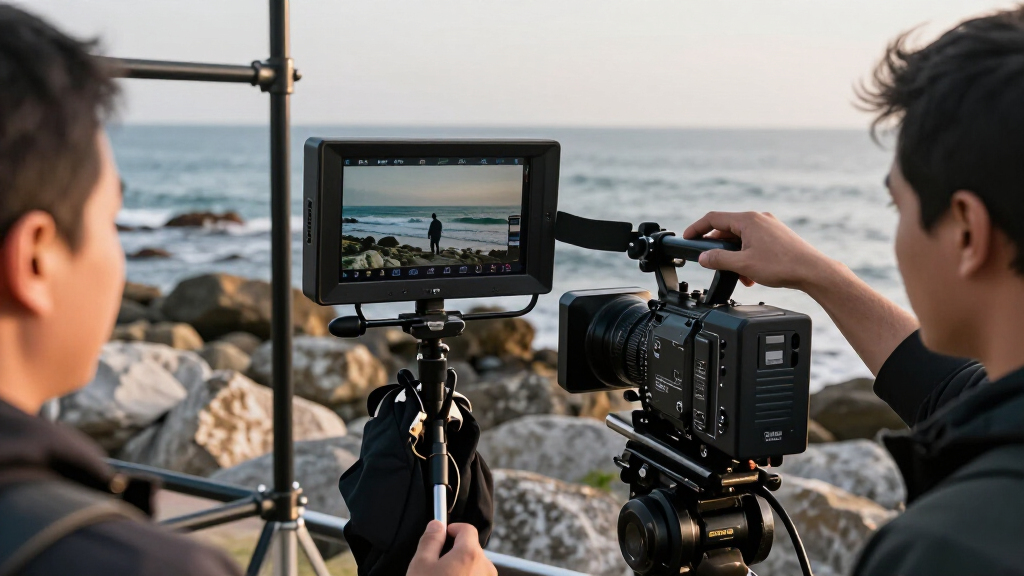
For most camera crews, the VILTROX DC-X3 is my best overall pick because its bright 6-inch screen and HDMI/SDI connections suit varied field setups. The Blackmagic Design Video Assist stands out when recording and monitoring belong in one device, while the VILTROX DC-A1 is a strong fit for daylight work that calls for especially high brightness. The main tradeoffs are screen size versus rig weight, brightness versus power draw, and a simple viewing monitor versus a model with recording or broader input support. The three 21.5-inch options serve a different need: a larger production or client-facing display rather than a compact camera-top screen. Read on for the full breakdown and help matching a monitor to your camera, crew, and shooting conditions.

Get everyday essentials delivered free with Prime
- Fast, free delivery on millions of items
- Prime Video, Amazon Music and more included
- Member-only deals all year
Key Takeaways
- The VILTROX DC-X3 earns the overall lead by combining a compact 6-inch format, high stated brightness, and HDMI/SDI connectivity rather than specializing in only one shooting condition.
- The VILTROX DC-A1 prioritizes daylight visibility: its 2800-nit rating is the highest listed here, but brightness alone does not make it the best choice for every rig or indoor setup.
- Seven-inch screens trade portability for easier viewing. Models such as the NEEWER F700 and Portkeys HD7H can give operators a larger image, while adding more bulk to a camera rig than 5.5- or 6-inch choices.
- The Video Assist is the standout hybrid because it adds recording to monitoring; buyers who only need a viewing screen may not benefit from that added role.
- The three 21.5-inch monitors are not camera-top alternatives. The FEELWORLD FVM215, SEETEC WPC215, and SEETEC P215 PRO-CO make more sense for a production station or shared viewing position than for a mobile solo rig.
| FEELWORLD F5 ProX 5.5-Inch 1600-Nit Touchscreen Camera Monitor |  | Best for Bright-Day DSLR and Mirrorless Shoots | Display size: 5.5 inches | Brightness: 1600 nits | Display: Touchscreen | VIEW LATEST PRICE | See Our Full Breakdown |
| VILTROX DC-X3 6-Inch 2000-Nit 4K HDMI/SDI Camera Field Monitor |  | Best for Bright Outdoor Shoots and Mixed Camera Connections | Screen size: 6 inches | Display and resolution: IPS LCD, 1920 × 1080 | Brightness: 2000 nits | VIEW LATEST PRICE | See Our Full Breakdown |
| NEEWER F700U 7-Inch OLED Camera Field Monitor | 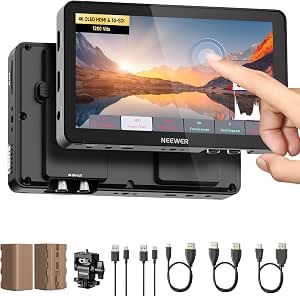 | Best for Larger OLED Viewing Without a Heavy Rig | Display: 7-inch OLED touchscreen | Resolution: 1920 × 1080 | Brightness: 1200 nits | VIEW LATEST PRICE | See Our Full Breakdown |
| FEELWORLD FW568 PRO 6-Inch 1200-Nit Field Monitor |  | Best for Exposure Monitoring on a Wired Camera Rig | Display: 6-inch IPS | Resolution: 1920 × 1080 | Brightness: 1200 nits | VIEW LATEST PRICE | See Our Full Breakdown |
| FEELWORLD P6XL 6-Inch 1200-Nit Touchscreen Camera Monitor |  | Best for a Self-Powered Compact Camera Rig | Display: 6-inch Full HD IPS | Brightness: 1200 nits | Battery: Built-in 3300 mAh rechargeable battery | VIEW LATEST PRICE | See Our Full Breakdown |
| Portkeys HD7H 7-Inch Camera Field Monitor |  | Best Lightweight 7-Inch Pick | Screen size: 7 inches | Display: IPS | Native resolution: 1280 × 720 | VIEW LATEST PRICE | See Our Full Breakdown |
| VILTROX DC-550 5.5-Inch Touchscreen Camera Field Monitor |  | Best for a Battery-Ready Compact Kit | Screen size: 5.5 inches | Panel and resolution: IPS touchscreen, 1920 × 1080 | Brightness: 1,200 nits | VIEW LATEST PRICE | See Our Full Breakdown |
| NEEWER F700 7-Inch Camera Field Monitor, 2000-Nit Full HD Touchscreen |  | Best for Bright-Daylight Field Work | Screen size: 7 inches | Display: IPS touchscreen, 1920 × 1080 | Brightness: 2,000 nits | VIEW LATEST PRICE | See Our Full Breakdown |
| FEELWORLD FVM215 21.5-Inch 1000-Nit Full HD Broadcast Monitor |  | Best for Fixed Video-Village Monitoring | Screen size: 21.5 inches | Resolution: 1920 × 1080 Full HD | Display: IPS LCD, 8-bit color depth | VIEW LATEST PRICE | See Our Full Breakdown |
| SEETEC WPC215 21.5-Inch 1000-Nit Broadcast Monitor with 3G-SDI and 4K HDMI |  | Best Protected Large-Screen Set Monitor | Screen size: 21.5 inches | Resolution: 1920 × 1080 Full HD | Brightness: 1,000 nits | VIEW LATEST PRICE | See Our Full Breakdown |
| NEEWER F100 7-Inch Camera Field Monitor |  | Best for a Ready-to-Shoot Basic Kit | Screen size: 7 inches | Display: IPS LCD | Resolution: 1280 × 800 | VIEW LATEST PRICE | See Our Full Breakdown |
| FEELWORLD S55 V3 6-Inch Full HD Camera Monitor |  | Best for Feature-Rich Compact Monitoring | Screen size: 6 inches | Display: IPS | Resolution: 1920 × 1080 | VIEW LATEST PRICE | See Our Full Breakdown |
| VILTROX DC-A1 7-Inch 2800-Nit Camera Monitor |  | Best for Bright Outdoor Shoots | Screen size: 7 inches | Display: IPS touchscreen | Resolution: 1920 × 1080 | VIEW LATEST PRICE | See Our Full Breakdown |
| SEETEC P215 PRO-CO 21.5-Inch Broadcast Monitor |  | Best for Multi-Person Field and Studio Viewing | Screen size: 21.5 inches | Resolution: 1920 × 1080 Full HD | Brightness: 1000 nits | VIEW LATEST PRICE | See Our Full Breakdown |
| Blackmagic Design Video Assist 7-Inch 12G-SDI/HDMI HDR Recording Monitor |  | Best for 12G-SDI Production Workflows | Screen size: 7 inches | Display: LCD, 16:10 | Native resolution: 1920 × 1080 | VIEW LATEST PRICE | See Our Full Breakdown |
| portable field monitors for video production | Brightness | Display | Screen size | Weight |
|---|---|---|---|---|
| FEELWORLD F5 ProX 5.5-Inch 160 | 1600 nits | Touchscreen | — | — |
| VILTROX DC-X3 6-Inch 2000-Nit | 2000 nits | — | 6 inches | 1.32 kg |
| NEEWER F700U 7-Inch OLED Camer | 1200 nits | 7-inch OLED touchscreen | — | 15.1 ounces |
| FEELWORLD FW568 PRO 6-Inch 120 | 1200 nits | 6-inch IPS | — | — |
| FEELWORLD P6XL 6-Inch 1200-Nit | 1200 nits | 6-inch Full HD IPS | — | 332 g |
| Portkeys HD7H 7-Inch Camera Fi | 1,000 nits | IPS | 7 inches | 278 g (9.8 oz) |
| VILTROX DC-550 5.5-Inch Touchs | 1,200 nits | — | 5.5 inches | 1.1 lb |
| NEEWER F700 7-Inch Camera Fiel | 2,000 nits | IPS touchscreen, 1920 × 1080 | 7 inches | 445 g without batteries; 857 g with two NP-F750 batteries |
| FEELWORLD FVM215 21.5-Inch 100 | 1,000 nits | IPS LCD, 8-bit color depth | 21.5 inches | 9.4 lb |
| SEETEC WPC215 21.5-Inch 1000-N | 1,000 nits | — | 21.5 inches | — |
| NEEWER F100 7-Inch Camera Fiel | 450 nits | IPS LCD | 7 inches | 1.9 pounds |
| FEELWORLD S55 V3 6-Inch Full H | 450 nits in description; 500 nits in title | IPS | 6 inches | — |
| VILTROX DC-A1 7-Inch 2800-Nit | — | IPS touchscreen | 7 inches | — |
| SEETEC P215 PRO-CO 21.5-Inch B | 1000 nits | LCD, 16:9 | 21.5 inches | — |
| Blackmagic Design Video Assist | 2500 cd/m² | LCD, 16:10 | 7 inches | — |
More Details on Our Top Picks
FEELWORLD F5 ProX 5.5-Inch 1600-Nit Touchscreen Camera Monitor
The FEELWORLD F5 ProX pairs a compact 5.5-inch touchscreen with 1600-nit brightness, making it a strong fit for operators who need to check focus and exposure outdoors without stepping up to a larger, heavier monitor. Its waveform, histogram, false color, focus peaking, and LUT preview cover the core checks that help catch exposure or focus problems before a take is over. Compared with the VILTROX DC-X3, it gives up SDI connections and some brightness, but is a smaller-screen alternative for straightforward HDMI camera rigs. The tradeoff is a separate battery-powered monitor setup, so it adds gear to pack and mount; its listed 2.82-pound weight also makes it less appealing for a light gimbal build. I’d choose it for simple outdoor camera monitoring, not a minimal rig.
Pros:- 1600-nit touchscreen is suited to outdoor viewing
- Focus peaking, waveform, histogram, and false color support on-set focus and exposure checks
- LUT preview helps evaluate a look while filming
- 4K HDMI input and output support common camera-rig connections
Cons:- Requires a separate external monitor and battery setup
- Listed weight of 2.82 pounds may be burdensome on lighter camera rigs
- No SDI connections are listed
Best for: DSLR and mirrorless operators who film outdoors and want a bright, tool-equipped HDMI monitor for checking focus and exposure.
Not ideal for: Gimbal operators prioritizing the lightest possible build, or crews that need SDI connectivity and flexible professional power options.
- Display size:5.5 inches
- Brightness:1600 nits
- Display:Touchscreen
- Video tools:Focus peaking, waveform, histogram, false color, LUT preview
- Connectivity:4K HDMI input and output
- Item weight:2.82 pounds
- Battery:1 lithium-ion battery included
Our verdict“Choose the F5 ProX for bright outdoor HDMI monitoring on DSLR and mirrorless rigs, but skip it if weight or SDI support is a priority.”
VILTROX DC-X3 6-Inch 2000-Nit 4K HDMI/SDI Camera Field Monitor
The VILTROX DC-X3 is the most connection-flexible option in this group of compact monitors: it has HDMI and 3G-SDI input and output, plus a 2000-nit screen designed for strong outdoor visibility. Its 6-inch Full HD panel accepts signals up to 4K at 30 Hz, while touchscreen controls, custom 3D LUT support, and monitoring tools give crews useful on-set checks. Compared with the FEELWORLD F5 ProX, the DC-X3 adds SDI and more brightness, which better suits mixed-camera or more demanding production setups. That flexibility comes with a meaningful portability cost: its listed 1.32 kg weight can be a lot on a small camera or gimbal, and the display itself remains 1920 × 1080 rather than 4K. I’d favor it for outdoor, multi-connection work over a compact lightweight build.
Pros:- 2000-nit brightness is suited to bright outdoor locations
- HDMI and 3G-SDI input and output support a broad range of video setups
- Custom 3D LUT support and professional monitoring tools aid on-set checks
- NP-F, DC, and USB-C PD power options offer several ways to run the monitor
Cons:- Listed weight of 1.32 kg may strain compact camera and gimbal setups
- The screen is 1920 × 1080 despite accepting signals up to 4K at 30 Hz
- Glossy screen finish may be less convenient in some bright locations
Best for: Small production crews working outdoors with cameras or video systems that need both HDMI and 3G-SDI connections.
Not ideal for: Solo operators building a lightweight gimbal rig, or buyers who want a native 4K-resolution monitor panel.
- Screen size:6 inches
- Display and resolution:IPS LCD, 1920 × 1080
- Brightness:2000 nits
- Refresh rate:60 Hz
- Video connections:2 × HDMI (input/output), 2 × 3G-SDI (input/output)
- Maximum signal support:4K at 30 Hz
- Power options:NP-F batteries, 12–18 V/2 A DC input, 9 V/3 A USB-C PD
- Weight:1.32 kg
Our verdict“Pick the DC-X3 when outdoor brightness and HDMI/SDI flexibility matter more than low rig weight or a 4K panel.”
NEEWER F700U 7-Inch OLED Camera Field Monitor
The NEEWER F700U gives operators a larger 7-inch OLED touchscreen without the weight penalty often associated with moving up in screen size: it weighs 15.1 ounces. Its 1920 × 1080 resolution, 1200-nit brightness, and 100,000:1 contrast support a clear view of framing and image detail, while HDMI loop output and 3G-SDI add flexibility for camera and video connections. Unlike the VILTROX DC-X3, it trades peak brightness and the DC-X3’s stated HDMI-and-SDI input/output set for a lighter build and included batteries. Two NP-F750 batteries and support for USB-C or 12V DC make it ready for different shooting routines. The caveats are practical: an SDI cable and DC adapter are not included, and custom LUTs require a separately purchased SD card. I’d pick it for a larger, contrast-rich view on a mobile setup.
Pros:- 7-inch OLED touchscreen offers a larger viewing area and high stated contrast
- At 15.1 ounces, it is light for a 7-inch monitor
- HDMI loop output and 3G-SDI support flexible video connections
- Includes two NP-F750 batteries and supports USB-C and 12V DC power
Cons:- 1200-nit brightness is lower than the VILTROX DC-X3’s 2000 nits
- SDI cable and 12V DC adapter are not included
- Custom LUTs require a separately purchased SD card
Best for: Camera operators who want a 7-inch screen with OLED contrast, multiple connection options, and included NP-F batteries without a heavy monitor.
Not ideal for: Crews whose first priority is maximum daylight brightness, or buyers who need the SDI cable and DC adapter included.
- Display:7-inch OLED touchscreen
- Resolution:1920 × 1080
- Brightness:1200 nits
- Contrast ratio:100,000:1
- Connectivity:HDMI, 3G-SDI, USB-C, 3.5 mm headphone jack
- Power options:NP-F batteries, 12V DC adapter, USB-C
- Included batteries:2 × 4400mAh NP-F750
- Weight:15.1 ounces
Our verdict“Choose the F700U if you want a lightweight 7-inch OLED monitor with batteries included, rather than the DC-X3’s higher brightness.”
FEELWORLD FW568 PRO 6-Inch 1200-Nit Field Monitor
The FEELWORLD FW568 PRO focuses on the monitoring tools that matter when checking exposure and focus on a camera rig: waveform, vectorscope, RGB histogram, focus assist, and LUT preview. Its 6-inch Full HD display accepts and outputs 4K HDMI, while NP-F battery or USB-C power keeps the setup compatible with common field workflows. Compared with the FEELWORLD P6XL, the FW568 PRO offers DC 8.4V camera power output, which may simplify powering a compatible camera from the monitor. The P6XL, by contrast, has a built-in rechargeable battery and touchscreen controls, so it may suit operators who want fewer separate power components. The FW568 PRO’s 1200-nit brightness is useful outdoors, but the screen is smaller than the NEEWER F700U’s 7-inch panel, and the listed 1.76-pound weight deserves attention on lighter rigs. I’d choose it for tool-focused monitoring with a compatible wired setup.
Pros:- Waveform, vectorscope, RGB histogram, and focus assist provide detailed monitoring checks
- 4K HDMI input and output support common camera connections
- NP-F and USB-C power options fit different rig setups
- DC 8.4V output can power a compatible camera
Cons:- The 6-inch screen provides less viewing area than the NEEWER F700U’s 7-inch display
- Listed weight of 1.76 pounds may be heavy for a compact camera setup
- No SDI connectivity is listed
Best for: Camera operators who want waveform, vectorscope, and focus-assist tools plus HDMI monitoring and camera power output on a rig.
Not ideal for: Gimbal users prioritizing a light build, or buyers who prefer a built-in battery and touchscreen interface.
- Display:6-inch IPS
- Resolution:1920 × 1080
- Brightness:1200 nits
- HDMI:4K input and output
- Monitoring tools:Waveform, vectorscope, RGB histogram, focus assist, LUT preview
- Power options:NP-F battery or USB-C 5V
- Camera power output:DC 8.4V
- Item weight:1.76 pounds
Our verdict“The FW568 PRO suits operators who value exposure tools and camera power output more than a larger screen or built-in battery.”
FEELWORLD P6XL 6-Inch 1200-Nit Touchscreen Camera Monitor
The FEELWORLD P6XL stands apart from the other 6-inch monitors here with a built-in 3300 mAh rechargeable battery, reducing the need to attach a separate NP-F pack for short shoots. Its Full HD IPS touchscreen reaches 1200 nits and includes waveform, vectorscope, histogram, focus assist, and 3D LUT support, giving operators useful exposure and focus checks in a compact camera-rig package. Against the FEELWORLD FW568 PRO, the P6XL favors a self-contained power setup and lighter listed weight at 332 g; the FW568 PRO instead offers DC 8.4V camera power output and a broader set of stated exposure tools. The P6XL’s main limit is runtime: at full brightness, the battery is rated for 2.2 hours, which may not cover a long outdoor day. I’d choose it for mobile shoots where fewer attached power components matter.
Pros:- Built-in 3300 mAh battery reduces the need for a separate attached battery
- 1200-nit touchscreen is designed for outdoor visibility
- Waveform, vectorscope, histogram, focus assist, and 3D LUT support aid monitoring
- Listed weight of 332 g suits portable camera rigs
Cons:- Runtime is rated at only 2.2 hours at full brightness
- No SDI connectivity is listed
- Unlike the FEELWORLD FW568 PRO, it does not list DC camera power output
Best for: Solo DSLR and mirrorless operators who want a touchscreen field monitor with built-in power for short, mobile shoots.
Not ideal for: Crews filming long days away from charging access, or operators who need SDI connections or a monitor with interchangeable NP-F power.
- Display:6-inch Full HD IPS
- Brightness:1200 nits
- Battery:Built-in 3300 mAh rechargeable battery
- Battery runtime:2.2 hours at 100% brightness; 2.5 hours at 80%; 3 hours at 60%
- Monitoring tools:Waveform, vectorscope, histogram, focus assist
- LUT support:3D LUT uploads
- Connectivity:4K HDMI input and output
- Weight:332 g
Our verdict“Pick the P6XL for a lightweight, self-powered HDMI monitor on short shoots, but plan another power source for extended days.”
Portkeys HD7H 7-Inch Camera Field Monitor
The Portkeys HD7H makes sense for crews who want a roomy screen without adding much weight to a handheld or small-rig setup. At 278 g, it is lighter than the NEEWER F700, though its 1,000-nit brightness is lower and its 1280 × 720 panel gives up detail compared with that model’s Full HD display. The HD7H still supports HDMI signals up to 4K30p, but signal compatibility is not the same as seeing a 4K image on the monitor.
Its focus peaking, false color, histogram, zoom, and anamorphic de-squeeze tools cover useful on-set checks, while three-sided mounting threads give more rigging choices. The tradeoff is a less detailed preview than Full HD alternatives, and NP-F batteries are not included. I’d choose it for a weight-conscious rig, not for pixel-critical framing or fine image review.
Pros:- 278 g body keeps added rig weight low
- 1,000-nit brightness and included sunshade support outdoor monitoring
- Exposure and focus aids include histogram, false color, focus peaking, and zoom
- NP-F or 7.4–24 V DC power and mounting threads on three sides offer rig flexibility
Cons:- 1280 × 720 native resolution is less detailed than Full HD rivals such as the NEEWER F700
- NP-F batteries are not included
- Brightness is below the 2,000-nit NEEWER F700 for harsh daylight
Best for: Solo operators and handheld or gimbal shooters who want a lightweight 7-inch screen with exposure and focus tools.
Not ideal for: Filmmakers who need a detailed Full HD preview or a ready-to-run battery setup; its panel is 1280 × 720 and batteries are sold separately.
- Screen size:7 inches
- Display:IPS
- Native resolution:1280 × 720
- Brightness:1,000 nits
- HDMI input:Up to 4K30p
- Weight:278 g (9.8 oz)
- Power:NP-F batteries or 7.4–24 V DC; battery not included
- Mounting:1/4-20 threads on three sides
Our verdict“Choose the HD7H when low weight and flexible mounting matter more than Full HD detail or included batteries.”
VILTROX DC-550 5.5-Inch Touchscreen Camera Field Monitor
The VILTROX DC-550 is a compact choice for camera operators who want a sharp on-camera display and a useful power bundle. Its 5.5-inch Full HD touchscreen is smaller than the Portkeys HD7H’s 7-inch panel, but gives a more detailed view for checking focus. The 1,200-nit brightness also exceeds the HD7H’s 1,000 nits, while HDMI output lets a signal pass onward to another display or device.
Waveform, false color, focus assist, HDR, and custom 3D LUT support give it a broader monitoring toolkit than a basic framing screen. It also includes an NP-F550 battery, sunshade, cables, and case, so fewer parts need to be sourced before a shoot. The tradeoffs are its smaller viewing area and the listed refresh-rate inconsistency: product details cite 60 Hz while the description cites 30 Hz. I’d favor it for compact camera builds over larger monitors like the NEEWER F700, but verify signal behavior for your workflow.
Pros:- 5.5-inch Full HD touchscreen provides a detailed preview in a compact footprint
- 1,200-nit brightness and included sunshade suit outdoor camera work
- HDMI input and output support signals up to 4K at 30 Hz
- Includes NP-F550 battery, cables, cold shoe adapter, sunshade, and carry case
Cons:- Smaller display is less suited to shared viewing than the 7-inch NEEWER F700
- Refresh rate is listed as both 30 Hz and 60 Hz across the supplied product information
- USB-C power requires a 5 V/3 A source
Best for: Independent operators and small crews who want a compact Full HD monitor with monitoring tools and an included battery.
Not ideal for: Shooters who need a large shared viewing screen or require unambiguous refresh-rate specifications before building a tightly matched video chain.
- Screen size:5.5 inches
- Panel and resolution:IPS touchscreen, 1920 × 1080
- Brightness:1,200 nits
- HDMI:Input and output; supports signals up to 4K at 30 Hz
- Monitoring tools:Waveform, false color, focus assist, HDR, custom 3D LUT support
- Power options:NP-F series battery, 12–18 V DC, or USB-C 5 V/3 A
- Included battery:NP-F550
- Weight:1.1 lb
Our verdict“Pick the DC-550 for a compact, well-equipped camera monitor when its 5.5-inch screen and refresh-rate ambiguity fit your workflow.”
NEEWER F700 7-Inch Camera Field Monitor, 2000-Nit Full HD Touchscreen
For shoots where screen visibility is the limiting factor, the NEEWER F700 has the clearest advantage in this group: its 2,000-nit, 7-inch Full HD touchscreen combines high brightness with more preview detail than the Portkeys HD7H. That makes it better suited to checking focus and composition outdoors, while the HD7H is the lighter choice at 278 g compared with the F700’s 445 g before batteries.
The F700 also offers 4K HDMI loop-through, audio monitoring, professional tools, and support for custom LUTs, letting operators judge a look without adding a separate display path. NP-F, USB-C, and DC power options help it fit varied rigs. Its drawbacks are practical: two NP-F750 batteries bring the stated weight to 857 g, and headphones, DC cable, and SD card are not included. I’d choose this over the VILTROX DC-550 when screen size and daylight brightness outrank compactness.
Pros:- 2,000-nit brightness makes the display better suited to strong ambient light than the 1,000-nit Portkeys HD7H
- 7-inch Full HD touchscreen offers a useful balance of viewing area and image detail
- 4K HDMI loop-through and 3.5 mm headphone jack support on-set monitoring
- NP-F, USB-C, and DC power options plus support for up to 60 custom 3D LUTs
Cons:- 445 g monitor weight rises to 857 g with two NP-F750 batteries
- Headphones, DC cable, and SD card are not included
- Its 7-inch size and battery load are less suited to lightweight gimbal builds than the VILTROX DC-550
Best for: Outdoor camera operators who need a bright, larger Full HD monitor with LUT support and flexible power choices.
Not ideal for: Gimbal users or minimalist handheld shooters who are sensitive to added weight, especially when powering it with two batteries.
- Screen size:7 inches
- Display:IPS touchscreen, 1920 × 1080
- Brightness:2,000 nits
- HDMI:4K loop-in and loop-out
- LUT support:15 preloaded and up to 60 custom 3D LUTs
- Power options:NP-F550/750/970 batteries, USB-C, or DC input
- Weight:445 g without batteries; 857 g with two NP-F750 batteries
- Audio monitoring:3.5 mm headphone jack
Our verdict“Choose the F700 for bright outdoor work when you value a large Full HD image and 2,000-nit visibility more than a light rig.”
FEELWORLD FVM215 21.5-Inch 1000-Nit Full HD Broadcast Monitor
The FEELWORLD FVM215 serves a different job from portable camera-top monitors: its 21.5-inch screen is built for a video village, production table, or other shared viewing position. At 9.4 pounds, it is far less practical for a camera rig than the NEEWER F700, but its larger Full HD image gives several crew members more room to evaluate a feed together. The 1,000-nit panel is also brighter than a typical indoor office display, though it falls short of the F700’s 2,000 nits for direct bright-light use.
HDMI and 3G-SDI connectivity make it a better fit for mixed production chains than HDMI-only field screens, and waveform, RGB parade, vectorscope, focus assist, and 3D LUT loading support on-set evaluation. It is Full HD rather than 4K, with 8-bit color depth. I’d pick it for a stationary crew monitor, not mobile camera work.
Pros:- 21.5-inch screen supports shared viewing better than the 7-inch NEEWER F700
- HDMI and 3G-SDI connectivity suit production setups with mixed signal sources
- Waveform, RGB parade, vectorscope, focus assist, and 3D LUT loading provide useful evaluation tools
- Includes HDMI and SDI cables, power adapter, and V-mount battery plate
Cons:- 9.4-pound weight and large screen are poorly suited to mobile camera rigs
- 1920 × 1080 resolution is Full HD rather than 4K
- 1,000-nit brightness is below the NEEWER F700 for demanding bright-daylight viewing
Best for: Small production teams that need a large shared monitor at a video village or fixed on-set viewing station, with HDMI and 3G-SDI feeds.
Not ideal for: Camera operators seeking a portable on-camera field monitor; its 21.5-inch size and 9.4-pound weight make rig mounting impractical.
- Screen size:21.5 inches
- Resolution:1920 × 1080 Full HD
- Display:IPS LCD, 8-bit color depth
- Brightness:1,000 nits
- Connectivity:HDMI and 3G-SDI
- Monitoring tools:Focus assist, false color, waveform, RGB parade, vectorscope, 3D LUT loading
- Weight:9.4 lb
- Included power accessories:5A power adapter and V-mount battery plate
Our verdict“Choose the FVM215 for a stationary production station where a large shared screen and 3G-SDI matter more than portability.”
SEETEC WPC215 21.5-Inch 1000-Nit Broadcast Monitor with 3G-SDI and 4K HDMI
The SEETEC WPC215 is a large production monitor for crews who need a protected, transportable viewing station rather than a screen mounted to a moving camera. Like the FEELWORLD FVM215, it pairs a 21.5-inch Full HD panel and 1,000-nit brightness with HDMI and 3G-SDI connectivity. The WPC215’s supplied protective case, two V-mount battery plates, and power accessories make it the more kit-oriented package of the two; the FEELWORLD listing, by comparison, specifies a lighter 9.4-pound weight and a wider stated viewing angle of 178 degrees.
Waveform, histogram, focus assist, and up to 32 custom LUTs support practical on-set checks. HDMI and SDI input and output add routing flexibility, but the monitor remains bulky for mobile camera use, and its glossy screen finish may be less forgiving around reflections than a matte display. It is Full HD, not 4K. I’d favor it for a crew station where the case and dual V-mount plates have real value.
Pros:- 21.5-inch, 1,000-nit display provides a large, bright shared viewing surface
- HDMI and 3G-SDI input and output support flexible on-set signal routing
- Waveform, histogram, focus assist, and support for up to 32 custom LUTs aid monitoring
- Protective carry case, power adapter, cables, and two V-mount battery plates are included
Cons:- Large broadcast format is not practical for handheld or camera-top monitoring
- 1920 × 1080 resolution is Full HD, not 4K
- Glossy screen finish can be more vulnerable to reflections than a matte display
Best for: Production crews building a transportable video-village station that need HDMI/3G-SDI routing, V-mount power options, and a protective case.
Not ideal for: Solo operators and camera-rig users who need a compact display, or crews who prioritize a matte screen in reflective locations.
- Screen size:21.5 inches
- Resolution:1920 × 1080 Full HD
- Brightness:1,000 nits
- Display and finish:LCD, glossy
- Connectivity:HDMI and 3G-SDI input and output
- LUT support:Up to 32 custom LUTs
- Power accessories:Two V-mount battery plates and power adapter included
- Included protection:Protective carry case
Our verdict“Choose the WPC215 for a protected, V-mount-ready video-village setup, and favor the FEELWORLD FVM215 if its stated lighter weight and wider viewing angle matter more.”
NEEWER F100 7-Inch Camera Field Monitor
I’d put the NEEWER F100 on a compact rig when a larger viewing area and useful setup accessories matter more than fine image detail. Its 7-inch, 1280 × 800 IPS display is roomier than the FEELWORLD S55 V3, while focus and exposure assists help with checking shots without relying only on the camera screen. The included sunshade, ball head, and battery make it a particularly straightforward starter kit for HDMI-based DSLR or mirrorless work.
The tradeoff is a 450-nit display and a stated battery runtime of up to 3.5 hours, which leave less headroom for bright outdoor locations or long shoots than the exceptionally bright VILTROX DC-A1. Its 80-degree viewing angle also calls for a more deliberate monitor position. I’d choose it for a modest, self-contained setup, not for crews needing an especially bright screen or a full-HD panel.
Pros:- 7-inch IPS screen gives a larger viewing area than compact 5- and 6-inch monitors.
- Focus and exposure tools support checking shots on set.
- Includes an F750 battery, sunshade hood, and 360° ball head.
- USB power options add flexibility when a spare battery is unavailable.
Cons:- 1280 × 800 resolution offers less detail than the FEELWORLD S55 V3’s 1920 × 1080 panel.
- Up to 3.5 hours of battery runtime may not cover a long shooting day.
- 450-nit brightness and an 80-degree viewing angle are limiting in bright or shared-viewing setups.
Best for: Solo DSLR and mirrorless shooters who want a 7-inch HDMI monitor with a battery, sunshade, and mounting head included.
Not ideal for: Outdoor crews working in direct sun or operators who need long battery sessions, wide viewing angles, or full-HD detail.
- Screen size:7 inches
- Display:IPS LCD
- Resolution:1280 × 800
- Brightness:450 nits
- Connectivity:HDMI
- Battery:4400 mAh; up to 3.5 hours
- Weight:1.9 pounds
- Included accessories:F750 battery, sunshade hood, mini ball head, HDMI-to-mini-HDMI cable, HDMI-to-micro-HDMI cable, AV cable
Our verdict“Choose the F100 for an accessible 7-inch HDMI kit with useful included accessories, but look elsewhere for brighter outdoor viewing or full-HD resolution.”
FEELWORLD S55 V3 6-Inch Full HD Camera Monitor
The FEELWORLD S55 V3 is the more tool-focused choice for a compact camera rig: its 6-inch, 1920 × 1080 IPS screen pairs with waveform, vectorscope, histogram, false color, focus assist, and 3D LUT support. That gives solo operators more ways to judge exposure and focus than the simpler NEEWER F100, while its 4K HDMI input and output suit cameras feeding a higher-resolution signal. USB-C, DC, NP-F, and LP-E6 power choices also make it easier to fit into different kits.
Its smaller screen is easier to fit on a lightweight rig than the F100’s 7-inch panel, but offers less viewing area. Brightness is listed inconsistently as 450 or 500 nits, so I wouldn’t pick it for the brightest outdoor work based on those figures. It is also not water resistant. This is a capable compact monitor for controlled or shaded locations, rather than a weather-ready field display.
Pros:- 1920 × 1080 IPS screen provides full-HD detail on a 6-inch panel.
- Waveform, vectorscope, histogram, false color, and focus assist support on-set checks.
- 4K HDMI input and output support a 4K signal path.
- Accepts USB Type-C, DC, NP-F, and LP-E6 power.
Cons:- Brightness is inconsistently stated as 450 nits and 500 nits in the supplied information.
- Not water resistant, limiting use in wet conditions.
- Smaller screen gives less viewing area than the NEEWER F100 or VILTROX DC-A1.
Best for: Solo filmmakers and camera assistants who want a compact full-HD monitor with detailed exposure tools and flexible power options.
Not ideal for: Crews shooting in rain or needing a clearly specified, very bright screen for direct-sun monitoring.
- Screen size:6 inches
- Display:IPS
- Resolution:1920 × 1080
- Brightness:450 nits in description; 500 nits in title
- HDMI:4K input and output, up to 4K at 30 Hz
- Monitoring tools:Waveform, vectorscope, RGB histogram, focus assist, false color, 3D LUT support
- Power options:USB Type-C, DC, NP-F, LP-E6
- Included accessories:F550 battery, bag, sun hood
Our verdict“Pick the S55 V3 if you want a compact full-HD monitor with extensive exposure tools and flexible power, and can work around its uncertain brightness rating.”
VILTROX DC-A1 7-Inch 2800-Nit Camera Monitor
For outdoor production, the VILTROX DC-A1 has the clearest advantage in this group: its stated peak brightness of 2800 nits is far above the 450-nit FEELWORLD S55 V3 and NEEWER F100. That extra output can make framing and focus checks more practical in daylight, while the 7-inch, 1920 × 1080 screen provides more working area and detail than the F100’s lower-resolution panel. Waveform, vectorscope, histogram, false color, focus peaking, and 3D LUT support make it useful beyond simple framing.
It also passes 4K 60Hz over HDMI and supports NP-F, DC, and USB-C power. The compromise is that 2800 nits is peak brightness, not a guarantee of equally bright operation in every mode, and the glossy screen can reflect its surroundings. Its native display remains Full HD, unlike a true 4K panel. I’d favor it over the S55 V3 for daylight, but not if reflection control or native 4K detail is the priority.
Pros:- 2800-nit peak brightness is suited to brighter outdoor locations.
- 7-inch Full HD touchscreen pairs a roomy view with detailed monitoring.
- Supports 4K 60Hz HDMI input and output pass-through.
- Includes waveform, vectorscope, histogram, false color, focus peaking, and 3D LUT support.
Cons:- Glossy screen finish can reflect light and surroundings.
- Native resolution is 1920 × 1080, not 4K.
- The 2800-nit figure is specified as peak brightness.
Best for: Documentary and event crews who need a 7-inch monitor for daylight work, with 4K 60Hz HDMI pass-through and on-set exposure tools.
Not ideal for: Operators who need a matte screen, native 4K display resolution, or a small, light monitor for a minimal camera rig.
- Screen size:7 inches
- Display:IPS touchscreen
- Resolution:1920 × 1080
- Peak brightness:2800 nits
- Contrast ratio:1000:1
- Viewing angle:170 degrees
- HDMI:Two ports; 4K 60Hz input and output pass-through
- Power options:NP-F series battery, DC-IN (10–18V), USB Type-C
- Included accessories:NP-F550 battery, hard-shell case, 180° tilting cold shoe mount, sun hood, HDMI cables
Our verdict“Choose the DC-A1 for a bright outdoor-facing monitor with strong signal and exposure tools, provided its glossy Full HD screen suits your setup.”
SEETEC P215 PRO-CO 21.5-Inch Broadcast Monitor
The SEETEC P215 PRO-CO serves a different job from the camera-mounted monitors here. Its 21.5-inch Full HD screen is designed for a crew to view together, with 1000-nit brightness, HDR support, waveform and focus tools, and room for up to 32 custom LUTs. Dual SDI and HDMI inputs and multiple outputs make it a better fit for a production cart or a field video village than the VILTROX DC-A1, which is much more practical on a camera rig.
The size brings a real portability cost: at 21.5 inches, it needs a case, power plan, and dedicated space rather than a simple camera mount. Full HD also means less pixel detail than some buyers may want when judging fine focus, and its listed 89-degree viewing angle is narrower than the DC-A1’s 170 degrees. I’d choose it when several people need a bright shared view, not when mobility is the main goal.
Pros:- 21.5-inch screen gives multiple crew members a shared view.
- 1000-nit brightness supports use in brighter production spaces.
- Two SDI and two HDMI inputs suit varied camera and video-system connections.
- Waveform, focus assist, support for 32 custom LUTs, and CalMAN calibration aid monitoring and color work.
Cons:- Large format is far less portable than the 6- and 7-inch monitors in this roundup.
- 1920 × 1080 resolution may not provide enough detail for fine focus checks.
- 89-degree stated viewing angle is narrower than the VILTROX DC-A1’s.
Best for: Small production crews and DITs who need a bright shared monitor with SDI connections, LUT support, and calibration features on location or in studio.
Not ideal for: Solo operators seeking a lightweight, camera-mounted monitor or a compact display to carry between handheld setups.
- Screen size:21.5 inches
- Resolution:1920 × 1080 Full HD
- Brightness:1000 nits
- Display:LCD, 16:9
- Contrast ratio:1000:1
- Inputs:Two SDI, two HDMI
- Outputs:Two SDI, one HDMI
- Monitoring and color tools:HDR, waveform monitoring, focus assist, support for 32 custom LUTs, CalMAN calibration
- Included components:4A power adapter, SDI cable, mini HDMI cable, HDMI cable, tally kit, V-mount battery plate
Our verdict“Choose the P215 PRO-CO when a crew needs a bright, well-connected shared display, and skip it for camera-mounted or lightweight field use.”
Blackmagic Design Video Assist 7-Inch 12G-SDI/HDMI HDR Recording Monitor
The Blackmagic Design Video Assist 7-Inch is the connectivity-led pick here. Its 12G-SDI and HDMI connections suit production setups that need to work across professional SDI equipment and camera HDMI outputs, while HDR support and 3D LUTs add monitoring options beyond basic framing. Compared with the VILTROX DC-A1, its strongest case is the 12G-SDI connection and Blackmagic workflow fit, not a higher native resolution: both are listed at 1920 × 1080.
The 2500 cd/m² brightness is a strong paper specification for portable monitoring, though it sits below the DC-A1’s stated 2800-nit peak. The supplied information lists a maximum display resolution of 1920 × 1200 but a native resolution of 1920 × 1080, so I’d rely on the native figure when judging panel detail. Weight data is also inconsistent: one listing says 12 g while package weight is 1.42 kg. I’d choose it for SDI-centric production, not for a verified lightweight kit.
Pros:- 12G-SDI and HDMI provide useful connectivity across professional video and camera setups.
- HDR support and 3D LUTs expand monitoring options.
- 7-inch display is more portable than a full-size broadcast monitor such as the SEETEC P215 PRO-CO.
- Listed brightness of 2500 cd/m² supports bright-screen monitoring.
Cons:- Native resolution is listed as 1920 × 1080, despite a separate maximum display resolution figure of 1920 × 1200.
- Weight information conflicts between 12 g and a 1.42 kg package weight.
- At 2500 cd/m², its stated brightness is below the VILTROX DC-A1’s 2800-nit peak.
Best for: Camera teams and video professionals who need a portable monitor with 12G-SDI, HDMI, HDR support, and 3D LUTs in an SDI-capable workflow.
Not ideal for: Buyers prioritizing verified low weight, native 4K display detail, or a product listing with consistent weight and resolution information.
- Screen size:7 inches
- Display:LCD, 16:10
- Native resolution:1920 × 1080
- Maximum display resolution:1920 × 1200
- Brightness:2500 cd/m²
- Connectivity:12G-SDI and HDMI
- Enhancements:High Dynamic Range and 3D LUTs
- Dimensions:9.84 × 9.45 × 3.15 inches
- Weight information:Product information lists 12 g; package weight is 1.42 kg
Our verdict“Pick the Video Assist for 12G-SDI and HDMI production compatibility, but verify the weight and resolution details before choosing it for a tightly constrained portable rig.”
How We Picked
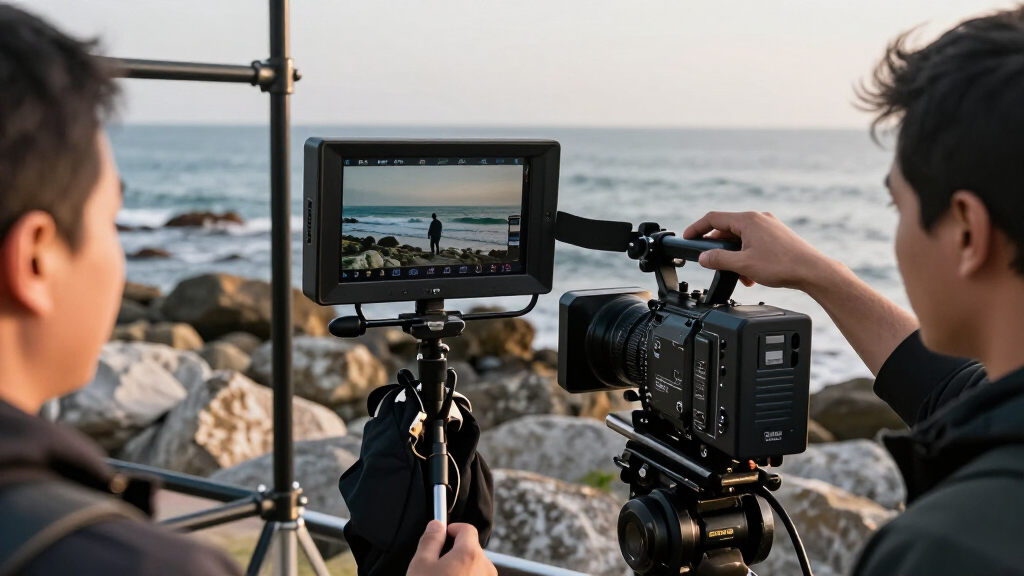
I ranked these monitors by how well their stated features support real video-production jobs: checking framing and focus, viewing an image outdoors, fitting a screen onto a working rig, and connecting it to a camera or production system. Screen size and rated brightness were weighed against portability, while HDMI and SDI support mattered because crews may need to work with different cameras and video paths. I also separated dedicated monitors from the Video Assist, which adds a recording role, and from the 21.5-inch broadcast displays, which suit stationary or shared-viewing setups.
The order favors useful balance for a broad range of field work, then gives specialist options credit where their format or feature set fits a narrower job. A high brightness rating does not automatically outrank a more versatile monitor: power needs, mounting, signal compatibility, and whether the screen belongs on a camera rig all affect the buying decision. Where the supplied product names do not specify a feature, I have not treated it as a proven advantage.
Factors to Consider When Choosing Portable Field Monitors For Video Production
The right field monitor depends as much on the way a crew works as on the display itself. Before choosing a screen, I would map the camera’s video output, the monitor’s place in the rig, and who needs to see the image. These broader checks can prevent a common mismatch: buying a capable display that is awkward to power, mount, or use in the actual shooting setup.
Match Brightness to the Place You Shoot
Brightness matters most when ambient light competes with the screen, such as on an exterior shoot without shade. A higher stated nit rating can make the image easier to see, but it does not replace a hood, careful screen angle, or sensible power planning. In a controlled interior, maximum brightness may matter less than a comfortable viewing angle and a screen size that suits the operator. Avoid choosing solely by the largest number: check how the monitor can be powered at the brightness you expect to use. For crews moving between interiors and daylight, a bright model can offer useful flexibility, while a mostly indoor setup may be better served by a smaller, lighter screen.
Choose Screen Size for the Rig, Not in Isolation
A larger display can help with focus checks and shared viewing, but it also takes up more space, catches more wind, and adds leverage to a camera cage or arm. Compact 5.5- and 6-inch monitors are easier to fit on mobile rigs; 7-inch models may be more comfortable for an operator who needs to judge the image at a short distance. The 21.5-inch models belong on stands, carts, or production tables rather than most camera builds. One common mistake is selecting a large screen for its viewing comfort without checking the mount, support arm, and total rig balance. Think about who watches the screen and where they stand before deciding how much display area is useful.
Check Signal Paths Before Buying
Start with the outputs on the camera and the inputs required by the monitor, then account for any wireless transmitter, switcher, or converter in the chain. HDMI is common on smaller camera setups, while SDI can be a better fit for production systems that use SDI cabling and longer runs. A product title that lists both interfaces can be a meaningful advantage for a mixed-camera crew, but buyers should still verify the exact signal formats and connector arrangement they need. Do not assume that a monitor’s mention of 4K means it supports every 4K frame rate or camera output. Matching the actual output format before a shoot helps avoid last-minute adapters and a screen that cannot display the feed.
Decide Whether Monitoring and Recording Should Be One Job
A dedicated field monitor is often the simpler choice when the camera already records to its own media and the crew only needs a larger viewing screen. A recording monitor can consolidate equipment when an external recording workflow is part of the production plan, but it also adds media, format, and setup decisions. Confirm that the recorder supports the camera’s output and the codec or workflow the post-production team expects. It is easy to pay for recording capability that never gets used, or to assume that a monitor-recorder replaces checking the camera’s own recording settings. Choose the hybrid route when external recording solves a defined workflow need, not just because the feature is available.
Plan Power, Mounting, and Cable Strain Together
Field monitors can change a rig’s power demands, and bright operation may make battery planning more demanding. Check the supported power options, battery compatibility, and expected runtime for the way the crew works rather than assuming the camera’s batteries can supply everything. Mounting matters too: a larger screen or a long cable can place extra strain on a small arm or connector. A short, well-routed cable and a secure mount can be more useful on location than a feature that is rarely touched. Before committing, consider the full setup—monitor, batteries, mount, cables, and any sun hood—as one package to carry and operate.
Treat Broadcast Displays as a Different Purchase
A 21.5-inch broadcast monitor can give a director, client, or small crew a shared image that a camera-top screen cannot. That benefit comes with a different footprint and support setup, so it is a poor substitute for a compact monitor when the operator is moving with the camera. Decide whether the screen needs to travel on the rig, between locations, or mainly from a vehicle to a fixed station. Also check how the display will be powered and connected at that station. Buyers who need both mobile monitoring and a larger shared image may be better served by separate tools than by forcing one screen to do both jobs.
Frequently Asked Questions
Is a 2000-nit monitor bright enough for outdoor video production?
A 2000-nit rating is a strong starting point for outdoor viewing, but visibility also depends on direct sun, screen angle, glare, and whether the monitor has a hood. The VILTROX DC-X3 and NEEWER F700 list 2000 nits, while the VILTROX DC-A1 lists a higher 2800-nit rating for buyers prioritizing daylight output. Neither figure alone guarantees an easy view in every condition. If the crew regularly works in open sun, factor in shade, power availability, and mounting position alongside brightness. For mostly shaded or indoor shoots, a lower-rated display may be a more sensible fit.
Should I choose a 5.5- or 6-inch monitor, or move up to 7 inches?
Choose the smaller size when keeping a camera rig light and compact is more important than viewing comfort from a little farther away. A 7-inch display can make it easier to share the image or inspect framing, but it takes more room on the rig and may call for a sturdier mount. The lineup includes 5.5- and 6-inch choices as well as several 7-inch options, so screen size is a real point of separation rather than a minor specification. Consider your usual camera position, how often you pull focus from the monitor, and whether a client or assistant also needs to see it. If the screen will sit off-camera, a 21.5-inch broadcast display may suit that job better than a larger camera-top monitor.
Do I need SDI, or is HDMI enough for my camera monitor?
HDMI may be all a solo operator needs when the camera and monitor sit close together and both use compatible HDMI outputs and inputs. SDI becomes more useful when it is already part of the crew’s signal chain or when the setup needs SDI connectivity for production equipment. The VILTROX DC-X3 and the Blackmagic Design Video Assist list HDMI and SDI support, while the SEETEC WPC215 lists 3G-SDI and 4K HDMI for a larger broadcast-display role. Check connector type, supported resolution, and frame rate against the camera manual before buying. A port label by itself does not confirm compatibility with every camera output.
Is a monitor with recording worth choosing over a dedicated field monitor?
It is worth paying attention to recording capability when the production needs an external recording workflow and the camera’s output is compatible with the device. The Blackmagic Design Video Assist is the lineup’s clearest option for combining monitoring with recording. A dedicated monitor may be a cleaner choice when the camera already records as needed and the operator only wants a larger image. External recording can bring extra media, setup, and workflow checks, so it should solve a specific production requirement. Confirm supported recording formats and post-production compatibility before treating a recording monitor as a replacement for the camera’s normal recording plan.
Can a 21.5-inch broadcast monitor replace a portable camera-top monitor?
Usually not for a camera operator who needs a screen attached to a moving rig. The FEELWORLD FVM215, SEETEC WPC215, and SEETEC P215 PRO-CO have a much larger broadcast-display format, which is better suited to a table, stand, or shared viewing station. That size can help a director or client view the image, but it brings a larger footprint and a different power and mounting setup. If the crew needs both mobile framing checks and shared viewing, plan for separate positions rather than trying to carry one display between roles. Pick the large format when the viewing station is the main job.
Conclusion
For a flexible camera-top choice, I would start with the VILTROX DC-X3 as best overall; its 6-inch format and HDMI/SDI support make it a balanced fit for varied field setups. The FEELWORLD FW568 PRO is my best value-oriented pick for buyers who want a compact 6-inch monitor and do not need the brightest listed screen or a recording workflow. For daylight-heavy work, the VILTROX DC-A1 is the best specialist choice based on its listed 2800-nit brightness, while the Blackmagic Design Video Assist is the best premium-style choice for crews needing monitoring and recording together. Beginners who want a straightforward compact screen can start by comparing the FEELWORLD F100 with the smaller FEELWORLD models, then confirm required connections and power options before buying. For a director or client station, choose among the 21.5-inch FEELWORLD or SEETEC displays instead of treating them as portable camera-top monitors. The best fit is the one that matches your camera’s signal, shooting light, and place in the rig—not the screen with the longest feature list.
Fall Picks
fall essentials
As an affiliate, we earn on qualifying purchases.