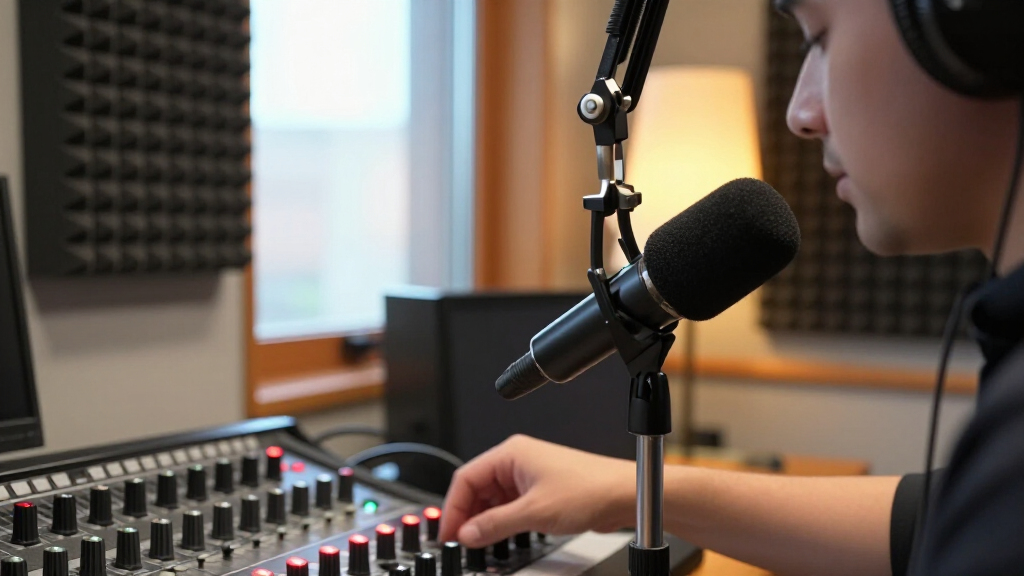

For most people building a dedicated broadcast setup, I’d start with the RØDE PodMic USB: its USB and XLR connections let you begin simply and keep a path open to a more involved studio chain. The Audio-Technica AT2040 is a strong alternative for a straightforward, close-miked dynamic sound, while the Electro-Voice RE20 is the premium choice for a more established studio. The main tradeoffs are connection simplicity versus upgrade flexibility, dynamic versus condenser pickup, and a desk mic versus a headset or wireless setup. I compared all 15 options around those practical differences, including setup demands and how each suits spoken-word work. Continue reading for the full breakdown and guidance on matching a microphone to your room and recording workflow.

Get everyday essentials delivered free with Prime
- Fast, free delivery on millions of items
- Prime Video, Amazon Music and more included
- Member-only deals all year
Complete the kit



Key Takeaways
- The RØDE PodMic USB is the most adaptable all-rounder: USB suits a direct computer setup, while XLR supports a later move to an audio interface or mixer.
- Dynamic microphones make up the strongest broadcast-focused choices here. Models such as the AT2040, RE20, SM7B, and PodMic are designed for close speech capture, while condenser USB models may pick up more room sound.
- Connection type changes the whole workflow. USB models reduce setup steps, XLR models depend on additional gear, and the MAONO PD200W adds wireless flexibility at the cost of another system to manage.
- The lineup includes different kinds of tools, not just desk mics. The BPHS1 is a headset with a boom mic, while the K688CT kit bundles an arm, making them suited to different space and mobility needs.
- Similar-looking options are not always distinct upgrades. The two RØDE PodMic variants differ by USB versus XLR connectivity, and the two Blue Yeti listings emphasize overlapping USB features; buyers should choose by workflow rather than listing name.
| Audio-Technica AT2040 Hypercardioid Dynamic Podcast Microphone |  | Best for Noisy Recording Spaces | Microphone type: Dynamic | Connectivity: XLR | Polar pattern: Hypercardioid | VIEW LATEST PRICE | See Our Full Breakdown |
| FIFINE AmpliGame AM8 USB/XLR Dynamic Microphone |  | Best for Beginner Streaming Setups | Microphone type: Dynamic | Connectivity: USB, XLR | Polar pattern: Cardioid (unidirectional) | VIEW LATEST PRICE | See Our Full Breakdown |
| Audio-Technica BPHS1 Broadcast Stereo Headset with Dynamic Cardioid Boom Microphone |  | Best for Live Commentary | Microphone type: Dynamic | Microphone polar pattern: Cardioid | Headphone design: Closed-back, circumaural | VIEW LATEST PRICE | See Our Full Breakdown |
| RØDE PodMic Cardioid Dynamic Broadcast Microphone, White |  | Best for a Durable XLR Studio Setup | Microphone type: Dynamic | Connectivity: XLR | Polar pattern: Unidirectional | VIEW LATEST PRICE | See Our Full Breakdown |
| FIFINE AmpliTank K688CT USB/XLR Dynamic Podcast Microphone Kit with Boom Arm | 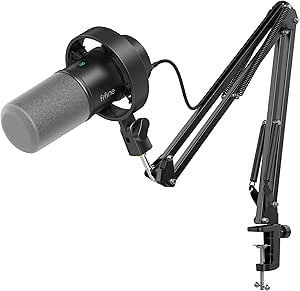 | Best Complete Desk Kit | Microphone type: Dynamic | Connectivity: USB, XLR | Polar pattern: Cardioid (unidirectional) | VIEW LATEST PRICE | See Our Full Breakdown |
| MAONO PD200W Hybrid Wireless Podcast Microphone |  | Best for Wireless, Flexible Setups | Microphone type: Dynamic | Connectivity: Wireless, USB, XLR | Pickup pattern: Unidirectional | VIEW LATEST PRICE | See Our Full Breakdown |
| Sennheiser Professional Profile USB Cardioid Condenser Microphone with Table Stand |  | Best for Simple USB Recording | Connectivity: USB | Connector: USB | Polar pattern: Unidirectional | VIEW LATEST PRICE | See Our Full Breakdown |
| RØDE PodMic USB Dynamic Broadcast Microphone |  | Best Hybrid Studio Upgrade | Microphone type: Dynamic | Connectivity: USB-C, XLR | Polar pattern: Unidirectional | VIEW LATEST PRICE | See Our Full Breakdown |
| ZealSound K66 USB Condenser Microphone with Noise Reduction, Gain and Volume Controls |  | Best for Multi-Device Plug-and-Play | Microphone type: Condenser | Pickup pattern: Cardioid | Frequency response: 40 Hz–18 kHz | VIEW LATEST PRICE | See Our Full Breakdown |
| RØDE PodMic Cardioid Dynamic Broadcast Microphone | 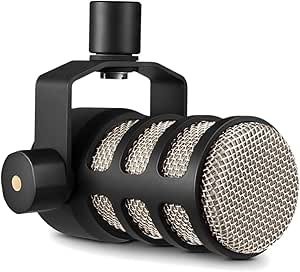 | Best XLR Value for a Fixed Studio | Microphone type: Dynamic | Connectivity: XLR | Polar pattern: Unidirectional (cardioid) | VIEW LATEST PRICE | See Our Full Breakdown |
| Logitech Blue Yeti USB Microphone, Blackout |  | Best USB Mic for Flexible Recording | Connectivity: USB | Microphone array: Tri-capsule | Pickup patterns: Cardioid, omnidirectional, bidirectional, stereo | VIEW LATEST PRICE | See Our Full Breakdown |
| Logitech Blue Yeti USB Microphone with Blue VO!CE Effects, 4 Pickup Patterns, and Desktop Stand — Midnight Blue |  | Best for Beginner Podcasters | Connectivity: USB Type-A | Microphone type: Tri-capsule array | Pickup patterns: Cardioid, omnidirectional, bidirectional, stereo | VIEW LATEST PRICE | See Our Full Breakdown |
| Electro-Voice RE20 Dynamic Broadcast Microphone, Black |  | Best for Close-Mic Broadcast Vocals | Microphone type: Dynamic | Polar pattern: Unidirectional cardioid | Connectivity: XLR | VIEW LATEST PRICE | See Our Full Breakdown |
| Shure SM7B Dynamic Vocal Microphone |  | Best Premium Studio Broadcast Mic | Connectivity: XLR | Microphone type: Dynamic | Polar pattern: Unidirectional cardioid | VIEW LATEST PRICE | See Our Full Breakdown |
| Shure MV7X XLR Dynamic Podcast and Recording Microphone |  | Best Streamlined XLR Podcast Mic | Connectivity: XLR | Microphone type: Dynamic | Polar pattern: Unidirectional cardioid | VIEW LATEST PRICE | See Our Full Breakdown |
| broadcast microphone | Connectivity | Microphone type | Signal-to-noise ratio | Polar pattern |
|---|---|---|---|---|
| Audio-Technica AT2040 Hypercar | XLR | Dynamic | 76 dB | Hypercardioid |
| FIFINE AmpliGame AM8 USB/XLR D | USB, XLR | Dynamic | 80 dB | Cardioid (unidirectional) |
| Audio-Technica BPHS1 Broadcast | — | Dynamic | — | — |
| RØDE PodMic Cardioid Dynamic B | XLR | Dynamic | 78 dB | Unidirectional |
| FIFINE AmpliTank K688CT USB/XL | USB, XLR | Dynamic | 80 dB | Cardioid (unidirectional) |
| MAONO PD200W Hybrid Wireless P | Wireless, USB, XLR | Dynamic | 82 dB | — |
| Sennheiser Professional Profil | USB | — | 60 dB | Unidirectional |
| RØDE PodMic USB Dynamic Broadc | USB-C, XLR | Dynamic | 60 dB | Unidirectional |
| ZealSound K66 USB Condenser Mi | USB | Condenser | — | — |
| RØDE PodMic Cardioid Dynamic B | XLR | Dynamic | 78 dB | Unidirectional (cardioid) |
| Logitech Blue Yeti USB Microph | USB | — | 100 dB | — |
| Logitech Blue Yeti USB Microph | USB Type-A | Tri-capsule array | 70 dB | — |
| Electro-Voice RE20 Dynamic Bro | XLR | Dynamic | 78 dB | Unidirectional cardioid |
| Shure SM7B Dynamic Vocal Micro | XLR | Dynamic | — | Unidirectional cardioid |
| Shure MV7X XLR Dynamic Podcast | XLR | Dynamic | 72 dB | Unidirectional cardioid |
More Details on Our Top Picks
Audio-Technica AT2040 Hypercardioid Dynamic Podcast Microphone
The AT2040 is the strongest fit here for a speaker who needs a broadcast-style mic to favor their voice over nearby sounds. Its hypercardioid pattern is more focused than the cardioid pickup on the FIFINE AmpliGame AM8, which can help in a shared room or gaming setup, though mic placement still matters. A multistage windscreen and integrated shock mount also address plosives and handling noise without relying entirely on add-ons. Unlike the USB/XLR FIFINE options, this mic is XLR only, so a suitable interface or mixer is part of the setup. That makes it less convenient for a quick computer connection, but a better match for buyers already building an XLR broadcast chain. The included mount, adapter, and pouch add useful setup flexibility.
Pros:- Hypercardioid pickup helps focus on the speaker and limit off-axis sound
- Integrated shock mount and multistage windscreen help reduce handling noise and plosives
- Large-diaphragm dynamic design is suited to close-miked spoken voice
- Includes a pivoting mount, threaded adapter, and protective pouch
Cons:- XLR connection requires compatible audio equipment and a separate connection setup
- No onboard USB controls or direct computer connection
- The supplied product information mentions nonstandard batteries without explaining their purpose
Best for: Podcasters, streamers, and voice-over speakers recording near room noise who already have an XLR interface or mixer
Not ideal for: USB-only beginners who want built-in computer controls or a microphone they can connect without additional audio equipment
- Microphone type:Dynamic
- Connectivity:XLR
- Polar pattern:Hypercardioid
- Form factor:Large diaphragm
- Frequency response:15 kHz (as listed)
- Signal-to-noise ratio:76 dB
- Weight:2.2 lb
- Included accessories:Pivoting stand mount, 5/8 in to 3/8 in threaded adapter, soft protective pouch
Our verdict“Choose the AT2040 if focused XLR voice capture matters more than USB convenience and onboard controls.”
FIFINE AmpliGame AM8 USB/XLR Dynamic Microphone
The AmpliGame AM8 is an approachable broadcast-style choice for a streamer who wants to start with USB and keep an XLR route open for later. In USB mode, tap-to-mute, headphone monitoring, gain, and volume controls keep common adjustments within reach; the XLR-only Audio-Technica AT2040 does not offer that direct-computer convenience. The AM8’s cardioid pattern is useful for rejecting sound from behind the mic, though the AT2040’s hypercardioid pattern is the more focused option for a noisy room. Its RGB lighting suits gaming desks, but those lights and function keys do not work in XLR mode. Buyers also need to supply an XLR cable if they switch to that connection. This is a flexible entry point, not the pick for someone seeking a controls-free professional XLR setup.
Pros:- USB and XLR connectivity support both direct computer use and an interface-based setup
- USB mode provides tap-to-mute, headphone monitoring, gain, and volume controls
- Cardioid pattern helps reduce off-axis sound
- RGB lighting has a memory function in USB mode
Cons:- XLR cable is not included
- RGB lighting and function keys are unavailable in XLR mode
- Cardioid pickup is less focused than the AT2040’s hypercardioid pattern
Best for: New streamers and podcasters who want USB controls now and the option to connect through XLR later
Not ideal for: Broadcast professionals seeking a focused hypercardioid pickup, or XLR users who expect the onboard controls and RGB to remain available
- Microphone type:Dynamic
- Connectivity:USB, XLR
- Polar pattern:Cardioid (unidirectional)
- Frequency response:50 Hz–16 kHz
- Signal-to-noise ratio:80 dB
- USB-mode features:Tap-to-mute, headphone monitoring, gain and volume controls, RGB lighting
- Stand threads:3/8 in and 5/8 in
- Enclosure material:ABS plastic and metal
Our verdict“Pick the AM8 for a control-rich USB streaming setup that can later move to XLR, provided its mode-dependent features suit your plans.”
Audio-Technica BPHS1 Broadcast Stereo Headset with Dynamic Cardioid Boom Microphone
The BPHS1 serves a different broadcast need from the standalone AT2040 or RØDE PodMic: it pairs a boom microphone with closed-back headphones, keeping both voice pickup and listening close at hand. That arrangement suits sports commentary, interviews, and announcing, where hearing the program while speaking matters more than choosing a separate studio mic and headphones. The flexible boom can be positioned on either side, and its cardioid capsule helps reject off-axis sound. The tradeoff is a wired headset design: its 3.3 m cable and specialized 8-pin headset connection may constrain movement and complicate compatibility. Compared with the FIFINE AM8, it lacks USB controls and RGB, but it is the more purpose-built choice for monitoring during a live broadcast. It is not a general-purpose desk microphone.
Pros:- Closed-back over-ear cups support focused listening in broadcast environments
- Flexible boom microphone can be positioned on either side
- Cardioid pickup helps reject off-axis sound
- Includes three windscreens and a spare connector screw
Cons:- Wired design limits movement around a studio or event position
- Specialized 8-pin headset connection may require compatible equipment
- Not water resistant
Best for: Sports commentators, announcers, and interview operators who need headphones and a close-positioned broadcast mic in one wired headset
Not ideal for: Podcast hosts seeking a standalone desk mic, wireless freedom, or a simple USB connection to a computer
- Microphone type:Dynamic
- Microphone polar pattern:Cardioid
- Headphone design:Closed-back, circumaural
- Frequency response:Headphones: 20 Hz–20 kHz; microphone: 40 Hz–20 kHz
- Impedance:65 ohms
- Cable length:3.3 m (10.8 ft)
- Connectors:8-pin headset connector, 3-pin XLRM microphone output, 6.3 mm (1/4 in) TRS headphone output
- Weight:9.3 oz
Our verdict“Choose the BPHS1 for live commentary that calls for a headset and boom mic together, rather than a standalone studio microphone.”
RØDE PodMic Cardioid Dynamic Broadcast Microphone, White
The white PodMic is a straightforward choice for a broadcast desk built around XLR: its all-metal body, internal shock mounting, and built-in pop filter address the knocks and plosives that can distract from spoken-word recording. The Audio-Technica AT2040 offers a more tightly focused hypercardioid pattern, while this PodMic uses a unidirectional pattern and leans on its integrated construction rather than an especially narrow pickup description. Its yoke mount and dual threading simplify positioning on compatible stands or boom arms. The main tradeoff is the XLR-only connection, which calls for an interface or mixer rather than direct USB use. At 937 g, it is also a substantial mic, so a stable support matters. Compared with the FIFINE K688CT kit, it does not include a boom arm or USB controls.
Pros:- Built-in pop filter helps reduce plosive sounds
- Internal shock mount helps limit transmitted vibration
- Metal construction and integrated yoke mount support a sturdy studio setup
- Dual 3/8 in and 5/8 in threading supports compatible stand and boom-arm mounting
Cons:- XLR-only connectivity requires a compatible interface or mixer
- At 937 g, it needs a suitably sturdy support
- Does not include a boom arm or USB-mode controls like the FIFINE K688CT kit
Best for: Podcasters and announcers who already use an XLR interface and want a metal-bodied mic with integrated plosive and vibration management
Not ideal for: USB-first creators or buyers who need a boom arm included and prefer a lighter microphone for a basic desk setup
- Microphone type:Dynamic
- Connectivity:XLR
- Polar pattern:Unidirectional
- Frequency response:20 kHz (as listed)
- Signal-to-noise ratio:78 dB
- Audible noise:18 dB
- Weight:937 g
- Included:1 PodMic
Our verdict“Choose the PodMic for a durable, feature-integrated XLR broadcast desk, not a plug-and-play USB setup.”
FIFINE AmpliTank K688CT USB/XLR Dynamic Podcast Microphone Kit with Boom Arm
The K688CT is the most ready-to-mount option in this group: the metal boom arm, shock mount, and windscreen arrive with the mic, so a buyer can build a desk setup without sourcing those pieces separately. USB mode also adds mute, gain, and headphone monitoring, while XLR keeps the door open for a mixer or interface later. That makes it more complete out of the box than the standalone FIFINE AM8, though the AM8 also offers RGB lighting for a gaming-focused desk. Both FIFINE models lose their onboard controls in XLR mode, so moving to a mixer means managing levels there instead. The clamp only fits desks under 2 inches thick, a real installation limit for some work surfaces. Its cardioid pickup is practical for a single speaker, but less focused than the AT2040’s hypercardioid pattern.
Pros:- Includes a metal boom arm, windscreen, and shock mount
- USB and XLR connections allow a change from direct computer use to an interface-based setup
- USB mode provides tap-to-mute, gain, and headphone monitoring controls
- 130 dB maximum SPL rating supports handling loud sources
Cons:- Desk clamp fits surfaces under 2 inches thick only
- Onboard controls are unavailable in XLR mode
- Cardioid pickup is less focused than the AT2040’s hypercardioid pattern
Best for: First-time podcasters and streamers who want a USB-ready mic with a boom arm and basic mounting accessories in one kit
Not ideal for: People with desks 2 inches thick or more, or XLR users who want microphone controls to remain available on the mic
- Microphone type:Dynamic
- Connectivity:USB, XLR
- Polar pattern:Cardioid (unidirectional)
- Maximum SPL:130 dB
- Frequency range:50 Hz–16 kHz
- Signal-to-noise ratio:80 dB
- USB-mode controls:Tap-to-mute, gain, headphone monitoring and volume control
- Included accessories:Metal boom arm, windscreen, shock mount
- Desk clamp fit:Desks under 2 inches thick
Our verdict“Choose the K688CT if you want a bundled boom-arm desk setup with USB controls and can confirm your desk fits its clamp.”
MAONO PD200W Hybrid Wireless Podcast Microphone
The MAONO PD200W is the most adaptable choice here if a broadcast-style setup needs to work across wireless, computer, and traditional audio gear. Its wireless, USB, and XLR connections let a creator start simply and change recording setups later; unlike the XLR-only RØDE PodMic, it can also operate without a separate interface when connected by USB. The receiver can support two microphones with separate tracks, a useful advantage for interviews, and the app offers noise-cancellation and sound controls. Its stated wireless range is up to 60 m, with up to 60 hours of battery life when RGB lighting is off. The tradeoff is a more involved kit than a straightforward desktop USB mic, and camera and Lightning accessories are sold separately. I’d pick it for mobility and connection flexibility, not the simplest fixed desk setup.
Pros:- Wireless, USB, and XLR connectivity accommodates different recording setups.
- One receiver can support two microphones with separate recording tracks.
- Up to 60 hours of battery life with RGB lighting off.
- Noise cancellation and app controls allow sound adjustments.
Cons:- Camera and Lightning accessories are sold separately.
- Wireless functions and app controls add setup complexity compared with a basic USB mic.
Best for: Podcasters and streamers who want to move between wireless recording, direct USB connection, and an XLR setup, especially those recording two speakers.
Not ideal for: Buyers who need camera or Lightning connectivity straight from the box, or who want a minimal, fixed desktop microphone with no app or wireless setup.
- Microphone type:Dynamic
- Connectivity:Wireless, USB, XLR
- Pickup pattern:Unidirectional
- Maximum SPL:128 dB
- Wireless range:Up to 60 m
- Battery life:Up to 60 hours with RGB lighting off
- Signal-to-noise ratio:82 dB
- Weight:1.32 kg
Our verdict“Choose the PD200W if wireless freedom and the option to record two separate microphone tracks matter more than a simple plug-in desk setup.”
Sennheiser Professional Profile USB Cardioid Condenser Microphone with Table Stand
The Sennheiser Profile suits a speaker who wants direct control at the mic without adding an audio interface or software workflow. Its USB-C connection, compact metal stand, and built-in headphone jack make it straightforward to place, monitor, and adjust while recording. On-mic gain, mix, volume, and mute controls are particularly handy for live calls or streams, where reaching for computer settings can interrupt delivery. Compared with the dual-connection RØDE PodMic USB, the Profile sticks to USB and offers fewer routes into a more developed XLR studio setup. It also has only a cardioid pickup pattern, so it is a better match for one person speaking toward the mic than a shared table recording. The lack of detailed software EQ or effects keeps the workflow simple, but limits sound shaping.
Pros:- USB-C plug-and-play connection avoids the need for an external interface.
- On-mic gain, mix, volume, and mute controls support quick adjustments.
- Built-in headphone jack provides zero-latency monitoring.
- Metal construction and compact table stand suit a tidy desktop setup.
Cons:- USB-only connectivity offers less studio expansion flexibility than the RØDE PodMic USB.
- Single cardioid pattern is poorly suited to capturing several speakers around a table.
- No advanced software controls for detailed EQ or effects.
Best for: Solo podcasters, streamers, and remote presenters who record at a computer and want physical controls and headphone monitoring without an interface.
Not ideal for: Interview hosts recording multiple people around one microphone, or creators who need XLR connectivity and detailed software sound processing.
- Connectivity:USB
- Connector:USB
- Polar pattern:Unidirectional
- Form factor:Table microphone
- Signal-to-noise ratio:60 dB
- Enclosure material:Metal
- Weight:717 g
- Dimensions:4.37 × 4.37 × 7.95 inches
Our verdict“Pick the Profile for uncomplicated solo speech recording with useful physical controls, but choose a multi-pattern or XLR-capable option for a more flexible studio.”
RØDE PodMic USB Dynamic Broadcast Microphone
The RØDE PodMic USB bridges an easy computer setup and a conventional broadcast chain: connect by USB-C for direct recording, or use XLR with compatible studio equipment. That makes it a stronger long-term fit than the USB-only Sennheiser Profile for creators who expect to add an interface or mixer later. For USB recording, built-in APHEX processing can shape the signal, and zero-latency headphone monitoring helps speakers hear themselves without distracting delay. The internal shock mount and included pop filter also address common desk-recording bumps and plosives. The key limitation is that APHEX processing is available over USB, not XLR; an XLR setup depends on external gear for processing. It is a considered pick for a growing voice-recording setup, though anyone who only needs basic USB recording may not need its two-path flexibility.
Pros:- USB-C and XLR connections support both direct computer recording and studio setups.
- Built-in APHEX processing is available over USB.
- Zero-latency headphone monitoring supports real-time voice checks.
- Includes a pop filter and internal shock mount.
Cons:- APHEX digital processing is available over USB only.
- XLR use requires compatible external audio equipment.
Best for: Podcasters and streamers who want a dynamic broadcast-style mic now and the option to move from USB recording to an XLR interface or mixer.
Not ideal for: Buyers who need APHEX processing through an XLR chain, or who want the simplest low-feature USB mic for occasional calls.
- Microphone type:Dynamic
- Connectivity:USB-C, XLR
- Polar pattern:Unidirectional
- Frequency range:20 Hz–20 kHz
- Signal-to-noise ratio:60 dB
- Channels:1
- Enclosure material:Metal
- Included items:Swing mount, USB-C cable, pouch, pop filter
Our verdict“Choose the PodMic USB if you want direct USB recording with a clear path to XLR, and can accept that its onboard processing does not carry over to XLR.”
ZealSound K66 USB Condenser Microphone with Noise Reduction, Gain and Volume Controls
The ZealSound K66 is aimed at buyers who want a direct USB microphone that can move between a computer, console, and compatible mobile device. Its included USB-C and Lightning adapters give it a practical advantage over the USB-only Sennheiser Profile when recording on supported phones or tablets. Physical controls for gain, monitoring volume, echo, and mute reduce reliance on software, while headphone monitoring lets a speaker hear the signal in real time. A noise-reduction mode is available, though it is activated by holding the mute button, a less direct control method than a dedicated switch. Compared with the dynamic RØDE PodMic USB, the K66 emphasizes device compatibility and accessible controls rather than an XLR studio path. Its condenser design and cardioid pickup make it best suited to a close, solo voice setup, not a flexible multi-speaker broadcast rig.
Pros:- USB connection and included adapters support a range of compatible computers, consoles, and mobile devices.
- Physical gain, monitoring volume, echo, and mute controls simplify adjustments.
- Headphone jack supports real-time monitoring.
- Mute button has an LED status indicator.
Cons:- Noise reduction is activated by holding the mute button, which may be less intuitive than a dedicated control.
- USB-only connectivity does not offer an XLR upgrade path.
- Cardioid pickup is intended for a single speaker rather than a group.
Best for: New streamers, students, and mobile creators who want one USB microphone for compatible computers, PlayStation consoles, and phones or tablets.
Not ideal for: Broadcast producers who need XLR connectivity, multi-person pickup options, or a dedicated, immediately accessible noise-reduction control.
- Microphone type:Condenser
- Pickup pattern:Cardioid
- Frequency response:40 Hz–18 kHz
- Sampling rate:46 kHz
- Sensitivity:–45 dB ±3 dB
- Connectivity:USB
- Headphone jack:3.5 mm
- Included adapters:USB-C and Lightning
Our verdict“Choose the K66 for accessible USB recording across supported devices, but look to the PodMic USB if XLR expansion is part of your plan.”
RØDE PodMic Cardioid Dynamic Broadcast Microphone
The RØDE PodMic is the straightforward XLR choice for a dedicated speech-recording chain. Its broadcast-tuned dynamic capsule and cardioid pattern are designed to focus on the speaker, while the built-in pop filter and shock mounting help manage plosives and handling vibrations. The all-metal body and integrated swing mount suit a permanent desk or arm-mounted studio position. Compared with the more versatile RØDE PodMic USB, this model forgoes USB recording and APHEX processing, keeping the setup dependent on an interface, mixer, or compatible RØDECaster. That means buyers need extra audio equipment before it can connect to a computer, but it may suit someone who already owns a suitable XLR chain and does not need direct USB. I’d favor it over a USB-first mic only when that existing studio gear is part of the plan.
Pros:- Dynamic cardioid capsule is tuned for speech and focused voice pickup.
- Built-in pop filter and shock mounting help reduce plosives and vibration.
- All-metal body and integrated swing mount suit a permanent broadcast setup.
- XLR connection works with compatible interfaces, mixers, and RØDECaster equipment.
Cons:- Requires a separate interface, mixer, or compatible RØDECaster.
- No USB connection for direct computer recording.
- Does not include a separate desktop stand or XLR cable in the listed package.
Best for: Podcasters and broadcasters with an XLR interface, mixer, or compatible RØDECaster who want a durable, speech-focused microphone for a fixed studio setup.
Not ideal for: First-time creators without audio equipment, or anyone who needs direct USB connection, wireless use, or onboard digital processing.
- Microphone type:Dynamic
- Connectivity:XLR
- Polar pattern:Unidirectional (cardioid)
- Frequency range:20 Hz–20 kHz
- Impedance:150 ohm
- Signal-to-noise ratio:78 dB
- Weight:937 g
- Body material:Metal
Our verdict“Choose the PodMic if you already have an XLR recording chain and want a sturdy broadcast mic; otherwise, the PodMic USB is easier to connect directly.”
Logitech Blue Yeti USB Microphone, Blackout
The Blue Yeti Blackout is the most adaptable USB option here: its three-capsule array offers cardioid, omni, bidirectional, and stereo pickup, letting one mic handle solo narration, two-person conversations, and room recording. That flexibility separates it from the XLR-only Shure SM7B, which is more purpose-built for focused broadcast vocals but needs an interface or mixer. Onboard gain, mute, pattern selection, and headphone volume make adjustments accessible mid-session, while low-latency monitoring helps with live recording. The tradeoff is that the Yeti is a condenser on a desktop stand, so it can capture more room sound than a close-positioned dynamic broadcast mic. Blue VO!CE effects also depend on installing Logitech G HUB, and the USB cable keeps it tied to a computer.
Pros:- Four pickup patterns accommodate several recording arrangements
- Onboard mute, gain, pattern, and headphone controls
- Includes a desktop stand and supports a boom arm or mic stand
- Low-latency headphone monitoring and Blue VO!CE effects
Cons:- Condenser design can pick up more room noise than dynamic broadcast models
- Blue VO!CE features require Logitech G HUB
- USB connection limits use to computer-based setups
Best for: PC and Mac streamers or podcasters who want one USB microphone for solo speech, interviews, and occasional stereo or room recording.
Not ideal for: Broadcasters working in an untreated, noisy room who need a dynamic XLR mic with strong rejection of surrounding sound.
- Connectivity:USB
- Microphone array:Tri-capsule
- Pickup patterns:Cardioid, omnidirectional, bidirectional, stereo
- Frequency response:20 Hz–20 kHz
- Signal-to-noise ratio:100 dB
- Channels:2
- Controls:Headphone volume, pickup pattern, mute, microphone gain
- Compatibility:PC and Mac
Our verdict“Choose the Blue Yeti Blackout if you want a computer-ready mic that can change pickup patterns; choose the SM7B for a more focused XLR broadcast setup.”
Logitech Blue Yeti USB Microphone with Blue VO!CE Effects, 4 Pickup Patterns, and Desktop Stand — Midnight Blue
This Midnight Blue Yeti suits new podcasters who want controls on the microphone rather than a separate mixer: gain, mute, pickup pattern, and headphone volume are all onboard, and setup is plug-and-play on Mac or PC. Its four patterns make it more versatile than a single-pattern broadcast mic such as the Shure MV7X, especially if a beginner plans to record more than solo speech. That flexibility comes with a catch: the condenser capsule can hear more of a room than a close-positioned dynamic mic, so a noisy or echoing space may work against clean voice capture. Blue VO!CE effects add software options, but require Logitech G HUB. Compared with the Blackout Yeti in this roundup, its core feature set is very similar; the clearest distinction in the supplied product data is its Midnight Blue finish.
Pros:- Plug-and-play USB setup for Mac and PC
- Four pickup patterns cover solo, group, and stereo uses
- Onboard mute, gain, pattern, and headphone controls
- Includes an adjustable desktop stand and headphone monitoring
Cons:- Condenser pickup may reveal room noise and reflections
- Blue VO!CE effects require Logitech G HUB
- USB-only connection does not suit XLR mixer workflows
Best for: First-time PC or Mac podcasters who want a simple USB setup, accessible controls, and the option to record interviews or room sound.
Not ideal for: Speakers recording in untreated rooms who want a dynamic mic with a cardioid-only broadcast focus and an XLR signal path.
- Connectivity:USB Type-A
- Microphone type:Tri-capsule array
- Pickup patterns:Cardioid, omnidirectional, bidirectional, stereo
- Frequency response:20 Hz–20 kHz
- Signal-to-noise ratio:70 dB
- Channels:2
- Included accessory:Desktop stand
- Color:Midnight Blue
Our verdict“Pick this Yeti for an approachable, pattern-flexible USB start, but choose the MV7X if your priority is a dynamic XLR mic for close-up speech.”
Electro-Voice RE20 Dynamic Broadcast Microphone, Black
The Electro-Voice RE20 is the specialist choice for broadcasters who work close to the mic. Its Variable-D design helps limit the tonal change that can happen as a speaker moves nearer or farther away, while the internal pop filter and shock mount address plosives and handling vibration. That makes it a more broadcast-focused fit than either Blue Yeti, whose USB condenser design favors convenience and multiple recording patterns, or the cardioid Shure SM7B, which also targets controlled vocal capture but does not list Variable-D. The RE20’s tradeoff is a traditional studio chain: it uses XLR, so a suitable interface or mixer is needed, and its 2.9-pound metal body is substantial for a boom arm. It is best suited to a fixed studio, not a mobile computer-only setup.
Pros:- Variable-D design helps control proximity-related tonal changes
- Internal pop filter supports close vocal recording
- Shock mount helps reduce vibration noise
- Metal construction and a three-year warranty
Cons:- XLR connection requires an interface or mixer
- At 2.9 pounds, it needs a sturdy stand or boom arm
- Single cardioid pattern offers less setup flexibility than the Blue Yeti
Best for: Radio presenters, voiceover artists, and podcasters with an XLR interface who speak close to the mic and want consistent vocal tone.
Not ideal for: New USB-only creators or mobile users who need a light mic that connects directly to a computer.
- Microphone type:Dynamic
- Polar pattern:Unidirectional cardioid
- Connectivity:XLR
- Special feature:Variable-D design
- Signal-to-noise ratio:78 dB
- Weight:2.9 pounds
- Enclosure material:Metal
- Warranty:3 years
Our verdict“Choose the RE20 for a dedicated XLR broadcast studio where close-mic consistency matters more than USB convenience or multiple pickup patterns.”
Shure SM7B Dynamic Vocal Microphone
The Shure SM7B is aimed at established broadcast and recording setups that can supply the gain its dynamic capsule calls for. Its cardioid pattern, built-in pop filtering, shock isolation, and electromagnetic shielding are geared toward a focused vocal signal with less interference from handling and nearby electrical equipment. Against the Electro-Voice RE20, it is another serious XLR studio option, but the RE20’s listed Variable-D design makes it the more explicit choice for managing proximity changes. The SM7B’s strongest limitation is system dependence: it needs an XLR interface or mixer, and at least 60 dB of gain is recommended. That makes it less straightforward than the USB Blue Yeti, even though the Yeti offers more pickup patterns and onboard computer-ready controls.
Pros:- Cardioid pickup focuses on the speaker
- Built-in pop filtering and shock isolation support close vocal work
- Electromagnetic shielding helps limit interference
- Durable metal construction
Cons:- Requires an XLR interface or mixer
- At least 60 dB of gain is recommended
- Offers one pickup pattern, unlike the four-pattern Blue Yeti
Best for: Experienced podcasters, broadcasters, and voiceover artists with an XLR chain capable of providing the recommended gain.
Not ideal for: USB-only creators or buyers without an interface or mixer that can provide at least 60 dB of gain.
- Connectivity:XLR
- Microphone type:Dynamic
- Polar pattern:Unidirectional cardioid
- Frequency response:50–20,000 Hz
- Impedance:150 ohm
- Recommended gain:At least 60 dB
- Phantom power:Not required
- Weight:2.7 lb
Our verdict“The SM7B fits a prepared studio seeking a dedicated dynamic vocal mic, but the RE20 may suit speakers who specifically want Variable-D proximity control.”
Shure MV7X XLR Dynamic Podcast and Recording Microphone
The Shure MV7X is a straightforward route into XLR podcasting: its dynamic cardioid design and Voice Isolation Technology are intended to keep attention on the speaker, while the integrated shock mount and adjustable yoke help simplify mounting. Unlike the Blue Yeti, it does not offer USB connectivity or multiple pickup patterns; that makes it less flexible for computer-only users, but more aligned with a dedicated mixer or interface workflow. Compared with the SM7B, the MV7X is the more pared-back option in this lineup: the supplied specs do not list a recommended gain figure or the SM7B’s electromagnetic shielding, so buyers should check their interface’s available gain before committing. Its XLR-only connection is a firm boundary, not a plug-and-play choice.
Pros:- Voice Isolation Technology targets background noise and room distractions
- Dynamic cardioid design suits close speech recording
- Integrated shock mount and adjustable yoke mount
- All-metal construction
Cons:- XLR-only connection requires an interface or mixer
- Does not provide the Blue Yeti’s USB convenience or pattern selection
- Supplied specs do not state a recommended gain requirement
Best for: Podcasters and streamers building an XLR setup who want a cardioid dynamic mic with integrated mounting and voice-isolation features.
Not ideal for: Creators who need direct USB connection, software effects, or multiple pickup patterns for varied recording formats.
- Connectivity:XLR
- Microphone type:Dynamic
- Polar pattern:Unidirectional cardioid
- Frequency response:50–16,000 Hz
- Signal-to-noise ratio:72 dB
- Channels:1
- Mount:Adjustable yoke mount
- Construction:Metal
Our verdict“Choose the MV7X for a simple, voice-focused XLR podcast rig, and choose the Blue Yeti if direct USB setup and pickup-pattern options matter more.”

How We Picked
I ranked these broadcast microphones by how well their design fits spoken-word recording, streaming, and live voice work. My criteria included pickup type, connection options, built-in controls, mounting or monitoring provisions, and how much extra equipment a buyer may need. I also weighed practical drawbacks: a USB mic can simplify setup but limit signal-chain choices, while an XLR mic can support a studio workflow but requires an interface or mixer. Wireless convenience, headset format, and included accessories mattered when they changed how easily a microphone could fit a real workspace.
The order reflects broadcast usefulness and buyer flexibility, not a claim that every person needs the same sound or setup. The PodMic USB leads because its dual connection approach serves newcomers and upgrading users; focused dynamic models follow for buyers with clear preferences. Premium studio microphones rank highly for capable setups but lower for first-time buyers when they call for more supporting gear. USB condensers and multipattern models remain useful for convenience and versatility, yet are less specialized for close, controlled broadcast speech. Similar products are separated by workflow, while near-duplicate listings are treated as distinct only where their stated configuration differs.
| broadcast microphone | Microphone type | Connectivity | Polar pattern |
|---|---|---|---|
| Audio-Technica AT2040 Hypercar | Dynamic | XLR | Hypercardioid |
| FIFINE AmpliGame AM8 USB/XLR D | Dynamic | USB, XLR | Cardioid (unidirectional) |
| Audio-Technica BPHS1 Broadcast | Dynamic | — | — |
| RØDE PodMic Cardioid Dynamic B | Dynamic | XLR | Unidirectional |
| FIFINE AmpliTank K688CT USB/XL | Dynamic | USB, XLR | Cardioid (unidirectional) |
| MAONO PD200W Hybrid Wireless P | Dynamic | Wireless, USB, XLR | — |
| Sennheiser Professional Profil | — | USB | Unidirectional |
| RØDE PodMic USB Dynamic Broadc | Dynamic | USB-C, XLR | Unidirectional |
| ZealSound K66 USB Condenser Mi | Condenser | USB | — |
| RØDE PodMic Cardioid Dynamic B | Dynamic | XLR | Unidirectional (cardioid) |
| Logitech Blue Yeti USB Microph | — | USB | — |
| Logitech Blue Yeti USB Microph | Tri-capsule array | USB Type-A | — |
| Electro-Voice RE20 Dynamic Bro | Dynamic | XLR | Unidirectional cardioid |
| Shure SM7B Dynamic Vocal Micro | Dynamic | XLR | Unidirectional cardioid |
| Shure MV7X XLR Dynamic Podcast | Dynamic | XLR | Unidirectional cardioid |
Factors to Consider When Choosing Broadcast Microphones
Before choosing a model, I’d decide how it needs to fit into the whole recording chain—not just how the microphone itself is described. These factors can prevent a common mismatch: buying a capable mic that needs extra gear, suits a different recording distance, or captures more of the room than your space allows.
Match USB, XLR, or wireless to your setup
USB is the simplest route when the microphone will connect directly to a computer, but it ties your recording workflow to the mic’s built-in electronics and controls. XLR is a better fit when you already use an interface or mixer, or expect to build a more flexible signal chain. A dual-output model can bridge those approaches, though buyers should check which controls and features work over each connection rather than assume they are identical. Wireless adds freedom from a desk cable, but it brings charging, pairing, and signal management into the routine. Choose the connection that matches your next year of recording, not an imagined studio upgrade that may never happen.
Choose pickup type for the room you actually have
Room sound can matter as much as microphone quality for spoken-word recordings. A dynamic microphone used close to the mouth can be a practical choice in an untreated room, while a condenser may reveal more detail along with keyboard noise, reflections, and nearby activity. Neither type fixes poor placement or a noisy environment. Before buying, listen for fan noise and room echo, then consider whether you can soften reflections with furnishings or move to a quieter spot. A highly sensitive mic is not automatically an upgrade if the room is the weakest part of the recording chain.
Plan for distance, positioning, and mounting
Consistent microphone distance is central to clear broadcast speech, so check how the mic will sit relative to your mouth and screen. A boom arm can free desk space and make positioning easier, but it also needs a compatible mount and a sturdy desk edge. A tabletop stand is quicker to place, though it may occupy workspace and can transmit desk bumps. A headset keeps the boom near the speaker as they move, which suits some live or mobile uses better than a fixed desk mic. Don’t buy an accessory bundle until you know whether its mount fits your desk and whether the included arm reaches the position you need.
Treat controls and monitoring as workflow tools
On-mic controls can save interruptions, especially for solo recording or live calls. A mute button is useful only if it is easy to reach and its status is clear; gain and headphone controls can reduce trips through software menus. A headphone jack may offer direct monitoring, but the exact listening and mix controls vary between microphones. Software effects can shape a voice, yet they add setup choices and may not carry across devices or applications. Prioritize controls you will use while speaking, and avoid paying for a feature set that complicates an otherwise simple recording routine.
Budget for the complete signal chain
The microphone is only one part of the system, particularly with XLR models. An interface or mixer, cable, stand, and possibly a windscreen or pop filter can all affect the final setup and the space it takes up. Some dynamic microphones may call for more gain than a basic interface provides, so check the compatibility of your existing gear before choosing a model. USB options reduce those extra steps, though they may offer fewer choices for future routing. Compare the total setup you need—not just the mic’s feature list—before deciding which tier makes sense.
Separate broadcast specialization from general-purpose versatility
More pickup patterns do not automatically make a better broadcast mic. A multipattern model can suit interviews or group recordings, but extra modes may go unused if you record alone at a desk. A focused cardioid or hypercardioid design can make more sense when one speaker stays close to the microphone. Likewise, a headset is a specific solution for a speaker who needs the mic to move with them, not a direct substitute for a studio desk mic. Start with the number of speakers, their movement, and the recording format; choose added versatility only when it solves a real use case.
Frequently Asked Questions
Should I choose a USB or XLR broadcast microphone for a first setup?
Choose USB if you want to connect directly to a computer and keep the initial setup straightforward. Pick XLR if you already have an interface or mixer and want to route the microphone through that equipment. A dual-connection model can keep both paths open, but check how its controls and monitoring behave over each connection. The right choice depends less on experience level than on the gear and workflow you plan to use. If you have no interface and don’t need one, there is little reason to add that complication just for the sake of XLR.
Can a dynamic broadcast microphone work in an untreated home office?
A dynamic mic can help manage room pickup when you speak close to it, but it will not remove echo, computer fans, or other background sounds on its own. Placement matters: keep a steady distance and aim the mic toward your mouth rather than across the room. Reflections from bare walls can still affect the voice, so soft furnishings and a quieter recording time may help. A condenser can work in a home office too, but its sensitivity may make room noise more apparent. Judge the room and speaking position together rather than relying on microphone type alone.
Do I need an audio interface to use an XLR microphone?
Usually, yes: a standard XLR microphone needs an interface, mixer, or other compatible preamp to connect to a computer. The interface provides the input and gain control needed to record the mic. Before buying, check whether your current device has an XLR input and whether it supplies enough usable gain for the microphone you want. You’ll also need an XLR cable, and some setups benefit from a boom arm or other mounting hardware. If you want to avoid those added parts, a direct USB model may be a better fit.
Is a wireless microphone a sensible choice for desk-based broadcasting?
Wireless is most useful when freedom to move matters, such as presenting away from a fixed desk or sharing a flexible recording space. For a stationary setup, a wired USB or XLR microphone usually means fewer charging and connection steps. Wireless gear also requires you to manage pairing and keep track of its battery state, so convenience depends on how often you move. Check what receiver or connection method the system requires and whether it works with your computer or recording gear. If the mic will stay in one position, wireless may solve a problem you do not have.
Paying more makes sense when the rest of the recording chain can support the microphone and you need the control or sound characteristics it offers. A premium XLR mic can be a poor first purchase if you still need an interface, mounting hardware, or a quieter recording space. For many podcasters, consistent placement and a room with controlled noise will matter before a higher-end microphone. A simpler USB or dual-output option may let you focus on those fundamentals without adding equipment. Consider a premium model after confirming that it fits your voice, room, and existing gear.
Conclusion
For the best overall balance of immediate simplicity and future flexibility, I’d choose the RØDE PodMic USB. The best value-minded pick is the FIFINE AmpliGame AM8 for buyers who want USB and XLR options in one mic, while the best beginner choice is the Sennheiser Profile USB for a direct computer workflow with useful onboard controls. For a premium studio setup, the Electro-Voice RE20 is the specialist option to weigh against the Shure SM7B, with the right choice depending on your existing chain and preferences. The Audio-Technica BPHS1 is the best fit for headset use, and the MAONO PD200W suits buyers who specifically need wireless flexibility. I’d match the mic to the room, connection, and way you speak before choosing by reputation alone.