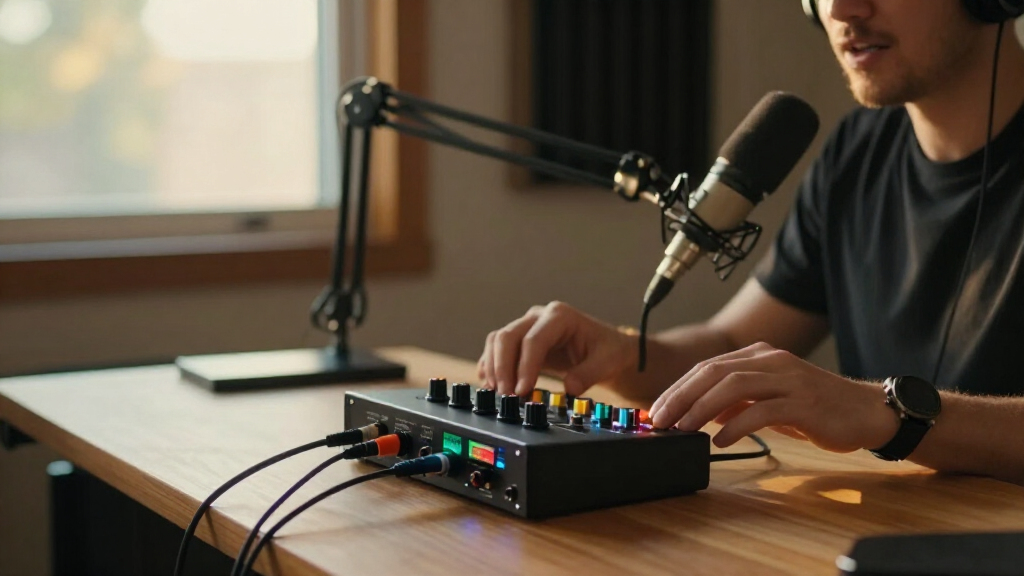
Portable podcast audio interfaces range from simple USB boxes to standalone recorders with controls for several guests. I rank the Zoom PodTrak P4next as the best overall for podcasters who want a field-ready recorder built around multi-person shows. The Zoom PodTrak P4 is a strong alternative for a straightforward portable recording workflow, while the Focusrite Scarlett 2i2 4th Gen suits creators who want a compact computer-based interface with two inputs. The central tradeoff is standalone recording and podcast controls versus a smaller, simpler USB setup; bundled mixers also differ from traditional interfaces in how much they handle beyond microphone input. Read on for the full comparison, selection criteria, and buying advice.

Get everyday essentials delivered free with Prime
- Fast, free delivery on millions of items
- Prime Video, Amazon Music and more included
- Member-only deals all year
Key Takeaways
- The Zoom PodTrak P4next leads for portable, multi-person podcasting because its recorder-first approach suits shows that need more than a basic computer interface.
- The Zoom PodTrak P4 and P4next serve a different workflow from the Scarlett models: the Zooms are podcast recorders, while the Scarletts are USB interfaces designed to connect a recording setup to a computer.
- Two inputs are a practical dividing line. Options such as the Scarlett 2i2, MAONO P2 Hybrid, and M-Track Duo families fit two-source sessions better than single-input picks.
- Included accessories do not automatically make a kit more portable. Bundles can help new creators get started, but their extra gear may add setup complexity compared with a compact interface alone.
- Compatibility and the recording destination matter as much as size. Before choosing, decide whether you need standalone recording, computer-based production, or a hybrid workflow, then check the required device connections.
| Zoom PodTrak P4next Podcast Recorder |  | Best Overall for Portable Multiguest Podcasts | Microphone inputs: 4 XLR | Maximum gain: +70 dB | Headphone outputs: 4 with separate volume controls | VIEW LATEST PRICE | See Our Full Breakdown |
| Focusrite Scarlett Solo 3rd Gen USB-C Audio Interface |  | Best for Solo Podcast and Voice Recording | Connectivity: USB | Channels: 2 | Maximum sample rate: 192 kHz | VIEW LATEST PRICE | See Our Full Breakdown |
| M-Audio M-Track Solo USB Audio Interface |  | Best Simple Budget-Style Computer Interface | Audio resolution: 48 kHz | Inputs: 1 combo XLR/line input with phantom power; 1 switchable line/instrument input | Outputs: Stereo RCA outputs; 1/8-inch headphone output | VIEW LATEST PRICE | See Our Full Breakdown |
| Focusrite Scarlett 2i2 4th Gen USB-C Audio Interface |  | Best for Two-Mic Computer-Based Shows | Connectivity: USB-C | Microphone preamps: 2 | Instrument inputs: 2 Hi-Z | VIEW LATEST PRICE | See Our Full Breakdown |
| MAONO E2 Gen2 Podcast Audio Interface and Mixer |  | Best Battery-Powered Streaming Mixer | Inputs: 2 XLR combo inputs | Preamp gain: Up to 60 dB | Channels: 10 | VIEW LATEST PRICE | See Our Full Breakdown |
| BM-800 Podcast Recording Bundle with Voice Changer and Live Sound Card |  | Best All-in-One Starter Kit | Microphone: BM-800 condenser | Pickup pattern: Cardioid | Connectivity: USB | VIEW LATEST PRICE | See Our Full Breakdown |
| MAONO P2 Hybrid USB Audio Interface with Dual XLR Inputs |  | Best for Phone-and-Computer Creators | Inputs: 2 XLR inputs | Connectivity: USB-C | Recording resolution: 24-bit/192 kHz | VIEW LATEST PRICE | See Our Full Breakdown |
| Zoom PodTrak P4 Portable Podcast Recorder |  | Best for Portable Multi-Guest Recording | Microphone inputs: 4 XLR inputs with phantom power | Headphone outputs: 4, with individual volume control | Recording: Multitrack WAV recording | VIEW LATEST PRICE | See Our Full Breakdown |
| MAONO Podcast Equipment Bundle with Audio Mixer and 3.5 mm Microphone |  | Best for Effects-Focused Mobile Streaming | Model: Maonocaster Lite AM200 | Channels: 9 | Connectivity: USB Type-C, 3.5 mm, auxiliary, and Bluetooth | VIEW LATEST PRICE | See Our Full Breakdown |
| M-Audio M-Track Duo USB Audio Interface |  | Best Simple Two-Mic USB Interface | Inputs: 2 combo XLR/line/instrument inputs | Audio resolution: 48 kHz | Phantom power: Yes | VIEW LATEST PRICE | See Our Full Breakdown |
| Antelope Audio Zenith 2 USB-C Audio Interface |  | Best for DSP Effects and Two-Person Monitoring | Connectivity: USB-C | Channels: 2 | Maximum sample rate: 192 kHz | VIEW LATEST PRICE | See Our Full Breakdown |
| M-Audio M-Track Duo HD USB-C Audio Interface |  | Best Value for Flexible Two-Input Recording | Channels: 2 | Inputs: 2 combo inputs for mic, instrument, or line-level sources | Audio resolution: 24-bit/192 kHz | VIEW LATEST PRICE | See Our Full Breakdown |
| MAONO PS22 Lite USB Audio Interface for Guitar, Vocals, and Streaming |  | Best Compact Option for Mobile and Chromebook Setups | Channels: 2 | Recording resolution: 24-bit/192 kHz | Microphone preamp gain: Up to 56 dB | VIEW LATEST PRICE | See Our Full Breakdown |
| Focusrite Scarlett Solo 4th Gen USB-C Audio Interface |  | Best for Solo Hosts Who Also Record Instruments | Connectivity: USB-C | Channels: 2 | Inputs: 1 XLR microphone input; 1 Hi-Z instrument input | VIEW LATEST PRICE | See Our Full Breakdown |
| portable podcast audio interface | Weight | Connectivity | Channels | Inputs |
|---|---|---|---|---|
| Zoom PodTrak P4next Podcast Re | 10.56 ounces | — | — | — |
| Focusrite Scarlett Solo 3rd Ge | 12.32 ounces | USB | 2 | XLR microphone and instrument |
| M-Audio M-Track Solo USB Audio | — | — | — | 1 combo XLR/line input with phantom power; 1 switchable line/instrument input |
| Focusrite Scarlett 2i2 4th Gen | 1.3 lb | USB-C | — | — |
| MAONO E2 Gen2 Podcast Audio In | 0.89 kg | AUX, Bluetooth, USB | 10 | 2 XLR combo inputs |
| BM-800 Podcast Recording Bundl | 1.37 kg | USB | 1 | — |
| MAONO P2 Hybrid USB Audio Inte | 0.5 kg | USB-C | — | 2 XLR inputs |
| Zoom PodTrak P4 Portable Podca | 130 g | — | — | — |
| MAONO Podcast Equipment Bundle | 1.3 kg | USB Type-C, 3.5 mm, auxiliary, and Bluetooth | 9 | — |
| M-Audio M-Track Duo USB Audio | — | — | — | 2 combo XLR/line/instrument inputs |
| Antelope Audio Zenith 2 USB-C | 1.07 kg | USB-C | 2 | — |
| M-Audio M-Track Duo HD USB-C A | 0.47 kg | USB-C | 2 | 2 combo inputs for mic, instrument, or line-level sources |
| MAONO PS22 Lite USB Audio Inte | 0.43 kg | USB | 2 | — |
| Focusrite Scarlett Solo 4th Ge | 14.4 ounces | USB-C | 2 | 1 XLR microphone input; 1 Hi-Z instrument input |
More Details on Our Top Picks
Zoom PodTrak P4next Podcast Recorder
The PodTrak P4next is the clearest choice here for recording a podcast away from a desk: it runs on two AA batteries, records to an SD card, and supports four XLR microphones with separate headphone volume controls for four people. That makes it a more self-contained multiguest recorder than the computer-dependent Scarlett 2i2 4th Gen, which has two mic preamps but no standalone SD recording. Noise reduction, Tone Enhancement, and compression can help manage voices on location, while phone connectivity and USB interface mode add ways to bring in a remote guest or connect to a computer. The tradeoff is that it depends on replaceable batteries and its four mic inputs suit group recording better than a compact solo setup. Buyers seeking a simple two-input desk interface may prefer the lighter, more streamlined Scarlett Solo 3rd Gen.
Pros:- Four XLR inputs and four independently controlled headphone outputs support group sessions.
- Battery power and SD-card recording allow recording without a computer.
- Noise reduction, Tone Enhancement, and compression offer onboard voice-processing tools.
- Phone connectivity and USB audio interface mode support flexible guest and computer setups.
Cons:- Requires two AA batteries, adding a consumable power requirement for mobile sessions.
- Its four-microphone recorder layout is more equipment than a solo or two-person show may need.
Best for: Podcast hosts recording up to four in-person speakers or a phone guest away from a computer, who want separate headphone monitoring and SD-card recording.
Not ideal for: Solo creators who mainly record at a computer and want a small, USB-powered interface without battery or recorder features.
- Microphone inputs:4 XLR
- Maximum gain:+70 dB
- Headphone outputs:4 with separate volume controls
- Recording format:WAV
- Storage:SD card; up to 2 TB
- Power:2 AA batteries
- Weight:10.56 ounces
Our verdict“Choose the PodTrak P4next for portable, multiguest recording without a computer; choose a Scarlett Solo for a simpler solo desk setup.”
Focusrite Scarlett Solo 3rd Gen USB-C Audio Interface
For a host recording one microphone at a computer, the Scarlett Solo 3rd Gen keeps the setup compact without adding mixer-style controls that a solo show may not need. Its single mic preamp and separate instrument input suit voice plus guitar or bass, while Air mode offers a way to add presence to vocals and acoustic sources. Gain Halo metering makes input-level setup more legible than on the more basic M-Audio M-Track Solo, and recording up to 24-bit/192 kHz gives it headroom beyond that model’s 48 kHz resolution. Those extras do not make it a multiguest interface: there is only one mic preamp, and recording depends on a connected computer or compatible device. The included software also takes registration and download, so buyers after a standalone recorder should look at the Zoom PodTrak P4next instead.
Pros:- One microphone preamp plus an instrument input covers a solo voice-and-instrument setup.
- Air mode can add presence to vocal and acoustic recordings.
- Gain Halo metering helps make input-level adjustments easier to read.
- Supports recording up to 24-bit/192 kHz and includes recording software.
Cons:- Only one microphone preamp limits simultaneous podcast guests.
- Requires a connected recording device rather than recording directly to removable storage.
- The software bundle requires purchase, registration, and download.
Best for: Solo podcasters and voice creators who record at a computer, want one XLR mic input, and may also plug in an instrument.
Not ideal for: Two-host shows needing simultaneous XLR microphones or mobile recording without a computer.
- Connectivity:USB
- Channels:2
- Maximum sample rate:192 kHz
- Bit depth:24-bit
- Inputs:XLR microphone and instrument
- Dimensions:1.71 × 5.65 × 3.77 inches (D × W × H)
- Weight:12.32 ounces
- Warranty:3 years
Our verdict“Pick the Scarlett Solo 3rd Gen for a compact, computer-based solo recording rig, not for multiguest or standalone field recording.”
M-Audio M-Track Solo USB Audio Interface
The M-Track Solo is the straightforward pick for a new podcaster who needs one mic input, direct monitoring, and a compact interface powered by USB. Its combo input supplies phantom power for a condenser microphone, while a second switchable line/instrument input gives a basic two-source recording setup. The USB/Direct balance switch can help keep monitoring responsive, an advantage over relying only on software playback. Against the Scarlett Solo 3rd Gen, the M-Track is simpler and records at 48 kHz rather than up to 192 kHz; it lacks the Scarlett’s Air mode and gain Halo metering. It is also not a standalone portable recorder: it needs a computer or supported iOS connection, and its 1/8-inch headphone jack may call for an adapter. For multiple XLR guests, the Zoom PodTrak P4next is a much better fit.
Pros:- USB-powered design keeps the setup compact and avoids a separate power supply.
- Combo input with phantom power supports condenser microphones.
- USB/Direct balance control enables zero-latency direct monitoring.
- Includes MPC Beats software.
Cons:- Its 48 kHz resolution is lower than the Scarlett Solo 3rd Gen’s maximum 192 kHz.
- The 1/8-inch headphone output may require an adapter for some headphones.
- Two input channels do not provide two XLR microphone preamps.
Best for: First-time podcasters recording one microphone at a Windows or Mac computer who want USB power and direct monitoring.
Not ideal for: Hosts recording multiple XLR microphones, recording away from a computer, or needing a standard-size headphone jack.
- Audio resolution:48 kHz
- Inputs:1 combo XLR/line input with phantom power; 1 switchable line/instrument input
- Outputs:Stereo RCA outputs; 1/8-inch headphone output
- Monitoring:Zero-latency direct monitoring with USB/Direct balance switch
- Power:USB-powered
- Compatible operating systems:Windows 7–10; macOS High Sierra–Big Sur; iOS with Apple Lightning to USB 3 Camera Adapter
- Included software:MPC Beats
Our verdict“Choose the M-Track Solo for a basic, USB-powered single-mic computer setup; skip it if you need multiple XLR guests or standalone recording.”
Focusrite Scarlett 2i2 4th Gen USB-C Audio Interface
When a podcast has two local speakers and a computer nearby, the Scarlett 2i2 4th Gen offers a focused step up from the Scarlett Solo 3rd Gen: it has two microphone preamps, so both voices can be captured on separate inputs rather than sharing a mic. Auto Gain and Clip Safe can simplify level setting and help guard against clipped takes, while Air mode gives voices another tonal option. It also suits creators who want to record instruments alongside speech, with two Hi-Z inputs and a 120 dB dynamic range. This is still a USB interface, not a battery-powered field recorder like the Zoom PodTrak P4next, and it depends on a computer or compatible device and recording software. Its extra input capability is worthwhile for two-person sessions, but unnecessary bulk and setup for a solo host.
Pros:- Two microphone preamps capture two speakers on separate inputs.
- Auto Gain and Clip Safe assist with setting levels and reducing clipping risk.
- Two Hi-Z instrument inputs support voice-and-instrument recording.
- Includes software for recording, mixing, and mastering.
Cons:- Requires a connected computer or compatible device and recording software.
- Lacks the standalone battery and SD-card recording of the Zoom PodTrak P4next.
- Its additional inputs and controls may be unnecessary for a solo podcast.
Best for: Two-person podcast teams recording at a computer who want separate mic inputs, onboard level assistance, and instrument connections.
Not ideal for: Mobile reporters who need battery-powered SD recording, or solo creators seeking the smallest and simplest interface.
- Connectivity:USB-C
- Microphone preamps:2
- Instrument inputs:2 Hi-Z
- Dynamic range:120 dB
- Analogue gain:69 dB
- Maximum sample rate:192 kHz
- Weight:1.3 lb
- Included software:Pro Tools Intro+, Ableton Live Lite, Cubase LE, Hitmaker Expansion
Our verdict“Choose the Scarlett 2i2 4th Gen for two-host recording at a computer, but choose the PodTrak P4next for untethered multiguest sessions.”
MAONO E2 Gen2 Podcast Audio Interface and Mixer
The MAONO E2 Gen2 sits between a conventional USB interface and a compact podcast mixer: its two XLR combo inputs, Bluetooth and 3.5 mm connections, loopback, and customizable effects make it useful for live streams that combine microphones with other audio sources. Its built-in battery, rated for up to eight hours, offers a portable workflow that the computer-dependent Scarlett 2i2 4th Gen cannot match. But the E2 Gen2 is not as self-contained for recorded podcast production as the Zoom PodTrak P4next, which records WAV files to SD and supports four XLR microphones. MAONO lists ten channels and a 48 kHz maximum sample rate, but buyers should weigh the mixer-oriented features against the more limited battery runtime. It also cannot charge a phone or provide power delivery, which matters for longer mobile streams.
Pros:- Two XLR combo inputs offer up to 60 dB of preamp gain.
- Bluetooth and 3.5 mm connections accommodate additional audio sources.
- Loopback, mute, monitoring controls, and customizable effects suit live streaming.
- Built-in battery is rated for up to eight hours of use.
Cons:- Maximum sample rate is 48 kHz, below the Scarlett 2i2 4th Gen’s listed 192 kHz maximum.
- Battery life is limited to up to eight hours and varies with use.
- Does not support phone charging or power delivery.
Best for: Mobile streamers and podcasters who mix two microphones with Bluetooth or 3.5 mm audio and want built-in effects and loopback.
Not ideal for: Field podcasters needing SD-card multitrack recording, four XLR microphones, or a battery that can power or charge other devices.
- Inputs:2 XLR combo inputs
- Preamp gain:Up to 60 dB
- Channels:10
- Maximum sample rate:48 kHz
- Connectivity:AUX, Bluetooth, USB
- Battery:1500 mAh; up to 8 hours of use
- Dimensions:9.64 × 6.18 × 2.16 inches
- Weight:0.89 kg
Our verdict“Pick the E2 Gen2 for portable streaming with mixed audio sources and live effects; choose the PodTrak P4next for multitrack SD-card podcast recording.”
BM-800 Podcast Recording Bundle with Voice Changer and Live Sound Card
This bundle suits a first-time solo creator who wants a microphone and basic recording accessories in one box, rather than a standalone interface to pair with existing gear. The BM-800 condenser mic, suspension arm, shock mount, pop filter, and windscreen cover several common voice-recording needs, while the live sound card adds voice effects for casual streams. Compared with the MAONO Podcast Equipment Bundle, it is simpler and limited to one channel, so it is a weaker fit for two-person shows or more involved routing. Its stated USB connectivity and compatibility with mobile devices broaden its use, but the kit requires charging and the product details do not clarify how its advertised 192 kHz rate relates to the complete recording setup. Choose it for a bundled solo setup; skip it if you need dependable multichannel growth.
Pros:- Includes a microphone, suspension arm, shock mount, pop filter, and windscreen
- Cardioid pickup pattern is suited to focusing on a nearby speaker
- Voice effects add simple options for casual streaming
- Compatible with computers and several mobile device types
Cons:- Single-channel setup does not suit recording multiple microphones separately
- Requires charging before use
- The stated sample rate does not clarify the recording performance of the full kit
Best for: New solo podcasters who need a microphone, basic mounting accessories, and simple voice effects in one portable kit.
Not ideal for: Two-host shows or creators who already own a microphone and need a flexible, multi-input interface; it has one channel and requires charging.
- Microphone:BM-800 condenser
- Pickup pattern:Cardioid
- Connectivity:USB
- Channels:1
- Maximum sample rate:192 kHz
- Audio input:3.5 mm jack
- Weight:1.37 kg
- Included components:Microphone, adjustable suspension arm, shock mount, pop filter, foam windscreen, live sound card, and cables
Our verdict“Choose this bundle for a ready-to-start solo voice setup, but pick the MAONO bundle or Zoom PodTrak P4 if you need more people or inputs.”
MAONO P2 Hybrid USB Audio Interface with Dual XLR Inputs
The P2 is the most flexible choice here for creators who want to bring a computer and a phone or tablet into the same recording workflow. Its dual XLR inputs support a two-mic conversation, while USB-C, direct monitoring, and loopback help with recording and live streaming without relying on a standalone recorder. Compared with the M-Audio M-Track Duo, the P2 is more explicitly built around hybrid mobile and computer use and offers loopback; the M-Audio is a simpler USB-powered interface with specified combo inputs and phantom power. The P2’s 24-bit/192 kHz recording and aluminum housing are appealing, but it does not include microphones or headphones, and setting up software routing or effects may take extra work. I’d choose it for a compact, adaptable creator desk—not for someone seeking a complete kit.
Pros:- Dual XLR inputs support two-microphone recording
- Can connect a computer and phone or iPad simultaneously
- Direct monitoring and loopback support streaming and remote-audio workflows
- Compact aluminum-alloy housing weighs 0.5 kg
Cons:- Microphones and headphones are not specified as included
- Software routing and effects may require setup
- Does not provide the standalone multitrack recording of the Zoom PodTrak P4
Best for: Podcasters and streamers who record with two XLR microphones and want to connect a computer alongside a phone or tablet.
Not ideal for: Beginners seeking a ready-to-record microphone bundle or buyers who want a recorder that works independently of a computer or phone.
- Inputs:2 XLR inputs
- Connectivity:USB-C
- Recording resolution:24-bit/192 kHz
- Microphone gain:56 dB
- Weight:0.5 kg
- Dimensions:6.42 × 8.27 × 3.23 in
- Housing:Aluminum alloy
- Compatible operating systems:Android, ChromeOS, Windows, iOS, and macOS
Our verdict“Pick the P2 if your podcast moves between phone and computer workflows and you already have microphones; choose the Zoom PodTrak P4 for standalone recording and more guests.”
Zoom PodTrak P4 Portable Podcast Recorder
For a podcast that needs several people around the table, the PodTrak P4 is the clearest fit in this group: it records multitrack audio away from a computer and provides four XLR inputs with phantom power plus four individually controlled headphone outputs. That combination makes it easier for each guest to use a microphone and monitor at a suitable level than with the two-input MAONO P2 or M-Audio M-Track Duo. Phone and USB connections support remote interviews and interface use, while programmable sound pads add quick access to cues. Its portable, 130 g body is a real advantage, but the stated battery life is only up to 3.5 hours on two AA batteries. I’d favor it for mobile, multi-person sessions; for a compact solo desk setup, the simpler two-input interfaces are less recorder than you need.
Pros:- Four XLR inputs with phantom power accommodate multiple microphones
- Four headphone outputs have individual volume controls
- Multitrack WAV recording works without a computer
- Phone connection supports remote interviews with automatic mix-minus
Cons:- Battery life is listed as up to 3.5 hours
- Requires two AA batteries
- Larger input and monitoring feature set may be unnecessary for a solo host
Best for: Mobile podcast teams recording up to four XLR microphones who need separate headphone controls and standalone multitrack recording.
Not ideal for: Solo creators who want a basic USB interface, or field teams whose sessions regularly run longer than the stated battery life without a power plan.
- Microphone inputs:4 XLR inputs with phantom power
- Headphone outputs:4, with individual volume control
- Recording:Multitrack WAV recording
- Sound pads:4 programmable pads
- Connections:TRRS phone jack and USB 2.0
- Power:2 AA batteries
- Battery life:Up to 3.5 hours
- Weight:130 g
Our verdict“Choose the PodTrak P4 for portable, multi-guest recording and standalone multitrack capture; pick the MAONO P2 for a smaller hybrid computer-and-phone workflow.”
MAONO Podcast Equipment Bundle with Audio Mixer and 3.5 mm Microphone
This bundle is a better match for creators who value live effects and connections to several devices over standard XLR microphone expansion. The Maonocaster Lite AM200 includes a 3.5 mm microphone and accessories, with voice effects, sound pads, real-time monitoring, and battery power aimed at portable streaming. It can support up to two people and connect to multiple devices or platforms, giving it a more performance-oriented setup than the BM-800 bundle, which is limited to one channel. The tradeoff is the 3.5 mm mic input with no phantom power: it is not the right base for adding typical phantom-powered condenser microphones. Some connections also call for adapters not included, and manual device selection may add setup steps. I’d pick it for mobile creators who want built-in sound shaping, not for a studio-style mic upgrade path.
Pros:- Includes a microphone, mixer, cables, and basic recording accessories
- Built-in and customizable effects and sound pads support live performance
- Battery-powered design suits portable streaming
- Supports connections to multiple devices and platforms
Cons:- 3.5 mm microphone input does not provide phantom power
- OTG and 6.35 mm-to-3.5 mm adapters are not included
- Manual input and output selection may complicate setup
Best for: Mobile streamers and two-person creators who want a bundled microphone, live effects, sound pads, and connections to several devices.
Not ideal for: Podcasters planning to use phantom-powered XLR condenser microphones or buyers who want a simple, adapter-free setup.
- Model:Maonocaster Lite AM200
- Channels:9
- Connectivity:USB Type-C, 3.5 mm, auxiliary, and Bluetooth
- Microphone input:3.5 mm; no phantom power
- Power source:Battery powered
- Dimensions:9.44 × 5.11 × 1.65 in
- Weight:1.3 kg
- Compatibility:Windows, macOS, iOS, Android, smartphones, PCs, and tablets
Our verdict“Choose the MAONO bundle for mobile streaming with sound effects and an included mic; choose the Zoom PodTrak P4 for XLR microphones and multitrack podcast recording.”
M-Audio M-Track Duo USB Audio Interface
The M-Track Duo keeps the portable podcast setup focused: connect up to two microphones or instruments, monitor directly, and record to a Mac or PC over USB power. Its two combo XLR/line/instrument inputs make it more adaptable than the single-channel BM-800 kit, while phantom power supports compatible condenser microphones. For a podcast host who needs a straightforward computer interface, that simplicity is a strength. Compared with the MAONO P2, it has less emphasis on phone-and-computer hybrid routing and loopback; compared with the Zoom PodTrak P4, it lacks standalone multitrack recording and extra guest headphone outputs. The listed 48 kHz resolution is adequate for a basic recording workflow, but this is not the pick for creators seeking higher stated sample rates or built-in effects. iOS use also needs a separate adapter.
Pros:- Two combo inputs accept XLR, line, or instrument sources
- Phantom power supports compatible condenser microphones
- Zero-latency direct monitoring helps avoid distracting recording delay
- USB-powered design and compact format suit a portable computer setup
Cons:- Listed audio resolution is 48 kHz
- iOS use requires an Apple Lightning to USB 3 Camera Adapter
- MPC Beats requires account creation and product registration
Best for: Solo hosts or two-person podcasters who want a compact, USB-powered interface with flexible inputs and direct monitoring for a Mac or PC.
Not ideal for: Mobile-first creators, multi-guest recording teams, or buyers who need standalone recording, sound pads, or higher stated sample-rate support.
- Inputs:2 combo XLR/line/instrument inputs
- Audio resolution:48 kHz
- Phantom power:Yes
- Monitoring:Zero-latency direct monitoring with USB/Direct switch
- Outputs:Stereo 1/4-inch outputs and 1/4-inch headphone output
- Power:USB-powered
- Supported computers:Mac and PC
- Included software:MPC Beats
Our verdict“Choose the M-Track Duo for a simple two-input computer-based podcast setup; choose the MAONO P2 for hybrid phone routing or the Zoom PodTrak P4 for standalone multi-guest recording.”
Antelope Audio Zenith 2 USB-C Audio Interface
The Zenith 2 is the most feature-rich choice here for a portable two-person recording setup. Its two independently mixed headphone outputs let host and guest hear different balances, while onboard DSP effects support real-time monitoring without relying entirely on computer processing. Compared with the Focusrite Scarlett Solo 4th Gen, it is better suited to two people recording together and adds loopback, but both remain limited to two channels. The 75 dB of mic gain gives it more headroom for gain-hungry microphones than the M-Audio M-Track Duo HD’s stated 55 dB. The tradeoff is a heavier 1.07 kg body, and its software control panel is limited to PC and Mac, even though the interface itself supports mobile operating systems.
Pros:- Two headphone outputs with independently adjustable mixes suit host-and-guest recording.
- Onboard DSP effects and loopback add monitoring and streaming options.
- Up to 75 dB of microphone gain accommodates microphones that need substantial preamp gain.
- USB bus power and compatibility with computers, phones, and tablets support portable setups.
Cons:- At 1.07 kg, it is heavier than the M-Audio M-Track Duo HD and MAONO PS22 Lite.
- Two channels limit its usefulness for larger guest panels or multiple microphones.
- The software control panel is available only for PC and Mac.
Best for: Podcast hosts who travel with a guest, need separate headphone mixes, and want onboard effects for monitoring.
Not ideal for: Solo creators prioritizing the lightest travel kit, or buyers who need more than two input channels or full control-panel support on mobile.
- Connectivity:USB-C
- Channels:2
- Maximum sample rate:192 kHz
- Conversion:32-bit
- Microphone gain:Up to 75 dB
- Headphone outputs:2 with independent mixes
- Power:USB bus-powered
- Weight:1.07 kg
Our verdict“Choose the Zenith 2 if portable two-person monitoring and onboard DSP matter more than minimum weight or extra inputs.”
M-Audio M-Track Duo HD USB-C Audio Interface
The M-Track Duo HD makes sense for a mobile podcaster who wants two versatile inputs without committing to a single mic-and-instrument layout. Its two combo inputs accept microphones, instruments, or line-level sources, so a two-mic conversation or a mic-plus-guitar session is possible. The direct monitor switch provides zero-latency listening, a practical advantage when recording through a computer. Compared with the Focusrite Scarlett Solo 4th Gen, the M-Track Duo HD offers a second combo input rather than one XLR input paired with a dedicated Hi-Z instrument input. It is also lighter than the Antelope Audio Zenith 2, but has less stated mic gain and lacks the Zenith’s onboard DSP and independent headphone mixes. Some mobile or computer setups may need an externally powered USB hub.
Pros:- Two combo inputs accommodate microphones, instruments, and line-level sources.
- Direct monitoring supports zero-latency listening while recording.
- USB-C compatibility includes Windows, macOS, iOS, and Android.
- Compact 0.47 kg build is easier to carry than the Antelope Audio Zenith 2.
Cons:- Two input channels are not enough for a larger group recording.
- Some setups require an externally powered USB hub.
- Its stated 55 dB of preamp gain is lower than the Zenith 2’s 75 dB.
Best for: Traveling podcasters and musicians who need two adaptable inputs for a pair of microphones or a mixed mic-and-instrument session.
Not ideal for: Creators who need onboard DSP, separate headphone mixes, or a setup that must work without a powered USB hub in every configuration.
- Channels:2
- Inputs:2 combo inputs for mic, instrument, or line-level sources
- Audio resolution:24-bit/192 kHz
- Preamp gain:55 dB
- Phantom power:Switchable +48V
- Monitoring:Zero-latency monitoring with Direct/USB monitor switch
- Connectivity:USB-C
- Weight:0.47 kg
Our verdict“Pick the M-Track Duo HD for a lightweight, adaptable two-input rig when DSP features and separate headphone mixes are not priorities.”
MAONO PS22 Lite USB Audio Interface for Guitar, Vocals, and Streaming
The MAONO PS22 Lite is a compact pick for creators who want a simple two-channel interface that can travel between a laptop, phone, tablet, or Chromebook. It combines a microphone input with a dedicated instrument input, plus 48 V phantom power and direct monitoring, covering a straightforward voice-and-guitar recording setup. Its 0.43 kg weight edges below the M-Audio M-Track Duo HD’s 0.47 kg, though the difference is small; the more meaningful distinction is the PS22 Lite’s listed ChromeOS compatibility. Like the Focusrite Scarlett Solo 4th Gen, it offers a mic-and-instrument arrangement rather than two combo inputs. The compromises are a two-channel ceiling and a software setup step: compatible recording software may need the MAONO ASIO driver selected for proper operation.
Pros:- Dedicated microphone and instrument inputs suit a voice-and-guitar recording workflow.
- 48 V phantom power supports condenser microphones.
- Listed compatibility includes ChromeOS as well as Windows, macOS, iOS, and Android.
- At 0.43 kg, it is the lightest of these four interfaces.
Cons:- Two channels restrict it to small, simple recording setups.
- Compatible software may require selecting the MAONO ASIO driver.
- The supplied specs list USB connectivity without specifying USB-C.
Best for: Solo podcasters and singer-songwriters who record one microphone and one instrument and want compatibility with Chromebook and mobile devices.
Not ideal for: Hosts recording multiple microphones, or users who want the simplest possible computer setup without selecting a specific ASIO driver.
- Channels:2
- Recording resolution:24-bit/192 kHz
- Microphone preamp gain:Up to 56 dB
- Phantom power:48 V
- Dynamic range:106 dB
- Connectivity:USB
- Compatible operating systems:Android, ChromeOS, Windows, iOS, macOS
- Weight:0.43 kg
Our verdict“Choose the PS22 Lite for a compact mic-and-instrument rig with broad device support, provided driver selection is acceptable.”
Focusrite Scarlett Solo 4th Gen USB-C Audio Interface
The Scarlett Solo 4th Gen is the most focused choice here for a solo host who wants one microphone input and a separate instrument connection. Its 120 dB dynamic range and Air modes distinguish it from the more flexible two-combo-input M-Audio M-Track Duo HD: the Solo prioritizes a polished vocal-and-instrument path, while the M-Track can accept two sources of the same type. The Solo’s small 14.4-ounce body and USB-C connection also suit a travel setup, and its included software gives new creators tools to start recording. The main limitation is in the name: it has one XLR mic input, so it cannot directly handle a two-microphone interview like the Antelope Audio Zenith 2 or M-Track Duo HD. Buyers who expect to host guests regularly should choose a two-mic option instead.
Pros:- One XLR microphone input and one Hi-Z instrument input provide a clear solo recording layout.
- 120 dB dynamic range is the highest stated figure among these four products.
- Air modes offer vocal and instrument character options without adding external hardware.
- Lightweight USB-C design and bundled recording software suit a portable starter setup.
Cons:- Only one XLR microphone input, limiting direct two-person podcast recording.
- Two channels prevent expansion to a larger microphone setup.
- It lacks the Zenith 2’s independent headphone mixes and onboard DSP effects.
Best for: Solo podcasters who record one microphone at a time and want a dedicated instrument input for guitar or another Hi-Z source.
Not ideal for: Interview hosts who need two microphone inputs, or creators who want independent headphone mixes and onboard DSP.
- Connectivity:USB-C
- Channels:2
- Inputs:1 XLR microphone input; 1 Hi-Z instrument input
- Maximum sample rate:192 kHz
- Bit depth:24-bit
- Dynamic range:120 dB
- Weight:14.4 ounces
- Operating systems:Mac OS, Windows OS, iOS
Our verdict“Choose the Scarlett Solo 4th Gen for a portable solo-host setup with a dedicated instrument input, but not for regular two-mic interviews.”
How We Picked
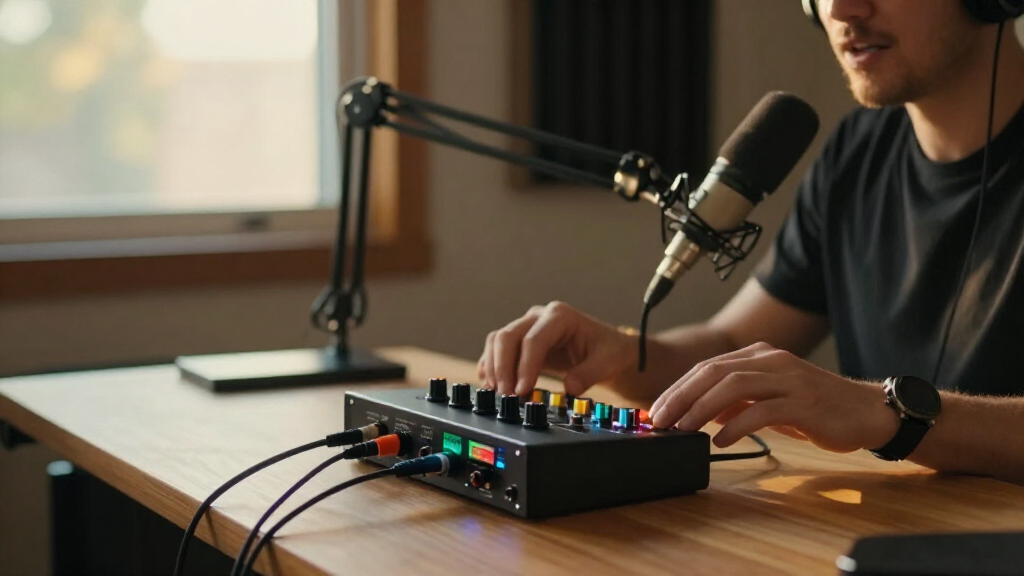
I ranked these portable podcast audio interfaces by how well each product fits recording away from a fixed studio: useful input options, a workable recording workflow, ease of setup, and the amount of extra gear a mobile creator must carry. I also considered whether each option is a standalone recorder, a computer-connected interface, or a mixer-style bundle, since those categories solve different problems. A product with many functions does not automatically rank above a simpler one; its features need to support a clear podcasting use.
The order favors podcast-focused portability and practical session flexibility over specifications that may matter more in a permanent studio. The PodTrak P4next takes the lead for its recorder-first fit, with the established PodTrak P4 also ranking well for on-location podcast workflows. Compact USB interfaces such as the Scarlett and M-Track models suit creators who already plan to record through a computer, while bundles and specialist options rank lower when their form or intended use is less direct for a portable podcast setup. Buyers should verify device compatibility, included cables, and power requirements for their own recording location.
| portable podcast audio interface | Connectivity |
|---|---|
| Zoom PodTrak P4next Podcast Re | — |
| Focusrite Scarlett Solo 3rd Ge | USB |
| M-Audio M-Track Solo USB Audio | — |
| Focusrite Scarlett 2i2 4th Gen | USB-C |
| MAONO E2 Gen2 Podcast Audio In | AUX, Bluetooth, USB |
| BM-800 Podcast Recording Bundl | USB |
| MAONO P2 Hybrid USB Audio Inte | USB-C |
| Zoom PodTrak P4 Portable Podca | — |
| MAONO Podcast Equipment Bundle | USB Type-C, 3.5 mm, auxiliary, and Bluetooth |
| M-Audio M-Track Duo USB Audio | — |
| Antelope Audio Zenith 2 USB-C | USB-C |
| M-Audio M-Track Duo HD USB-C A | USB-C |
| MAONO PS22 Lite USB Audio Inte | USB |
| Focusrite Scarlett Solo 4th Ge | USB-C |
Factors to Consider When Choosing Portable Podcast Audio Interfaces
Before choosing a model, I would start with the shape of your recording day, not a feature list. A one-person voice track, a two-person interview, and a guest show recorded away from a laptop call for different equipment. These broader checks can prevent buying an interface that works technically but makes your actual sessions harder to run.
Choose Between a Standalone Recorder and a Computer Interface
A standalone recorder can capture audio without making a laptop the center of the session, which can simplify field recording and reduce dependence on a computer. A USB interface typically sends audio to recording software, giving you the flexibility of a computer-based editing workflow but adding the computer and its power needs to your setup. Buyers sometimes treat both categories as interchangeable because each accepts microphones; the recording destination is the key difference. If you record in locations where desk space, battery access, or computer setup is uncertain, a recorder-first design may be more convenient. If you already edit on a laptop and want a small input device, an interface may be the lighter choice. Check how your preferred model is powered before assuming it will work untethered.
Count People and Sources, Not Just Microphone Inputs
Count every person and source you expect to record at once, including a guest microphone, phone audio, or a separate playback feed. A single microphone input can suit a solo show, but adding a co-host later may require a new device rather than a simple cable. Two inputs cover many small interviews, while a larger group may need a recorder designed around multiple participants and separate headphone monitoring. Also check whether the connections match your microphones: XLR, combo inputs, and 3.5 mm connections are not interchangeable without the right cable or adapter. A common mistake is counting only microphones and overlooking the need to bring in remote-call audio. Leave room for the way your show may grow, but avoid carrying extra inputs you will never use.
Plan Monitoring Before You Buy
Headphone monitoring lets speakers and hosts catch clipping, cable faults, or distracting room noise while recording instead of discovering problems during editing. For a solo setup, one headphone connection may be enough; a group session can call for more monitoring options or a separate headphone distribution solution. Do not assume that multiple microphone inputs mean multiple headphone outputs, since those serve different jobs. If remote guests join by phone or computer, check how their audio enters the session and whether you can hear it alongside local microphones. These details affect how smoothly a conversation runs, even when the recorded sound itself is clean. For travel, test the full monitoring arrangement with the headphones and adapters you intend to pack.
Check Power, Connections, and Device Compatibility
Portability depends on the complete setup, not only the interface’s dimensions. Confirm whether the device needs USB power, a wall adapter, batteries, or a compatible phone connection, then include those items in your packing plan. A compact interface may still be awkward on location if your laptop has limited ports or you need extra adapters for a tablet. USB-C on a product does not by itself guarantee compatibility with every phone, computer, or recording app. Check the manufacturer’s compatibility guidance and the cable requirements for your intended host device. This step is especially useful when you plan to record away from a standard desktop setup.
Separate Useful Bundles From Extra Gear
A bundle can be a convenient starting point if it includes equipment you would otherwise need to source, but the included microphone and accessories may not match your preferred recording style. A mixer-style kit can also add controls that are helpful for live sound yet unnecessary for a simple voice track. Before choosing a bundle, list what is included and what you still need, such as headphones, stands, cables, or recording software. Compare that complete kit with a basic interface plus the microphone you actually want. Beginners may value fewer separate purchases, while experienced creators may prefer choosing each component. The portability test is simple: count the pieces you must carry and connect for a normal recording session.
Spend More for Workflow Gains, Not Spec Sheets
Paying more makes sense when the added features solve a recurring problem, such as recording several speakers, avoiding a laptop-dependent workflow, or supporting a more flexible production setup. A higher-spec interface is less useful if your show only needs one microphone and you already have a dependable computer workflow. Conversely, a basic option can become a false economy if you quickly need more inputs or monitoring connections. Think about the cost of replacing a device after your format changes, but do not buy capacity based only on a possible future show. Compare the products by the tasks they make easier, not by feature counts alone. The right choice should remove friction from the sessions you expect to record most often.
Frequently Asked Questions
Can I record a podcast without bringing a laptop?
Yes, but you need a standalone recorder rather than a device that depends on a computer to capture audio. The Zoom PodTrak models in this roundup are the clearest recorder-first options, while most Scarlett and M-Track entries are intended to connect to a host device. Check the manufacturer’s recording and power requirements before traveling, since standalone capture does not mean every setup works without cables or an external power source. If you plan to edit on a computer later, you can still move recordings from a standalone session into your editing workflow. Decide whether avoiding a laptop during recording matters enough to guide your choice.
Is one microphone input enough for a podcast?
One input can be enough for a solo host who records a single microphone at a time. It becomes limiting when you add a co-host, an in-person guest, or another independent audio source. A two-input model gives a small show more room to record separate microphones, but it may not cover every remote-call or playback need. Think through a typical episode and count each source that must be captured simultaneously. If your format is likely to grow, choosing extra inputs now can be simpler than replacing the device later.
Will a USB audio interface work with my phone or tablet?
Some interfaces can work with mobile devices, but a USB connector alone does not confirm compatibility. The device, operating system, recording app, power needs, and required adapters all affect whether the setup will function. Look up manufacturer guidance for your specific phone or tablet and confirm whether it can supply enough power or needs an external source. Test the entire connection chain before relying on it for a paid or time-sensitive recording. If mobile recording is central to your plan, compare that setup with a standalone recorder rather than assuming a computer interface is the easiest route.
Should I buy a podcast bundle or choose the interface and microphone separately?
A bundle can suit a new creator who wants one purchase to cover several basics, especially when its microphone and connections fit the intended setup. Separate purchases give you more control over microphone choice and can avoid carrying accessories you do not use. Check the bundle contents carefully: a voice changer or mixer feature may matter for a live-streaming workflow but add little to a straightforward recorded interview. Also account for anything missing, such as headphones, stands, cables, or a recording device. Choose the route that gives you a complete, usable setup with the fewest unwanted pieces.
What should I prioritize for recording interviews away from home?
Start with the number of people and audio sources you need to capture at once, then decide whether you want the session recorded without a laptop. Make sure every speaker can be monitored and that your microphones connect directly or through adapters you have tested. Power and storage plans matter in the field, so check them along with portability rather than focusing on the interface’s size alone. A recorder-first option can reduce reliance on a computer, while a two-input USB interface may suit a compact laptop-based interview. Rehearse the complete setup at home to catch cable, compatibility, and monitoring problems before the recording day.
Conclusion
For most mobile podcast hosts, I would start with the Zoom PodTrak P4next as the best overall, especially when a recorder-first workflow and multi-person sessions matter. The M-Audio M-Track Solo is the best value direction for a simple, computer-based single-microphone setup, while the Antelope Audio Zenith 2 is the best premium pick for buyers seeking a more advanced interface-focused option. Beginners who want a familiar USB workflow can look at the Focusrite Scarlett Solo 4th Gen; creators who want a ready-made kit can compare the MAONO bundles while checking exactly what they include. For two-person computer-based sessions, the Scarlett 2i2 4th Gen or an M-Track Duo model makes more sense than a single-input device. If recording without a laptop is your main need, prioritize the PodTrak models and verify power and recording requirements before buying.
Halloween Picks
halloween
As an affiliate, we earn on qualifying purchases.