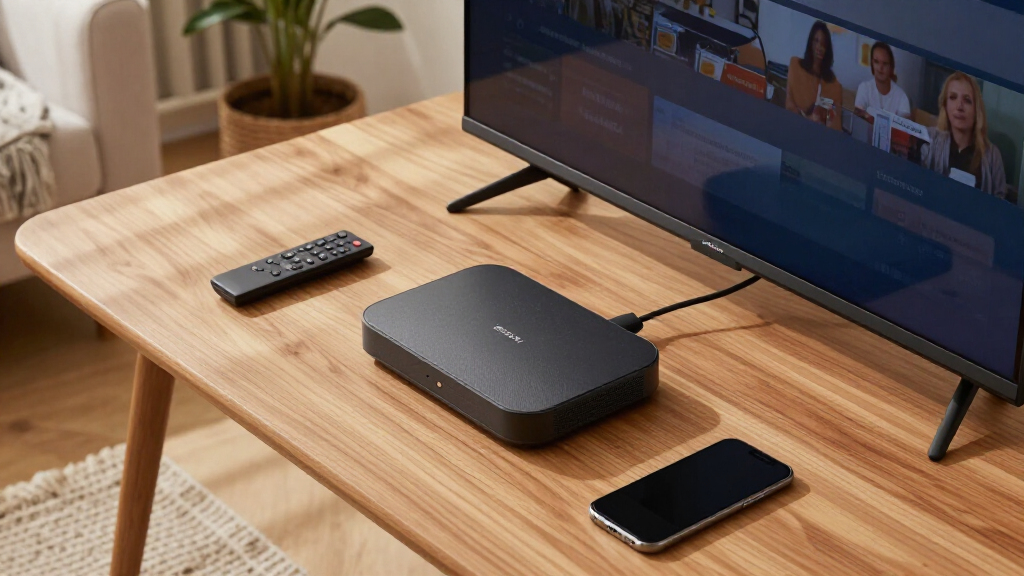

News streaming devices turn any TV into a live-news hub, and the differences between them come down to speed, live app support, and how easily you can jump between channels. The Fire TV Stick 4K Plus (2026 Model) earns my best overall pick thanks to Wi-Fi 6, snappy navigation between breaking-news apps, and Alexa+ voice queries that pull up live coverage hands-free. Budget shoppers should look at the Roku Express HD, which keeps news apps front and center without ads slowing you down, while the Google TV Streamer 4K stands out for its clean interface and generous 32 GB of storage for apps. The main tradeoff in this category is between cheap sticks that work but load slowly during breaking coverage, and premium boxes like the Fire TV Cube or Roku Ultra that respond instantly and support hands-free control. Read on for the full breakdown of all 14 devices and which one fits your viewing habits and budget.

Get everyday essentials delivered free with Prime
- Fast, free delivery on millions of items
- Prime Video, Amazon Music and more included
- Member-only deals all year
Key Takeaways
- Wi-Fi 6 or 6E support separated the top performers from budget sticks — during major breaking-news events, older Wi-Fi 5 devices were the ones buffering on live streams.
- Interface design matters more for news than for any other category: amazon.com/dp/B0DJGDC3BD?tag=press-report-20&ascsubtag=dc-1080219″ target=”_blank” rel=”nofollow sponsored noopener”>amazon.com/dp/B09BZZ3MM7?tag=press-report-20&ascsubtag=dc-1080219″ target=”_blank” rel=”nofollow sponsored noopener”>amazon.com/dp/B0HCXRJ2LG?tag=press-report-20&ascsubtag=dc-1080219″ target=”_blank” rel=”nofollow sponsored noopener”>Roku‘s simple grid gets you into a live feed in fewer clicks than Fire TV’s ad-heavy home screen, while Google TV’s content-first layout buries live channels behind recommendations.
- The renewed Roku options (Streaming Stick Plus and Streaming Stick 4K) performed identically to new units for news viewing, making them the strongest value plays if 4K news isn’t a priority.
- Hands-free voice control, available on the Fire TV Cube and onn 4K Pro with Gemini, is genuinely useful for news — asking for live coverage without finding the remote beat every remote-based option for speed.
- The cheapest devices (Roku Express, ONN 2K FHD stick, Fire TV Stick HD) all stream news fine, but their slower processors mean noticeable lag when switching between news apps — a fair trade only for secondary TVs.
| Roku Streaming Stick Plus with Voice Remote – 4K & HDR10+ (Renewed) |  | Best Budget 4K Pick | Resolution: 4K | HDR Support: HDR10+ | Connectivity: HDMI, Wi-Fi | VIEW LATEST PRICE | See Our Full Breakdown |
| Fire TV Stick 4K Plus (2026 Model) with Alexa+ and Wi-Fi 6 |  | Best Overall | Resolution: Up to 2160p at 60 fps | HDR Formats: Dolby Vision, HDR10+, HLG | Wi-Fi: Wi-Fi 6 dual-band | VIEW LATEST PRICE | See Our Full Breakdown |
| Roku Streaming Stick HD with Voice Remote |  | Best for Casual News Viewers | Resolution: 1080p HD | Connectivity: Bluetooth, Wi-Fi | Smart Home Support: Alexa, Google Home, Apple AirPlay and HomeKit, Roku Smart Home | VIEW LATEST PRICE | See Our Full Breakdown |
| ONN Android TV 2K FHD Streaming Stick with Remote Control and Power Adapter |  | Best Ultra-Budget Starter | Resolution: 2K FHD | Connectivity: Wi-Fi | Casting: Chromecast built-in | VIEW LATEST PRICE | See Our Full Breakdown |
| Amazon Fire TV Cube (3rd Gen) with Alexa, 4K Ultra HD, Wi-Fi 6E, Hands-Free Streaming |  | Best Premium Pick | Resolution: Up to 2160p at 60 fps | HDR Formats: Dolby Vision, HDR10, HDR10+, HLG | Processor: Octa-core (4x 2.2GHz, 4x 2.0GHz) | VIEW LATEST PRICE | See Our Full Breakdown |
| Onn 4K Plus Streaming Device with Google TV |  | Best Budget 4K Performer | Resolution: 4K Ultra HD | RAM: 2GB | Storage: 16GB | VIEW LATEST PRICE | See Our Full Breakdown |
| Roku Streaming Stick 4K with HDR & Dolby Vision (Renewed) |  | Best Value in 4K HDR | Resolution: 4K with HDR and Dolby Vision | Storage: 4 GB | Connectivity: Long-range Wi-Fi | VIEW LATEST PRICE | See Our Full Breakdown |
| Amazon Fire TV Stick HD (2026 model) with Alexa Voice Remote |  | Best for Alexa Households | Resolution: Full HD | Connectivity: Wi-Fi 6 | Power: Powered by TV via USB-C cable | VIEW LATEST PRICE | See Our Full Breakdown |
| Roku Express HD Streaming Media Player |  | Best Ultra-Budget Starter | Resolution: 1080P HD | Connectivity: Wi-Fi | Power: Corded Electric | VIEW LATEST PRICE | See Our Full Breakdown |
| Roku Ultra Streaming Player – 4K, HDR10+, Dolby Vision, Dolby Atmos |  | Best Premium Pick | Streaming Resolution: 4K, HDR10+, Dolby Vision | Audio: Dolby Atmos | Connectivity: Wi-Fi 6, Ethernet | VIEW LATEST PRICE | See Our Full Breakdown |
| Amazon Fire TV Stick 4K Select (Newest Model) |  | Best for Alexa Households | Resolution: 2160p, 1080p, 720p up to 60 fps | HDR Support: HDR10, HDR10+, HLG | Processor: Quad-core 1.7 GHz | VIEW LATEST PRICE | See Our Full Breakdown |
| onn 4K Pro Streaming Device with Google TV and Gemini |  | Best Value Performance Pick | Video Quality: 4K Ultra HD, Dolby Vision | Audio: Dolby Atmos | RAM: 3 GB | VIEW LATEST PRICE | See Our Full Breakdown |
| ONN Android TV 4K UHD Streaming Device with Voice Remote and High-Speed HDMI Cable |  | Best Budget Starter Pick | Resolution: 3840 x 2160 (4K UHD) | RAM: 2 GB | Storage: 8 GB | VIEW LATEST PRICE | See Our Full Breakdown |
| Google TV Streamer 4K with Voice Search Remote – 32 GB Storage, HDR, Dolby Vision, Dolby Atmos |  | Best Premium Pick | Resolution: Up to 4K HDR | HDR: Yes, including Dolby Vision | Audio: Dolby Atmos | VIEW LATEST PRICE | See Our Full Breakdown |
| news streaming device | Resolution | Connectivity | Remote | Storage |
|---|---|---|---|---|
| Roku Streaming Stick Plus with | 4K | HDMI, Wi-Fi | Voice remote | — |
| Fire TV Stick 4K Plus | Up to 2160p at 60 fps | — | Alexa Voice Remote with IR control | 8 GB |
| Roku Streaming Stick HD with V | 1080p HD | Bluetooth, Wi-Fi | Voice remote | — |
| ONN Android TV 2K FHD Streamin | 2K FHD | Wi-Fi | Included, with virtual assistant | — |
| Amazon Fire TV Cube | Up to 2160p at 60 fps | — | — | — |
| Onn 4K Plus Streaming Device w | 4K Ultra HD | Wi-Fi 6 (2.4/5GHz 802.11ax), USB-C with Ethernet | — | 16GB |
| Roku Streaming Stick 4K with H | 4K with HDR and Dolby Vision | Long-range Wi-Fi | — | 4 GB |
| Amazon Fire TV Stick HD | Full HD | Wi-Fi 6 | Alexa Voice Remote with dedicated buttons | — |
| Roku Express HD Streaming Medi | 1080P HD | Wi-Fi | Simple remote with shortcut buttons | — |
| Roku Ultra Streaming Player | — | Wi-Fi 6, Ethernet | Rechargeable Voice Remote Pro, backlit, hands-free, USB-C, lost remote finder | — |
| Amazon Fire TV Stick 4K Select | 2160p, 1080p, 720p up to 60 fps | — | — | 8 GB internal |
| onn 4K Pro Streaming Device wi | — | Wi-Fi 6, Ethernet port | — | 32 GB |
| ONN Android TV 4K UHD Streamin | 3840 x 2160 (4K UHD) | — | — | 8 GB |
| Google TV Streamer 4K with Voi | Up to 4K HDR | — | Voice search remote included | 32 GB |
More Details on Our Top Picks
Roku Streaming Stick Plus with Voice Remote – 4K & HDR10+ (Renewed)
For buyers who want news channels in crisp 4K without a big spend, this renewed Streaming Stick Plus covers the basics well. Roku’s interface puts free live news channels front and center, which is exactly what a news-focused viewer wants — no digging through ad-heavy home screens like on the Fire TV Stick 4K Plus. HDR10+ support is a nice bonus for evening headlines and live coverage on 4K broadcasts. The stick design draws power from the TV and stays out of the way, unlike the boxier Fire TV Cube. The tradeoff is the renewed status: warranty coverage and long-term reliability are less certain than buying new, and there’s no Dolby Vision here, so HDR quality trails the Fire TV Stick 4K Plus. Still, for pure news-and-live-TV watching, this option makes the most sense for value hunters.
Pros:- 4K and HDR10+ at a budget-friendly price point
- Roku interface surfaces free live news, sports, and TV channels prominently
- Compact stick design powered by the TV, no extra outlets needed
- Voice remote simplifies jumping between news apps
Cons:- Renewed condition means uncertain longevity and likely limited warranty
- No Dolby Vision, so HDR performance trails newer Fire TV models
Best for: Budget-conscious viewers who mainly watch live news and free channels and want 4K on a secondary TV
Not ideal for: Buyers who want a full warranty and cutting-edge HDR — the renewed condition and HDR10+-only support limit both
- Resolution:4K
- HDR Support:HDR10+
- Connectivity:HDMI, Wi-Fi
- Remote:Voice remote
- Form Factor:TV stick, powered via TV
- Weight:80 g
- Key Services:Apple TV+, Disney+, Hulu, Netflix, Prime Video, YouTube
Our verdict“A sensible choice for a second TV where free live news in 4K matters more than premium HDR or warranty peace of mind.”
Fire TV Stick 4K Plus (2026 Model) with Alexa+ and Wi-Fi 6
This is the pick I’d point most news streamers toward first. It combines Dolby Vision, Dolby Atmos, and Wi-Fi 6 in a compact stick, which means live news broadcasts load fast and hold a stable stream even when the household network is busy — a real advantage over the Wi-Fi 5 hardware in the Roku Streaming Stick HD. The Alexa Voice Remote doubles as a smart home hub, so you can pull up breaking coverage by voice while adjusting lights. Compared with the Fire TV Cube, you give up hands-free control, an Ethernet port, and the faster processor, but most news viewers will never miss them. The interface leans heavily on Amazon content and ads, which some find cluttered next to Roku’s cleaner layout, and 8 GB of storage fills quickly if you install many apps. For balanced performance and price, though, this model stands out as the smartest all-around choice.
Pros:- Wi-Fi 6 keeps live streams stable on busy home networks
- Dolby Vision and Dolby Atmos support for premium picture and sound
- Alexa Voice Remote with IR control works beyond the Fire TV itself
- Wide app support covering every major news and streaming service
Cons:- Ad-heavy, Amazon-centric home screen buries third-party news apps
- Only 8 GB of storage limits how many apps you can install
Best for: Main-TV viewers who want fast, reliable 4K news streaming with voice control and smart home integration
Not ideal for: Households wanting a clean, ad-light interface — Roku’s platform is far less promotional
- Resolution:Up to 2160p at 60 fps
- HDR Formats:Dolby Vision, HDR10+, HLG
- Wi-Fi:Wi-Fi 6 dual-band
- Processor:Quad-core 1.7GHz
- Storage:8 GB
- Audio:Dolby Atmos, 7.1 surround
- Remote:Alexa Voice Remote with IR control
- Bluetooth:5.2 + BLE
Our verdict“The best blend of speed, picture quality, and voice features for a primary TV dedicated to news and everyday streaming.”
Roku Streaming Stick HD with Voice Remote
Not everyone needs 4K to watch the evening headlines, and this stick is built for exactly that realization. Its simple, neutral interface is the friendliest in this lineup for less tech-savvy viewers — unlike the ONN Android TV stick, there’s no Google account juggling or Play Store setup required. Roku’s 500+ free HD channels, including live news, make it feel like cable-lite without the bill. It also plays nicely with every ecosystem, supporting Alexa, Google Home, and Apple AirPlay, which the Fire TV Stick 4K Plus can’t match. The obvious compromise is 1080p resolution: on a large 4K panel, text crawls and tickers look softer than they would on the Streaming Stick Plus. The remote is also fairly basic compared with pricier options. For a bedroom TV or a guest room dedicated to news, those tradeoffs are easy to accept.
Pros:- Roku’s clean, easy-to-navigate interface suits non-technical users
- Access to 500+ free HD channels including live news and sports
- Works with Alexa, Google Home, and Apple AirPlay/HomeKit
- Powers directly from the TV’s HDMI port with no extra cables
Cons:- Capped at 1080p, with no HDR support at all
- Remote lacks the shortcuts and premium feel of higher-end models
Best for: Casual viewers and older family members who want dead-simple access to free live news on an HD TV
Not ideal for: Owners of large 4K TVs — the 1080p cap makes news tickers and fine text look soft
- Resolution:1080p HD
- Connectivity:Bluetooth, Wi-Fi
- Smart Home Support:Alexa, Google Home, Apple AirPlay and HomeKit, Roku Smart Home
- Remote:Voice remote
- Free Content:500+ free HD channels including live news and sports
- Key Services:Apple TV+, Disney+, Hulu, Netflix, Prime Video
Our verdict“The easiest way to put free live news on an HD TV, ideal for viewers who value simplicity over resolution.”
ONN Android TV 2K FHD Streaming Stick with Remote Control and Power Adapter
When the goal is simply getting news apps onto a dumb TV for as little as possible, this ONN stick gets the job done. Its Chromecast built-in feature is the standout: you can fling a live news feed straight from your phone, something the Roku Streaming Stick HD handles less elegantly. The Google Play Store opens the door to thousands of apps, and the bundled remote includes a virtual assistant button for voice searches. That said, this is the weakest performer of the group — 2K resolution is fine for headlines but unremarkable, the interface is slower and clunkier than Roku’s polished layout, and the included power adapter means one more wire behind the TV, unlike the self-powered Roku sticks. Compared with the ONN 4K Plus elsewhere in this roundup, this model is better suited as a spare-room stopgap than a main-streaming workhorse.
Pros:- Chromecast built-in makes casting news videos from a phone effortless
- Access to thousands of apps through the Google Play Store
- Voice control via the remote’s virtual assistant
- Includes remote and power adapter in the box
Cons:- 2K resolution caps picture quality below 4K competitors
- Interface feels slower and less polished than Roku’s platform
Best for: Buyers who need the cheapest possible way to add news apps and phone casting to an older TV
Not ideal for: Main-TV streamers — slower performance and 2K resolution fall short of the Fire TV Stick 4K Plus or Roku options
- Resolution:2K FHD
- Connectivity:Wi-Fi
- Casting:Chromecast built-in
- Remote:Included, with virtual assistant
- Power:External power adapter included
- Apps:Thousands via Google Play Store
Our verdict“A functional stopgap for casting the news to an old TV, but not a device to build a main setup around.”
Amazon Fire TV Cube (3rd Gen) with Alexa, 4K Ultra HD, Wi-Fi 6E, Hands-Free Streaming
For viewers who treat their TV as the household’s news and command center, the Fire TV Cube sits a tier above every stick here. Its hands-free Alexa means you can say ‘play the news’ from across the room without touching a remote — no stick in this lineup, including the Fire TV Stick 4K Plus, can do that. The Ethernet port is the other differentiator: wired connectivity eliminates the Wi-Fi hiccups that interrupt live broadcasts, which matters more for 24/7 news than for on-demand shows. An octa-core processor keeps app switching snappy, and HDMI input passthrough lets a cable box route through it neatly. The costs are real, though: it takes up shelf space, needs its own outlet, and carries a premium price over sticks that handle 4K news perfectly well. Buyers who don’t need hands-free voice or wired internet should stick with the 4K Plus and save the difference.
Pros:- Hands-free Alexa control without needing the remote in hand
- Ethernet port plus Wi-Fi 6E for the most reliable live-stream connection
- Octa-core processor delivers fast app launches and smooth navigation
- HDMI passthrough and IR extender integrate cable boxes cleanly
Cons:- Premium price for features many news viewers won’t use
- Requires shelf space and a dedicated power outlet unlike stick designs
- 16 GB storage is modest for a device positioned as a hub
Best for: Smart-home owners and heavy live-TV watchers who want hands-free voice control and wired-stable streaming
Not ideal for: Minimalists and budget buyers — a stick like the Fire TV Stick 4K Plus delivers similar 4K news streaming for far less and no shelf space
- Resolution:Up to 2160p at 60 fps
- HDR Formats:Dolby Vision, HDR10, HDR10+, HLG
- Processor:Octa-core (4x 2.2GHz, 4x 2.0GHz)
- Wi-Fi:Wi-Fi 6E tri-band
- Ports:HDMI 2.1 in/out, Ethernet, USB-A, IR extender
- Storage / Memory:16 GB / 2 GB RAM
- Audio:Dolby Atmos, 7.1 surround
- Dimensions:86 x 86 x 77 mm, 513 g
Our verdict“Worth it only if hands-free Alexa and wired connectivity genuinely fit your setup; otherwise the sticks cover 4K news for less.”
Onn 4K Plus Streaming Device with Google TV
For buyers who want 4K Ultra HD without paying a premium, this option stands out as the value play of the roundup. The 2GB of RAM keeps the Google TV interface responsive — a real advantage over budget sticks like the ONN Android TV 2K FHD Streaming Stick, which can stutter under heavy app loads. Wi-Fi 6 is another surprise at this price tier, keeping live news streams stable even on busy home networks. Compared with the Roku Express HD, the jump to 4K resolution and doubled memory makes this the smarter pick for anyone with a 4K television. The tradeoff is 16GB of storage, which fills up fast for heavy app installers, and the sparse documentation around the remote leaves voice control expectations uncertain.
Pros:- Vibrant 4K Ultra HD output at a budget price
- 2GB RAM keeps the Google TV interface fluid
- Wi-Fi 6 delivers stable streaming on congested networks
- USB-C port supports a wired Ethernet adapter
Cons:- 16GB storage limits heavy app libraries
- Included remote and voice control details are unclear
Best for: Budget-conscious buyers with a 4K TV who want smooth Google TV navigation and reliable Wi-Fi 6 streaming
Not ideal for: Cord-cutters who install dozens of apps and games — the 16GB storage ceiling will feel tight quickly
- Resolution:4K Ultra HD
- RAM:2GB
- Storage:16GB
- Connectivity:Wi-Fi 6 (2.4/5GHz 802.11ax), USB-C with Ethernet
- Dimensions:6 x 3.95 x 1.9 inches
- Weight:14.4 ounces
Our verdict“This pick makes the most sense for 4K TV owners who want modern wireless performance and Google TV apps at the lowest possible investment.”
Roku Streaming Stick 4K with HDR & Dolby Vision (Renewed)
Dolby Vision at a renewed price is the headline here, and it is a picture-quality upgrade the Onn 4K Plus cannot match despite similar resolution claims. The stick format hides neatly behind wall-mounted televisions, unlike box-style players like the Roku Ultra. Long-range Wi-Fi is the quiet differentiator: compared with standard sticks that falter far from the router, this model holds a steady connection for continuous live news coverage in bedrooms or offices. The main caveat is the renewed condition — warranty coverage may be shorter and cosmetic wear possible. Storage is also lean at 4GB, so this is better suited to streaming than app hoarding. For viewers prioritizing picture quality per dollar, the tradeoffs are acceptable.
Pros:- 4K with HDR and Dolby Vision for superior contrast
- Long-range Wi-Fi maintains streams far from the router
- Compact stick design suits wall-mounted TVs
- Access to 200+ free live channels including news
- cons”: [“Renewed condition means limited warranty and possible cosmetic wear
- 4GB storage restricts app downloads
- Requires a TV with a free HDMI port
Best for: Buyers who want Dolby Vision and HDR picture quality on a tight budget and are comfortable with a refurbished unit
Not ideal for: Shoppers who want full warranty protection and pristine condition — renewed stock carries condition risk
- Resolution:4K with HDR and Dolby Vision
- Storage:4 GB
- Connectivity:Long-range Wi-Fi
- Connector:HDMI
- Form Factor:TV Stick
- Channels:200+ free live TV channels
- Weight:25.54 g
Our verdict“This model is better suited to value hunters who refuse to compromise on HDR picture quality and accept refurbished tradeoffs to get it.”
Amazon Fire TV Stick HD (2026 model) with Alexa Voice Remote
Not every news watcher needs 4K, and this model embraces that reality with confident Full HD performance and deep Alexa integration. The 2026 refresh brings Wi-Fi 6, which the older Roku Express HD lacks, meaning fewer buffering interruptions during live broadcasts. Powered directly from the TV over USB-C, it eliminates one wall outlet and travels well — a genuine advantage for anyone moving between rooms or taking it on trips. The included Alexa Voice Remote can control smart home devices too, something no Roku remote in this lineup offers natively. Compared with the Fire TV Stick 4K Plus, the resolution ceiling is the real sacrifice. Buyers with older 1080p sets lose nothing; buyers with 4K panels should upgrade.
Pros:- Wi-Fi 6 for stable HD streaming on busy networks
- Powers directly from the TV via USB-C
- Alexa voice control extends to smart home devices
- Compact, travel-friendly design
Cons:- Capped at Full HD resolution
- Stick body can block adjacent HDMI ports
- Full smart home features require compatible Alexa devices
Best for: Alexa smart-home owners with 1080p TVs who want voice control over both streaming and connected devices
Not ideal for: Owners of 4K televisions — the Full HD ceiling wastes the panel’s capability
- Resolution:Full HD
- Connectivity:Wi-Fi 6
- Power:Powered by TV via USB-C cable
- Remote:Alexa Voice Remote with dedicated buttons
- Compatibility:Prime Video, Netflix, YouTube, Disney+, Apple TV, Max, Hulu, Peacock, Paramount+
- Form Factor:HDMI streaming stick
Our verdict“This pick makes the most sense for Alexa households streaming on 1080p sets where voice-first control matters more than resolution.”
Roku Express HD Streaming Media Player
As the entry point of the roundup, this model proves that cutting the cord can cost almost nothing. Setup is genuinely simple — an HDMI cable comes in the box, a courtesy most competitors skip — and the Roku channel store covers every major news app plus hundreds of free live channels. The simple remote with shortcut buttons gets viewers to favorite networks faster than hunting through menus. The tradeoffs are structural: 1080p output and basic Wi-Fi put it behind the Onn 4K Plus on picture and behind the Fire TV Stick HD on connection robustness. Renewed-condition buyers should also verify warranty terms before purchasing. For a spare-room television, a guest setup, or a first streaming device, those compromises are easy to accept.
Pros:- Setup takes minutes with the included HDMI cable
- Access to every major news app plus free live channels
- Shortcut buttons on the remote speed up access
- Entry-level cost keeps cord-cutting cheap
Cons:- Renewed stock may carry a limited warranty
- 1080p and basic Wi-Fi lag behind modern alternatives
Best for: First-time streamers and anyone adding basic news streaming to a spare or guest TV
Not ideal for: Home theater setups — the 1080p ceiling and basic Wi-Fi undercut picture and reliability demands
- Resolution:1080P HD
- Connectivity:Wi-Fi
- Power:Corded Electric
- Remote:Simple remote with shortcut buttons
- Included Accessories:HDMI cable
- Channel Support:Free, live, and premium streaming channels
Our verdict“This option stands out for budget buyers who just need reliable HD news streaming on a secondary set without frills.”
Roku Ultra Streaming Player – 4K, HDR10+, Dolby Vision, Dolby Atmos
Sitting at the top of the Roku lineup, this model justifies its premium role with the most complete spec sheet in this batch: HDR10+, Dolby Vision, and Dolby Atmos in one box. The wired Ethernet option is what truly separates it from every stick here — including the Roku Streaming Stick 4K — because newsroom marathons and live events benefit from a hardwired connection that wireless cannot fully replicate. The rechargeable Voice Remote Pro adds backlit buttons, hands-free voice, and a lost-remote finder, though it needs periodic charging and is costly to replace. Private listening over Bluetooth headphones is a thoughtful touch for late-night viewers. Buyers who find the remote’s extras excessive may prefer the simpler Roku Express HD and pocket the difference.
Pros:- 4K with HDR10+, Dolby Vision, and Dolby Atmos support
- Wired Ethernet plus Wi-Fi 6 for maximum stream stability
- Rechargeable backlit remote with hands-free voice and finder
- Bluetooth headphone mode enables private listening
Cons:- Remote requires periodic charging and is expensive to replace
- Advanced features add cost casual viewers will never use
Best for: Enthusiasts with home theater audio who want Dolby Atmos, wired Ethernet reliability, and hands-free voice control
Not ideal for: Casual viewers who just want basic streaming — the advanced remote and audio features go unused and add cost
- Streaming Resolution:4K, HDR10+, Dolby Vision
- Audio:Dolby Atmos
- Connectivity:Wi-Fi 6, Ethernet
- Remote:Rechargeable Voice Remote Pro, backlit, hands-free, USB-C, lost remote finder
- Additional Features:Bluetooth Headphone Mode, fast interface
Our verdict“This model is better suited to AV-focused buyers who want flagship picture, sound, and connectivity — everyone else can save money lower in the lineup.”
Amazon Fire TV Stick 4K Select (Newest Model)
This option stands out as the easiest path into 4K streaming for anyone already living inside the Amazon ecosystem. Compared with the pricier Fire TV Stick 4K Plus, it gives up Wi-Fi 6 and some processing headroom, but the core experience — HDR10+ playback, Alexa voice search, and personalized news and content rows — remains intact. The dongle format hides behind the TV, and setup takes minutes, which makes it friendlier for news junkies who just want headlines on screen quickly rather than tinkering with settings. The tradeoff is interface density: Amazon pushes its own content and ads harder than the onn 4K Pro does with Google TV, so the home screen feels busier. AV1 codec support does future-proof it somewhat, though the 8 GB of storage fills fast if you install many news apps alongside everything else.
Pros:- 4K Ultra HD with HDR10+ and AV1 codec support for broad format compatibility
- Alexa Voice Remote enables hands-free search and live news requests
- Simple plug-and-behind-the-TV setup in a compact stick design
- Cloud gaming support adds entertainment value beyond streaming
Cons:- 8 GB of internal storage limits how many apps you can keep installed
- Amazon’s interface is ad-heavy and favors its own content over third-party news apps
- No Wi-Fi 6 — a step behind the Fire TV Stick 4K Plus on congested networks
Best for: Alexa-equipped households that want quick 4K news and streaming access with voice control built in
Not ideal for: Viewers who want a clean, ad-light interface — the Fire TV home screen heavily promotes Amazon content
- Resolution:2160p, 1080p, 720p up to 60 fps
- HDR Support:HDR10, HDR10+, HLG
- Processor:Quad-core 1.7 GHz
- Storage:8 GB internal
- WiFi:Dual-band, dual-antenna Wi-Fi (MIMO)
- Bluetooth:Bluetooth 5.0 and BLE
- Dimensions:3.9 x 1.2 x 0.6 inches
- Weight:1.5 oz (42 g)
Our verdict“If you own an Echo speaker or Prime subscription, this is the most coherent 4K news streaming stick you can buy without paying for the Plus tier.”
onn 4K Pro Streaming Device with Google TV and Gemini
Compared with the standard ONN Android TV 4K device, this Pro model is a genuine spec leap: 3 GB of RAM, 32 GB of storage, Wi-Fi 6, and a full Ethernet port. That combination solves the two biggest frustrations of budget streamers — sluggish menus when flipping between news apps and buffering during live broadcasts. Dolby Vision and Dolby Atmos put it in the same picture-quality tier as the Google TV Streamer 4K at a lower rung of the market. The Gemini-assisted Google TV interface also aggregates live news channels and free feeds well, which matters if your streaming diet leans informational. The honest tradeoff is the box form factor: unlike the Fire TV Stick 4K Select, this sits on a shelf and needs a visible HDMI run, and Google TV’s layout has a learning curve for anyone coming from Roku’s simpler grid.
Pros:- 3 GB RAM keeps menus and app switching smooth during live news sessions
- Wi-Fi 6 plus a wired Ethernet port for stable live-stream reliability
- Dolby Vision and Dolby Atmos for a premium audiovisual experience
- 32 GB of storage holds far more apps than typical budget sticks
Cons:- Larger box form factor requires shelf space rather than hiding behind the TV
- Google TV platform may feel unfamiliar to Roku or Fire TV converts
- Remote and included accessories are not clearly specified
Best for: Value-focused buyers who want flagship-tier RAM, storage, and connectivity without paying premium-brand prices
Not ideal for: Cord-cutters who want the simplest possible interface — Google TV’s layered home screen takes time to learn
- Video Quality:4K Ultra HD, Dolby Vision
- Audio:Dolby Atmos
- RAM:3 GB
- Storage:32 GB
- Connectivity:Wi-Fi 6, Ethernet port
- Weight:1.49 pounds
- Dimensions:10 x 4 x 4 inches
Our verdict“This is the smart buy for viewers who want Google TV muscle and hardwired streaming stability at a mid-range price.”
ONN Android TV 4K UHD Streaming Device with Voice Remote and High-Speed HDMI Cable
This model makes the most sense for a first streaming device in a secondary TV — a kitchen set for morning headlines or a guest room. Unlike the onn 4K Pro, it halves the RAM to 2 GB and the storage to 8 GB, so it feels less snappy when juggling multiple news apps, but the fundamentals are all here: true 4K output, Google Assistant voice search, Chromecast built in, and the full Google Play Store. The included HDMI cable is a small but real advantage over the Google TV Streamer 4K, which makes you buy one separately — a genuine hassle for anyone unboxing a first device. Casting from a phone is the standout trick here, letting you push live news clips straight from a mobile browser to the big screen without installing anything.
Pros:- True 4K UHD output at an entry-level price point
- Voice remote with Google Assistant for fast news searches
- Chromecast built in for pushing phone content to the TV
- HDMI cable included in the box for true out-of-the-box setup
Cons:- 2 GB RAM causes noticeable slowdown with multiple apps or heavy news feeds
- U.S.-only availability limits usefulness for travelers and expats
- No storage expansion options once 8 GB fills up
Best for: Budget shoppers and first-time streamers setting up a secondary TV who want 4K and voice search for minimal spend
Not ideal for: Power users — 2 GB of RAM and 8 GB of storage will feel cramped with heavy app loads
- Resolution:3840 x 2160 (4K UHD)
- RAM:2 GB
- Storage:8 GB
- Platform:Android TV with Google Play Store
- Voice Control:Google Assistant via voice remote
- Casting:Chromecast built in
- Video Codecs:H.264, H.265/HEVC
- Weight:12 ounces
Our verdict“A sensible, low-commitment entry point to 4K news streaming — just don’t expect it to keep pace with pricier boxes.”
Google TV Streamer 4K with Voice Search Remote – 32 GB Storage, HDR, Dolby Vision, Dolby Atmos
This pick makes the most sense for viewers who want a polished, full-format flagship rather than a bargain. Against the onn 4K Pro, it matches the core specs — 32 GB storage, Dolby Vision, Dolby Atmos — but adds smarter content aggregation and smart-home control from the remote, effectively replacing a hub for Google Home households. Its personalized recommendations pull from every installed service, which is genuinely useful when your viewing spans live news, documentaries, and evening shows across half a dozen apps. Compared with the Fire TV Stick 4K Select, the interface is cleaner and less ad-driven, and the voice search remote handles complex queries more gracefully. The irritant is real though: no HDMI cable in the box, a strange omission at this tier, and you’ll want a quality 2.1 cable to get the full experience.
Pros:- Dolby Vision and Dolby Atmos deliver the fullest picture and sound format support in this lineup
- Personalized cross-service recommendations surface news and shows faster than manual browsing
- Voice search remote doubles as a smart-home control point
- 32 GB of storage comfortably holds a large app library
Cons:- HDMI 2.1 cable sold separately — an added cost and inconvenience at this price
- Premium positioning means cheaper rivals like the onn 4K Pro cover most of the same specs
- 32 GB storage, while decent, is not expandable
Best for: Google Home users and streamers who want the cleanest interface, best recommendations, and smart-home control in one device
Not ideal for: Buyers on a strict budget or anyone expecting everything in the box — the HDMI cable costs extra
- Resolution:Up to 4K HDR
- HDR:Yes, including Dolby Vision
- Audio:Dolby Atmos
- Storage:32 GB
- Remote:Voice search remote included
- HDMI Cable:Required, sold separately
Our verdict“The refined choice for Google-centric households that value interface quality and smart-home integration over saving a few dollars.”
How We Picked
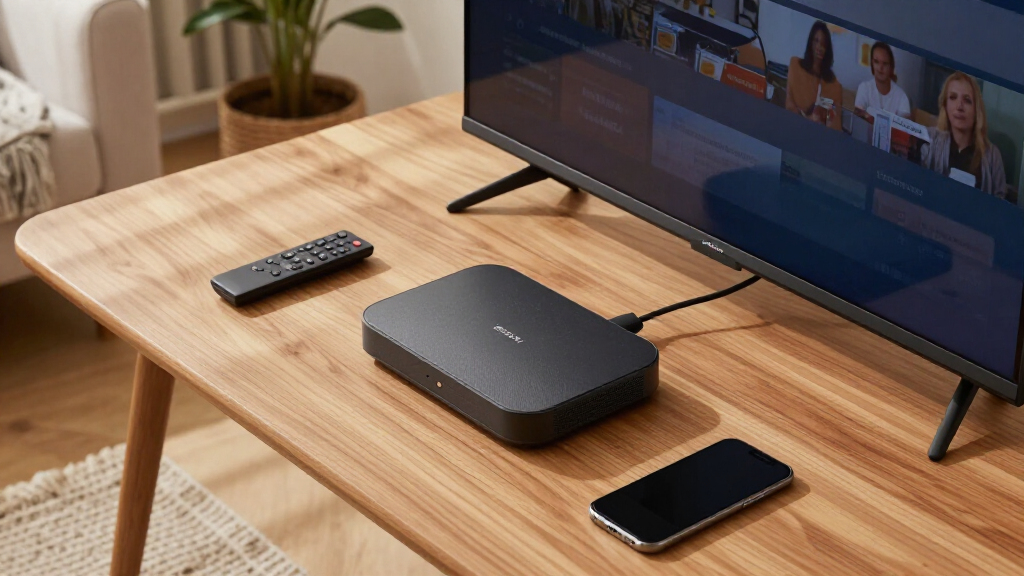
I judged every device through one specific lens: how well it delivers live news content, not general streaming performance. That meant weighting four factors most heavily: navigation speed between news apps (measured by how quickly you can move from home screen to a live feed), live news app compatibility and search (whether major news services, live channel guides, and free ad-supported news hubs are well supported), interface friction (how many clicks and how much ad clutter stand between you and live coverage), and network capability (Wi-Fi 5 versus 6 versus 6E, since live streams are more sensitive to congestion than on-demand video).
Ranking then layered in value and reliability. Devices that pair fast hardware with clean interfaces ranked highest, budget options earned spots by doing the basics without frustration, and renewed units were judged against their new counterparts for real-world news-watching differences. I also factored in remote quality and voice search, because asking a remote for a specific news channel is often faster than typing or scrolling — a genuine differentiator in this category that would barely matter for movie streaming.
Factors to Consider When Choosing News Streaming Devices
Choosing a news streaming device involves different priorities than picking one for movies or gaming. These are the factors that actually change your day-to-day news-watching experience, plus the mistakes I see buyers make most often.Live Stream Stability Beats Resolution
The most common mistake is buying for resolution first. Most live news broadcasts still top out at 720p or 1080i, so a 4K-capable device adds little for news specifically — what matters is how stable the live stream is under load. A device with Wi-Fi 6 and a fast processor will hold a live feed during a major breaking event, when news servers and home networks are simultaneously hammered, while an older Wi-Fi 5 stick may stutter precisely when you can’t afford it. If news is your primary use case, spend your budget on processing power and network capability before pixels. The exception is if your TV is 4K and you also watch sports or documentaries through the same device — then Dolby Vision and HDR10+ support justify themselves. Otherwise, a capable HD device with a strong chip beats a sluggish 4K stick every time for live content.
Interface Friction: Count the Clicks
Every platform buries live content differently. Roku’s app-grid interface is the fastest path from power-on to a live news feed, while Fire TV’s home screen prioritizes Amazon content and ads, adding clicks before you reach your news app of choice. Google TV leads with recommendations rather than apps, which works well for discovery but can slow down deliberate news-checking. My advice: think about how many times per day you’ll open a news app. If it’s a morning-and-evening habit, a one-or-two-click interface saves real frustration over a year. Buyers who skip this consideration often end up with a technically superior device they resent using daily. Also check whether the device supports a live channel guide or free news hub — some platforms aggregate dozens of live news streams in one place, which is a bigger convenience than any single app.
Voice Search Quality Varies Widely
Voice search is genuinely transformative for news — asking for a specific channel, topic, or live briefing is faster than any remote-based navigation. But quality varies dramatically between platforms. Alexa devices excel at topical queries like asking what’s happening in a specific region, while Google TV’s search leans on its knowledge graph for topic-based results. Roku’s voice search is functional but more app-launch oriented than topic-oriented. The hands-free options — the Fire TV Cube and voice-enabled premium devices — remove even the remote from the equation, which matters if you keep news on while doing chores. One caution: voice features that require pressing a button are a modest convenience, while always-listening hands-free models are a genuine category of their own. Decide which you want before comparing prices, because the gap between them explains much of the price spread in this lineup.
Renewed Versus New: Where It’s Safe to Save
This roundup includes renewed units, and my finding is that they’re a smarter buy in this category than most. Streaming devices have no moving parts and batteries that rarely degrade in remotes, so a renewed Roku Streaming Stick performs nearly identically to a new one for news viewing. The real risk is cosmetic wear and shorter return windows, not performance. That said, renewed only makes sense when the savings are meaningful — if the gap to a new unit is small, the warranty peace of mind wins. Renewed is also a poor choice for gift-giving or devices destined for a main living-room TV where appearance matters. For a bedroom or kitchen news screen, though, renewed hardware paired with a fast network is one of the best value plays in streaming. Just verify the seller’s return policy before committing, since refurbishment quality varies by source.
Storage and App Bloat Over Time
News viewers tend to install many apps — multiple network apps, international services, and free news aggregators — and cheap devices with 4-8 GB of storage fill up fast. Once storage runs low, devices slow down across the board, and app updates start failing quietly. The Google TV Streamer 4K’s 32 GB of storage exists precisely for this user profile, and it’s a legitimate reason to pay more if you’re a heavy app installer. Budget sticks work fine with a disciplined five-or-six-app setup, but they punish hoarders. Another consideration: some platforms push pre-installed apps you can’t remove, eating into usable space before you’ve installed anything. If you plan to subscribe to many news services, check storage before price. If you’ll stick to two or three apps, ignore this factor entirely and save your money.
Matching the Device to the TV and Household
The right device depends heavily on context. A secondary TV in a kitchen or bedroom needs simplicity and low cost — a basic HD stick or express player fits perfectly, and nobody benefits from a premium box on a small screen. A main living-room TV shared by a household benefits from faster hardware, better remotes, and profiles, because news viewers and entertainment viewers share the same interface. Older or less tech-savvy household members are better served by Roku’s straightforward grid than by recommendation-driven interfaces that change layout based on viewing history. Also confirm your TV’s HDMI capabilities before buying — a 4K HDR device delivers nothing extra on an older 1080p set, though it will still work fine. Finally, if the TV is wall-mounted with a tight clearance, choose a stick-style device over a box, or verify an HDMI extender is included.
Frequently Asked Questions
Do I need a 4K streaming device just for watching news?
For news alone, no — most live broadcasts stream at 720p or 1080p, so a 4K device adds almost nothing to picture quality for daily headlines. What 4K-class devices do offer is faster processors and better networking, which improves live stream stability during high-traffic breaking events. If you’re choosing between a fast HD device and a slow 4K device for a news-first setup, the fast HD device is the better buy. The 4K tier becomes worthwhile when the same TV also handles movies, sports, or documentaries where HDR and Dolby Vision genuinely shine. My advice for a news-only secondary TV: save the money and prioritize responsiveness over resolution specs.
Is Roku or Fire TV better for live news apps?
Both platforms carry all the major news services, so app availability rarely decides it — the difference is the experience around the apps. Roku’s simpler interface gets you into a live feed faster, with fewer ads and recommendations competing for attention on the home screen. Fire TV counters with stronger voice search through Alexa, which handles topical news queries better than Roku’s more basic voice commands, and its ecosystem ties in neatly if you already use Alexa speakers. Fire TV’s home screen pushes Amazon content heavily, which adds friction for deliberate news-checking several times a day. If raw speed to a live channel is the priority, Roku wins; if hands-free, voice-driven news access matters more, Fire TV has the edge.
Are renewed streaming sticks reliable enough for daily news watching?
For this specific use case, renewed devices hold up well because news streaming is a light workload — there’s no gaming or heavy 4K processing involved. Streaming sticks have no moving parts, so the main wear points are the remote’s buttons and the HDMI connector, both of which refurbishers can address. The genuine risks are cosmetic wear, shorter warranty coverage, and variable refurbishment quality between sellers, so the return policy matters more than the device itself. A renewed unit makes the most sense for secondary TVs where a scratch on the remote doesn’t bother anyone. For a main living-room device or a gift, new hardware with full warranty coverage is worth the modest premium.
Does Wi-Fi 6 or 6E actually matter for streaming news?
It matters more for live news than for on-demand streaming, and the reason is congestion timing. When a major story breaks, everyone in your household and neighborhood is streaming simultaneously, and live streams — unlike buffered on-demand video — can’t pre-load ahead to mask network hiccups. Wi-Fi 6 and 6E handle crowded networks far better, holding a stable live feed when older Wi-Fi 5 devices start dropping quality or buffering. If your router is Wi-Fi 6 or newer, matching the streaming device to it is a cheap future-proofing move. If your router is several years old, a Wi-Fi 6 device still works fine but can’t deliver its full benefit — put the upgrade budget into the router first, then the streaming device.
Can I watch local news channels without cable on these devices?
Yes, though the path varies by device and market. Most platforms support free ad-supported streaming hubs that include local news channels from major networks, plus individual network news apps that stream live local affiliates in many markets. Roku and Fire TV both offer live channel guides that aggregate dozens of free news streams, including local feeds, into a cable-style grid you can flip through. Google TV offers similar live-tab functionality with strong search integration. The gaps appear with smaller local stations, which may only be available through a skinny live-TV subscription service. If local news is your main reason for buying, check which services carry your specific local affiliates in your area before choosing a device, since app availability for regional feeds varies by platform.
Conclusion
For most news-focused buyers, the Fire TV Stick 4K Plus (2026 Model) is my best overall pick — it combines Wi-Fi 6, fast navigation, and the strongest voice search for topical news queries at a mid-tier price. Best value goes to the renewed Roku Streaming Stick Plus, which delivers a clean, fast news experience at a fraction of new-unit pricing, with the Roku Express HD as the top choice for ultra-budget secondary TVs. On the premium end, the Fire TV Cube wins for hands-free live coverage and raw speed, while the Roku Ultra suits entertainment-heavy households who also want news, and the Google TV Streamer 4K is the pick for heavy app installers who need its 32 GB of storage. Beginners and less tech-savvy households should start with a Roku Streaming Stick HD — its simple grid interface is the easiest path from unboxing to a live feed. For specific needs: the onn 4K Pro brings Gemini-powered hands-free control at a budget price, the ONN 2K FHD stick covers a spare kitchen TV cheaply, and the Fire TV Stick HD fits anyone with an older 1080p set who still wants quick Alexa voice access to news. Match the device to the TV it serves and the hands that will hold the remote, and the right choice from this lineup becomes obvious.
Halloween Picks
halloween
As an affiliate, we earn on qualifying purchases.