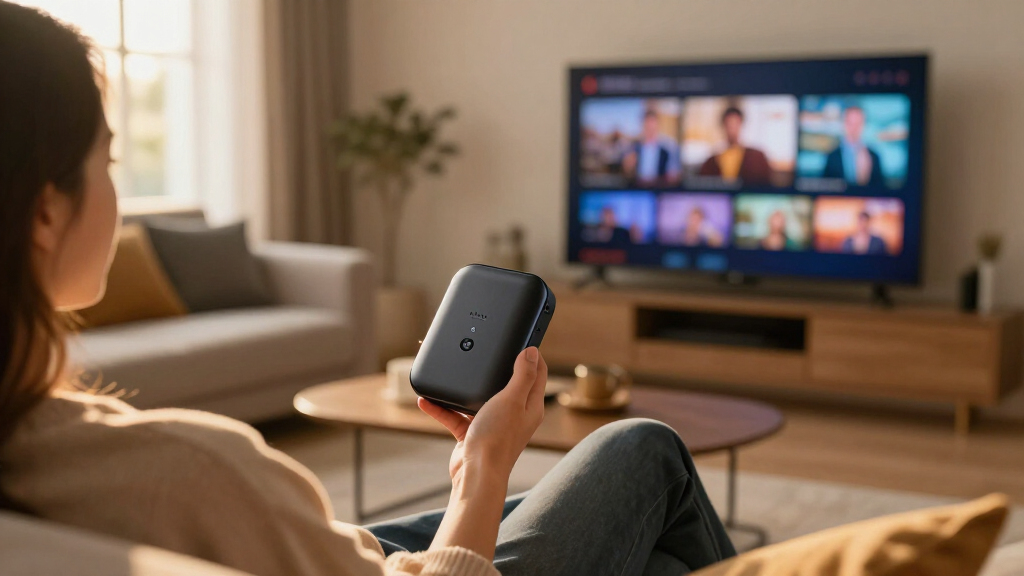

News streaming devices prioritize a different set of skills than typical movie-night streamers: fast boot times, snappy live channel switching, reliable news apps like YouTube TV, Pluto TV, and Sling, and a remote you can navigate headlines with in seconds. For most buyers, the onn 4K Pro Streaming Device with Google TV is the best overall pick thanks to its clean Google TV interface and excellent free live-channel integration, while the Roku Streaming Stick HD remains the easiest entry point for news-only viewers on a budget, and the Google TV Streamer 4K is the premium choice for households that want news alongside a full smart-home hub. The main tradeoff in this category is between price and responsiveness — cheap HD sticks work fine for headline watching but lag when flipping between live streams, while pricier boxes handle multitasking and 4K news channels without stutter. Interface preference also matters: Google TV and Roku surface live news channels differently than Fire TV, which leans heavily on Alexa and Amazon content. Continue reading for the full breakdown of all 12 devices.

Get everyday essentials delivered free with Prime
- Fast, free delivery on millions of items
- Prime Video, Amazon Music and more included
- Member-only deals all year
Key Takeaways
- Google TV devices (amazon.com/dp/B0C6W3D4RM?tag=press-report-20&ascsubtag=dc-1065795″ target=”_blank” rel=”nofollow sponsored noopener”>amazon.com/dp/B0B75QMC7X?tag=press-report-20&ascsubtag=dc-1065795″ target=”_blank” rel=”nofollow sponsored noopener”>onn 4K Pro, Google TV Streamer 4K) ranked highest for news viewing because the live tab aggregates free news channels from multiple apps into one browsable guide — something Fire TV and Roku do less elegantly.
- Wi-Fi 6 support on the Fire TV Stick 4K Plus made a measurable difference for live news streams on congested home networks, reducing buffering during peak evening news hours compared with dual-band-only sticks.
- The two cheapest HD options (Roku Streaming Stick HD and Fire TV Stick HD) are adequate for headline checking, but both struggled with fast channel switching — a real drawback for viewers who flip between multiple live news feeds.
- The Formuler Z10 is the outlier in this lineup: it is built for IPTV-style live television, making it a niche fit for cord-cutters who watch news through subscription IPTV services rather than mainstream news apps.
- Dolby Vision and Atmos matter little for news content; paying extra for HDR specs only makes sense if the same device will serve as your primary entertainment streamer.
| Formuler Z10 Android 10 Dual Band 5G 2GB RAM 8GB ROM 4K |  | Best for Tinkerers and Custom Setups | Output Resolution: 4K (3840 x 2160) | Processor: RealTek CPU, ARM G31 MP2 GPU | RAM: 2GB DDR @2400MHz | VIEW LATEST PRICE | See Our Full Breakdown |
| ONN Android TV 4K UHD Streaming Device with Voice Remote and HDMI Cable |  | Best Budget Pick | Resolution: 4K (3840 x 2160) | RAM: 2 GB | Storage: 8 GB | VIEW LATEST PRICE | See Our Full Breakdown |
| TiVo Stream 4K – Streaming Media Player with Android TV, 4K UHD, Dolby Vision HDR & Atmos |  | Best for News and Live TV Aggregation | Resolution: 4K UHD | HDR/Audio: Dolby Vision, Dolby Atmos | RAM: 2 GB | VIEW LATEST PRICE | See Our Full Breakdown |
| Roku Streaming Stick HD with Voice Remote |  | Best for Beginners and Secondary TVs | Resolution: 1080p HD | Connectivity: Bluetooth, Wi-Fi, HDMI | Ecosystem Support: Alexa, Apple AirPlay, HomeKit, Google Home | VIEW LATEST PRICE | See Our Full Breakdown |
| Amazon Fire TV Stick 4K Select (Newest Model) |  | Best for Alexa Households | Output Resolution: 2160p up to 60 fps | Processor: Quad-core 1.7 GHz | Storage: 8 GB | VIEW LATEST PRICE | See Our Full Breakdown |
| Roku Ultra Streaming Player – 4K, HDR10+, Dolby Vision, Dolby Atmos |  | Best Premium Pick | Resolution: 4K, HDR10+, Dolby Vision | Audio: Dolby Atmos | Remote: Rechargeable Roku Voice Remote Pro, backlit, hands-free voice, USB-C, lost remote finder | VIEW LATEST PRICE | See Our Full Breakdown |
| Fire TV Stick 4K Plus (2026 Model) with Alexa Voice Remote, Wi-Fi 6, 4K Ultra HD, Dolby Vision, HDR10+, Dolby Atmos |  | Best for Alexa Households | Resolution: 4K Ultra HD, Dolby Vision, HDR10+, HLG, HDR10 | Audio: Dolby Atmos, Dolby TrueHD, DTS passthrough | Processor: Quad-core 1.7GHz, 650MHz GPU | VIEW LATEST PRICE | See Our Full Breakdown |
| onn 4K Pro Streaming Device with Google TV and Gemini |  | Best Value 4K Performer | Resolution: 4K Ultra HD, Dolby Vision | Audio: Dolby Atmos | RAM: 3GB | VIEW LATEST PRICE | See Our Full Breakdown |
| Amazon Fire TV Stick HD (newest model) with Alexa Voice Remote |  | Best Budget Starter | Resolution: Full HD | Wi-Fi: Wi-Fi 6 | Remote: Alexa Voice Remote | VIEW LATEST PRICE | See Our Full Breakdown |
| ONN Android TV 2K FHD Streaming Stick with Remote Control & Power Adapter |  | Best Bare-Bones Backup | Resolution: 2K Full HD | Connectivity: Wi-Fi, HDMI | Content: YouTube, Play Movies & TV, thousands of Google Play apps | VIEW LATEST PRICE | See Our Full Breakdown |
| Onn 4K Plus Streaming Device with Google TV |  | Cheapest Wi-Fi 6 Upgrade | Dimensions: 6 x 3.95 x 1.9 inches | Weight: 14.4 ounces | Storage: 16GB | VIEW LATEST PRICE | See Our Full Breakdown |
| Google TV Streamer 4K with Voice Search Remote |  | Best Premium Google TV Hub | Storage: 32 GB | Video Resolution: Up to 4K HDR | HDR: Yes | VIEW LATEST PRICE | See Our Full Breakdown |
| news streaming device | Resolution | Storage | Connectivity |
|---|---|---|---|
| Formuler Z10 Android 10 Dual B | — | 8GB eMMC | — |
| ONN Android TV 4K UHD Streamin | 4K (3840 x 2160) | 8 GB | HDMI, Wi-Fi |
| TiVo Stream 4K | 4K UHD | 8 GB | Wi-Fi, HDMI |
| Roku Streaming Stick HD with V | 1080p HD | — | Bluetooth, Wi-Fi, HDMI |
| Amazon Fire TV Stick 4K Select | — | 8 GB | — |
| Roku Ultra Streaming Player | 4K, HDR10+, Dolby Vision | — | Wi-Fi 6, Ethernet |
| Fire TV Stick 4K Plus | 4K Ultra HD, Dolby Vision, HDR10+, HLG, HDR10 | 8GB | — |
| onn 4K Pro Streaming Device wi | 4K Ultra HD, Dolby Vision | 32GB | Wi-Fi 6, Ethernet port |
| Amazon Fire TV Stick HD | Full HD | — | — |
| ONN Android TV 2K FHD Streamin | 2K Full HD | — | Wi-Fi, HDMI |
| Onn 4K Plus Streaming Device w | 4K Ultra HD | 16GB | Wi-Fi 6 (2.4/5GHz 802.11ax) |
| Google TV Streamer 4K with Voi | — | 32 GB | — |
More Details on Our Top Picks
Formuler Z10 Android 10 Dual Band 5G 2GB RAM 8GB ROM 4K
The Formuler Z10 occupies a different niche than mainstream sticks like the TiVo Stream 4K. It’s a full Android 10 box with USB 3.0 and Ethernet ports, which means buyers can hardwire their connection or attach external storage — something no stick-format device in this lineup offers. That flexibility matters for anyone running media-heavy apps or side-loading software outside the Google Play ecosystem. Compared with the ONN Android TV 4K, the Z10 trades a polished, curated interface for raw openness, and that’s the central tradeoff here.
The compromises are real: 2GB of RAM and 8GB of storage will feel tight fast, and there’s no voice remote in the box. This option makes the most sense for viewers who want control over their setup rather than a plug-and-play evening.
Pros:- Ethernet and USB 3.0 ports allow wired connections and external storage
- Dual-band AC Wi-Fi holds up well for 4K streams
- Full Android 10 OS permits side-loading and customization
- Compact chassis fits behind any TV setup
Cons:- 2GB RAM and 8GB storage limit multitasking and app installs
- No voice remote or accessories included out of the box
- Older Android 10 OS may lose app compatibility over time
Best for: Hands-on users who want Ethernet, USB storage, and an open Android environment for custom streaming setups
Not ideal for: Casual viewers who want a polished, app-store-first experience — the interface is far less friendly than Roku or Fire TV
- Output Resolution:4K (3840 x 2160)
- Processor:RealTek CPU, ARM G31 MP2 GPU
- RAM:2GB DDR @2400MHz
- Storage:8GB eMMC
- Operating System:Android 10
- Wireless:Dual-Band 2×2 AC Wi-Fi, Bluetooth 5.0
- Ports:1 USB 3.0, 1 HDMI, 1 LAN (100M)
Our verdict“A box for builders — pick it only if wired networking and open Android matter more to you than polish.”
ONN Android TV 4K UHD Streaming Device with Voice Remote and HDMI Cable
Value is where the ONN Android TV 4K earns its spot. It delivers genuine 4K resolution, Google Assistant voice search, and Chromecast built-in at a price that undercuts the Fire TV Stick 4K Select while matching its core picture capabilities. The inclusion of an HDMI cable in the box is a small touch, but for someone setting up a second TV it removes one more errand. Compared with the budget ONN Android TV 2K FHD stick, this model’s jump to 4K makes it the smarter long-term buy.
The savings show up in the experience, though. With 2GB of RAM and 8GB of storage, navigation is serviceable rather than snappy, and heavy app users will hit storage limits. It’s also restricted to U.S. use, unlike the Roku or Fire TV options, which travel better.
Pros:- True 4K output at one of the lowest prices in the category
- Google Play access plus Chromecast built-in for casting from phones
- Voice remote with Google Assistant included
- HDMI cable bundled in the box
Cons:- U.S.-only availability limits use abroad
- 2GB RAM makes the interface sluggish with many apps installed
- No storage expansion options
Best for: Budget-conscious households adding 4K streaming to a secondary TV without paying premium stick prices
Not ideal for: International users or heavy app collectors — the U.S.-only restriction and 8GB storage cap both bite quickly
- Resolution:4K (3840 x 2160)
- RAM:2 GB
- Storage:8 GB
- Operating System:Android TV
- Video Codecs:H.264, H.265/HEVC
- Connectivity:HDMI, Wi-Fi
- Weight:12 ounces
Our verdict“The cheapest credible path to 4K Google TV — accept slower performance and you save real money.”
TiVo Stream 4K – Streaming Media Player with Android TV, 4K UHD, Dolby Vision HDR & Atmos
For a roundup focused on news streaming, the TiVo Stream 4K stands out for one reason: it pulls live TV and every streaming app into a single unified guide. Flipping between cable-style news channels, Sling, and Prime Video feels closer to channel-surfing than app-hopping, which is exactly how news junkies actually watch. The ONN Android TV 4K shares the Android TV foundation but lacks this consolidated layer. Picture-wise, Dolby Vision HDR and Dolby Atmos put the TiVo a step ahead of the standard ONN in home-theater credentials.
Tradeoffs exist. The 8GB of storage fills up fast if you install many apps, there’s no Ethernet option — Wi-Fi only — and setup has tripped up some buyers who expected Roku-level simplicity. It’s a stick for watchers, not tinkerers.
Pros:- Unified interface merges live TV and streaming apps into one guide
- Dolby Vision HDR and Dolby Atmos support
- Google Assistant voice control with smart home integration
- Broad compatibility with major news and entertainment services
Cons:- Only 8GB internal storage with no expansion
- Wi-Fi only — no Ethernet port for unstable networks
- Setup process is less intuitive than Roku’s
Best for: Cord-cutters who mix live news channels with streaming apps and want one guide over all of it
Not ideal for: Buyers who want dead-simple setup or wired networking — Roku and the Formuler Z10 handle those needs better
- Resolution:4K UHD
- HDR/Audio:Dolby Vision, Dolby Atmos
- RAM:2 GB
- Storage:8 GB
- Connectivity:Wi-Fi, HDMI
- Video Codec:VP9 Profile 2
- Dimensions:3.03″ x 2.09″ x 0.63″
Our verdict“The strongest pick for channel-flipping news viewers who want live TV and apps under one roof.”
Roku Streaming Stick HD with Voice Remote
If simplicity is the goal, the Roku Streaming Stick HD is the least stressful device in this lineup. Roku’s interface remains the easiest to learn of any platform here — simpler than Android TV on the TiVo Stream 4K and less ad-heavy than Amazon’s Fire TV homescreen. With over 500 free channels, including free news offerings, it’s a strong fit for a bedroom TV or an older relative’s setup. It also plays nicely with every ecosystem: Alexa, Google Home, Apple AirPlay, and HomeKit, so nobody has to change their habits.
The obvious limit is resolution — 1080p only. Buyers with 4K panels should step up to the Roku Ultra or the Fire TV Stick 4K Select instead, or they’ll be leaving picture quality on the table. The remote is functional but basic compared with pricier models.
Pros:- Simplest setup and interface in the category
- 500+ free channels including free news content
- Works with Alexa, Google Home, AirPlay, and HomeKit
- Powers from the TV’s HDMI port — no extra outlet needed
Cons:- Capped at 1080p HD resolution
- Remote lacks premium features like programmable buttons
- No 4K or HDR support at any price tier of this model
Best for: First-time streamers and anyone adding easy streaming to an older HD TV
Not ideal for: Owners of 4K TVs — the 1080p ceiling wastes the panel’s capability
- Resolution:1080p HD
- Connectivity:Bluetooth, Wi-Fi, HDMI
- Ecosystem Support:Alexa, Apple AirPlay, HomeKit, Google Home
- Services:Apple TV+, Disney+, Hulu, Netflix, Prime Video
- Form Factor:TV Stick with voice remote
- Free Channels:500+
Our verdict“The easiest streaming device to gift or learn on, provided the TV is HD rather than 4K.”
Amazon Fire TV Stick 4K Select (Newest Model)
The Fire TV Stick 4K Select is the natural choice for anyone already living inside Amazon’s ecosystem. The Alexa Voice Remote handles search, playback, and smart-home commands naturally, and personalized recommendations via Alexa+ surface news clips and shows faster than hunting through menus. Its format support is unusually deep for the price — HDR10+, HLG, and the AV1 codec — which means less buffering on newer streams compared with the TiVo Stream 4K, whose codec list is thinner. Cloud gaming through Xbox Game Pass is a bonus no Roku stick in this lineup matches.
The catch is the homescreen: Amazon pushes its own content hard, and the interface feels more like a storefront than the neutral guide Roku offers. The 90-day warranty is also shorter than many competitors’, and realizing the full HDR experience demands a compatible 4K TV.
Pros:- HDR10+ and AV1 codec support for high-quality, efficient 4K streaming
- Alexa voice control extends to smart home devices
- Xbox Game Pass cloud gaming support
- Dual-antenna MIMO Wi-Fi improves stream stability
Cons:- Homescreen heavily prioritizes Amazon content and ads
- Only a 90-day limited warranty
- Full experience requires a compatible 4K HDR TV and regional content availability
Best for: Alexa-equipped households that want voice-first control, HDR10+ picture quality, and casual cloud gaming in one stick
Not ideal for: Viewers who dislike ads and Amazon-first content placement — Roku’s neutral interface is the better fit
- Output Resolution:2160p up to 60 fps
- Processor:Quad-core 1.7 GHz
- Storage:8 GB
- HDR Formats:HDR10, HDR10+, HLG
- Codecs:H.264, H.265, VP9, AV1
- Wireless:Dual-band dual-antenna Wi-Fi (MIMO), Bluetooth 5.0
- Dimensions:3.9″ x 1.2″ x 0.6″
- Warranty:90-day limited
Our verdict“The best 4K stick for Alexa households, provided you tolerate an Amazon-flavored interface.”
Roku Ultra Streaming Player – 4K, HDR10+, Dolby Vision, Dolby Atmos
For a news-focused setup, the Roku Ultra stands out for its speed when hopping between live news channels, breaking-news apps, and cable-replacement services. The Wi-Fi 6 and Ethernet options mean live streams stay stable where Wi-Fi-only sticks like the Fire TV Stick 4K Plus might stutter. The rechargeable Voice Remote Pro with backlit buttons and a lost remote finder adds genuine convenience, though the rechargeable battery means occasional charging interruptions — an AAA-powered remote never runs flat mid-broadcast. Compared with the onn 4K Pro, the Roku interface is less cluttered with recommendations, which helps when the goal is fast access to headlines rather than browsing. This model is better suited to buyers who want a set-top workhorse over a portable stick.
Pros:- Ethernet plus Wi-Fi 6 keeps live news streams stable
- Lightning-fast interface makes channel surfing quick
- Dolby Vision and Dolby Atmos elevate national broadcast simulcasts
- Backlit, rechargeable remote with lost remote finder
Cons:- Rechargeable remote battery can run flat and interrupt viewing
- More expensive than stick alternatives without a huge advantage for 1080p TVs
Best for: News junkies and heavy streamers who want wired reliability, fast live channel switching, and a premium remote
Not ideal for: Travelers or anyone on a tight budget — it costs more than stick-style options and isn’t pocket-portable like the Fire TV Stick HD
- Resolution:4K, HDR10+, Dolby Vision
- Audio:Dolby Atmos
- Remote:Rechargeable Roku Voice Remote Pro, backlit, hands-free voice, USB-C, lost remote finder
- Connectivity:Wi-Fi 6, Ethernet
- Special Features:Bluetooth headphone mode, fast interface, easy setup
Our verdict“Buy the Roku Ultra if stable, fast access to live news on a 4K TV justifies paying extra for wired connectivity and a premium remote.”
Fire TV Stick 4K Plus (2026 Model) with Alexa Voice Remote, Wi-Fi 6, 4K Ultra HD, Dolby Vision, HDR10+, Dolby Atmos
The Fire TV Stick 4K Plus makes the most sense for households already living inside Amazon’s ecosystem, because Alexa voice search turns news browsing into a one-command affair — ask for a channel and it appears. Its HDMI 2.1 with ARC and full Dolby passthrough put it ahead of the cheaper onn 4K Pro on audio flexibility, and the bonus of Xbox Cloud Gaming gives it a second life beyond news viewing. Compared with the Roku Ultra, it loses the Ethernet option but wins on portability and usually on price. The tradeoff is Amazon’s ad-heavy, recommendation-stuffed interface, which pushes Prime content over the neutral grid Roku offers — some buyers will find that annoying when they just want headlines.
Pros:- Alexa voice control spans news apps, live TV, and smart home devices
- Full Dolby Vision, HDR10+, and Dolby Atmos passthrough via HDMI 2.1
- Xbox Cloud Gaming support adds entertainment value
- Wi-Fi 6 handles busy households with many devices
Cons:- Amazon’s interface prioritizes promoted content over a clean app grid
- No Ethernet option limits reliability on congested Wi-Fi networks
Best for: Alexa-equipped households that want voice-first news access plus occasional cloud gaming in a portable stick
Not ideal for: Buyers who dislike ads and upsells baked into the home screen, or those needing wired Ethernet for congested networks
- Resolution:4K Ultra HD, Dolby Vision, HDR10+, HLG, HDR10
- Audio:Dolby Atmos, Dolby TrueHD, DTS passthrough
- Processor:Quad-core 1.7GHz, 650MHz GPU
- Wi-Fi:Wi-Fi 6 dual-band (802.11 a/b/g/n/ac/ax)
- Bluetooth:Bluetooth 5.2 + BLE
- Remote:Alexa Voice Remote with IR control
- Ports:HDMI 2.1 with ARC, micro USB
- Storage:8GB
Our verdict“This pick suits Amazon-centric buyers who value voice commands and format support over a minimalist, neutral interface.”
onn 4K Pro Streaming Device with Google TV and Gemini
Walmart’s onn 4K Pro punches above its price with 3GB of RAM and 32GB of storage — double the storage of the Google TV Streamer 4K‘s base model territory and far more headroom than the Fire TV Stick 4K Plus‘s 8GB. That translates into fewer reloads when jumping between news apps and room for plenty of channel downloads. Google TV’s interface also aggregates live news sources nicely, and Ethernet is included, matching the Roku Ultra’s wired advantage at a lower cost. The tradeoffs are real, though: the remote and voice experience feel cheaper than Roku’s or Amazon’s, and app support details are thinner than on the brand-name players, so buyers depending on niche news apps should verify compatibility first.
Pros:- 3GB RAM keeps multitasking between news apps smooth
- 32GB storage dwarfs most competitors at this price
- Ethernet port adds wired reliability
- Dolby Vision and Dolby Atmos at a budget price
Cons:- Remote and voice control feel less refined than Roku or Alexa alternatives
- App compatibility documentation is sparse compared with brand-name platforms
Best for: Budget-conscious 4K TV owners who want Google TV, generous storage, and wired networking without premium pricing
Not ideal for: Buyers who want a polished remote and voice experience, or those reliant on niche news apps with unconfirmed compatibility
- Resolution:4K Ultra HD, Dolby Vision
- Audio:Dolby Atmos
- RAM:3GB
- Storage:32GB
- Connectivity:Wi-Fi 6, Ethernet port
- Dimensions:10 x 4 x 4 inches, 1.49 lbs
Our verdict“The strongest value here for shoppers who prioritize hardware specs and wired streaming over a premium remote experience.”
Amazon Fire TV Stick HD (newest model) with Alexa Voice Remote
Not everyone needs 4K to watch the evening news, and the Fire TV Stick HD is built exactly for that buyer. Full HD looks identical to 4K on smaller screens at typical viewing distances, so paying more for the Fire TV Stick 4K Plus only makes sense on a large 4K panel. Setup takes minutes, the stick draws power from the TV’s USB-C port on many sets, and Alexa voice search covers news apps and live channels. Compared with the ONN Android TV 2K stick, Amazon’s app catalog is broader and better maintained, which matters when your local station’s app needs to just work. The compromises: no 4K future-proofing, no built-in storage for downloads, and the same ad-heavy Amazon home screen as its pricier sibling.
Pros:- Very low cost of entry for full app access
- Alexa Voice Remote included even at this price
- Wi-Fi 6 support despite the budget positioning
- Pocket-sized and set up in minutes
Cons:- Full HD only — no HDR or Dolby Vision
- No internal storage for offline downloads
- Interface is ad-heavy and leans on paid upsells
Best for: Owners of older 1080p or smaller TVs who want cheap, fast access to news apps with voice search
Not ideal for: 4K TV owners — spending slightly more on the onn 4K Pro or Fire TV Stick 4K Plus delivers visibly sharper broadcasts
- Resolution:Full HD
- Wi-Fi:Wi-Fi 6
- Remote:Alexa Voice Remote
- Power:Powered by TV via USB-C cable
- Compatibility:Any TV with HDMI port
- Features:Alexa+ personalized recommendations, portable design
Our verdict“The smart cheap pick for 1080p TVs where 4K hardware would be wasted money.”
ONN Android TV 2K FHD Streaming Stick with Remote Control & Power Adapter
This is the roundup’s floor: a no-frills 2K stick that does one job — putting news apps and YouTube on a TV for very little money. Its strongest feature for casual news watching is Chromecast built-in, which lets you fling a live stream from a phone browser straight to the screen, something the Fire TV Stick HD handles less gracefully outside Amazon’s own apps. Voice control via the included remote covers basic searches. Compared with every other entry here, though, it’s outclassed: the onn 4K Pro offers sharper 4K output, more RAM, and Ethernet for not much more, and this stick’s 2K ceiling means no HDR or Dolby anything. It earns a spot only as a secondary-room or spare-TV solution where price is the entire decision.
Pros:- Lowest-cost way to get news apps on an HDMI TV
- Chromecast built-in makes phone-to-TV casting effortless
- Remote and power adapter both included
- Access to YouTube and thousands of Google Play apps
Cons:- 2K resolution ceiling with no HDR or Dolby Vision support
- Weaker performance and app polish than every other pick in this lineup
Best for: Shoppers outfitting a spare bedroom or kitchen TV who mainly cast from their phone and want the lowest possible price
Not ideal for: Main-TV buyers — the onn 4K Pro costs only slightly more and delivers 4K, HDR, and far better performance
- Resolution:2K Full HD
- Connectivity:Wi-Fi, HDMI
- Content:YouTube, Play Movies & TV, thousands of Google Play apps
- Remote:Included, with built-in voice assistant
- Power:Power adapter included
- Casting:Chromecast built-in
Our verdict“A defensible purchase only as a cheap secondary-TV stick; spend a little more for anything you watch daily.”
Onn 4K Plus Streaming Device with Google TV
For the price of a takeout dinner, this option delivers 4K Ultra HD and Wi-Fi 6, two things budget streamers rarely combine. Compared with the Roku Streaming Stick HD, the Onn 4K Plus doubles the resolution and handles congested home networks better thanks to modern wireless. The USB-C with Ethernet option is a genuine rarity at this price and makes it better suited to news-heavy households that stream live channels all day without buffering interruptions. Compared with the onn 4K Pro, you give up the faster processor and premium remote, and the suggests quality control is hit-or-miss. The 16GB of storage fills up fast if you install many news apps alongside entertainment ones. Still, this pick makes the most sense for buyers who want modern connectivity standards without a modern price tag.
Pros:- 4K Ultra HD streaming at a rock-bottom price
- Wi-Fi 6 support for stable live news streams on busy networks
- USB-C with Ethernet option for wired reliability
- Google TV interface with full app store access
Cons:- 16GB storage fills quickly with multiple apps
- US-only availability
Best for: Budget buyers upgrading an older HD stick who want Wi-Fi 6 and 4K news channels for under $30
Not ideal for:
- Dimensions:6 x 3.95 x 1.9 inches
- Weight:14.4 ounces
- Storage:16GB
- RAM:2GB
- Resolution:4K Ultra HD
- Connectivity:Wi-Fi 6 (2.4/5GHz 802.11ax)
- Wired Option:USB-C with Ethernet
- Platform:Google TV
Our verdict“A cheap way to get 4K and Wi-Fi 6 into a news-watching routine, as long as you accept uneven reliability.”
Google TV Streamer 4K with Voice Search Remote
This model stands out as the most complete Google TV experience in the lineup, with 32GB of storage — double the Onn 4K Plus — plus Dolby Vision and Dolby Atmos support that the cheaper Onn devices can’t match. Compared with the Roku Ultra, it trades Roku’s simpler interface for deeper personalization and smart-home integration, which matters if your news and viewing habits should surface automatically on the home screen. The 800+ free channels make it especially strong for cord-cutters who want live news without subscriptions. The tradeoff is real, though: no HDMI cable in the box, and you’ll need a compatible cable for full 4K HDR output — an extra cost and friction the Fire TV Stick 4K Plus avoids. Compared with stick-style rivals, the set-top design is less portable but better for permanent home-theater setups.
Pros:- 32GB storage doubles the capacity of most budget streamers
- Dolby Vision and Dolby Atmos for premium picture and sound
- Over 800 free channels including live news
- Voice search remote and smart-home integration
Cons:- HDMI 2.1 cable sold separately, adding hidden cost
- Requires a compatible HDMI cable for 4K HDR streaming
- Set-top design is bulkier than stick-style competitors
Best for: Cord-cutters who want free live news channels, personalized recommendations, and a permanent smart-home hub
Not ideal for: Travelers or secondary TVs — the set-top design and missing HDMI cable make it awkward for portable or plug-and-play setups
- Storage:32 GB
- Video Resolution:Up to 4K HDR
- HDR:Yes
- Dolby Vision:Yes
- Dolby Atmos:Yes
- Remote:Voice Search Remote
- Free Channels:800+
- HDMI Cable Included:No (sold separately)
- Platform:Google TV
Our verdict“The best choice for a main living-room setup where free live channels, Dolby quality, and personalization justify the premium.”
How We Picked
Because news viewing is a live, lean-back experience, I weighted channel-switching speed and app responsiveness above raw picture-quality specs. A device that takes four seconds to move between CNN’s live feed and a local news stream fails the core job, no matter how good its HDR support is. I also evaluated how well each interface surfaces live and free news content — Google TV’s live tab, Roku’s Live TV Guide, and Fire TV’s free channel rows all work differently, and that difference shapes the daily experience more than hardware specs do.
Beyond that, I judged remote quality (voice search is genuinely useful for news queries), network performance including Wi-Fi 6 support, storage and RAM for app-switching, and value for money given that news-only viewers rarely need flagship hardware. Budget sticks were not penalized for lacking 4K — they were penalized for lag, buffering, or confusing interfaces that slow down access to live feeds. The ranking order reflects this: responsive, news-friendly interfaces sit at the top, while capable devices with weaker live-content experiences place lower despite stronger spec sheets.
| news streaming device | Connectivity |
|---|---|
| Formuler Z10 Android 10 Dual B | — |
| ONN Android TV 4K UHD Streamin | HDMI, Wi-Fi |
| TiVo Stream 4K | Wi-Fi, HDMI |
| Roku Streaming Stick HD with V | Bluetooth, Wi-Fi, HDMI |
| Amazon Fire TV Stick 4K Select | — |
| Roku Ultra Streaming Player | Wi-Fi 6, Ethernet |
| Fire TV Stick 4K Plus | — |
| onn 4K Pro Streaming Device wi | Wi-Fi 6, Ethernet port |
| Amazon Fire TV Stick HD | — |
| ONN Android TV 2K FHD Streamin | Wi-Fi, HDMI |
| Onn 4K Plus Streaming Device w | Wi-Fi 6 (2.4/5GHz 802.11ax) |
| Google TV Streamer 4K with Voi | — |
Factors to Consider When Choosing News Streaming Devices
Choosing a news streaming device involves more than comparing spec sheets. These are the broader factors that tend to trip buyers up, and where spending more (or less) actually pays off.Resolution Honesty: Do You Actually Need 4K for News?
Most live news broadcasts still stream in 720p or 1080i, which means a 4K-capable device delivers little visual benefit for the average headline session. Where 4K does matter is future-proofing and dual-purpose use: if this device will also stream movies or sports, the price gap between HD and 4K models has shrunk to the point where the 4K version is usually the smarter buy. The mistake to avoid is paying a premium for a 4K model on a television that maxes out at 1080p — the extra pixels simply go unused. That said, 4K devices often carry faster processors as a side benefit, and that speed shows up when switching news channels. So treat resolution as a proxy for performance rather than picture quality when news is your main use case.
Interface Ecosystems: Google TV vs. Roku vs. Fire TV
The platform decision affects your news experience more than any hardware spec. Google TV devices aggregate live channels from YouTube TV, Pluto TV, and other free sources into one guide, which is ideal for channel surfing between news feeds. Roku offers the simplest, least cluttered interface, and its Live TV Guide is easy for less tech-savvy viewers to grasp. Fire TV pushes Amazon content aggressively, and the home screen ad tiles can bury your news apps behind extra clicks — a small daily annoyance that adds up. A common mistake is choosing a device based on a single app you like, without checking how that platform handles live content overall. Try to match the ecosystem to whoever controls the remote most often.
Wi-Fi Bands and Network Congestion
Live news streams are continuous, which makes them more sensitive to network hiccups than on-demand video that can buffer ahead. Dual-band Wi-Fi 5 is the practical minimum for smooth live viewing; Wi-Fi 6 (found on the Fire TV Stick 4K Plus) matters mainly if your household runs many connected devices simultaneously. If your router sits far from the TV, a device with stronger antenna performance — typically a set-top box like the Roku Ultra or Google TV Streamer rather than a stick — will hold a steadier connection. Ethernet ports, available on the Google TV Streamer 4K and Roku Ultra, are underrated for news junkies who cannot tolerate mid-broadcast buffering. Buyers in apartments with crowded wireless environments benefit most from wired or Wi-Fi 6 options.
Remote Design and Voice Search
You will interact with the remote hundreds of times a month, so its layout matters. Voice search is genuinely useful for news — saying the name of a breaking story or channel beats typing with a d-pad, especially for older viewers. Some remotes include TV power and volume buttons, eliminating the need for a second controller; the cheapest onn sticks skip these, which creates daily friction. Backlit or side-button remotes (Roku Ultra, Fire TV 4K Plus) make dim-room viewing easier. A frequent regret among budget buyers is choosing a stick with a minimal remote to save ten dollars, then living with the awkwardness for years. Factor remote quality into the real price of the device.
Storage, RAM, and Long-Term Speed
News apps are lightweight, but devices with only 8GB of storage and modest RAM slow down as they accumulate updates and background processes. 2GB of RAM is the comfort threshold for smooth app switching between news feeds; the Google TV Streamer 4K’s 32GB of storage and extra memory mean it will stay responsive years longer than entry-level sticks. This is the main argument for spending more upfront if you plan to keep the device long-term. Budget devices are not a waste — at thirty dollars, replacing a slow stick after three years is reasonable. The mistake is expecting a $20 stick to behave like a $100 box across a five-year lifespan.
Free News Content Access and Cord-Cutting Strategy
How you get your news should shape your device choice more than most buyers realize. If you rely on free ad-supported channels (Pluto TV, Tubi, Roku Channel), Roku and Google TV devices offer the best integrated browsing experiences. If you subscribe to YouTube TV, Sling, or Hulu + Live TV, nearly every device here handles those apps well, so platform preference can decide. The Formuler Z10 occupies a niche for viewers who watch news through IPTV subscriptions, but it demands more technical setup and will frustrate mainstream users. Before buying, list the specific news sources you actually watch and confirm the platform carries those apps — app libraries still differ, especially for local and international news channels.
Frequently Asked Questions
Can I watch local news channels for free on these devices?
Yes, though the experience varies by platform. Pluto TV, Tubi, and the Roku Channel all carry free local and national news streams, and Google TV devices surface many of them through the built-in live guide so you can browse them like cable. Some local stations also publish free 24/7 streams on YouTube, which any device here can access. A paid service like YouTube TV remains the closest substitute for a full cable-style local lineup with your actual local affiliates. If free local news is your priority, Roku and Google TV platforms make discovery easier than Fire TV, which scatters free channels across its home screen rows.
Is it worth paying extra for Wi-Fi 6 on a streaming device just for news?
It depends on your household, not on news content itself. Live news streams occupy only a few Mbps, so a lone device on a quiet network will not benefit much from Wi-Fi 6. The advantage appears in congested homes — if you share Wi-Fi with gamers, remote workers on video calls, and a dozen smart devices, Wi-Fi 6 (as on the Fire TV Stick 4K Plus) reduces buffering during peak evening hours when everyone is online. Wi-Fi 6 routers are also becoming the default, so a Wi-Fi 6 stick is a reasonable hedge if you expect to upgrade your router within the device’s lifespan. For a single-user household with a modern router, standard dual-band Wi-Fi 5 is sufficient.
Why is the Formuler Z10 so much pricier than the other devices here?
The Formuler Z10 is built for a different audience: viewers who watch live television, including news, through IPTV subscriptions rather than mainstream apps. It includes more RAM, dual-band 5G connectivity, and software designed for channel guides that stream from IPTV providers, which explains the premium price. For a typical viewer using YouTube TV, Sling, or free news apps, it offers no real advantage over a Google TV or Roku device — and its setup is more technical. It earns a spot in this lineup only because a subset of cord-cutters gets all their news this way. If you do not know what an IPTV subscription is, you should skip this device.
Do I need Dolby Vision and Dolby Atmos for news viewing?
Almost never. Live news broadcasts are not produced in Dolby Vision, and studio audio gains nothing from Atmos — you are listening to talking heads, not an action movie. These formats matter only if the device doubles as your primary entertainment streamer for films and cinematic shows on Netflix, Disney+, or Prime Video. In this lineup, paying for the Fire TV Stick 4K Plus or Roku Ultra for HDR and Atmos alone is wasted money for a news-only viewer. However, those pricier models also carry faster processors and better remotes, which do help with news channel switching. Judge them on speed and interface, not on HDR logos.
Are the cheap onn streaming devices from Walmart actually good enough?
For basic news watching, yes — the onn Android TV and Google TV devices punch well above their price, and the onn 4K Pro in particular delivers a full Google TV experience with live-channel browsing for a fraction of the Google TV Streamer’s price. The compromises are in the details: lighter build quality, more basic remotes without premium features, and customer support that trails Roku or Amazon. The HD onn stick is fine for a secondary TV or a spare room. On a primary living-room television used daily, most buyers will be happier spending slightly more for better remote ergonomics and long-term software support. As budget picks go, they are the strongest value in this lineup.
Conclusion
The right choice comes down to how you watch news and how much else the device needs to do. For the best overall pick, the onn 4K Pro with Google TV hits the sweet spot: the live-channel guide, responsive interface, and low price make it the easiest recommendation for news-first viewers. The best value is the onn 4K Plus or Roku Streaming Stick HD for anyone who just wants headlines on a secondary TV without spending more than thirty dollars.
For the best premium option, the Google TV Streamer 4K justifies its price with ample storage, Ethernet, a superb remote, and performance that will stay smooth for years — the right call if this device anchors your main television. The best for beginners is the Roku Streaming Stick HD, whose simple, ad-light interface is the least intimidating for older or less tech-savvy viewers. The Amazon Fire TV Stick 4K Plus suits Alexa households and busy networks, the Roku Ultra fits wired-connection purists, and the Formuler Z10 serves the specific niche of IPTV subscribers. Whatever your priorities, matching the platform to your news habits matters more than any spec on the box.
Halloween Picks
halloween
As an affiliate, we earn on qualifying purchases.