
E Ink note tablets give you a glare-free, paper-like display that’s easy on your eyes and works well outdoors, unlike standard tablets with backlit screens. They use minimal power, so your device can last for weeks without charging, and they only use energy when you change content. This makes them ideal for long notes or extended focus sessions. Keep exploring to see how these devices can transform your digital experience even further.

Get everyday essentials delivered free — and shop member deals
- Fast, free delivery on millions of items
- Access to Prime Big Deal Days deals on October 6–7
- Prime Video, Amazon Music and more included
Key Takeaways
- E Ink tablets mimic paper, providing a glare-free, comfortable reading experience, unlike backlit screens of standard tablets.
- They consume power only during content changes, offering weeks of battery life, whereas standard tablets need daily charging.
- E Ink screens perform better outdoors in bright sunlight, while standard tablets may struggle with glare and reflections.
- They are ideal for long reading, note-taking, and reducing eye strain, unlike standard tablets optimized for multimedia and gaming.
- E Ink devices are slim, lightweight, and energy-efficient, enhancing portability and longevity compared to bulkier standard tablets.
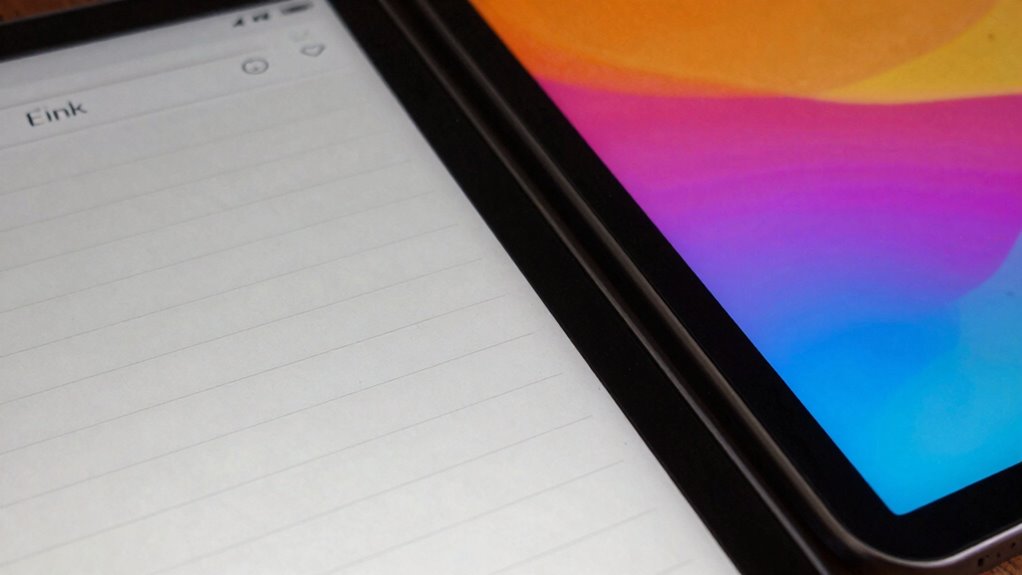
When choosing between E Ink note tablets and standard tablets, understanding their differences can help you make an informed decision. One of the most notable distinctions is how each device displays and interacts with content. E Ink note tablets use digital ink technology, which mimics the appearance of ink on paper. This technology provides a matte, glare-free surface, making it easier on your eyes during long reading or writing sessions. Unlike standard tablets with LCD or OLED screens, E Ink displays don’t emit light from the screen itself. Instead, they reflect ambient light, creating a more natural reading experience similar to paper. This digital ink technology results in a device that feels familiar and comfortable, especially for note-taking, annotating, or reading lengthy texts. Additionally, E Ink screens tend to perform better in bright sunlight, further enhancing their versatility for outdoor use. Power efficiency is another key advantage of E Ink note tablets. Because they rely on digital ink, they only consume power when the content is changing—such as turning a page or writing a note. Once an image or text is displayed, the screen uses virtually no power to maintain that image. This means you can use an E Ink device for weeks on a single charge, unlike standard tablets that require daily charging due to their backlit screens. The power-saving benefits are especially valuable if you’re frequently on the go or don’t want the hassle of constant recharging. Additionally, the low power consumption contributes to the device’s lightweight and slim profile because larger batteries aren’t needed for extended use. Standard tablets, on the other hand, prioritize vibrant color displays and multimedia capabilities, making them excellent for streaming videos, gaming, and running complex apps. However, their screens are backlit, which can cause eye strain over time, especially in low-light conditions. They also tend to drain their batteries faster because they’re continuously illuminating the display and powering high-performance processors. If your primary needs involve reading, note-taking, or long periods of focused work, E Ink note tablets offer a more comfortable and energy-efficient experience. They excel at reducing eye fatigue and extending battery life, which can remarkably impact your overall productivity and device longevity.
As an affiliate, we earn on qualifying purchases.
Frequently Asked Questions
Can E Ink Tablets Run All Android or iOS Apps?
E Ink tablets can’t run all Android or iOS apps due to limited app compatibility. Their user interface is optimized mainly for reading, note-taking, and basic functions, not for complex app use. You might find some Android-based E Ink devices support a few apps, but they generally lack the full app ecosystem of standard tablets. So, for extensive app use, a traditional tablet remains the better choice.
How Long Does the Battery Last on E Ink Note Tablets?
You’ll find that the battery lasts days or even weeks on E Ink note tablets, thanks to their impressive power efficiency. Their battery longevity far surpasses standard tablets, which often need daily charging. This extended battery life means you can focus on your notes or reading without worrying about constant recharging. E Ink technology minimizes power consumption, making these tablets ideal for long-term use and enhancing your overall experience.
Are E Ink Tablets Suitable for Graphic Design or Multimedia?
Imagine creating digital art on an E Ink tablet—it’s possible, but limited. E Ink tablets excel at note-taking and basic sketches, yet their monochrome or limited color displays aren’t ideal for detailed graphic design or multimedia work. If you’re into vibrant, color-rich digital art or complex multimedia projects, standard tablets with high-resolution screens are better suited. E Ink tablets are more suited for reading, annotations, and simple sketches.
What Are the Main Limitations of E Ink Note Tablets?
You’ll find that e-ink note tablets have limitations like a lack of color display and limited touch sensitivity, which can hinder your experience. They often only support grayscale, making vibrant visuals difficult, and their touch responsiveness isn’t as precise as standard tablets. These restrictions make them less ideal for tasks requiring rich multimedia or detailed touch interactions, but they excel for focused reading, note-taking, and long battery life.
Do E Ink Tablets Support Handwriting Recognition or Conversion?
Did you know that some E Ink note tablets support handwriting recognition, making note-taking more efficient? You can expect solid handwriting accuracy, often above 90%, and quick conversion speeds that turn your handwritten notes into editable text in seconds. This feature helps you stay organized and saves time, especially during lectures or meetings. So, yes, many E Ink tablets do support handwriting recognition and conversion, enhancing your overall productivity and note management.
As an affiliate, we earn on qualifying purchases.
Conclusion
Ultimately, choosing between E Ink note tablets and standard tablets is like selecting a canvas versus a window; each offers a unique view of your digital world. E Ink devices provide the serenity of paper with the convenience of digital storage, while standard tablets invite vibrant multimedia experiences. Your decision hinges on what you value most—simplicity or versatility. Whichever you pick, remember, the device is merely a mirror reflecting your creative and productive spirit.
As an affiliate, we earn on qualifying purchases.
As an affiliate, we earn on qualifying purchases.
Halloween Picks
halloween
As an affiliate, we earn on qualifying purchases.