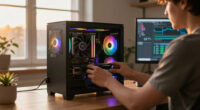
📊 Full opportunity report: How to Reduce Heat and Noise in a High-Power AI Workstation on ThorstenMeyerAI.com — validation score, market gap, and execution plan.
Open a free Amazon Business account
Business pricing, bulk buying and tax-exempt orders.
Create a free accountAs an affiliate, we earn on qualifying purchases.
TL;DR
High-power AI workstations generate significant heat and noise due to sustained GPU loads. Confirmed solutions include undervolting GPUs, optimizing cooling, and improving airflow. This helps maintain performance and reduces environmental noise.
High-power AI workstations produce excessive heat and noise because they run GPUs at near-constant full load, unlike gaming PCs. Confirmed methods such as undervolting GPUs and optimizing cooling can significantly reduce both issues, improving performance and environment comfort.
AI workstations operating under sustained loads generate more heat and noise than typical gaming PCs due to continuous GPU activity, often reaching power levels of 600–800W. The main heat sources are the GPU, CPU, power supply, VRMs, and case airflow. Fans are the primary noise contributors, especially when cooling systems struggle to dissipate heat effectively.
One proven approach involves undervolting GPUs, which reduces power consumption and heat without sacrificing performance, particularly for memory-bound inference tasks. Adjusting power limits and improving case airflow further aid in lowering temperatures and fan speeds, leading to quieter operation.
Additional measures include selecting high-quality cooling solutions—liquid cooling or high-performance air coolers—and ensuring good ventilation. These steps are supported by industry recommendations and are applicable across various setups to maintain thermal stability and reduce noise levels.
An AI workstation isn’t a gaming PC —
and that’s why it runs hot.
Local inference is a sustained load: the GPU sits near full power for hours with no loading screens, so the heat never dissipates and the fans never get a break. Here’s where the heat comes from — and the five levers that reduce it.
Impact of Heat and Noise Reduction on AI Workstation Performance
Reducing heat and noise in high-power AI workstations enhances hardware longevity, stabilizes performance, and creates a more comfortable working environment. It also minimizes thermal throttling, allowing GPUs and CPUs to operate at optimal efficiency for longer periods. These improvements are critical for professional AI development, research, and deployment, where sustained high performance is essential.
high-performance GPU cooling solutions
As an affiliate, we earn on qualifying purchases.
As an affiliate, we earn on qualifying purchases.
Background on Heat and Noise Challenges in AI Workstations
Unlike gaming PCs, AI workstations run continuous, heavy workloads, especially during inference or training, leading to persistent high thermal output. Historically, cooling solutions designed for gaming are insufficient for these sustained loads, resulting in throttling and excessive fan noise. Industry guidance now emphasizes efficiency and thermal management strategies tailored for AI workloads, including undervolting and airflow optimization.
“Undervolting GPUs can cut heat and noise significantly without impacting inference throughput, especially for memory-bound tasks.”
— Thorsten Meyer, AI hardware expert
liquid cooling system for AI workstation
As an affiliate, we earn on qualifying purchases.
As an affiliate, we earn on qualifying purchases.
Unconfirmed Aspects and Ongoing Research in Thermal Management
While undervolting and airflow improvements are proven, the optimal configurations can vary based on hardware specifics and workload patterns. The long-term effects of aggressive undervolting on hardware lifespan are still being studied, and new cooling technologies may emerge that could alter best practices.
As an affiliate, we earn on qualifying purchases.
Future Developments in Cooling and Power Optimization
Research into more efficient cooling solutions, such as advanced liquid cooling and AI-driven thermal management, is ongoing. Hardware manufacturers are also expected to release more power-efficient GPUs and components designed for sustained workloads, which will further reduce heat and noise issues. Users should stay informed on these advancements to optimize their setups continually.
As an affiliate, we earn on qualifying purchases.
Key Questions
Can undervolting GPU affect performance?
In most cases, undervolting reduces heat and noise without impacting performance for memory-bound inference tasks. However, aggressive undervolting may cause instability if not properly configured, so testing is recommended.
What cooling solutions are best for high-power AI workstations?
High-quality air coolers and custom liquid cooling loops are effective options. Proper case ventilation and airflow management are equally important to dissipate heat efficiently.
How can I improve airflow in my workstation?
Use case fans with positive pressure setup, ensure unobstructed airflow paths, and consider case designs with better ventilation. Regular cleaning of filters and fans also helps maintain optimal airflow.
Is noise reduction worth the investment?
Yes, reducing noise not only improves comfort but also indicates better thermal management, which can extend hardware lifespan and maintain performance stability.
Are there risks associated with undervolting?
While generally safe when done correctly, aggressive undervolting can cause instability or hardware issues if settings are not carefully tested and monitored.
Source: ThorstenMeyerAI.com
Fall yard work Picks
leaf blowers
As an affiliate, we earn on qualifying purchases.