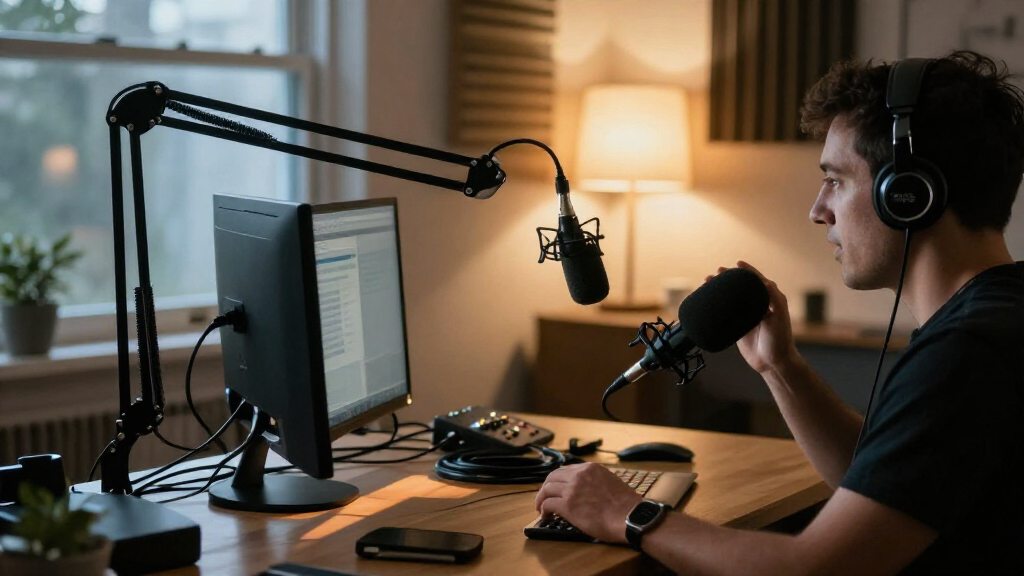
The best desktop microphone kits pair a suitable mic with the stand or arm and controls you need for calls, streaming, or recording. I rank the FIFINE AmpliGame AM8T as the best overall for its USB/XLR flexibility and included boom arm; the MAONO PD200W stands out for two-person wireless recording, while the Logitech Blue Yeti offers multiple pickup patterns for varied desktop use. The main tradeoffs are condenser sensitivity versus dynamic-mic room rejection, compact simplicity versus adjustable positioning, and USB convenience versus the upgrade options of XLR. Read on for the full breakdown of all 14 desktop microphone kits and how I’d match them to different setups.

Get everyday essentials delivered free with Prime
- Fast, free delivery on millions of items
- Prime Video, Amazon Music and more included
- Member-only deals all year
Complete the kit


Key Takeaways
- The AM8T is the most balanced pick: its USB/XLR connection and included boom arm suit buyers who want a ready-to-position kit now and an audio upgrade path later.
- Microphone type matters more than gaming lights: the lineup’s dynamic options suit untreated or noisy rooms better, while condenser kits can fit quieter desks and voice capture needs.
- Included arms change the value of a kit: options such as the MAONO A04 and FIFINE T669 bundle positioning hardware, while the ZealSound K66 and Blue Yeti lean on desktop-style setups.
- USB/XLR models offer flexibility, not automatic better sound: their XLR connection can support later equipment changes, but requires compatible audio hardware and more setup.
- The PD200W is the clear specialist: its two-person wireless bundle targets paired recording, unlike the predominantly single-microphone kits in this roundup.
| ZealSound K66 USB Condenser Microphone with Noise Reduction, Gain and Volume Controls, Mute, and Headphone Monitoring |  | Best for Flexible Device Compatibility | Microphone type: USB condenser | Pickup pattern: Cardioid | Frequency response: 40 Hz–18 kHz | VIEW LATEST PRICE | See Our Full Breakdown |
| MAONO A04 USB Condenser Microphone Kit with Scissor Arm |  | Best Complete Condenser Starter Kit | Microphone type: USB large-diaphragm condenser | Capsule: 16 mm electret condenser | Polar pattern: Cardioid | VIEW LATEST PRICE | See Our Full Breakdown |
| FIFINE AmpliGame A6T USB Condenser Gaming Microphone Kit |  | Best for Gaming Desk Setups | Microphone type: USB condenser | Polar pattern: Cardioid, unidirectional | Sampling and bit depth: 192 kHz / 24-bit | VIEW LATEST PRICE | See Our Full Breakdown |
| FIFINE AmpliGame AM8 USB/XLR Dynamic Microphone |  | Best for XLR Upgrade Flexibility | Microphone type: Dynamic | Connectivity: USB and XLR | Polar pattern: Cardioid, unidirectional | VIEW LATEST PRICE | See Our Full Breakdown |
| FIFINE AmpliGame AM8T XLR/USB Dynamic Microphone Kit with Boom Arm |  | Best Complete Dynamic Mic Kit | Microphone type: Dynamic | Connectivity: USB and XLR | Polar pattern: Cardioid, unidirectional | VIEW LATEST PRICE | See Our Full Breakdown |
| FIFINE AmpliGame AM8TW USB/XLR Dynamic Gaming Microphone Kit with RGB Lighting, Boom Arm, and Headphone Jack |  | Best Overall for USB-to-XLR Flexibility | Microphone type: Dynamic | Connectivity: USB, XLR | Polar pattern: Unidirectional cardioid | VIEW LATEST PRICE | See Our Full Breakdown |
| FIFINE AmpliGame AM8PROT Dynamic Gaming Microphone Kit with Boom Arm |  | Best for Hands-On USB Controls | Microphone type: Dynamic | Connectivity: USB, XLR | Polar pattern: Unidirectional cardioid | VIEW LATEST PRICE | See Our Full Breakdown |
| MAONO DGM20S USB Gaming Microphone with RGB Lighting and Boom Arm |  | Best for Straightforward USB Gaming | Microphone type: Condenser | Connectivity: USB, USB-C | Pickup pattern: Unidirectional cardioid | VIEW LATEST PRICE | See Our Full Breakdown |
| MAONO PD200W Hybrid Wireless Podcast Microphone Bundle for Two |  | Best for Two-Person Desktop Recording | Microphones: 2 dynamic microphones | Connectivity: Wireless, USB, XLR | Polar pattern: Unidirectional cardioid | VIEW LATEST PRICE | See Our Full Breakdown |
| FIFINE T669 USB Condenser Microphone Kit with Adjustable Boom Arm |  | Best Value for a Complete Wired Desktop Kit | Microphone type: Condenser | Connectivity: USB Type-A, USB Type-C | Polar pattern: Unidirectional cardioid | VIEW LATEST PRICE | See Our Full Breakdown |
| Logitech Blue Yeti USB Condenser Microphone with Blue VO!CE Effects, Four Pickup Patterns, and Desktop Stand – Blackout |  | Best for Flexible Recording | Connectivity: USB | Pickup patterns: Cardioid, omnidirectional, bidirectional, stereo | Microphone design: Tri-capsule array | VIEW LATEST PRICE | See Our Full Breakdown |
| MAONO PD200XS USB/XLR Dynamic Microphone Kit with RGB Lighting and Boom Arm |  | Best for a Software-Controlled USB-to-XLR Setup | Microphone type: Dynamic | Connectivity: USB, USB Type-C, XLR | Pickup pattern: Cardioid | VIEW LATEST PRICE | See Our Full Breakdown |
| FIFINE AmpliTank K688CT USB/XLR Dynamic Podcast Microphone Kit with Boom Arm | 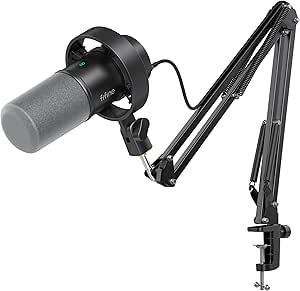 | Best for a Straightforward XLR-Ready Kit | Microphone type: Dynamic | Connectivity: USB, XLR | Pickup pattern: Cardioid | VIEW LATEST PRICE | See Our Full Breakdown |
| TONOR TC310+ USB Condenser Gaming Microphone Set with Boom Arm | 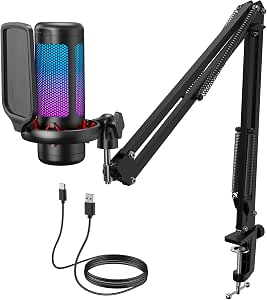 | Best for RGB Gaming Desks | Model: TC310+ | Connectivity: USB-A | Pickup pattern: Unidirectional | VIEW LATEST PRICE | See Our Full Breakdown |
| desktop microphone kit | Connectivity | Microphone type | Signal-to-noise ratio | Included accessories |
|---|---|---|---|---|
| ZealSound K66 USB Condenser Mi | USB; USB-C and Lightning adapters included | USB condenser | — | — |
| MAONO A04 USB Condenser Microp | — | USB large-diaphragm condenser | 70 dB | Scissor arm, shock mount, pop filter, foam windscreen, and USB-A/USB-C to USB-B cable |
| FIFINE AmpliGame A6T USB Conde | — | USB condenser | >70 dB | Boom arm, shock mount, pop filter, and USB-C cable |
| FIFINE AmpliGame AM8 USB/XLR D | USB and XLR | Dynamic | 80 dB | — |
| FIFINE AmpliGame AM8T XLR/USB | USB and XLR | Dynamic | 80 dB | Metal boom arm, C-clamp, 8.2 ft USB cable, and windscreen |
| FIFINE AmpliGame AM8TW USB/XLR | USB, XLR | Dynamic | 80 dB | USB-C to USB cable, boom arm, C-clamp, windscreen |
| FIFINE AmpliGame AM8PROT Dynam | USB, XLR | Dynamic | — | Boom arm, foam windscreen, USB cable |
| MAONO DGM20S USB Gaming Microp | USB, USB-C | Condenser | 78 dB | Metal boom arm, shock mount, removable pop filter, USB and USB-C cable, desktop clamp |
| MAONO PD200W Hybrid Wireless P | Wireless, USB, XLR | — | 82 dB | 2 desktop stands, USB-C cables, Type-C receiver, Type-C adapter cable |
| FIFINE T669 USB Condenser Micr | USB Type-A, USB Type-C | Condenser | 78 dB | Boom arm, C-clamp, detachable desktop mount, shock mount, double-layer pop filter, USB cable |
| Logitech Blue Yeti USB Condens | USB | — | 100 dB | — |
| MAONO PD200XS USB/XLR Dynamic | USB, USB Type-C, XLR | Dynamic | — | Shock mount, boom arm, USB-C to USB-A/C cable, 5/8 in to 3/8 in adapter |
| FIFINE AmpliTank K688CT USB/XL | USB, XLR | Dynamic | 80 dB | Metal boom arm, shock mount, windscreen |
| TONOR TC310+ USB Condenser Gam | USB-A | — | — | — |
More Details on Our Top Picks
ZealSound K66 USB Condenser Microphone with Noise Reduction, Gain and Volume Controls, Mute, and Headphone Monitoring
The ZealSound K66 is a practical desktop microphone kit for someone who wants direct controls and the option to record across several kinds of devices. Its included USB-C and Lightning adapters give it an edge over the PC- and console-focused FIFINE AmpliGame A6T, especially for buyers who also use a phone or tablet. The cardioid pattern, selectable noise reduction, and zero-latency headphone monitoring help with voice calls, streaming, and basic recording without a separate interface. Physical gain, monitoring, and echo controls are handy for quick changes, though the noise reduction mode shares the mute button rather than having its own switch. One limitation for a desktop setup is that the supplied product details do not specify a stand or mounting hardware, unlike the boom-arm kits here. I’d choose it for device flexibility, not for a fully outfitted desk.
Pros:- USB-C and Lightning adapters support compatible phones and tablets as well as computers.
- Physical controls adjust microphone level, headphone monitoring, and echo.
- Zero-latency monitoring and a one-touch mute button with an LED indicator.
- Selectable noise reduction and cardioid pickup suit spoken audio.
Cons:- The product details do not specify an included stand or mounting hardware.
- Noise reduction is activated through a long press of the mute button, which is less direct than a dedicated control.
Best for: People who want one plug-and-play microphone for a computer plus compatible iPhone, iPad, or USB-C device.
Not ideal for: Buyers who need a complete desktop mounting kit with a specified stand or boom arm included.
- Microphone type:USB condenser
- Pickup pattern:Cardioid
- Frequency response:40 Hz–18 kHz
- Sampling rate:46 kHz
- Sensitivity:–45 dB ±3 dB
- Monitoring:Zero-latency via 3.5 mm headphone jack
- Controls:Microphone volume, monitoring volume, echo, and mute
- Connectivity:USB; USB-C and Lightning adapters included
Our verdict“Choose the K66 if broad device compatibility and onboard controls matter more than having a boom arm in the box.”
MAONO A04 USB Condenser Microphone Kit with Scissor Arm
The MAONO A04 makes the most sense for a new desktop creator who wants the microphone and the key positioning and plosive-control accessories in one kit. Its scissor arm, shock mount, pop filter, and foam windscreen make it more desk-ready than the ZealSound K66, whose listed package details do not specify mounting hardware. The 16 mm condenser capsule and cardioid pattern are aimed at close voice recording, while USB plug-and-play setup avoids the need for a separate interface. The listed 192 kHz/24-bit capability is generous for a USB kit, but the broader spec sheet does not make this an automatic choice over the dynamic FIFINE AmpliGame AM8 for noisy rooms. The A04 is also not compatible with Xbox, and its clamp requires a desk under 2.1 inches thick. I’d favor it for a fixed computer setup with room for an arm.
Pros:- Includes a scissor arm, shock mount, pop filter, and foam windscreen.
- USB plug-and-play operation does not require extra drivers or an external sound card.
- Cardioid 16 mm condenser capsule is suited to close voice recording.
- Works with computers, PS4, PS5, and compatible mobile phones.
Cons:- Not compatible with Xbox.
- Desk clamp only fits desktops under 2.1 inches thick.
- The kit depends on a wired USB connection and a clear desk mounting spot.
Best for: First-time podcasters, streamers, or remote workers who want a condenser microphone and desk-mounting accessories in one package.
Not ideal for: Xbox users or people with desks thicker than the clamp’s stated 2.1-inch limit.
- Microphone type:USB large-diaphragm condenser
- Capsule:16 mm electret condenser
- Polar pattern:Cardioid
- Sampling:192 kHz / 24-bit
- Frequency response:30 Hz–16 kHz
- Signal-to-noise ratio:70 dB
- Included accessories:Scissor arm, shock mount, pop filter, foam windscreen, and USB-A/USB-C to USB-B cable
- Desk clamp limit:Desktop thickness under 2.1 inches
- Compatibility:Computers, PS4, PS5, and compatible mobile phones; not Xbox
Our verdict“Pick the A04 for a bundled condenser setup with an arm and pop-control accessories, provided your desk and device are compatible.”
FIFINE AmpliGame A6T USB Condenser Gaming Microphone Kit
For a gaming desk that needs an arm-mounted mic and quick mute access, the FIFINE AmpliGame A6T brings together the useful parts without requiring a separate audio interface. The included boom arm, shock mount, and pop filter give it a more complete desk setup than the ZealSound K66, while the touch mute and gain knob make quick adjustments easier during play or streaming. RGB lighting provides a visible status cue and a gaming-oriented look, though it adds less practical value than the A04’s included foam windscreen and pop filter for someone focused on general voice recording. The A6T connects by USB to compatible computers and PS4/PS5, but it is wired and its clamp fits desks only up to 2 inches thick. I’d rank it for gaming-focused desks rather than buyers seeking mobile-device flexibility or XLR expansion.
Pros:- Includes a boom arm, shock mount, and pop filter for a ready-to-position desktop setup.
- Touch mute with RGB indication and a separate gain knob offer quick access during use.
- USB connection works with compatible computers and PS4/PS5 without a separate interface.
- Cardioid pickup focuses on sound from in front of the microphone.
Cons:- C-clamp fits desks only up to 2 inches thick.
- Requires a wired USB connection.
- Its gaming-focused RGB design is less suited to buyers seeking a plain, understated desktop microphone.
Best for: PC and PS4/PS5 gamers who want a boom-mounted mic with fast mute and gain controls for streaming or voice chat.
Not ideal for: People who need wireless operation, phone adapters, Xbox support, or a clamp for a desk over 2 inches thick.
- Microphone type:USB condenser
- Polar pattern:Cardioid, unidirectional
- Sampling and bit depth:192 kHz / 24-bit
- Frequency range:60 Hz–18 kHz
- Signal-to-noise ratio:>70 dB
- Controls:Touch mute button and gain knob
- Included accessories:Boom arm, shock mount, pop filter, and USB-C cable
- Cable length:8.2 ft (2.5 m)
- Desk clamp limit:Maximum desk thickness 2 inches
Our verdict“Choose the A6T for a gaming desk where an included arm, visible mute status, and simple USB setup matter most.”
FIFINE AmpliGame AM8 USB/XLR Dynamic Microphone
The FIFINE AmpliGame AM8 is the lineup’s clearest choice for buyers who want to start with USB and keep an XLR route open for a later audio-interface setup. Its dynamic capsule and cardioid pattern suit close-up voice work, while onboard gain and headphone monitoring keep everyday USB use straightforward. Compared with the condenser MAONO A04, the AM8 trades that model’s bundled pop-control accessories for a microphone that can join a more expandable XLR chain. It also differs from the AM8T: this listing does not specify a boom arm, so buyers may need to supply their own mounting hardware, though standard 3/8-inch and 5/8-inch threads broaden stand compatibility. XLR mode has a real compromise: RGB and onboard function keys are inactive, and the cable and interface are not included. I’d choose it for connection flexibility, not as a complete desk kit.
Pros:- USB and XLR connections support both simple computer use and later interface-based setups.
- Dynamic cardioid design is suited to close-mic voice use.
- Onboard gain, tap-to-mute, and headphone monitoring support direct control in USB mode.
- Built-in 3/8-inch and 5/8-inch threads fit many standard microphone stands.
Cons:- XLR cable and audio interface are not included.
- RGB lighting and onboard function keys are inactive when connected through XLR.
- The listed package does not specify a boom arm or stand.
Best for: Streamers or podcasters who want USB now and plan to connect the microphone to an XLR interface or mixer later.
Not ideal for: Buyers who want a complete boom-arm kit in the box or expect onboard RGB and controls to work over XLR.
- Microphone type:Dynamic
- Connectivity:USB and XLR
- Polar pattern:Cardioid, unidirectional
- Frequency response:50 Hz–16 kHz
- Signal-to-noise ratio:80 dB
- Controls and monitoring:Gain, tap-to-mute, and headphone monitoring
- Mounting threads:3/8 inch and 5/8 inch
- Enclosure materials:ABS plastic and metal
Our verdict“Choose the AM8 if you want a USB microphone with a clear XLR upgrade path and already have, or plan to add, mounting hardware.”
FIFINE AmpliGame AM8T XLR/USB Dynamic Microphone Kit with Boom Arm
The FIFINE AmpliGame AM8T is the better fit than the standalone AM8 for buyers who want a dynamic USB/XLR microphone and a boom arm together. Its metal arm, desk clamp, windscreen, and 8.2-foot USB cable make it more immediately usable as a desktop kit, while USB gives computer users a simple starting point and XLR leaves room to connect a mixer or interface later. The AM8 lists standard mounting threads but no arm in its supplied details, so the AM8T is the more complete desk package. Both share the same broad dynamic cardioid approach and the same XLR caveat: an XLR cable is not included, and the supplied details do not promise USB-style controls or lighting over XLR. The clamp also has a strict desk-thickness limit. I’d pick this for a close-mic streaming or podcast setup that needs its own arm.
Pros:- Combines USB plug-and-play use with an XLR connection for a mixer or audio interface.
- Includes an adjustable metal boom arm, C-clamp, and windscreen.
- Onboard mute, gain, headphone jack, and headphone volume control aid desktop operation.
- Customizable RGB lighting adds a configurable visual element to the setup.
Cons:- XLR cable is not included.
- Desk clamp fits desktops only under 2 inches thick.
- A wired connection is required, and XLR use calls for separate audio equipment.
Best for: Desktop streamers and podcasters who want a dynamic mic, included metal boom arm, and both USB and XLR connection options.
Not ideal for: Buyers with desks 2 inches thick or more, or anyone expecting an XLR cable and interface in the package.
- Microphone type:Dynamic
- Connectivity:USB and XLR
- Polar pattern:Cardioid, unidirectional
- Frequency response:50 Hz–16 kHz
- Signal-to-noise ratio:80 dB
- Controls and monitoring:RGB lighting, mute, gain, headphone jack, and headphone volume control
- Included accessories:Metal boom arm, C-clamp, 8.2 ft USB cable, and windscreen
- Desk clamp limit:Desktop thickness under 2 inches
- XLR cable:Not included
Our verdict“Choose the AM8T over the standalone AM8 if you want a dynamic USB/XLR microphone with its boom arm and desk clamp included.”
FIFINE AmpliGame AM8TW USB/XLR Dynamic Gaming Microphone Kit with RGB Lighting, Boom Arm, and Headphone Jack
The AM8TW is a strong fit for a desktop setup that may grow from simple computer recording to a mixer or audio interface. Its USB and XLR connections let you start without extra audio gear, then change how you connect later; the included boom arm also keeps the mic off the desk. The dynamic cardioid design is aimed at focused voice capture, while the headphone jack and gain knob add useful control at the mic. Compared with the FIFINE T669, this kit gives up the T669’s condenser design and double-layer pop filter in favor of XLR flexibility and RGB lighting. The tradeoff is a wired-only setup, and the listed compatibility is narrower than the AM8PROT’s explicit console support. Choose it for an adaptable gaming or streaming station, not for wireless recording.
Pros:- USB and XLR connections support both direct computer use and later connection to a mixer or interface.
- Dynamic cardioid pickup is designed for focused voice capture.
- Included boom arm and C-clamp free desk space and allow adjustable mic placement.
- Gain control, headphone jack, and controllable RGB lighting add convenient on-mic adjustments.
Cons:- Requires a wired connection and corded power.
- Listed compatible devices are limited to computers, mixers, and audio interfaces.
- The kit does not list a separate shock mount or pop filter.
Best for: PC streamers and podcasters who want a boom-arm dynamic mic now and the option to connect through XLR equipment later.
Not ideal for: Buyers seeking wireless recording, broad device compatibility, or a kit with a separately listed pop filter and shock mount.
- Microphone type:Dynamic
- Connectivity:USB, XLR
- Polar pattern:Unidirectional cardioid
- Signal-to-noise ratio:80 dB
- Controls and features:Gain knob, headphone jack, controllable RGB lighting
- Cable length:8.2 ft (2.5 m)
- Included accessories:USB-C to USB cable, boom arm, C-clamp, windscreen
Our verdict“Pick the AM8TW if you want a boom-arm dynamic mic with USB simplicity today and an XLR connection path for a more involved desktop audio setup later.”
FIFINE AmpliGame AM8PROT Dynamic Gaming Microphone Kit with Boom Arm
The AM8PROT adds a more control-focused USB setup to the dynamic-mic category. In USB mode, its tap-to-mute, headphone monitoring, mix controls, and multifunction dial make common adjustments accessible without reaching for separate desktop equipment. Its boom arm extends up to 30 inches, and the foam windscreen helps manage plosive sounds. The FIFINE Genie app adds mix-channel and EQ customization, giving this kit more software control than the simpler AM8TW. That convenience has a boundary: the listed mix, monitoring, dial, and RGB functions are USB-only, even though the microphone also supports XLR. It also has a 75 dB signal-to-noise ratio, below the AM8TW’s listed 80 dB. This is the better match for feature-rich USB operation, while the AM8TW is the more straightforward pick if app controls matter less.
Pros:- USB mode includes tap-to-mute, headphone monitoring, mix control, and a multifunction dial.
- FIFINE Genie app supports mix-channel and EQ customization.
- USB and XLR connectivity allow direct computer use or connection to audio equipment.
- Included boom arm and foam windscreen help with positioning and plosive control.
Cons:- Mix control, headphone monitoring, multifunction dial, and RGB features are limited to USB mode.
- Requires a wired connection.
- Its listed 75 dB signal-to-noise ratio is lower than the AM8TW’s 80 dB figure.
Best for: PC and console gamers who want quick mute and monitoring controls, plus app-based mix and EQ adjustments over USB.
Not ideal for: Buyers who expect the on-mic mix, monitoring, and RGB controls to work through XLR, or who want wireless operation.
- Microphone type:Dynamic
- Connectivity:USB, XLR
- Polar pattern:Unidirectional cardioid
- Audio resolution:48 kHz/24-bit
- Frequency response:20 Hz–20 kHz
- Maximum SPL:115 dB
- Boom arm extension:Up to 30 in
- Included accessories:Boom arm, foam windscreen, USB cable
Our verdict“Choose the AM8PROT for its USB controls and app tuning; choose the AM8TW instead if you prefer a simpler control set and higher listed signal-to-noise ratio.”
MAONO DGM20S USB Gaming Microphone with RGB Lighting and Boom Arm
The MAONO DGM20S is built for gamers who want a complete USB desktop station without adding an audio interface. It combines a condenser mic with one-touch mute, noise reduction, gain control, and zero-latency headphone monitoring, so basic recording adjustments stay within reach. Its boom arm, shock mount, and removable pop filter give it a more complete physical setup than the AM8TW, whose listed accessories focus on the arm and windscreen. The DGM20S also connects to PC, Mac, PS4, and PS5 without drivers. Its main limits are clear: it is USB-only, and it does not work with Xbox. Unlike the two FIFINE AM8 kits, there is no XLR route for adding a mixer or interface later. Windows-only noise-adjustment software further narrows its customization options.
Pros:- One-touch mute, noise reduction, and gain control support quick recording adjustments.
- Zero-latency headphone monitoring helps users hear audio while recording.
- Includes a metal boom arm, shock mount, and removable pop filter.
- USB plug-and-play compatibility includes PC, Mac, PS4, and PS5.
Cons:- Not compatible with Xbox.
- USB-only connectivity offers no XLR upgrade path.
- Noise-adjustment software is available only for Windows.
Best for: PC, Mac, PS4, and PS5 gamers who want a USB mic with monitoring, mute, noise reduction, and included desk hardware.
Not ideal for: Xbox users, buyers planning an XLR-based audio chain, or people who need noise-adjustment software outside Windows.
- Microphone type:Condenser
- Connectivity:USB, USB-C
- Pickup pattern:Unidirectional cardioid
- Frequency range:50 Hz–20 kHz
- Signal-to-noise ratio:78 dB
- Features:Noise reduction, one-touch mute, gain control, zero-latency monitoring, RGB lighting
- Compatible devices:PC, Mac, PS4, PS5
- Included accessories:Metal boom arm, shock mount, removable pop filter, USB and USB-C cable, desktop clamp
Our verdict“Choose the DGM20S for a ready-to-position USB gaming setup with monitoring and included pop control, provided you do not need Xbox or XLR support.”
MAONO PD200W Hybrid Wireless Podcast Microphone Bundle for Two
Unlike the single-mic desktop kits here, the MAONO PD200W arrives ready for a host and co-host, with two dynamic microphones and two desktop stands. Wireless, USB, and XLR connections make it the most flexible choice in this group for moving between a computer-based recording session and other audio equipment. Cardioid pickup, three-stage noise cancellation, and app-based sound controls give co-hosts ways to shape their recordings, while the wireless range is listed up to 60 m. The tradeoff is a more involved kit than the plug-and-play single-mic FIFINE T669 or MAONO DGM20S. Its stated battery life of up to 60 hours applies with RGB lighting off, and camera or Lightning accessories are sold separately. It makes the most sense when two people need microphones; solo desktop users may be paying in setup complexity for gear they will not use.
Pros:- Two dynamic microphones and two desktop stands support co-hosted recording.
- Wireless, USB, and XLR connectivity suit different desktop and audio-equipment setups.
- Three-stage noise cancellation and cardioid pickup support focused voice recording.
- MaonoLink app provides sound controls across Mac, Windows, and smartphones.
Cons:- Up to 60 hours of battery life is specified with RGB lighting off.
- Camera and Lightning accessories are sold separately.
- A two-microphone system is more gear than a solo desktop user may need.
Best for: Co-hosts, interviewers, and two-person podcast teams who need separate desktop microphones and flexible wired or wireless connections.
Not ideal for: Solo gamers seeking a simple one-mic USB setup, or camera and Lightning users who need those connection accessories included.
- Microphones:2 dynamic microphones
- Connectivity:Wireless, USB, XLR
- Polar pattern:Unidirectional cardioid
- Signal-to-noise ratio:82 dB
- Maximum SPL:128 dB
- Wireless range:Up to 60 m
- Battery life:Up to 60 hours with RGB lighting off
- Included accessories:2 desktop stands, USB-C cables, Type-C receiver, Type-C adapter cable
Our verdict“Choose the PD200W when two speakers need separate microphones and multiple connection options; for solo USB recording, the DGM20S or T669 is a simpler fit.”
FIFINE T669 USB Condenser Microphone Kit with Adjustable Boom Arm
The FIFINE T669 prioritizes the hardware needed to position and manage a desktop microphone: an all-steel adjustable boom arm, shock mount, C-clamp, detachable desktop mount, and double-layer pop filter. That makes it a particularly complete single-mic kit for USB recording, voiceovers, and streaming. Its plug-and-play connection keeps setup simpler than the hybrid USB/XLR AM8TW, but the T669 cannot move to an XLR interface later. The condenser capsule and cardioid pattern are designed for front-facing voice capture, while the pop filter and shock mount help reduce plosive sounds and handling or desk vibration. Compared with the MAONO DGM20S, it includes a broad arm and mounting package but lacks the listed one-touch mute, noise reduction, and headphone monitoring. It is wired and not compatible with Xbox, so check the device fit before choosing it.
Pros:- Plug-and-play USB setup connects to compatible computers without additional audio hardware.
- All-steel boom arm offers up to 30 inches of reach and adjustable positioning.
- Shock mount and double-layer pop filter help manage vibration and plosive sounds.
- Includes both a C-clamp and detachable desktop mount.
Cons:- USB-only connectivity provides no XLR option for a mixer or audio interface.
- Not compatible with Xbox.
- Requires a wired USB connection.
Best for: PC and PlayStation users who want a single-mic USB kit with substantial mounting hardware for streaming, voiceovers, or podcast recording.
Not ideal for: Xbox users, people who need XLR connectivity, or buyers who want built-in headphone monitoring and quick mute controls.
- Microphone type:Condenser
- Connectivity:USB Type-A, USB Type-C
- Polar pattern:Unidirectional cardioid
- Frequency response:20 Hz–20 kHz
- Signal-to-noise ratio:78 dB
- Boom arm reach:30 in
- Boom arm adjustment:180° vertical rotation; 135° forward and backward extension
- Included accessories:Boom arm, C-clamp, detachable desktop mount, shock mount, double-layer pop filter, USB cable
Our verdict“Pick the T669 if a complete boom-arm and pop-filter package matters more than XLR, built-in monitoring, or on-mic mute controls.”
Logitech Blue Yeti USB Condenser Microphone with Blue VO!CE Effects, Four Pickup Patterns, and Desktop Stand – Blackout
The Blue Yeti is the most adaptable choice here for people who want one desktop mic to cover different recording setups. Its four pickup patterns let you switch between solo voice, a group around the desk, or stereo capture, options the cardioid-only MAONO PD200XS and FIFINE K688CT do not offer. Onboard mute, gain, pattern, and headphone controls also make quick adjustments accessible without reaching for software. The included stand keeps the kit simple, while compatibility with a boom arm gives you room to change your setup later. The tradeoff is a larger, more versatile condenser design rather than the more voice-focused dynamic approach of those MAONO and FIFINE kits. Blue VO!CE effects require Logitech G HUB, and the USB connection limits direct use with XLR equipment.
Pros:- Four pickup patterns support several recording arrangements.
- Onboard mute, gain, pattern, and headphone-volume controls.
- Adjustable desktop stand helps aim the microphone at the sound source.
- Can be attached to a mic stand or boom arm.
Cons:- Blue VO!CE software effects require installing Logitech G HUB.
- USB connectivity does not provide the XLR upgrade path available with the MAONO PD200XS and FIFINE K688CT.
- The included desktop stand is less suited to buyers who specifically want an all-in-one boom-arm kit.
Best for: PC or Mac users who record different combinations of solo speech, interviews, and group audio from a desktop setup.
Not ideal for: Buyers who want an XLR-ready kit or a dynamic mic and boom arm included; this model connects over USB and comes with a desktop stand.
- Connectivity:USB
- Pickup patterns:Cardioid, omnidirectional, bidirectional, stereo
- Microphone design:Tri-capsule array
- Frequency response:20 Hz–20 kHz
- Signal-to-noise ratio:100 dB
- Channels:2
- Compatibility:PC and Mac
- Enclosure material:Metal
Our verdict“Choose the Blue Yeti if recording-pattern flexibility matters more than having a bundled boom arm or XLR connection.”
MAONO PD200XS USB/XLR Dynamic Microphone Kit with RGB Lighting and Boom Arm
The MAONO PD200XS makes the most sense for buyers who want a voice-oriented dynamic mic now and an XLR connection for a later studio setup. Unlike the USB-only Blue Yeti, it can connect to either a computer or compatible audio equipment, and the included boom arm and shock mount make it a more complete desk kit out of the box. Its cardioid pattern focuses on the person speaking rather than offering the Blue Yeti’s range of recording patterns. In USB mode, MAONO Link adds EQ, compression, limiting, and RGB controls, alongside onboard gain, headphone volume, and mute. The tradeoff is that these software features are limited to USB operation, and the XLR cable is not included. Compared with the FIFINE K688CT, it also pairs its connection flexibility with app-based sound shaping.
Pros:- USB and XLR connections support both computer recording and compatible audio equipment.
- Includes a boom arm and shock mount for a ready-to-position desktop setup.
- USB software provides EQ, compression, limiting, and RGB controls.
- Onboard gain, headphone-volume, and mute controls support quick adjustments.
Cons:- XLR cable is not included.
- MAONO Link software features are available only in USB mode.
- Its single cardioid pattern is less flexible for group and stereo recording than the Blue Yeti.
Best for: Streamers and podcasters who want a dynamic boom-arm kit for USB use today, with the option to add XLR audio gear later.
Not ideal for: Buyers who need every software effect while using XLR, or who expect the kit to include an XLR cable.
- Microphone type:Dynamic
- Connectivity:USB, USB Type-C, XLR
- Pickup pattern:Cardioid
- Frequency response:40 Hz–16 kHz
- Channels:1
- Weight:350 g
- Included accessories:Shock mount, boom arm, USB-C to USB-A/C cable, 5/8 in to 3/8 in adapter
- Software compatibility:Windows, Mac, Android
- XLR cable:Not included
Our verdict“Pick the PD200XS if you want a dynamic desktop kit with both USB convenience and an XLR upgrade path, and can supply your own XLR cable.”
FIFINE AmpliTank K688CT USB/XLR Dynamic Podcast Microphone Kit with Boom Arm
The FIFINE AmpliTank K688CT is a practical pick for someone who wants the core parts of a desktop voice setup without making software effects the centerpiece. Its dynamic capsule and cardioid pattern suit close-up podcasting and streaming, while the included metal boom arm, shock mount, and windscreen help with positioning and handling noise. USB mode adds tap-to-mute, gain, and headphone-monitoring controls; XLR provides a route to an audio interface or mixer. Compared with the MAONO PD200XS, it does not list software EQ, compression, or RGB controls, so it is a simpler choice for buyers who value physical setup over app-based customization. Its controls also stop working in XLR mode, and the clamp only fits desks under two inches thick, a tighter limit than the TONOR TC310+.
Pros:- USB and XLR connections support computer and interface-based setups.
- Includes a metal boom arm, shock mount, and windscreen.
- USB mode offers tap-to-mute, gain, and headphone-volume controls.
- Cardioid pickup pattern is suited to focused voice recording.
Cons:- Microphone controls are unavailable in XLR mode.
- The desk clamp fits desks under two inches thick.
- Does not list the USB software sound-shaping options offered by the MAONO PD200XS.
Best for: Podcasters or streamers who want a dynamic microphone, included boom-arm accessories, and a basic USB-to-XLR path.
Not ideal for: People who need to use mute and gain controls through an XLR connection, or whose desk is two inches thick or more.
- Microphone type:Dynamic
- Connectivity:USB, XLR
- Pickup pattern:Cardioid
- Frequency range:50 Hz–16 kHz
- Maximum SPL:120 dB
- Signal-to-noise ratio:80 dB
- Included accessories:Metal boom arm, shock mount, windscreen
- Desk clamp fit:Desks under 2 inches thick
- Compatible devices:Audio interface, audio mixer, laptop, PC
Our verdict“Choose the K688CT for a comparatively straightforward USB/XLR voice kit, provided your desk fits its clamp and you do not need controls in XLR mode.”
TONOR TC310+ USB Condenser Gaming Microphone Set with Boom Arm
The TONOR TC310+ is the clearest fit for a gaming desk where a bundled arm, lighting controls, and quick mute matter more than XLR flexibility. It includes a metal boom arm, clamp, pop filter, and shock mount, giving it a fuller desktop mounting kit than the Blue Yeti, which comes with a stand. Its one-tap mute and adjustable gain support quick changes during calls or streams, while adjustable RGB brightness lets users tune the look of the setup. USB connection also keeps the configuration direct for compatible computers and PS4 or PS5. The tradeoff is that this is a USB-only condenser, unlike the dynamic USB/XLR MAONO PD200XS and FIFINE K688CT, so it cannot connect directly to XLR gear. The clamp supports desks up to 2.36 inches thick, but the USB-C connector must be fully seated for operation.
Pros:- Includes a metal boom arm, desk clamp, pop filter, and shock mount.
- One-tap mute and adjustable gain provide accessible sound controls.
- RGB modes include brightness adjustment.
- Compatible with desktop computers, laptops, Mac OS, PS4, and PS5.
Cons:- USB-A connectivity offers no XLR upgrade path like the MAONO PD200XS or FIFINE K688CT.
- Requires a USB 2.0 or 3.0 port and a fully connected Type-C plug.
- The desk clamp supports desks no thicker than 2.36 inches.
Best for: PC and console gamers who want a USB desktop mic kit with a boom arm, pop filter, tap mute, and adjustable RGB lighting.
Not ideal for: Users planning to connect to an XLR interface, or buyers whose computer or console setup cannot provide a compatible USB port.
- Model:TC310+
- Connectivity:USB-A
- Pickup pattern:Unidirectional
- Microphone form factor:Shotgun or gooseneck
- Channels:1
- Compatible devices:Desktop computer, laptop, Mac OS, PS4, PS5
- Included components:Microphone, pop filter, mic stand, shock mount, USB cable, manual
- Desk clamp fit:Desks up to 2.36 inches thick
- Power source:Corded electric
Our verdict“Choose the TC310+ for a feature-rich gaming desk kit with lighting and an arm, but skip it if you need XLR connectivity.”
How We Picked
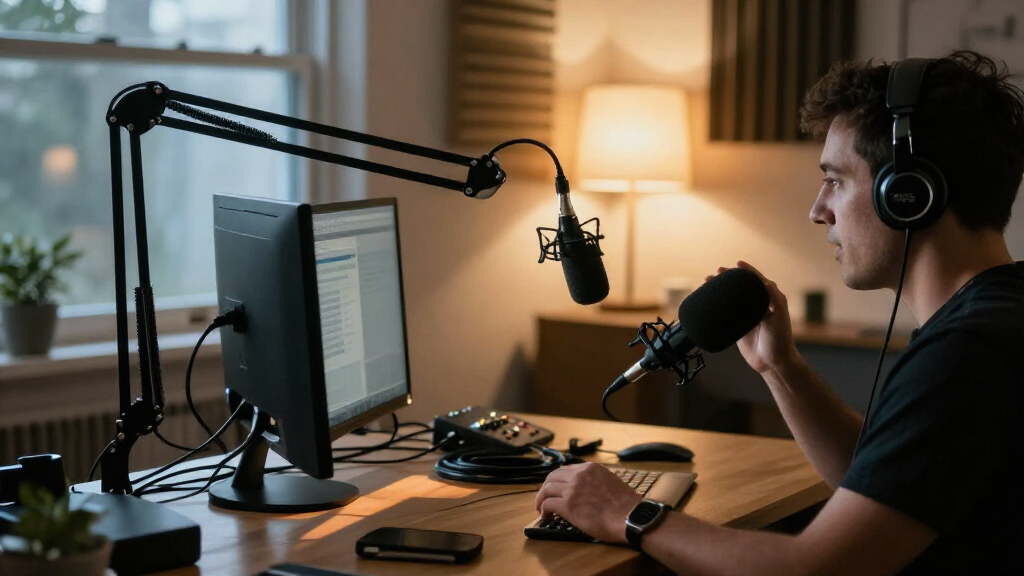
I compared these desktop microphone kits by how well each package fits an actual desk setup: microphone type and connection, included stand or boom arm, onboard controls and monitoring, and the flexibility to change recording equipment later. I also weighed setup demands, positioning options, and whether each kit’s features serve a practical use rather than simply adding visual flair. A kit that includes the hardware needed to place the microphone well can be more useful than a mic with a longer feature list but a less adaptable setup.
The ranking favors versatility and day-to-day usability for the top position, while the other picks earn their place through a defined strength such as beginner-friendly setup, room-noise handling, wireless two-person recording, or compact simplicity. No single microphone type is right for every desk: condenser models and dynamic models suit different room conditions, and USB/XLR flexibility helps only when the buyer expects to use the XLR connection. I treat model-specific features as tradeoffs, not proof that one kit is universally better.
| desktop microphone kit | Microphone type | Polar pattern |
|---|---|---|
| ZealSound K66 USB Condenser Mi | USB condenser | — |
| MAONO A04 USB Condenser Microp | USB large-diaphragm condenser | Cardioid |
| FIFINE AmpliGame A6T USB Conde | USB condenser | Cardioid, unidirectional |
| FIFINE AmpliGame AM8 USB/XLR D | Dynamic | Cardioid, unidirectional |
| FIFINE AmpliGame AM8T XLR/USB | Dynamic | Cardioid, unidirectional |
| FIFINE AmpliGame AM8TW USB/XLR | Dynamic | Unidirectional cardioid |
| FIFINE AmpliGame AM8PROT Dynam | Dynamic | Unidirectional cardioid |
| MAONO DGM20S USB Gaming Microp | Condenser | — |
| MAONO PD200W Hybrid Wireless P | — | Unidirectional cardioid |
| FIFINE T669 USB Condenser Micr | Condenser | Unidirectional cardioid |
| Logitech Blue Yeti USB Condens | — | — |
| MAONO PD200XS USB/XLR Dynamic | Dynamic | — |
| FIFINE AmpliTank K688CT USB/XL | Dynamic | — |
| TONOR TC310+ USB Condenser Gam | — | — |
Factors to Consider When Choosing Desktop Microphone Kits
Choosing among desktop microphone kits gets easier when I start with the recording situation rather than the feature list. These broader factors can help you avoid buying a mic that suits a different room, workflow, or upgrade plan.
Match the mic type to your room
Room sound should influence the choice before RGB, extra buttons, or bundled software. A condenser microphone can capture voice detail, but it may also pick up keyboard taps, fans, and reflections from bare walls. Dynamic models are often a more forgiving fit for close-up speech in a shared or untreated room, though mic distance and speaking technique still matter. A common mistake is expecting a dynamic mic to remove all background noise or a condenser to sound good from across the desk. If your room is noisy, prioritize close positioning and a suitable pickup pattern over decorative features. In a quiet, treated space, sensitivity and a broader range of recording uses may matter more.
Choose USB, XLR, or both based on your next step
USB is the direct route for connecting a desktop mic to a computer, making it a practical choice for calls, streaming, and basic recording. XLR can connect to a separate audio interface or mixer, which gives a setup more room to change but adds equipment, cables, and configuration. A dual USB/XLR model can cover both stages, but the XLR port does not replace the interface it needs. Avoid paying for connection flexibility if you expect to use only USB and have no plans for external audio gear. On the other hand, a buyer already building a recording setup may value a mic that can serve both workflows. Check your computer and any console or recording equipment for connection compatibility before choosing.
Treat the arm and desk footprint as part of the microphone
A boom arm can keep the microphone near your mouth while clearing space for a keyboard, notes, or camera view. It can also transmit desk bumps, take up clamp space, and need adjustment to stay out of the way. A desktop stand is simpler, but its placement may compete with a monitor or require the mic to sit farther from the speaker. Before choosing a bundled arm, measure the desk edge and check whether a clamp can attach securely around its shape. Buyers with a shallow desk or limited room may be better served by a compact stand than a large arm. The best included hardware is the setup you can position comfortably every day, not simply the kit with the most pieces.
Decide which controls you will actually use
Mute, gain, headphone monitoring, and volume controls can make a desktop kit easier to manage while a call or stream is underway. Their value depends on where they sit and whether they control the function you need; a visible mute button is useful only if you can reach it quickly. Headphone monitoring can help catch clipping or an unplugged mic before it becomes a problem, but it does not replace checking the recording itself. Do not confuse gain control with room-noise cancellation: turning up a mic can raise unwanted sounds along with your voice. If you mainly join meetings, straightforward mute and volume access may matter more than advanced effects. For recording, prioritize monitoring and a repeatable way to set input levels.
Pay extra for a capability, not a crowded feature list
Higher-complexity kits make sense when their added functions match a real plan, such as moving from USB to XLR or recording two people wirelessly. For a single voice on a computer, a simpler kit with a useful arm and convenient controls may be easier to live with. RGB lighting can suit a camera-facing gaming setup, but it does not improve voice capture. Similarly, extra pickup patterns are useful when you will change between solo speech and shared recording, but unnecessary if the mic will always face one speaker. Check what comes in the box and what must be bought separately before judging a bundle’s fit. Spend for the next use you can name, rather than a hypothetical future setup.
Plan for two-person recording and wireless needs
A two-person podcast has different equipment needs from a single desktop mic: each speaker needs consistent placement, and the recording system must handle both voices at once. A wireless bundle can reduce cable clutter and make repositioning easier, but buyers should check how the kit connects, how it is powered, and whether its recording workflow fits their computer or other gear. Two people sharing one microphone may sound uneven if they sit at different distances or speak toward different sides of it. Separate microphones can help, but they add setup and monitoring decisions. For occasional interviews, a simpler arrangement may be enough; for regular paired sessions, choose around the full two-person workflow rather than the mic alone. Confirm compatibility and included accessories before relying on a bundle for a specific recording setup.
Frequently Asked Questions
Should I choose a dynamic or condenser desktop microphone for a room with keyboard noise?
I would start by comparing dynamic options, especially if you can keep the mic close to your mouth and the keyboard farther away. A condenser can capture detailed voice, but its sensitivity may also reveal typing, fans, and room reflections. Neither type removes noise by itself, so placement and room conditions still matter. The dynamic FIFINE AM8 models and MAONO PD200XS give this roundup several options to compare for close-up speech. If your room is quiet and you want a mic for more than close voice work, a condenser kit may still suit you.
Is a USB/XLR microphone worth choosing if I only use a computer?
If you only need a direct computer connection, USB is usually the simpler path and may cover your needs. A USB/XLR model earns its place if you expect to add an audio interface or mixer later, or want the choice between computer convenience and a more flexible recording chain. The XLR connection alone does not supply that extra equipment, so it can add no immediate benefit to a USB-only setup. I would compare the kit’s arm, controls, and microphone type before treating XLR as a reason to choose it. Pick the dual connection for a realistic upgrade plan, not just because it sounds more advanced.
Do I need a boom arm if my microphone kit includes a desktop stand?
A boom arm is useful when you need the mic close to your mouth without occupying the area in front of your keyboard. It can also make it easier to move the microphone aside between calls. A desktop stand is often simpler to set up and avoids a clamp, but can use desk space and place the mic farther away. Check your desk edge, monitor layout, and available clamp area before choosing a bundled arm. If you have a compact or unusually shaped desk, a stand may be the more convenient option even when an arm is included elsewhere in the lineup.
Which kit in this roundup makes sense for recording two people?
The MAONO PD200W Hybrid Wireless Podcast Microphone Bundle for Two is the most directly targeted option here because it is presented as a two-person wireless bundle. The other listed kits are primarily single-microphone desktop setups, so they may require additional microphones and equipment for a paired recording. Before choosing a two-person system, check how both voices are captured and how the bundle connects to your recording device. Think about where the speakers will sit and whether each can keep a consistent mic distance. A two-person label is a useful starting point, but the complete recording workflow still needs to fit your setup.
Are RGB lighting and gaming features worth prioritizing in a desktop mic kit?
RGB can add a visual match for a camera-facing gaming desk, but it does not determine voice clarity. I would first check whether the mic type fits the room, whether the included arm positions it comfortably, and whether mute or monitoring controls suit your routine. Gaming-focused features matter most when they improve the way you manage the mic on stream or fit a visible setup you want to build. If the microphone will sit off-camera or serve mainly for calls, those features may carry little practical value. Compare kits on recording needs before letting lighting decide between them.
Conclusion
For the broadest mix of desk usability and future flexibility, I’d start with the FIFINE AmpliGame AM8T as the best overall pick. Buyers seeking a straightforward value-oriented kit can compare the FIFINE T669 or MAONO A04, both of which include a boom arm; the right fit depends on the features and connection you need. For a more established USB option with multiple pickup patterns, the Logitech Blue Yeti is my premium-feature choice. Beginners who want a direct USB setup and onboard controls should look at the ZealSound K66, while those recording two people should focus on the MAONO PD200W. If your main concern is voice capture in a busy room, compare the dynamic models—particularly the AM8 family and MAONO PD200XS—and choose based on the connection and arm included in the specific kit.