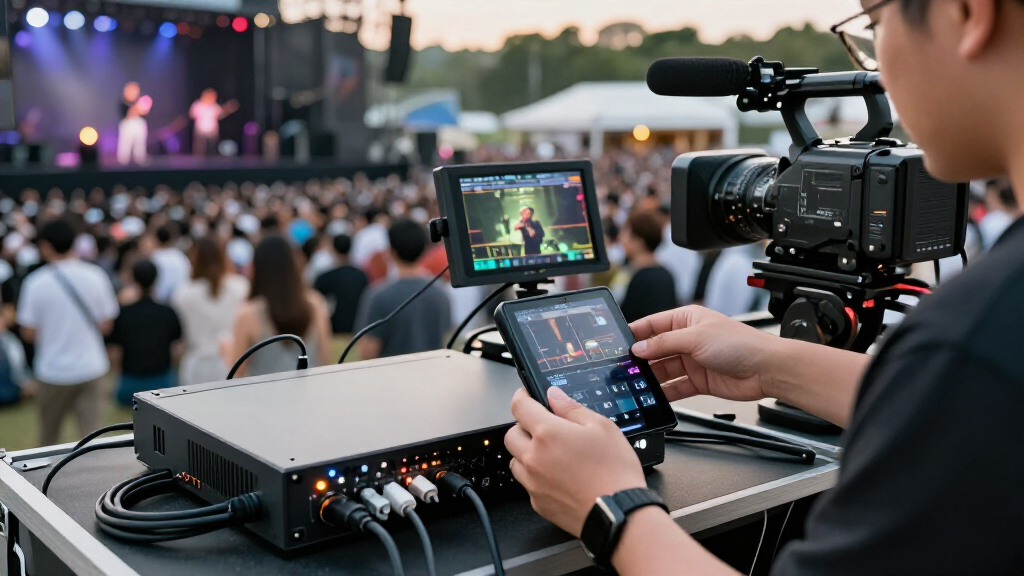
Portable video encoders for live streaming range from standalone cellular units to HDMI capture cards that need a computer. My best overall pick is the LiveU Solo, which pairs a dedicated streaming workflow with a cloud service; the LiveU Solo Pro SDI/HDMI is a stronger fit for crews needing professional input flexibility, while the URayCoder 4K HDMI offers a more direct path for HDMI-based streaming setups. The main tradeoff is between mobility and connection resilience on one side, and lower-cost, computer-dependent capture on the other. Resolution, input type, network access, and setup complexity matter more than a 4K label alone. Read on for the full breakdown and help matching each option to your stream.

Get everyday essentials delivered free with Prime
- Fast, free delivery on millions of items
- Prime Video, Amazon Music and more included
- Member-only deals all year
Key Takeaways
- LiveU Solo and Solo Pro units stand apart because they are dedicated encoder options with cloud-service bundles, while most capture cards in the lineup rely on a connected computer and streaming software.
- SDI/HDMI input flexibility is a meaningful production advantage: the Solo Pro SDI/HDMI models suit mixed camera setups better than HDMI-only alternatives, but that capability is unnecessary for a single HDMI source.
- 4K support does not automatically make a device a better live-streaming choice. Input compatibility, encoding and streaming workflow, and the destination platform’s requirements matter just as much.
- Cellular connectivity changes what portable means. The Unisheen 4G encoder directly addresses mobile network access, while other options may depend on a separate wired or wireless connection.
- Several products are capture cards rather than standalone encoders. The AVerMedia, ORIVISION, and USB capture options make more sense for computer-based production than for a self-contained field kit.
| URayCoder 4K HDMI Streaming Encoder |  | Best for Multi-Platform 4K Streaming | Model: UHE265-1L-4K | Video input: HDMI | Maximum resolution: 3840 × 2160 (4K) | VIEW LATEST PRICE | See Our Full Breakdown |
| Unisheen 4G HDMI Video Encoder, H.264/H.265, Up to 1080p at 60 fps |  | Best for Cellular Field Streaming | Model: BM3380G-H | Video input: 1 × HDMI 1.4a | Maximum resolution and frame rate: 1920 × 1080 at 60 fps | VIEW LATEST PRICE | See Our Full Breakdown |
| LiveU Solo Live Streaming Video Encoder Bundle with 1-Year LRT Virtual Cloud Server |  | Best for Basic 720p Workflows | Model: Solo (LU-SOLO-BUNDLE) | Video capture resolution: 720p | Operating system compatibility: Linux, Windows | VIEW LATEST PRICE | See Our Full Breakdown |
| AVerMedia Live Gamer Mini 1080p60 HDMI Capture Card (GC311) |  | Best Compact Capture Card for Computer Streaming | Model: GC311 | Capture resolution: 1080p at 60 fps | Video output: HDMI pass-through | VIEW LATEST PRICE | See Our Full Breakdown |
| LiveU Solo Pro HDMI 4K Video and Audio Encoder Bundle with 6 ft Pearstone HDMI Cable |  | Best Premium Pick for Bonded 4K Streaming | Model: LU-SOLOPROHDMI+HDA-106 | Video input: HDMI 2.0 | Maximum resolution and frame rate: 4K at 60 fps | VIEW LATEST PRICE | See Our Full Breakdown |
| YoloLiv Instream Vertical Live Streaming Studio |  | Best All-in-One Mobile Production Studio | Display: 7-inch touchscreen LCD | Maximum video resolution: 1080p60 | Video codec: H.264 | VIEW LATEST PRICE | See Our Full Breakdown |
| URayCoder HDMI to IP Network Video Encoder, 1080p H.265/H.264 |  | Best for Multi-Protocol Network Streaming | Maximum resolution and frame rate: 1920 × 1080 at up to 60 fps | Video encoding: H.265/HEVC, H.264/AVC, MJPEG | Streaming protocols: HTTP, RTSP, RTMP(S), SRT, HLS, MP4, UDP, RTP, ONVIF, FLV | VIEW LATEST PRICE | See Our Full Breakdown |
| 4K HDMI Video Encoder and Decoder with H.264/H.265 |  | Best Compact Encoder-Decoder for Fixed AV Setups | Maximum input resolution: 4K at 30 fps | Video codecs: H.264, H.265 | Streaming protocols: RTMP, RTSP, SRT, HLS, FLV, TS, RTC, UDP multicast | VIEW LATEST PRICE | See Our Full Breakdown |
| LiveU Solo Pro SDI/HDMI 4K Video and Audio Encoder Bundle with 6 ft Pearstone HDMI Cable |  | Best for High-Resolution Field Streaming | Model: LiveU Solo Pro | Video inputs: HDMI 2.0 and 12G/3G/HD/SD-SDI | Maximum resolution: 4K60 | VIEW LATEST PRICE | See Our Full Breakdown |
| ORIVISION 4K HDMI Video Capture Card with Loop Out |  | Best Lightweight USB Capture Option | Hardware interface: USB | Maximum input resolution: 4K | Maximum output resolution: 1080p | VIEW LATEST PRICE | See Our Full Breakdown |
| USB 3.0 HDMI Game Capture Card with 4K Pass-Through |  | Best Compact Capture Card for Streaming | Capture resolution: Up to 1080p at 60 fps | HDMI pass-through: Up to 4K at 60 Hz | Interface: USB 3.0 | VIEW LATEST PRICE | See Our Full Breakdown |
| 1080p VGA Video Encoder with Local Loop-Out, 60 fps Input, and Multi-Protocol Streaming |  | Best for Legacy VGA Sources | Video input: 1 VGA input, up to 1080p at 60 fps | Video output: Up to 1080p at 30 fps | Local loop-out: 1 VGA output, matching input resolution | VIEW LATEST PRICE | See Our Full Breakdown |
| LiveU Solo Pro SDI/HDMI 4K Video and Audio Encoder |  | Best for High-End Mobile Streaming | Video inputs: HDMI 2.0 and 12G/3G/HD/SD-SDI | Maximum resolution: 4K60 NTSC or 4K50 PAL | Video codecs: H.265/HEVC and H.264 AVC | VIEW LATEST PRICE | See Our Full Breakdown |
| portable video encoders for live streaming | Model |
|---|---|
| URayCoder 4K HDMI Streaming En | UHE265-1L-4K |
| Unisheen 4G HDMI Video Encoder | BM3380G-H |
| LiveU Solo Live Streaming Vide | Solo (LU-SOLO-BUNDLE) |
| AVerMedia Live Gamer Mini 1080 | GC311 |
| LiveU Solo Pro HDMI 4K Video a | LU-SOLOPROHDMI+HDA-106 |
| YoloLiv Instream Vertical Live | — |
| URayCoder HDMI to IP Network V | — |
| 4K HDMI Video Encoder and Deco | — |
| LiveU Solo Pro SDI/HDMI 4K Vid | LiveU Solo Pro |
| ORIVISION 4K HDMI Video Captur | — |
| USB 3.0 HDMI Game Capture Card | — |
| 1080p VGA Video Encoder with L | — |
| LiveU Solo Pro SDI/HDMI 4K Vid | LU-SOLOPRO |
More Details on Our Top Picks
URayCoder 4K HDMI Streaming Encoder
The URayCoder is the most flexible standalone network encoder in this group for buyers who need to send one HDMI source to several destinations. It handles 4K at 30 fps, offers H.265 and H.264 encoding, and can output as many as four streams across a broad protocol list. That makes it a stronger fit for varied distribution workflows than the AVerMedia Live Gamer Mini, which is a compact computer-connected capture card rather than a multi-destination streaming encoder. Adjustable encoding and text, logo, or timestamp overlays also help tailor a stream without adding another production step. The tradeoff is that 4K tops out at 30 fps, and streaming and management depend on a network connection. I’d choose it for flexible routing, not for high-frame-rate 4K or a self-contained cellular setup.
Pros:- Supports 4K video at up to 30 fps with H.264 or H.265 encoding
- Can output up to four simultaneous streams
- Broad protocol support suits varied streaming workflows
- Adjustable encoding and text, logo, and timestamp overlays
Cons:- 4K frame rate is limited to 30 fps
- Requires a network connection for streaming and management
Best for: Live producers sending an HDMI source to multiple platforms or protocol-based destinations who need 4K input and on-stream overlays.
Not ideal for: Creators who need 4K at 60 fps, built-in cellular connectivity, or a streaming setup that can run without network-based management.
- Model:UHE265-1L-4K
- Video input:HDMI
- Maximum resolution:3840 × 2160 (4K)
- Maximum frame rate:30 fps at 4K; up to 120 fps at 2K or lower
- Video encoding:H.265 / H.264
- Maximum simultaneous output streams:4
- Streaming protocols:HTTP, RTSP, RTMP(S), SRT, HLS, MP4, UDP, RTP, FLV, WebRTC, TRTC, ICECAST
- Warranty and support:Free lifetime warranty and technical support
Our verdict“Choose the URayCoder when multi-destination routing and 4K support matter more than 4K60 or built-in mobile connectivity.”
Unisheen 4G HDMI Video Encoder, H.264/H.265, Up to 1080p at 60 fps
The Unisheen is the practical pick for streaming when a dependable wired connection may not be available: it can use 4G LTE, Ethernet, or dual-band Wi-Fi, then send to two platforms at once. Unlike the URayCoder 4K HDMI Streaming Encoder, it gives up 4K and four-way output flexibility in favor of cellular connectivity and one-button network switching. Its 1080p60 ceiling is a sensible match for many field broadcasts, while SRT and RTMP-family protocol support covers common workflows. Setup is not entirely computer-free: a computer or phone is needed initially, and the product data says neither the battery nor power supply is included. I’d plan the power kit before a remote shoot; this encoder’s portability depends on what you bring to run it.
Pros:- Switches among 4G LTE, Ethernet, and Wi-Fi connectivity
- Encodes up to 1080p at 60 fps using H.264 or H.265
- Can stream to two platforms simultaneously
- One-button controls simplify network priority and stream start or stop
Cons:- Battery and power supply are not included
- Initial setup requires a computer or phone
- Maximum video resolution is 1080p
Best for: Mobile event crews and solo streamers who need to send 1080p video over cellular, Wi-Fi, or Ethernet and want a fallback between networks.
Not ideal for: Buyers who need 4K output, an included battery and power supply, or a setup requiring no initial computer or phone configuration.
- Model:BM3380G-H
- Video input:1 × HDMI 1.4a
- Maximum resolution and frame rate:1920 × 1080 at 60 fps
- Video and audio codecs:H.264, H.265, AAC, MP3, AC3
- Connectivity:4G LTE, Ethernet, Wi-Fi
- Network protocols:SRT, RTMP, RTMPS, UTP, RTSP
- Ethernet speed:1000 Mbps
- Latency:< 100 ms
- Power:9–12 V, 1 A; F750 battery optional; power consumption under 8 W
Our verdict“Pick the Unisheen for mobile 1080p streaming across cellular and local networks, provided you can supply its power gear.”
LiveU Solo Live Streaming Video Encoder Bundle with 1-Year LRT Virtual Cloud Server
This LiveU Solo bundle earns a narrow place for buyers whose workflow is specifically built around 720p capture and the included year of LRT Virtual Cloud Server service. It is a more modest fit than the LiveU Solo Pro, which supports up to 4K60 and bonded connections across as many as six IP links. The Solo’s listed strengths are compatibility with Linux and Windows and USB video capture; the supplied product details do not establish the network inputs, battery life, or streaming controls a field crew might expect from a portable encoder. That limited information makes it harder to recommend for demanding remote productions. I’d treat it as a basic, resolution-limited bundle for a known 720p setup, not as a substitute for the higher-resolution or cellular options here.
Pros:- Includes one year of LRT Virtual Cloud Server service
- Supports Linux and Windows
- Provides USB video capture
- Compact listed dimensions of 6 × 6 × 6 inches
Cons:- Capture resolution is limited to 720p
- Product details provide little information about networking and portable power
Best for: A buyer with an established Linux or Windows workflow that only needs 720p capture and can make use of the included one-year LRT virtual cloud service.
Not ideal for: Creators requiring 1080p or 4K, documented cellular or bonded-network options, or clearly specified battery-powered field operation.
- Model:Solo (LU-SOLO-BUNDLE)
- Video capture resolution:720p
- Operating system compatibility:Linux, Windows
- USB video capture:Yes
- Included service:1 year of LRT Virtual Cloud Server
- Item dimensions:6 × 6 × 6 inches
- Brand:LiveU
Our verdict“Consider this bundle only for a known 720p workflow that benefits from its included cloud service, rather than for higher-resolution field streaming.”
AVerMedia Live Gamer Mini 1080p60 HDMI Capture Card (GC311)
The Live Gamer Mini is the smallest, simplest route here for feeding console or HDMI video into a computer-based live stream. Its 1080p60 capture, built-in H.264 hardware encoder, and HDMI pass-through let a streamer monitor gameplay while the computer handles the broadcast. Compared with the Unisheen, it is not a standalone network encoder: it needs a supported computer and USB connection, and it offers no listed 4G, Wi-Fi, or Ethernet streaming of its own. The payoff is a compact 2.63-ounce device with UVC plug-and-play support on compatible Windows and macOS systems, reducing setup friction and computer CPU load. I’d favor it for console streaming at a desk, but skip it if the goal is to broadcast directly from a remote location without a computer.
Pros:- Captures video at 1080p and 60 fps
- HDMI pass-through supports low-latency monitoring
- UVC plug-and-play support avoids driver installation
- Built-in H.264 hardware encoding reduces computer CPU load
Cons:- Requires a computer with a supported operating system and USB port
- Does not provide the standalone network and cellular connections listed for the Unisheen
Best for: Console streamers who already use a supported Windows or macOS computer and want compact 1080p60 capture with local HDMI monitoring.
Not ideal for: Field broadcasters seeking a standalone encoder, cellular connectivity, or a setup that streams without a computer.
- Model:GC311
- Capture resolution:1080p at 60 fps
- Video output:HDMI pass-through
- Hardware interface:USB 2.0
- Encoder:H.264 hardware encoder
- Compatible systems:Windows 10, Windows 11, macOS 12
- Compatible consoles:Nintendo Switch, PS4, PS5, Xbox One, Xbox 360, Xbox Series X/S
- Weight:2.63 ounces
- Dimensions:3.93 × 2.24 × 0.74 inches
Our verdict“Choose the Live Gamer Mini for a compact computer-based console setup, not for standalone or cellular live streaming.”
LiveU Solo Pro HDMI 4K Video and Audio Encoder Bundle with 6 ft Pearstone HDMI Cable
For productions where connection resilience and picture detail outrank a small kit, the LiveU Solo Pro is the strongest fit in this batch. It accepts HDMI 2.0 video up to 4K60 and can bond as many as six IP connections, a more field-oriented approach than the URayCoder’s four-stream output over network protocols. Bonding is aimed at combining available links for a more robust uplink; it is not the same as sending separate streams to four destinations. A built-in battery rated for about three hours supports mobile shoots, though cellular modems are sold separately unless supplied in a kit. At two pounds, it is also less featherweight than the AVerMedia capture card. I’d choose it for higher-end remote work, while checking modem and power needs before packing.
Pros:- Supports HDMI streaming up to 4K at 60 fps
- Can bond connectivity across up to six IP connections
- Built-in battery provides approximately three hours of operation
- Bundle includes a 6 ft Pearstone HDMI cable
Cons:- Cellular modems are sold separately unless included in a kit
- Approximately three hours of battery life may not cover longer events
- At 2 pounds, it is heavier than a compact capture card such as the AVerMedia Live Gamer Mini
Best for: Professional field crews and event producers who need 4K60 HDMI encoding and can supply or arrange the IP connections, including cellular modems where needed.
Not ideal for: Budget-conscious or ultralight setups, buyers who need cellular modems included, or shoots expected to run well beyond the stated battery life without external power.
- Model:LU-SOLOPROHDMI+HDA-106
- Video input:HDMI 2.0
- Maximum resolution and frame rate:4K at 60 fps
- Supported IP connections:Up to 6
- Battery life:Approximately 3 hours
- Item weight:2 pounds
- Included cable:6 ft Pearstone HDMI cable with Ethernet
- Ports:2
Our verdict“Choose the LiveU Solo Pro for mobile 4K60 production that benefits from bonded links, and budget for any cellular modems your setup needs.”
YoloLiv Instream Vertical Live Streaming Studio
The YoloLiv Instream is the strongest fit here for creators who want to produce a multicamera live show without bringing a computer. Its 7-inch touchscreen combines monitoring, switching, encoding, and SD card recording, while overlays and production effects let a solo operator add polish on location. Unlike the LiveU Solo Pro SDI/HDMI, which puts the emphasis on bonded network connections and high-resolution encoding, YoloLiv offers a more self-contained production workflow with built-in Wi-Fi, Ethernet, and 4G LTE support. The tradeoff is a ceiling of two HDMI inputs plus one USB input, so larger camera setups will outgrow it. Its 1080p60 output is well suited to many live shows, but buyers needing 4K capture should choose another class of encoder.
Pros:- Combines touchscreen monitoring, encoding, switching, and recording in one portable unit
- Wi-Fi, Ethernet, and nano-SIM 4G LTE provide multiple connection options
- Overlays, graphics, and production effects support a polished show without a separate computer
- Built-in 10,000 mAh battery and SD card recording support mobile use and archiving
Cons:- Only two HDMI inputs limit the size of a camera setup
- Maximum streaming resolution is 1080p60, below the 4K capability of the LiveU Solo Pro SDI/HDMI
- A touchscreen all-in-one workflow may be more than needed for simple single-camera streaming
Best for: Solo creators and small teams producing multicamera vertical or social livestreams away from a computer.
Not ideal for: Production crews needing more than two HDMI cameras, or broadcasters whose workflow requires 4K streaming.
- Display:7-inch touchscreen LCD
- Maximum video resolution:1080p60
- Video codec:H.264
- Inputs:2 HDMI, 1 USB
- Connectivity:Wi-Fi, Ethernet, 4G LTE via nano-SIM
- Recording:Local recording to SD card
- Battery capacity:10,000 mAh
- Weight:1 kg
Our verdict“Choose the YoloLiv Instream if you want a battery-powered, computer-free multicamera studio and can work within its two-HDMI limit.”
URayCoder HDMI to IP Network Video Encoder, 1080p H.265/H.264
The URayCoder HDMI to IP encoder is a practical choice when a fixed Ethernet connection matters more than a built-in screen or battery. It accepts one HDMI source, supports codecs including H.265 and H.264, and can send up to four simultaneous streams using a broad set of protocols. That flexibility sets it apart from the YoloLiv Instream, which is built around portable, hands-on production rather than network distribution. Text and logo overlays, adjustable video settings, and HDMI or line-in audio add useful control for a compact unit. The main limitation is right in its connection method: streaming depends on Ethernet, so this is not the pick for untethered field work. It also encodes a single input, making it less suited to camera switching than YoloLiv.
Pros:- Supports RTMP(S), SRT, RTSP, HLS, UDP, and other streaming protocols
- Can output up to four simultaneous video streams
- H.265 and H.264 options provide flexibility for bandwidth and compatibility needs
- Offers HDMI audio or 3.5 mm line-in audio, plus text and logo overlays
Cons:- Requires an Ethernet network connection and has no listed built-in battery or wireless connection
- Single HDMI video input does not provide multicamera switching
- Listed software update support date is unknown
Best for: AV technicians and streamers sending one HDMI source to several platforms or IP workflows from a venue with Ethernet.
Not ideal for: Mobile creators who need cellular or Wi-Fi streaming, a built-in display, or multicamera switching.
- Maximum resolution and frame rate:1920 × 1080 at up to 60 fps
- Video encoding:H.265/HEVC, H.264/AVC, MJPEG
- Streaming protocols:HTTP, RTSP, RTMP(S), SRT, HLS, MP4, UDP, RTP, ONVIF, FLV
- Simultaneous streams:Up to 4
- Video input:HDMI
- Audio input:HDMI audio or 3.5 mm line-in
- Connectivity:Ethernet
- Dimensions and weight:6 × 5 × 1.5 inches; 0.5 kg
Our verdict“Pick the URayCoder when one HDMI source needs flexible multi-protocol distribution over a reliable wired network.”
4K HDMI Video Encoder and Decoder with H.264/H.265
This compact 4K encoder-decoder suits installations that need more than a one-way stream: it can encode HDMI video for network delivery and decode network streams back to HDMI. Its small metal chassis, multi-view layouts, overlays, and USB or network recording make it a versatile fit for venue AV and control-room workflows. Compared with the URayCoder HDMI to IP encoder, this model adds decoding and 4K input support, while the URayCoder lists a wider set of protocols and up to four simultaneous streams. The key compromise is frame rate: 4K input tops out at 30 fps, so it is less appropriate for fast-moving action than the 4K60 LiveU Solo Pro SDI/HDMI. It also needs DC power and Ethernet rather than offering battery-powered field operation.
Pros:- Combines HDMI encoding and network-stream decoding in one compact device
- Supports H.264 and H.265 with a broad set of streaming protocols
- Multi-view layouts and on-screen overlays support more involved AV workflows
- Records to USB drives or NFS/CIFS network storage
Cons:- Maximum input frame rate is 30 fps, below the 4K60 capability of the LiveU Solo Pro SDI/HDMI
- Requires external DC power and wired Ethernet rather than offering a built-in battery
- Its feature set may be unnecessary for users who only need a basic one-way HDMI encoder
Best for: AV integrators and venue operators who need compact 4K30 encoding, network-to-HDMI decoding, and local or network recording.
Not ideal for: Mobile streamers needing a built-in battery, or sports and gaming producers who require 4K at 60 fps.
- Maximum input resolution:4K at 30 fps
- Video codecs:H.264, H.265
- Streaming protocols:RTMP, RTSP, SRT, HLS, FLV, TS, RTC, UDP multicast
- Concurrent streams:2 per channel
- HDMI ports:2
- Recording:USB drives, NFS/CIFS network storage
- Power:DC 12 V/2 A
- Dimensions and weight:125 × 105 × 30 mm; approximately 400 g
Our verdict“Choose this unit for compact fixed installations that benefit from both encoding and decoding, but not for 4K60 or battery-powered streaming.”
LiveU Solo Pro SDI/HDMI 4K Video and Audio Encoder Bundle with 6 ft Pearstone HDMI Cable
The LiveU Solo Pro SDI/HDMI is the high-end field choice in this group, pairing support for 4K60 with both HDMI and professional SDI inputs. Its standout advantage is bonded connectivity across as many as six IP connections, which can help keep a live stream moving when one network path is unreliable. Compared with the YoloLiv Instream, it prioritizes image quality and connection resilience over an integrated touchscreen production studio; YoloLiv is more self-contained for switching and graphics, while LiveU is better matched to a camera-led broadcast workflow. The battery runs for about three hours, and cellular modems are sold separately, so buyers need to plan the network kit around the encoder. This is capable gear, but not a complete mobile connectivity package by itself.
Pros:- Supports video up to 4K60
- Accepts both HDMI 2.0 and multiple SDI formats
- Can bond up to six IP connections for greater network flexibility
- Compact unit includes a built-in battery and a 6-foot HDMI cable
Cons:- Cellular modems are sold separately, adding setup requirements for bonded mobile connections
- Approximately three hours of battery life may not cover longer productions
- Lacks the integrated touchscreen switching and production tools found in the YoloLiv Instream
Best for: Field broadcasters and event crews using SDI or HDMI cameras who need 4K60 streaming and can supply compatible network connections.
Not ideal for: Budget-conscious solo creators seeking built-in switching, a long battery runtime, or cellular modems included in the package.
- Model:LiveU Solo Pro
- Video inputs:HDMI 2.0 and 12G/3G/HD/SD-SDI
- Maximum resolution:4K60
- Connectivity:Up to six IP connections, including four external 4G/5G modems, Wi-Fi, and LAN
- Battery life:Approximately 3 hours
- Included cable:6 ft Pearstone high-speed HDMI cable with Ethernet
- Color:Black
Our verdict“Choose the LiveU Solo Pro SDI/HDMI for demanding 4K60 field broadcasts when you have a plan for modems and limited battery runtime.”
ORIVISION 4K HDMI Video Capture Card with Loop Out
The ORIVISION 4K HDMI capture card is the lightest, simplest route in this lineup for bringing a camera or console into a computer-based livestream. It connects by USB, works with software such as OBS and VLC, and does not require driver installation, which keeps setup relatively straightforward for creators who already have a capable computer. Unlike the URayCoder HDMI to IP encoder, this is not a standalone network encoder: the computer and streaming software handle the production and stream delivery. It accepts input up to 4K but outputs at a maximum of 1080p, and its usual frame rate is 30 fps; 60 fps depends on meeting the specified PC requirements. Choose it for a lightweight capture workflow, not for a computer-free field encoder.
Pros:- Very light at 0.07 kg and connects through USB
- Accepts HDMI input resolutions up to 4K
- Plug-and-play operation without driver installation
- Works with OBS, VLC, and several operating systems
Cons:- Maximum output resolution is 1080p despite 4K input support
- 60 fps depends on meeting the listed computer hardware requirements
- Requires a host computer and streaming software rather than encoding independently
Best for: Computer-based streamers who need a small USB capture device for a camera, camcorder, action camera, or console.
Not ideal for: Broadcasters seeking standalone encoding, 4K output, or dependable 60 fps without checking their computer hardware.
- Hardware interface:USB
- Maximum input resolution:4K
- Maximum output resolution:1080p
- Frame rate:Generally 30 fps; up to 60 fps with specified PC requirements
- Operating system compatibility:Windows, macOS, Android
- Compatible software:OBS, VLC, Amcap
- Compatible devices:Gaming consoles, DSLR cameras, camcorders, action cameras
- Weight:0.07 kg
Our verdict“Pick the ORIVISION if you already stream from a computer and want a lightweight USB capture path rather than a standalone encoder.”
USB 3.0 HDMI Game Capture Card with 4K Pass-Through
This small USB capture card suits a computer-based streaming setup, where OBS or VLC handles the actual broadcast. It captures HDMI video at 1080p60 while passing through a 4K60 signal, so a connected display can retain 4K even though the stream or recording is limited to Full HD. That distinction makes it a simpler, less production-focused choice than the LiveU Solo Pro SDI/HDMI, which is built for standalone field streaming and higher-resolution output. A 3.5 mm microphone input supports commentary, but it requires a CTIA-standard headset, and the card depends on a host computer and third-party software. I’d choose it for compact game or camera capture—not for a network encoder that streams independently.
Pros:- Captures HDMI video at up to 1080p60 for smooth Full HD streams and recordings.
- 4K60 pass-through lets a connected display retain a high-resolution signal during capture.
- Works with OBS, VLC, and other third-party software.
- Includes a 3.5 mm microphone input for commentary.
Cons:- Capture resolution tops out at 1080p despite 4K pass-through.
- Requires a host computer and streaming or recording software.
- Microphone input is limited to a 3.5 mm CTIA-standard headset.
Best for: Streamers who want a compact HDMI capture device for a Windows, Mac, or Linux computer and plan to broadcast through OBS or VLC.
Not ideal for: Field crews seeking a standalone encoder, or creators who need captured output above 1080p or do not have a compatible computer and software setup.
- Capture resolution:Up to 1080p at 60 fps
- HDMI pass-through:Up to 4K at 60 Hz
- Interface:USB 3.0
- Microphone input:3.5 mm CTIA standard
- Operating systems:Windows 7 or later; Mac OS X 10.9 or later; Linux
- Video format:MPEG-4
- Dimensions:3.7 x 2.7 x 0.59 inches
Our verdict“Choose this compact card for computer-based 1080p streaming with 4K display pass-through, but pick the LiveU Solo Pro SDI/HDMI for standalone field encoding.”
1080p VGA Video Encoder with Local Loop-Out, 60 fps Input, and Multi-Protocol Streaming
This is the lineup’s specialist pick for VGA-based equipment, not a general-purpose camera encoder. It converts VGA input into network streams and offers a local VGA loop-out, allowing an operator to monitor the source on a display while sending the feed elsewhere. Its broad protocol support—including RTMP, RTSP, SRT, HLS, and ONVIF—gives it more network-routing flexibility than the USB 3.0 HDMI Game Capture Card, which relies on a computer and streaming software. The tradeoff is clear: although the input can reach 1080p60, the streamed output tops out at 1080p30. It also needs a wired network and a VGA source, making it a poor fit for modern HDMI-only field rigs. USB or network recording adds useful options for fixed installations.
Pros:- VGA loop-out supports local monitoring while the encoder sends a network stream.
- Supports RTMP, RTSP, SRT, HLS, UDP Multicast, ONVIF, and HTTP.
- Can record to USB storage or NFS and CIFS network storage.
- Image controls include rotation, mirroring, cropping, and on-screen display options.
Cons:- Network output is limited to 1080p30 even when the input is 1080p60.
- Requires a VGA source and wired Ethernet connection.
- A single channel limits use in setups that need multiple independent inputs.
Best for: Schools, conference rooms, and AV teams streaming presentations from VGA-equipped computers or other legacy video sources over a wired network.
Not ideal for: Mobile camera crews or creators with HDMI-only equipment who need 60 fps network output, battery operation, or wireless connectivity.
- Video input:1 VGA input, up to 1080p at 60 fps
- Video output:Up to 1080p at 30 fps
- Local loop-out:1 VGA output, matching input resolution
- Video encoding:H.264 and H.265
- Supported protocols:RTMP, RTSP, SRT, HLS, UDP Multicast, ONVIF, and HTTP
- Audio input and formats:3.5 mm analog; AAC and G.711A/U
- Recording:USB storage, NFS, and CIFS
- Connectivity:Ethernet, USB, and VGA
Our verdict“Choose this encoder for wired streaming and recording from VGA equipment, but skip it for HDMI cameras or feeds that must stream at 60 fps.”
LiveU Solo Pro SDI/HDMI 4K Video and Audio Encoder
For crews who need to take a camera feed live without depending on one network connection, this is the most capable field encoder in this group. Its HDMI 2.0 and SDI inputs accommodate both consumer and professional cameras, while H.265 or H.264 encoding supports streams up to 4K60 NTSC (4K50 PAL). The headline difference from the VGA encoder is not just resolution: this LiveU model is built around portable camera streaming, with a rechargeable battery and the ability to bond up to six network connections. That can help keep a broadcast connected when one link is unreliable, but the listed battery life is up to three hours and cellular modems are sold separately. It is a much more involved setup than the compact USB capture card, and overkill for a desk-based 1080p stream.
Pros:- Supports live encoding up to 4K60 NTSC or 4K50 PAL.
- HDMI 2.0 and SDI inputs suit a broad range of camera equipment.
- Can bond up to six network connections, including cellular modems, Wi-Fi, and Ethernet.
- Built-in rechargeable battery supports up to three hours of streaming.
Cons:- Cellular modems must be purchased separately to use those connections.
- Battery life of up to three hours may require a power plan for longer events.
- Its field-encoder features are unnecessary for simple computer-based capture.
Best for: Professional camera operators and field broadcasters who need SDI or HDMI input, high-resolution streaming, and the option to combine multiple network connections.
Not ideal for: Casual or desk-based streamers who only need computer capture, or buyers who expect cellular bonding without purchasing compatible modems separately.
- Video inputs:HDMI 2.0 and 12G/3G/HD/SD-SDI
- Maximum resolution:4K60 NTSC or 4K50 PAL
- Video codecs:H.265/HEVC and H.264 AVC
- Network connections:Up to six, including four 4G/5G modems, Wi-Fi, and Ethernet
- Battery life:Up to 3 hours
- Weight:2.01 pounds
- Dimensions:7.99 x 4.43 x 2.15 inches
- Model:LU-SOLOPRO
Our verdict“Choose the LiveU Solo Pro SDI/HDMI for portable 4K camera broadcasts that benefit from bonded connectivity, and skip it for straightforward USB capture.”

How We Picked
I judged these products by how well they fit portable live-streaming workflows, not by headline resolution alone. The main criteria were the type and number of video inputs, encoding and output capabilities, whether the unit needs a computer, available network options, setup demands, and how clearly the product supports a mobile production. I also separated standalone encoders from capture cards, since they solve different problems and are not direct substitutes.
The order gives priority to products that appear better suited to a complete, portable stream, then weighs professional input flexibility, connection options, and ease of integration. Dedicated LiveU bundles rank ahead of basic capture cards for field use, while HDMI and VGA encoders can be a better match for fixed or specialized sources. Product names and listed features do not establish real-world bitrate, battery life, bonding performance, or compatibility with every platform, so buyers should verify those details with the manufacturer before purchase.
Factors to Consider When Choosing Portable Video Encoders For Live Streaming
Choose an encoder around the full signal path—from camera output to network to streaming destination. A device that fits the source but cannot connect reliably or work with your production software can add more friction than it removes.
Match the Input to Your Camera or Source
Start with the exact output your camera, mixer, or computer provides: HDMI, SDI, VGA, or a USB capture connection. Connector shape alone does not confirm compatibility; check supported signal formats, resolutions, frame rates, and whether the source sends clean video. SDI is useful for production gear and longer cable runs, while HDMI is common in cameras and consumer equipment. VGA support points to legacy computers or presentation systems rather than most modern camera workflows. A frequent mistake is buying for the camera’s maximum resolution without checking what the encoder accepts at the frame rate you plan to stream. If you need two kinds of sources, input flexibility can save adapters and reduce setup points of failure.
Distinguish a Standalone Encoder From a Capture Card
A standalone encoder handles more of the streaming chain itself, while a capture card typically sends video to a computer for encoding and broadcast software. That difference affects portability: a capture card may be compact, but the complete rig still needs a host computer, power, and software configuration. A computer-based setup can be a better choice when you need overlays, scene switching, or other production controls. A dedicated unit may simplify field deployment, but it can offer less flexibility than a full software workflow. Check whether the listing describes encoding and network streaming or only video capture and pass-through. Do not assume a device is a self-contained streamer because its name includes “encoder” or “capture.”
Plan the Network Before You Buy
Portability depends on how the encoder reaches the internet, not just on its size. Determine whether your event site offers dependable Ethernet or Wi-Fi, or whether you need a cellular connection or a separate hotspot. A built-in 4G feature may suit location work, but network coverage, service requirements, and supported bands need checking for your region. Some dedicated streaming workflows also rely on cloud services, so confirm what is included and what happens when a bundle or subscription period ends. A common mistake is treating a mobile network connection as a guarantee of uninterrupted video; congestion and weak signal can still affect a stream. For important events, plan a backup connection and test the route at the venue.
Choose Resolution for the Whole Production Chain
Higher resolution can help when the camera, encoder, network, platform, and viewers all support it, but it can also increase bandwidth and processing demands. Check the encoder’s supported input and output modes separately: a 4K input or pass-through claim does not by itself confirm 4K live encoding. If your stream destination and audience are well served by 1080p, dependable delivery may matter more than a larger frame size. Frame rate matters too, particularly for sports, gaming, and fast movement. Confirm that the source’s frame rate, encoder mode, and platform settings can work together. Buying a 4K-capable device for a 1080p workflow may make sense for future flexibility, but only if the extra capability fits your budget and setup needs.
Budget for Power, Cables, and the Complete Kit
A portable encoder is only one part of a field kit. Account for the camera, compatible cables, power supplies or batteries, mounting, network equipment, and any computer needed for capture or control. Bundle contents vary, and a listed HDMI cable does not answer questions about adapters, battery operation, or mounting accessories. Ask how the device is powered and whether its power arrangement suits the length of your shoot; do not infer battery life from a portable form factor. Extra conversion hardware can add setup time and introduce more failure points. A slightly larger kit with compatible connections and a planned power source can be more useful than a smaller device that leaves essential parts behind.
Check Workflow and Platform Compatibility
Before choosing a model, map how you will start, monitor, and end the stream. Verify that it supports your intended streaming protocols and destination, and check whether configuration happens on the device, through software, or via a cloud account. For computer-based capture cards, confirm operating-system support, available USB bandwidth, and compatibility with your streaming application. For dedicated units, look for clear guidance on stream setup, status monitoring, and recovery if a connection drops. Vertical-first production also calls for checking the full workflow: orientation, overlays, and platform output should match the intended social channel. A pre-event test with your actual camera, network, and destination is a safer basis for a purchase than a feature list alone.
Frequently Asked Questions
Can I stream without bringing a laptop?
Possibly, but only if the product is a standalone encoder with its own streaming workflow and a way to connect to the internet. Dedicated options such as the LiveU Solo family are aimed more directly at that use than capture cards such as the AVerMedia Live Gamer Mini or USB capture devices, which generally require a host computer. Check the exact model’s setup instructions, supported destinations, and network requirements before buying. Also confirm how it is powered for the length of your event. A compact capture card alone does not make a laptop-free kit.
Is a 4G encoder a better choice than a bonded cellular unit?
They address related but different needs, and the product label alone does not establish how resilient a connection will be. A 4G-capable encoder may offer a straightforward way to use cellular data, while a bonded workflow can combine network connections if the specific device and service support it. Check whether extra modems, SIM cards, data plans, or cloud services are required, and confirm availability where you will stream. Consider how you will handle weak coverage and whether a wired backup is possible. For a high-stakes event, compare the complete network plan rather than choosing by “4G” or “bonding” terminology alone.
Do I need SDI, or is HDMI enough for a portable stream?
HDMI is usually the simpler fit for a single camera or consumer video source that already provides a compatible HDMI output. SDI can be helpful when your production uses broadcast-oriented cameras, switchers, or longer cable runs, and it can reduce the need for signal conversion. The Solo Pro SDI/HDMI models offer more input flexibility than HDMI-only options, but that flexibility adds little if your entire setup is HDMI. Check the source device’s output and cable run before paying for an input you will not use. If you work with several camera types, SDI support can provide useful room to adapt.
Will a 4K encoder automatically give me a 4K live stream?
No. A 4K label may refer to input support or pass-through rather than the resolution the device can encode and send live. The camera output, encoder’s actual streaming modes, network capacity, and destination platform all need to support the intended format. Higher-resolution streaming also calls for more bandwidth and can be less forgiving on mobile connections. Check the product documentation for explicit live-encoding specifications, not only the maximum input or pass-through resolution. If your workflow is 1080p, stable delivery and compatible frame rates may matter more than 4K support.
What should I check before using an encoder at an event?
Test the complete setup with the same camera, cables, power source, network, and streaming destination you expect to use on site. Confirm that the stream starts correctly, the audio is present and in sync, and the image orientation and frame rate are right. Check whether the venue’s network allows the protocols your encoder needs, and have a backup connection if losing the stream would matter. For a cloud-linked product, confirm account access and service status ahead of the event. Pack spare cables and power options, since a portable encoder cannot compensate for a missing connection or drained source.
Conclusion
For most field streamers, I recommend the LiveU Solo as the best overall because its dedicated encoder-and-cloud approach is more aligned with mobile broadcasting than a capture card that depends on a computer. The URayCoder 4K HDMI is a better value-oriented fit for buyers who want a direct HDMI encoder and can verify its network and workflow requirements. For a premium production kit with professional source options, choose the LiveU Solo Pro SDI/HDMI; HDMI-only users can skip the SDI version. Beginners who already stream from a computer may find the AVerMedia Live Gamer Mini a more approachable capture-card route, though it is not a standalone field encoder. For cellular access, look closely at the Unisheen 4G; for vertical-first content, the YoloLiv Instream has the more specialized role. Match the device to your source, network, and production method before choosing a resolution tier.
Halloween Picks
halloween
As an affiliate, we earn on qualifying purchases.