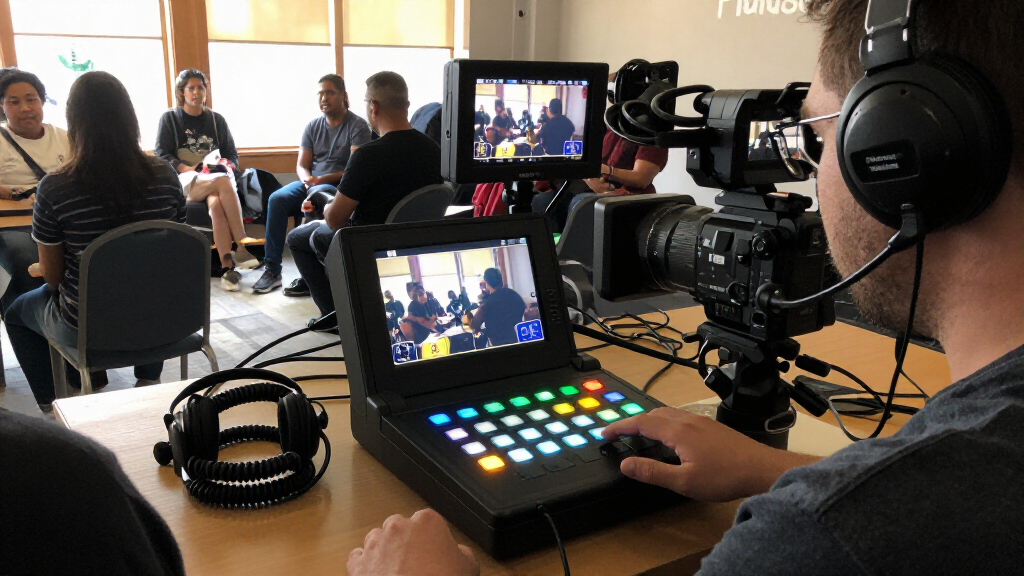
For most multi-camera streamers, the YoloLiv YoloBox Ultra stands out as the best overall pick for its all-in-one streaming workflow and NDI and SRT support. The Blackmagic Design ATEM Mini Pro is a strong fit for a simpler HDMI studio, while the Osee GoStream Duet 8 ISO suits productions that need both HDMI and SDI connections. The main tradeoff is between compact, straightforward control and the extra inputs, monitoring, and recording tools that add flexibility but can complicate setup. I compare these video switchers for live streaming by workflow, connectivity, and who is likely to benefit from each feature. Continue reading for the full breakdown and help matching a switcher to your production.

Get everyday essentials delivered free with Prime
- Fast, free delivery on millions of items
- Prime Video, Amazon Music and more included
- Member-only deals all year
Key Takeaways
- The YoloLiv YoloBox Ultra ranks first for an integrated streaming workflow: NDI and SRT support give it broader network-production options than the more straightforward HDMI-focused ATEM Mini Pro.
- Input types shape the shortlist: the Osee GoStream Duet 8 ISO and Tenveo model combine HDMI and SDI, making them more adaptable to mixed camera setups than HDMI-only options.
- Built-in screens are a recurring differentiator: the Mixer Plus, RGBlink, FoMaKo, and Tenveo options can reduce reliance on a separate computer display, but screen size and control approach vary.
- Recording needs can change the ranking for a buyer: ISO recording and multichannel production needs favor models such as the Osee GoStream Duet 8 ISO, while simpler streaming setups may not need that added capability.
- Not every listed device is a full production switcher: the dual-input capture-card-style option is aimed at a narrower computer-based workflow, so buyers should verify that its switching and streaming functions match their production plan.


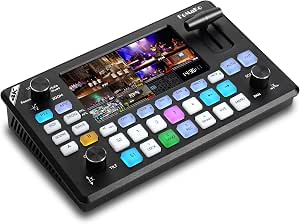


| video switchers for live streaming | Weight | HDMI inputs |
|---|---|---|
| YoloLiv YoloBox Ultra | 1 kg | — |
| Blackmagic Design ATEM Mini Pr | 1.2 pounds | 4 |
| RGBlink Mini-pro V3 Video Mixe | 0.42 kg | 4 |
| Osee GoStream Duet 8 ISO Live | 3 pounds | — |
| Mixer Plus Compact Video Switc | — | 4 |
| RGBlink Mini V3 Video Switcher | 0.49 kg | 4 |
| Osee GoStream Deck Pro 4-Ch HD | 1.1 pounds | — |
| Osee GoStream Deck HDMI Pro Li | — | 4 |
| CineTreak Mixer Plus 4-Channel | — | 4 |
| RGBlink Mini Video Mixer Switc | 16 ounces | — |
| Osee GoStream Duet Multiple Ca | 1 kg | — |
| FoMaKo 4K HDMI Video Mixer Swi | — | — |
| Video Switcher for Live Stream | 0.39 kg | 2 × HDMI, up to 4K 60 Hz |
| Osee GoStream Duet Kit All-in- | 12 pounds | — |
| Tenveo 4K60FPS HDMI Video Swit | — | 4, with 2 supporting 4K 60 fps |
More Details on Our Top Picks
YoloLiv YoloBox Ultra – 4K Live Streaming Studio with NDI & SRT Support
The YoloBox Ultra is the strongest fit here for streamers who want switching, encoding, monitoring, and recording in one portable unit. Its 8-inch touchscreen and four HDMI inputs let an operator manage a multicamera show without building the same desktop setup needed for the Blackmagic ATEM Mini Pro. Cellular bonding can add a connection option for remote locations, while NDI and SRT support suit productions that bring in remote sources. ISO recording also gives editors separate feeds to work with after a stream. The tradeoff is that some NDI/SRT features may involve additional charges, and the touchscreen-centered all-in-one design offers less appeal to buyers who already have dedicated monitoring and encoding gear. Battery recovery may also be complicated if the device hangs during startup.
Pros:- Combines switching, encoding, recording, and an 8-inch monitor
- Four HDMI inputs support multicamera productions
- Cellular bonding, Wi-Fi, and Ethernet offer flexible network options
- ISO recording and NDI/SRT support fit remote and post-production workflows
Cons:- Some NDI/SRT features may require additional charges
- Battery recovery can be complicated if the device gets stuck on its startup logo
- An all-in-one workflow may be less suitable for operators who prefer separate, replaceable production components
Best for: Mobile event producers and solo streamers who need a touchscreen switcher, encoder, recorder, and connectivity options in one unit.
Not ideal for: Studio operators who already have separate encoding and monitoring equipment, or buyers who want a simpler HDMI-only setup without possible feature charges.
- Resolution:4K
- Screen:8-inch touchscreen
- Inputs:4 HDMI, USB-C, USB-A
- Network support:Cellular bonding, Wi-Fi, Ethernet
- Recording:ISO recordings with customizable resolution, frame rate, and bitrate
- Battery:Dual-charge battery system
- Weight:1 kg
Our verdict“Choose the YoloBox Ultra if you want a portable, touchscreen-led streaming studio with recording and network flexibility built in.”
Blackmagic Design ATEM Mini Pro HDMI Live Stream Switcher
The ATEM Mini Pro makes sense for creators who want a dedicated, compact switcher for a four-camera HDMI show, with streaming and recording features included. Its multiview output helps an operator monitor sources and the program feed, while the built-in audio mixer gives basic show control without a separate mixer. Compared with the YoloBox Ultra, it is less of an all-in-one field studio: there is no built-in screen or cellular bonding listed, so it depends more on external power and connected equipment. That simpler equipment footprint can work well for a fixed desk, classroom, or presentation setup. The tradeoffs are HDMI-only inputs, a learning curve for advanced controls, and the need to provide an external display if you want to use multiview.
Pros:- Four HDMI inputs suit common multicamera streaming rigs
- Multiview output helps operators monitor sources and the program feed
- Built-in streaming, recording, and two-channel audio mixing reduce extra gear
- Compact, lightweight unit is easy to place in a desk-based setup
Cons:- HDMI-only inputs may require adapters for other source types
- Requires an external power supply and a separate display for multiview
- Advanced features may take time to learn
Best for: Educators, presenters, and small studio operators building a fixed multicamera stream from HDMI cameras and computers.
Not ideal for: Mobile producers who need an onboard screen, cellular bonding, or a self-contained encoder-and-monitor setup.
- HDMI inputs:4
- Audio inputs:2-channel embedded audio and 3.5 mm stereo analog audio
- Outputs:HDMI with embedded audio and multiview, USB Type-C
- Video processing:10-bit 4:2:2 YUV
- Weight:1.2 pounds
- Dimensions:4.07 x 9.35 x 1.38 inches
- Model number:OB02411
Our verdict“Pick the ATEM Mini Pro for a compact, HDMI-based production desk where a separate monitor and power supply are acceptable.”
RGBlink Mini-pro V3 Video Mixer Switcher with 4K HDMI Inputs and Dual HDMI/USB3.0 Outputs
The RGBlink Mini-pro V3 stands out for productions combining 4K HDMI sources with remote-controlled PTZ cameras. Its four HDMI inputs and PTZ control give an operator a way to switch cameras and adjust supported camera movements from the production position. A small 2.1-inch touchscreen provides local control, while dual HDMI outputs and USB 3.0 allow different connections to monitors and streaming equipment. Compared with the Blackmagic ATEM Mini Pro, the RGBlink adds PTZ control and 4K input support in the listed specs, but its screen is much smaller and setup may be harder for newcomers. It is also not as self-contained as the YoloBox Ultra: the recommended 35W-or-higher USB-C supply and external SSD recording add planning to a portable rig.
Pros:- Four HDMI inputs support 4K sources
- PTZ control can reduce the need for a separate camera-control station
- Dual HDMI outputs and USB 3.0 provide flexible connections
- External SSD recording supports a removable recording workflow
Cons:- Setup may be complex for beginners
- A 35W-or-higher USB-C power adapter is recommended for optimal performance
- The 2.1-inch touchscreen is small for monitoring a busy production
Best for: Church and event operators using 4K HDMI cameras or PTZ cameras who want hands-on switching and control in a compact unit.
Not ideal for: First-time streamers seeking a simple setup, or mobile operators who want a large built-in monitor and integrated battery system.
- HDMI inputs:4
- Supported resolution:4K
- Outputs:Dual HDMI and USB 3.0
- Built-in monitor:2.1-inch touchscreen
- PTZ control:Yes
- Power supply:35W or higher USB-C recommended
- Weight:0.42 kg
- Warranty:1 year
Our verdict“Choose the Mini-pro V3 if PTZ control and 4K HDMI inputs matter more than a large built-in screen or beginner-friendly setup.”
Osee GoStream Duet 8 ISO Live Streaming Video Switcher, 4 HDMI + 4 SDI, XLR
For a production that mixes HDMI cameras with long-run SDI feeds, the Osee GoStream Duet 8 ISO offers the broadest source mix in this group: four HDMI and four SDI inputs. Its eight ISO feeds plus program recording give editors separate camera material for later cuts, while XLR inputs with phantom power suit crews using professional microphones. NDI|HX, SRT, RTMP, and triple streaming also serve complex distribution plans. That is a different proposition from the ATEM Mini Pro, which is more compact and HDMI-focused, or the YoloBox Ultra, which emphasizes an integrated touchscreen field workflow. The Duet 8 ISO is better matched to a staffed production than a casual stream: its feature set adds setup and operating complexity, and the product details do not specify a built-in monitor.
Pros:- Four HDMI and four SDI inputs accommodate mixed camera systems
- Records eight ISO feeds plus the program output
- XLR inputs include mic/line support and 48V phantom power
- Supports NDI|HX, SRT, RTMP, and triple streaming
Cons:- Complex feature set may require an experienced operator
- No built-in monitor is specified in the supplied product details
- Advanced production capabilities may be unnecessary overhead for a small streaming setup
Best for: Broadcast, church, and event crews combining HDMI and SDI cameras, professional audio, and separate-feed recording.
Not ideal for: Solo streamers or small teams who need a quick, simple setup and do not need SDI, XLR, or multichannel ISO recording.
- Inputs:4 HDMI 2.0 and 4 3G-SDI
- Maximum HDMI resolution:4K60
- Audio:XLR and 3.5 mm inputs; mic/line support; 48V phantom power
- Recording:8 ISO feeds plus program; H.264/H.265 up to 50 Mbps
- Streaming protocols:NDI|HX, SRT, RTMP; triple streaming
- Video layers:Up to 8 layers
- MultiSource layout:4-window
- Weight:3 pounds
Our verdict“Choose the GoStream Duet 8 ISO for staffed productions that need HDMI and SDI inputs, professional audio, and separate camera recordings.”
Mixer Plus Compact Video Switcher 4 HDMI with Built-in 4-Inch Screen, Portable Live Streaming Switcher for Multi-Camera, Online Classes, Events, YouTube, OBS, Zoom
The Mixer Plus is a compact choice for operators who want a local preview screen and a handful of broadcast-style tools without moving up to a larger production system. Its four HDMI inputs, 4-inch display, and multiview monitoring suit online classes, small events, and creator streams where the operator needs to watch sources at the switcher. Chroma key, picture-in-picture, logo overlays, and VISCA over IP PTZ control add room for more designed shows than the basic HDMI switching offered by the ATEM Mini Pro. Against the RGBlink Mini-pro V3, this model has a larger listed screen, but its product data does not specify 4K input support, USB output, or external recording. Buyers should check their output and recording workflow before relying on it as the center of a more demanding broadcast setup.
Pros:- Built-in 4-inch screen supports local monitoring
- Four HDMI inputs suit small multicamera setups
- Chroma key, luma key, PIP, DSK, and logo overlay expand show design options
- VISCA over IP PTZ control supports remote camera operation
Cons:- Limited to four HDMI inputs
- Supplied product details do not specify recording or USB output capabilities
- Broadcast features may take time to configure for users new to live production
Best for: Online instructors, small-event operators, and creators who want a compact four-camera switcher with local monitoring and overlays.
Not ideal for: Producers who need specified 4K input support, SDI connectivity, detailed recording capabilities, or a larger source count.
- HDMI inputs:4
- Built-in screen:4 inches
- Video output:HDMI
- PTZ control:Yes
- Control protocol:VISCA over IP
- Additional features:Chroma key, luma key, PIP, DSK, logo overlay, multiview monitoring
- Dimensions:8 x 8 x 3 inches
Our verdict“Pick the Mixer Plus for compact classes and small events where a built-in screen and overlays matter more than extensive input or recording options.”
RGBlink Mini V3 Video Switcher with 4K HDMI, Touch Screen, Multi-Cam Streaming, Dual HDMI Output, Recording & PTZ Control
The RGBlink Mini V3 suits small productions that want a compact switcher with 4K HDMI support, local recording, and separate program and preview outputs. Its four HDMI inputs cover common multi-camera setups, while the 2.1-inch touch screen offers basic control without a larger control surface. Compared with the original RGBlink Mini, this model adds dual HDMI outputs and recording to a USB drive, making it more self-contained for event capture. That extra capability comes with setup caveats: full features require TAO Cloud activation, some functions may need additional licensing, and a 35W-or-higher USB-C PD adapter is recommended. The small screen also gives less room for monitoring than the CineTreak Mixer Plus’s 4.5-inch display. I’d choose this for a portable 4K-oriented rig, not for buyers seeking the simplest plug-and-stream workflow.
Pros:- Four HDMI inputs support a practical multi-camera setup.
- Dual HDMI outputs allow separate program and preview connections.
- Records to USB drives up to 2TB.
- Compact 0.49 kg design with a touch-screen control interface.
Cons:- Full functionality depends on TAO Cloud activation, with some advanced features requiring additional licensing.
- The 2.1-inch display is small for monitoring several sources.
- A 35W-or-higher USB-C PD adapter is recommended and may need to be supplied separately.
Best for: Small production teams that need four HDMI camera inputs, dual HDMI outputs, and USB-drive recording in a compact setup.
Not ideal for: Streamers who want a large multiview screen or fully available features without cloud activation and possible licensing.
- Model number:230-0010-01-0
- Weight:0.49 kg
- HDMI inputs:4
- HDMI outputs:2
- Display:2.1-inch touch screen
- Maximum recording storage:2TB USB drive
- Power:USB-C PD
- Supported resolution:4K HDMI
Our verdict“Choose the Mini V3 if you need a compact 4K-capable switcher with dual outputs and USB recording and can accommodate its activation requirements.”
Osee GoStream Deck Pro 4-Ch HDMI Live Streaming Video Mixer Switcher
The Osee GoStream Deck Pro is a strong fit for organizations that want to stream and record without making a computer the center of the production. Its built-in hardware encoder supports USB and Ethernet streaming, and the SD card slot lets operators save a recording during a live broadcast. Four HDMI inputs plus a USB camera input offer more source variety than the HDMI-only RGBlink Mini, while eight programmable macro buttons can make recurring event routines quicker to run. The tradeoff is that Ethernet streaming and remote control call for network setup, so this is not as straightforward as a basic USB webcam-style switcher. The supplied information also does not specify 4K support, which makes the 4K-capable RGBlink Mini V3 a better match when that resolution is a priority. Its four HDMI inputs may also constrain larger productions.
Pros:- Built-in hardware encoder supports streaming without a PC.
- Can record to an SD card while streaming.
- Four HDMI inputs plus a USB camera input add source flexibility.
- Eight programmable macro buttons support repeatable production control.
Cons:- Ethernet streaming and remote control require network configuration.
- The available product information does not specify 4K support.
- Four HDMI inputs may be limiting for larger camera setups.
Best for: Churches, schools, and small event teams that want to stream and record simultaneously without relying on a computer for encoding.
Not ideal for: Productions needing more than four HDMI cameras or buyers who require documented 4K support.
- Dimensions:4.2 x 9.9 x 1.9 inches
- Weight:1.1 pounds
- Inputs:4 HDMI and 1 USB camera input
- Recording:SD card
- Streaming:USB and Ethernet
- Macro buttons:8 programmable buttons
Our verdict“Pick the GoStream Deck Pro for computer-light event streaming with simultaneous SD card recording, provided four HDMI sources are enough.”
Osee GoStream Deck HDMI Pro Live Streaming Multi-Camera Video Mixer Switcher
The Osee GoStream Deck HDMI Pro is aimed at productions that need more than camera switching: its mix of HDMI, Type-C, Ethernet, and audio connections supports a wider-connected workflow than the simpler RGBlink Mini. Four HDMI inputs and two HDMI outputs accommodate a multi-camera setup with separate display connections, while graphics overlays and auto-switching can help presentations and recurring broadcasts feel more polished. Audio inputs and a headphone output also give operators direct audio connections at the switcher. Compared with the Osee GoStream Deck Pro, this model’s listed strengths emphasize ports and production tools rather than specific macro-button and SD-card recording details. The tradeoff is setup complexity: buyers may need technical familiarity to configure the connections and streaming workflow. Product details also leave software compatibility and update support unclear, so I’d favor a confirmed, well-documented workflow before committing it to a regular show.
Pros:- Four HDMI inputs and two HDMI outputs support multi-camera routing.
- Type-C and Ethernet ports expand connection options.
- Two audio inputs and a headphone output support direct audio monitoring.
- Graphics overlay and auto-switching add production options.
Cons:- Setup may be demanding for operators without live-production experience.
- Available information does not clearly establish software compatibility or update support.
- The listed details do not specify supported output resolution.
Best for: Technically confident production teams that need multiple HDMI connections, external audio hookups, and network-connected streaming tools.
Not ideal for: First-time streamers who want a clearly documented, simple setup or need confirmed software compatibility before purchase.
- HDMI inputs:4
- HDMI outputs:2
- Type-C ports:2 (input/output)
- Ethernet:1 port
- Audio connections:2 audio inputs and 1 headphone output
- Recording:SD card slot
- Warranty:1 year manufacturer warranty
Our verdict“Choose this GoStream Deck when your production can make use of its varied connections and control tools, and you can handle a more involved setup.”
CineTreak Mixer Plus 4-Channel HDMI Video Switcher with 4.5-Inch LCD
The CineTreak Mixer Plus stands out for operators who want to see their sources at the switcher instead of relying on a separate multiview monitor. Its 4.5-inch multiview LCD shows inputs, program, preview, and audio levels, giving it a clearer on-device monitoring advantage over the RGBlink Mini V3’s 2.1-inch touch screen. Production tools such as chroma key, picture-in-picture, DSK, and PTZ control make it more adaptable for presenters, classes, and small events than a basic webcam-output mixer like the RGBlink Mini. USB 3.0 UVC sends HD video to a PC and works with software such as OBS. The compromise is a more involved setup and an HDMI-only source path; there’s no SDI support for teams with SDI cameras. Buyers who just need straightforward camera cuts may find its broader feature set unnecessary.
Pros:- Built-in 4.5-inch multiview display shows sources and program monitoring information.
- Chroma key, picture-in-picture, and DSK support more involved productions.
- USB 3.0 UVC output works with OBS and live-streaming platforms.
- VISCA over IP PTZ control includes four presets per camera.
Cons:- HDMI-only inputs exclude SDI sources.
- The range of production controls may take time to configure and learn.
- Its feature set may be more than casual streamers need.
Best for: Small studios, educators, and event operators who want on-device multiview monitoring, PTZ control, and production effects.
Not ideal for: Casual streamers who only need simple switching or productions built around SDI cameras.
- Display:4.5-inch multiview LCD
- HDMI inputs:4
- Transition effects:30 adjustable effects
- Camera control:VISCA over IP with 4 presets per camera
- Streaming:USB 3.0 UVC for HD video to PC
- Audio inputs:2 x 3.5 mm
- Outputs:AUX HDMI output and headphone jack
- Supported modes:Landscape and portrait
Our verdict“Choose the CineTreak Mixer Plus if a built-in multiview screen and production tools matter more than a simple, HDMI-to-USB workflow.”
RGBlink Mini Video Mixer Switcher with 4 HDMI Inputs, 2K Output, Live Streaming Support
The RGBlink Mini is a practical choice for solo streamers who want to switch among several HDMI sources and send the result to streaming software as a USB webcam feed. Its four HDMI inputs, 2K output, built-in transitions, and picture-in-picture layouts give creators room to add cameras or presentation material without moving up to a more involved production system. LAN remote control can also help when the switcher sits away from the operator. Compared with the newer RGBlink Mini V3, this model has a simpler feature set: it lacks the listed dual HDMI outputs and USB-drive recording, but also avoids the V3’s stated TAO Cloud activation requirement. It does not record internally, so a separate computer or recording setup is needed to save a show. I’d choose it for USB-based streaming, not for standalone event capture.
Pros:- Four HDMI inputs support multi-camera and presentation setups.
- USB 3.0 webcam output connects to streaming software.
- Built-in transition effects and picture-in-picture layouts add visual variety.
- LAN remote control can help operators manage the switcher from elsewhere.
Cons:- No built-in recording is listed, so saving a broadcast requires another device or workflow.
- HDMI-only inputs may call for adapters when connecting other source types.
- Setup may take some technical familiarity.
Best for: Solo creators and small teams using streaming software who need four HDMI sources and a straightforward USB webcam output.
Not ideal for: Event crews that need standalone recording, multiple HDMI outputs, or a switcher workflow that does not depend on a computer.
- Model:RGBLMINI
- Weight:16 ounces
- Inputs:4 HDMI
- Output resolution:2K
- Output connection:USB 3.0 webcam output
- Transition effects:14 built-in
- Picture-in-picture layouts:9
- Remote control:Via LAN
Our verdict“Pick the RGBlink Mini for computer-based streaming with multiple HDMI sources, but look to the Mini V3 if you need local recording and dual HDMI outputs.”
Osee GoStream Duet Multiple Camera SDI and HDMI Live Stream Video Mixer Switcher
The Osee GoStream Duet suits live productions that mix existing SDI cameras with HDMI gear, USB-C sources, or NDI HX feeds. Its combination of four SDI and four HDMI inputs offers more room for varied sources than the HDMI-only FoMaKo KC602, while keying, picture-in-picture, and T-bar control give an operator options for graphics and polished cuts. It can also stream to up to three platforms, useful when an event needs more than one audience destination.
The flexibility comes with setup work: this is a less approachable choice than the dual-input plug-and-play capture card in this lineup, and NDI HX functionality may require firmware updates. I’d choose it for a technically confident operator who needs broad source support, not for a simple two-camera stream where its production controls would go largely unused.
Pros:- Four SDI and four HDMI inputs accommodate mixed camera and video-source setups.
- USB-C and NDI HX support add connection options beyond conventional HDMI switching.
- Streams to up to three platforms simultaneously.
- Multiple key effects and control methods support more involved live production.
Cons:- Setup and operation may demand technical knowledge.
- NDI HX functionality may require firmware updates.
- Simultaneous streaming is limited to three platforms.
Best for: Small production teams combining SDI and HDMI cameras that need multiple streaming destinations and hands-on control options.
Not ideal for: First-time streamers or simple two-source setups; the varied inputs, software options, and firmware requirements add unnecessary setup complexity.
- Inputs:4 SDI, 4 HDMI, USB-C, NDI HX, and SD/SSD playback
- Outputs:Multiple outputs with landscape and portrait modes
- Control:Built-in GUI, Mac and Windows software, and Bitfocus Companion
- Key effects:Multisource, Luma Key, Chroma Key, Pattern Key, PIP, and DSK
- Transitions:Mix, dip, wipe, and T-bar
- Streaming:Up to 3 platforms simultaneously
- Dimensions:4.2 × 10.6 × 1.94 inches
- Weight:1 kg
Our verdict“Choose the GoStream Duet if your production mixes SDI and HDMI sources and needs flexible switching; skip it for a basic plug-and-play stream.”
FoMaKo 4K HDMI Video Mixer Switcher with 5.5 Inch FHD LCD Screen, 4-Channel HDMI Live Streaming Switcher, 4K 60FPS Input, 1080p 60FPS Output, Support PTZ Controller, KC602
The FoMaKo KC602 is a practical fit for HDMI-based streams where one operator needs a local screen and control over several PTZ cameras. Its 5.5-inch FHD display provides a built-in view of the production, while support for up to four cameras and nine presets can make repeatable shots easier to manage. Compared with the Osee GoStream Duet, it trades SDI and NDI HX flexibility for a more focused HDMI setup with dedicated PTZ control.
That focus is useful for schools, houses of worship, and small studios, but it is not the right match for a mixed SDI installation. The supplied product data lists 4K 60 fps input and 1080p 60 fps output, so buyers should not assume the streaming output is 4K. Its 1.2 kg body is also less appealing for frequent travel than a compact capture device.
Pros:- Four HDMI inputs support multi-camera production.
- Built-in 5.5-inch FHD display reduces reliance on a separate monitor for basic operation.
- PTZ control supports up to four cameras and nine presets.
- USB-C UVC streaming and USB-A recording provide separate computer-streaming and recording connections.
Cons:- No SDI inputs are listed, limiting fit with SDI camera systems.
- The listed output is 1080p 60 fps despite 4K 60 fps input support.
- At 1.2 kg, it is less convenient for mobile setups than a small capture card.
Best for: Schools, worship spaces, and small studios using HDMI PTZ cameras that benefit from a local screen and preset camera positions.
Not ideal for: Crews with SDI cameras or buyers seeking a lightweight travel switcher; this model is HDMI-focused and weighs 1.2 kg.
- Video inputs:4 HDMI Type-A
- Video input capability:Up to 4K 60 fps
- Video output:1080p 60 fps; PGM and multiview HDMI outputs
- Streaming connection:USB 3.0 Type-C UVC
- Recording connection:USB 2.0 Type-A
- Audio connections:Two phone-type audio inputs and two phone/line outputs
- PTZ control:Up to 4 cameras with 9 presets
- Display and weight:5.5-inch FHD LCD; 1.2 kg
Our verdict“Pick the KC602 for an HDMI PTZ setup that benefits from local monitoring and camera presets, but look elsewhere for SDI or 4K output workflows.”
Video Switcher for Live Streaming, Dual 4K HDMI Input Capture Card for Streaming, USB 3.0 Audio Video Capture Card HDMI Switcher Record in 1080P 60FPS Low Latency, Compatible with Xbox/PS5/PS4/OBS/PC
This dual-input HDMI capture switcher is the simplest fit here for a creator who wants to combine two sources without building a larger production rig. It accepts two 4K 60 Hz HDMI inputs and sends a 1080p 60 fps feed over USB 3.0, making it a plausible match for a console-and-camera or two-console stream. PiP and PBP add ways to show both sources at once, while broad operating-system compatibility gives it more flexibility than a device tied to one desktop platform.
Compared with the FoMaKo KC602, it is lighter and more focused, but it gives up the larger screen and PTZ camera control. Its feature set is not as extensive as the Osee GoStream Duet’s multi-input production controls, either. The key limitation is the 1080p 60 fps output; this is for capturing and switching sources, not delivering a 4K stream. Buyers should also check the exact control workflow they need before relying on it for a complex live show.
Pros:- Two HDMI inputs accept signals up to 4K 60 Hz.
- USB 3.0 carries a 1080p 60 fps feed to a computer.
- PiP and PBP can display both connected sources at once.
- Listed compatibility includes Windows, Android, macOS, and Linux.
Cons:- Output is limited to 1080p 60 fps rather than 4K.
- Two HDMI inputs are restrictive for multi-camera events.
- It lacks the built-in monitor and PTZ controls found on the FoMaKo KC602.
Best for: Console streamers and small creators who need to switch between two HDMI sources or show them together in PiP/PBP.
Not ideal for: Event crews needing more than two sources, SDI connections, PTZ control, or a 4K streaming output.
- HDMI inputs:2 × HDMI, up to 4K 60 Hz
- Output resolution:1080p 60 fps
- Computer interface:USB 3.0
- Audio:Built-in 3.5 mm microphone and audio input/output ports
- Display modes:Screen switching, PiP, and PBP
- Compatibility:Windows, Android, macOS, and Linux
- Weight:0.39 kg
Our verdict“Choose this compact switcher for a two-source 1080p stream, but move to a production mixer if you need more cameras or PTZ control.”
Osee GoStream Duet Kit All-in-One Pro Live Streaming Multi-Camera Video Mixer Switcher Recorder with 14-Inch Monitor
The Osee GoStream Duet Kit is aimed at crews who want a mixer and a sizable monitor in one carryable production package. Its 14-inch 1080 × 1920 screen gives an operator a direct view of the show, while four HDMI/SDI inputs and two HDMI outputs support a multi-camera setup without relying solely on a computer display. The AC, DC, and USB power-bank options also give it more placement flexibility than the FoMaKo KC602, whose listed setup is better suited to a fixed desk or venue position.
This kit is a different proposition from the standalone GoStream Duet: it prioritizes an integrated monitoring and mounting arrangement, rather than emphasizing a detailed list of software controls and streaming functions. At 12 pounds, it is portable between locations but not especially light for frequent travel. Buyers should also verify the workflow and included connectivity they need, since software compatibility details are limited in the supplied specifications.
Pros:- Integrated 14-inch display provides a large local monitoring surface.
- Four HDMI/SDI inputs support mixed camera connections.
- AC, DC, and USB power-bank options allow more flexible setup locations.
- Includes mounting plates and cheese plates for attaching production accessories.
Cons:- At 12 pounds, it is heavier than a compact capture device and less convenient for frequent transport.
- Software compatibility and update details are not specified in the supplied data.
- The listed specs give limited detail about streaming and recording workflows.
Best for: Mobile event crews that want a mixer, large monitor, and mounting accessories in one setup with flexible power options.
Not ideal for: Solo creators who prioritize low carry weight, or buyers who need clearly specified software and streaming workflows before purchase.
- Display:14-inch, 1080 × 1920
- Inputs:4 HDMI/SDI
- Outputs:2 HDMI
- USB ports:2
- Power options:AC in, DC in, and USB power bank
- Included accessories:3 cheese plates and mounting plates
- Weight:12 pounds
Our verdict“Choose the Duet Kit when an integrated monitor and flexible power matter more than minimizing weight or having fully detailed software specifications.”
Tenveo 4K60FPS HDMI Video Switcher Mixer, 4 SDI & 4 HDMI Inputs, 5-Channel Live Streaming Switcher, 5.5’’ FHD Screen, 1080P60FPS Output, USB/SD Recording, Supports PTZ Camera and Controller, NDI|HX3 Certified
The Tenveo PC500 is the most production-focused option in this group for a team that needs switching, recording, PTZ control, and remote operation from one unit. Four SDI and four HDMI inputs give it a broader source mix than the FoMaKo KC602, while NDI|HX3 support, a built-in web server, and recording to SD card or USB storage extend its role beyond basic camera switching. PTZ presets, AI tracking, and cruise tracks can also reduce manual camera work during a live event.
Those features bring more setup and operational complexity than the two-input capture card in this lineup, and the listed output is 1080p 60 fps despite support for 4K 60 fps input on two HDMI ports. Its 5.5-inch screen is useful for local control, but the supplied specifications do not give a weight, so I would not select it on portability assumptions. This is a better fit for a staffed production workflow than casual streaming.
Pros:- Four SDI and four HDMI inputs support mixed-format multi-camera productions.
- NDI|HX3, PTZ features, and a built-in web server support connected and remotely managed workflows.
- Recording to SD card, USB disk, or HDD adds local capture options.
- PGM, AUX, and UVC outputs offer several ways to route the production feed.
Cons:- The range of routing, PTZ, recording, and streaming functions may be excessive for simple streams.
- Listed video output is 1080p 60 fps, not 4K.
- The supplied specifications do not list the unit’s weight, making portability harder to judge.
Best for: Production teams running multi-camera events that need SDI and HDMI sources, PTZ automation, local recording, and web-based remote management.
Not ideal for: Casual streamers or buyers seeking a simple 4K-output switcher; its feature set is complex and the listed output is 1080p 60 fps.
- HDMI inputs:4, with 2 supporting 4K 60 fps
- SDI inputs:4
- USB input:1, with PGM recording, playback, UVC input, and NDI|HX3 support
- Video outputs:SDI PGM, HDMI PGM, HDMI AUX, and USB 3.0 UVC
- Recording media:SD card, USB disk, or HDD
- PTZ control:Presets, AI tracking, and cruise tracks
- Display:5.5-inch screen
- Certification:NDI|HX3
Our verdict“Pick the PC500 for a staffed, feature-heavy production needing SDI, HDMI, PTZ, and recording; skip it if simple operation or 4K output is the priority.”
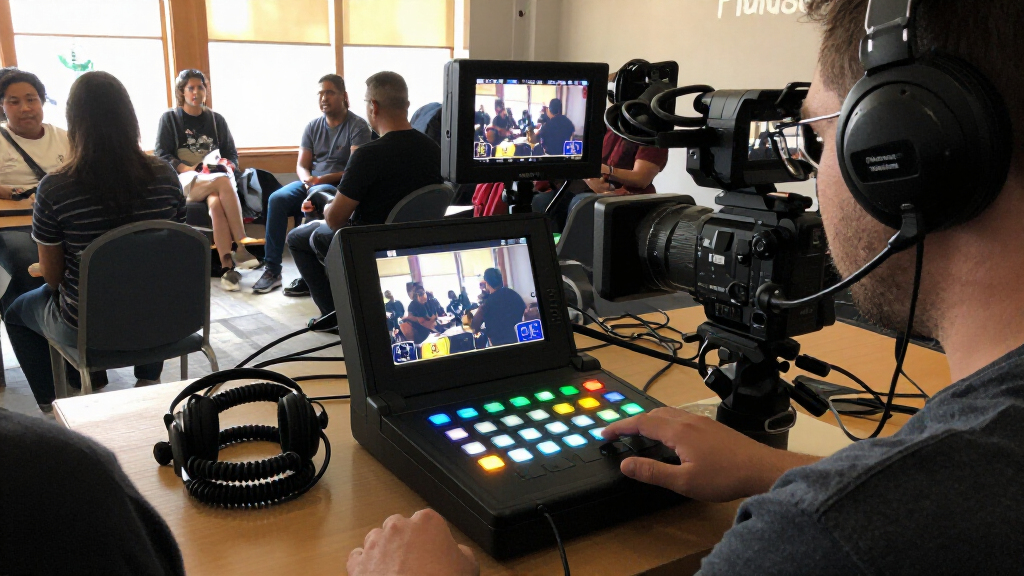
How We Picked
I ranked these video switchers for live streaming by how well their stated features support a complete, repeatable production workflow. I weighed input count and format, streaming and recording options, monitoring and control, audio connections, and compatibility with common multi-camera setups. Features such as SDI, NDI, SRT, ISO recording, and PTZ control mattered when they solved a clear production problem—not simply because they appeared in a specification list.
The order favors versatility without unnecessary setup burden. That puts the YoloLiv YoloBox Ultra first for its broad streaming feature set, while the ATEM Mini Pro remains a compelling choice for HDMI-first setups that value a familiar, focused workflow. Hybrid-input and larger-format models rank higher for productions that need them; compact or narrower-purpose devices rank lower when their limitations could constrain a growing setup. Since listed configurations and feature sets differ, I would confirm supported resolutions, recording behavior, and software compatibility for the exact model before buying.
Factors to Consider When Choosing Video Switchers For Live Streaming
Before choosing a switcher, I would map the whole stream—from camera outputs to the platform—rather than shop by input count alone. These broader checks can prevent a setup that looks capable on paper but needs extra converters, screens, or software to work reliably.
Match Inputs to Your Cameras and Sources
Count every source you expect to use at the same time: cameras, a computer presentation, a game console, and any playback device. Then check the actual output connections on those devices; an HDMI camera and an SDI camera do not become interchangeable just because a switcher has several ports. Buyers often overlook that a port may support a different signal format or resolution than the connected source sends. If you expect to mix camera generations or use long cable runs, a switcher with both HDMI and SDI may save adapter work. If all sources are nearby and already use HDMI, hybrid inputs may add expense and complexity without improving the stream.
Choose a Streaming Path Before Choosing a Box
Decide whether the switcher will stream directly to a platform, send a program feed to a computer, or work alongside both. A direct-streaming workflow can reduce reliance on a computer, while computer-based streaming can make it easier to combine the switcher with overlays, conferencing software, or other production tools. Network features such as NDI or SRT matter most when video needs to move between devices or locations over a network. A common mistake is to buy for a feature name without checking whether it fits the intended software and network setup. Write down the signal path, including audio and internet connection, before comparing models.
Separate Program Recording From ISO Recording
A program recording captures the finished switched show; ISO recording keeps individual camera feeds available for later editing. The latter can be valuable for interviews, classes, and events where a missed cut may be repaired after the stream, but it can require more storage and a more deliberate file-management routine. Buyers sometimes assume that any recording feature saves every camera independently, so check exactly what the device records and where it stores the files. Also consider the length of a typical session and who will manage the media afterward. If the finished live feed is all you need, paying for extra recording paths may not help your workflow.
Treat Monitoring as Part of the Setup
A built-in display can show source previews or help with controls, but it does not automatically replace a larger multiview monitor. Think about whether the operator must watch several feeds at once, read small menus, and manage the stream from the same position. A compact screen can make a portable kit easier to deploy, while a separate monitor may be clearer for a producer handling a busy show. Check what the display actually shows and whether the controls are usable without blocking the camera or desk space. Buying on screen size alone can leave you with a convenient preview but no comfortable way to supervise the full production.
Budget for Audio, Control, and Connectivity Around the Switcher
The switcher is only one part of a reliable live setup. Confirm how microphones enter the system, whether you need balanced audio connections, and how audio levels or delays will be handled. PTZ control is useful only if your cameras support the relevant control method and you want to operate them from the switcher; otherwise, it may go unused. Include cables, adapters, storage media, a stable network connection, and any needed monitoring in your plan. This broader bill of materials can make a simpler device the better value even when a more feature-rich model appears to do more.
Buy for the Operator Who Will Run the Show
Feature depth matters less if the person operating the stream cannot make changes confidently under pressure. A solo creator may prefer a compact workflow with a clear preview and a short setup routine, while a production team may value more routing, control, and recording options. Before committing, review the menu structure, physical controls, and software requirements, then consider whether the operator will have time to learn them. A frequent mistake is to choose for a future production that may never happen and accept extra complexity in every current stream. Leave room to grow, but prioritize the production you actually run today.
Frequently Asked Questions
Do I need a switcher that streams directly, or can I send video through a computer?
Either approach can work, and the right choice depends on how you build each show. Direct streaming can simplify a portable setup by reducing the computer’s role, while routing the switcher into a computer can make it easier to add software overlays, conferencing tools, and platform-specific scenes. Check whether the switcher’s output and your computer’s capture workflow support the resolution and frame rate you plan to use. Also decide what happens if the computer or network has a problem. Choose the path your operator can troubleshoot, not just the one with the fewest devices.
When should I pay extra for SDI inputs instead of choosing an HDMI-only model?
SDI is most useful when your cameras already provide SDI, your cable runs are long, or the production uses broadcast-style gear. It can make a mixed-source setup easier when paired with HDMI inputs, as with the Osee GoStream Duet and Tenveo options in this roundup. If every source is HDMI and the devices sit close together, SDI may add little practical value. Check the exact input formats and conversion requirements before assuming a hybrid switcher accepts every signal without extra equipment. Paying for SDI makes sense when it removes a real connection problem from your setup.
Is ISO recording worth choosing over a program-only recording?
ISO recording is useful when you want to edit camera angles after a live event, recover from a missed cut, or make separate clips from a multi-camera session. A program-only recording is often enough when the live mix is the final deliverable. Before choosing ISO, confirm how many sources can be recorded at once, what storage media the device uses, and how much space your typical session will require. You will also need a plan to label, back up, and manage the files. If no one will edit the separate feeds, ISO capability may add workflow overhead without a useful return.
Can a compact switcher with a built-in screen replace a separate monitor?
It can cover basic source checks and control in a compact kit, but a small built-in screen may not be comfortable for supervising several feeds throughout a long production. The Mixer Plus and several RGBlink and FoMaKo options emphasize on-device monitoring, while the best choice depends on what the screen displays and how the operator works. Check whether it offers a usable multiview or only a limited preview, and whether controls remain clear while switching. If a producer must watch multiple cameras closely, a separate larger monitor may still be worthwhile. Treat the built-in screen as a portability aid until its monitoring layout meets your actual needs.
Is a dual-input capture-card-style device enough for a multi-camera live show?
It may suit a simple computer-based setup that switches between a small number of sources, but it should not be treated as equivalent to a multi-input production switcher without checking its workflow. Confirm whether it switches sources independently, how audio is handled, and whether its output works with your streaming software. A device described as a capture card may depend more heavily on a computer than a standalone streaming system. For a show with several cameras, separate operator controls, or extensive recording needs, a dedicated switcher is usually a clearer fit. The best choice is the one whose source count and control method match the show you need to run.
Conclusion
For the broadest mix of streaming flexibility and integrated workflow, I recommend the YoloLiv YoloBox Ultra as best overall. The Blackmagic Design ATEM Mini Pro is my best value pick for an HDMI-first setup that does not need the broader network and hybrid-input options of higher-ranked models. For a premium production with mixed camera connections and more demanding recording needs, look first at the Osee GoStream Duet 8 ISO or the Tenveo hybrid-input option, then verify the exact recording and control capabilities you need. Beginners should favor a setup with a clear operating path and avoid paying for SDI, ISO recording, or network features they will not use; the ATEM Mini Pro is the more straightforward starting point among these picks. For compact, screen-equipped production, compare the Mixer Plus and RGBlink models, while buyers with a computer-centered two-source workflow should examine the dual-input capture-card-style device. Match the final choice to your cameras, streaming route, and operator—not the longest feature list.
Fall Picks
fall essentials
As an affiliate, we earn on qualifying purchases.