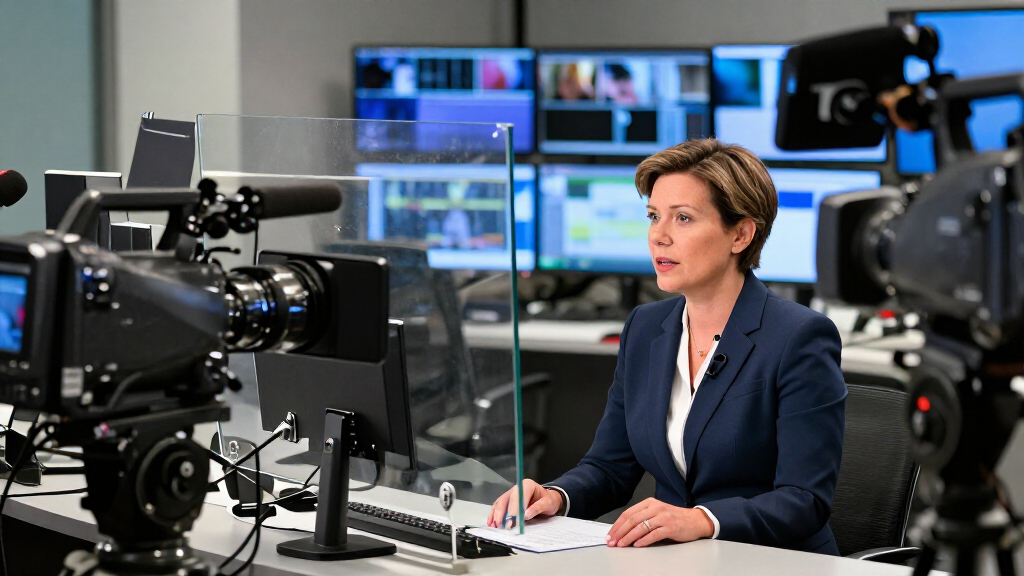

Newsroom teleprompters range from compact camera-mounted systems to large studio packages with separate prompt and talent monitors. The NEEWER X14 III is my best overall pick for its practical balance of screen size, camera use, and app-and-remote control. For a more established studio workflow, the Autoscript E.P.I.C. 17-inch system stands out, while the Elgato Prompter suits compact desk or streaming setups with its built-in display. The main tradeoffs are portability versus viewing area, simple tablet-based operation versus dedicated broadcast equipment, and upfront system complexity versus room to grow. Read on for the full breakdown and help matching a prompt setup to your newsroom’s cameras, talent positions, and production habits.

Get everyday essentials delivered free with Prime
- Fast, free delivery on millions of items
- Prime Video, Amazon Music and more included
- Member-only deals all year
Key Takeaways
- The NEEWER X14 III leads the general-purpose picks: its 14-inch format and included remote-and-app control offer a middle ground between a compact rig and larger studio systems.
- Screen size alone does not define a newsroom fit: the PROAIM telescopic stand and Autoscript talent-monitor packages address placement and presenter viewing needs that a camera-mounted prompt glass cannot solve by itself.
- NEEWER’s X12, X12B, X14 III, and X17 II form a size-and-feature ladder: buyers can choose among compact tablet-based setups and a larger prompt surface without treating every production as a full studio installation.
- The Autoscript E.P.I.C. options are built around separate prompt and talent monitors: the 17-inch, 19-inch, and 19-inch IP packages make more sense when studio monitoring and dedicated prompting workflows matter more than compactness.
- The Elgato Prompter and MOGX Pro serve very different ends of the setup spectrum: Elgato favors a built-in-display desk rig, while MOGX’s 27-inch SDI-and-HDMI system is aimed at productions that need a much larger, connection-rich installation.
| NEEWER X14 III Teleprompter with RT113 Remote and App Control |  | Best for Fast-Setup Field Reporting | Screen size: 14 inches | Beamsplitter light transmission: 71% | Maximum reading range: 10 ft (3 m) | VIEW LATEST PRICE | See Our Full Breakdown |
| PROAIM Professional Speech Teleprompter with Telescopic Stand |  | Best for Studio and Conference Speeches | Maximum device size: 17 inches | Beam splitter glass: 60/40 | Stand: Telescopic and adjustable | VIEW LATEST PRICE | See Our Full Breakdown |
| NEEWER X12 14-Inch Aluminum Alloy Teleprompter for iPad, Tablet, Phone, and Camera |  | Best Value for Tablet-Based Production | Screen size: 14 inches | Material: Aluminum alloy | Beam-splitter glass light transmittance: 75% | VIEW LATEST PRICE | See Our Full Breakdown |
| NEEWER X17 II Teleprompter with RT113 Remote and App Control |  | Best for Longer Camera-to-Presenter Distances | Screen size: 17 inches | Beamsplitter light transmittance: 71% | Script reflection distance: Up to 13 ft (4 m) | VIEW LATEST PRICE | See Our Full Breakdown |
| Autoscript E.P.I.C. On-Camera Prompting System with 17-Inch Prompt and Talent Monitors |  | Best Integrated Prompt-and-Talent Monitor | Display technology: LCD | Screen finish: Glossy | Screen size: 17 inches | VIEW LATEST PRICE | See Our Full Breakdown |
| MOGX Pro 27-Inch SDI and HDMI Teleprompter |  | Best for Large-Scale Broadcasts and Studio Use | Screen size: 27 inches | Connectivity: SDI, HDMI | Date first available: March 7, 2024 | VIEW LATEST PRICE | See Our Full Breakdown |
| NEEWER Basics X12B 12-Inch Aluminum Alloy Teleprompter |  | Best for Budget-Friendly, Portable Setup | Screen size: 12 inches | Material: Aluminum alloy | Reading distance: Up to 10 ft | VIEW LATEST PRICE | See Our Full Breakdown |
| Elgato Prompter Teleprompter with Built-in 9-Inch Display |  | Best for Streamers and Content Creators Needing Integrated Screen | Display size: 9 inches | Display resolution: FHD | Connectivity: USB | VIEW LATEST PRICE | See Our Full Breakdown |
| Autoscript E.P.I.C.-IP On-Camera Prompting Package with 19-Inch Prompt Monitor and 24-Inch Talent Monitor |  | Best for Professional On-Camera Prompting with Dual Monitors | Prompt monitor size: 19 inches | Talent monitor size: 24 inches | Resolution: 1920 x 1080 | VIEW LATEST PRICE | See Our Full Breakdown |
| Autoscript E.P.I.C. On-Camera Prompting System with 19-Inch Prompt and Talent Monitors | | Best for Compact, All-in-One On-Camera Prompting | Prompt monitor size: 19 inches | Display resolution: 1920 x 1080 | Connectivity: LAN, HDMI, USB | VIEW LATEST PRICE | See Our Full Breakdown |
| newsroom teleprompter | Screen size | Connectivity |
|---|---|---|
| NEEWER X14 III Teleprompter wi | 14 inches | — |
| PROAIM Professional Speech Tel | — | — |
| NEEWER X12 14-Inch Aluminum Al | 14 inches | — |
| NEEWER X17 II Teleprompter wit | 17 inches | — |
| Autoscript E.P.I.C. On-Camera | 17 inches | LAN |
| MOGX Pro 27-Inch SDI and HDMI | 27 inches | SDI, HDMI |
| NEEWER Basics X12B 12-Inch Alu | 12 inches | — |
| Elgato Prompter Teleprompter w | — | USB |
| Autoscript E.P.I.C.-IP On-Came | — | LAN |
| Autoscript E.P.I.C. On-Camera | — | LAN, HDMI, USB |
More Details on Our Top Picks
NEEWER X14 III Teleprompter with RT113 Remote and App Control
The NEEWER X14 III suits newsroom crews who need a camera-mounted prompter that packs away quickly: it folds into its carry case and requires no assembly. Its 14-inch beamsplitter supports reading from up to 10 feet, while the included remote and app let a presenter adjust scrolling, playback, and text size without reaching for the device. Compared with the larger NEEWER X17 II, the X14 III is easier to carry but gives up screen area and the longer 13-foot reading range. Its 71% light transmission and 45-degree tilt offer useful setup flexibility, though the tablet and phone holder only accepts devices up to 8.7 inches wide. This is a practical mobile rig, not a weather-ready one: it is not water resistant.
Pros:- Folds into its included carry case and needs no assembly
- 14-inch beamsplitter supports reading from up to 10 feet
- Remote and app control playback, scrolling, page turns, and font size
- Adjustable camera plate and tripod mounting threads allow flexible setups
Cons:- Phone and tablet compatibility is limited to devices no wider than 8.7 inches
- Not water resistant, limiting use in exposed field conditions
Best for: Small newsroom crews and field reporters who need a foldable camera-mounted prompter and use phones or tablets no wider than 8.7 inches.
Not ideal for: Presenters using wider tablets, outdoor crews needing water resistance, or operators who need a larger reading surface and longer range.
- Screen size:14 inches
- Beamsplitter light transmission:71%
- Maximum reading range:10 ft (3 m)
- Maximum device width:8.7 in (22.1 cm)
- Tilt angle:45°
- Maximum load capacity:22 lb (10 kg)
- Item weight:5.2 lb
- Included accessories:RT113 remote, cleaning cloth, manual, and carry case
Our verdict“Choose the X14 III for a portable, quick-to-set-up newsroom rig; choose the NEEWER X17 II if you need a larger screen and longer reading range.”
PROAIM Professional Speech Teleprompter with Telescopic Stand
The PROAIM Professional Speech Teleprompter is the lineup’s stand-based option for newsroom addresses, interviews, and conference-style presentations where a speaker needs to read while keeping their gaze toward the audience or camera. Its 60/40 beam splitter and support for tablets, laptops, and monitors up to 17 inches make it more adaptable to larger script displays than the device-mounted NEEWER X14 III. The telescopic stand also helps crews set a comfortable viewing height across studio and on-location setups. That flexibility comes with a clear cost in portability: at 18.5 pounds and 31.5 inches long, it is less convenient to move than the folding NEEWER units. The listed package includes the prompter, holder, and glass, but does not specify a remote or app, so buyers should not expect the same hands-free controls offered by the X14 III.
Pros:- Accepts tablets, laptops, and monitors up to 17 inches
- 60/40 beam splitter supports reading while maintaining eye contact
- Telescopic stand adjusts viewing height for different setups
- Suitable for studio, conference, and on-location use
Cons:- At 18.5 pounds, it is less convenient to transport than the folding NEEWER models
- The listed components do not include a remote or app-control system
Best for: Newsroom presenters and production teams who need a height-adjustable, stand-based prompter for studio speeches, conference addresses, or on-location interviews.
Not ideal for: Solo field reporters who need a lightweight camera-mounted kit or buyers who want explicitly included remote and app controls.
- Maximum device size:17 inches
- Beam splitter glass:60/40
- Stand:Telescopic and adjustable
- Weight:18.5 lb
- Dimensions:31.5 × 21.75 × 6.75 in
- Included components:Professional speech teleprompter, holder, and 60:40 beam splitter glass
- Warranty:1 year limited
- Model number:TP-SPH-01
Our verdict“Pick PROAIM for a stand-based newsroom or speech setup with flexible display support, not for a compact field kit.”
NEEWER X12 14-Inch Aluminum Alloy Teleprompter for iPad, Tablet, Phone, and Camera
The NEEWER X12 offers a straightforward route to tablet-based newsroom prompting: its 14-inch glass reflects scripts from a compatible phone or tablet, and the included remote, phone holder, and carry case make it a ready-to-pack kit. The 75% light transmittance is higher than the X14 III’s listed 71%, while both models support reading from up to 10 feet. The X14 III adds app-based text controls and a stated 45-degree tilt; the X12 instead stands out for its aluminum-alloy construction and a broader stated tablet-size limit. That compatibility has important boundaries: it does not support iPad Pro 12-inch models, and the camera lens must have a focal length greater than 28 mm. It is also unsuitable for wide-angle lenses, so newsroom operators should confirm their camera setup before choosing it.
Pros:- 14-inch beamsplitter has 75% light transmittance
- Supports reading from up to 10 feet
- Includes a Bluetooth remote, phone holder, and carrying case
- Collapsible aluminum-alloy design supports storage and transport
Cons:- Not compatible with wide-angle lenses
- Requires a camera lens focal length greater than 28 mm
- Does not support iPad Pro 12-inch models
Best for: Tablet-based newsroom and video teams seeking a collapsible 14-inch prompter with a remote and carrying case, using a camera lens longer than 28 mm.
Not ideal for: Operators using wide-angle lenses, lenses at or below 28 mm, or iPad Pro 12-inch models.
- Screen size:14 inches
- Material:Aluminum alloy
- Beam-splitter glass light transmittance:75%
- Reading distance:Up to 10 ft (3 m)
- Maximum tablet size:9.84 × 8.68 in (25 × 22 cm)
- Camera lens requirement:Focal length greater than 28 mm
- App compatibility:iOS 11.0 or later; Android 6.0 or later
- Included accessories:RT-110 remote control, phone holder, and carrying case
Our verdict“Choose the X12 for a portable tablet-based rig with higher stated light transmittance, provided your tablet and lens meet its compatibility limits.”
NEEWER X17 II Teleprompter with RT113 Remote and App Control
For a newsroom set where the presenter sits farther from the camera, the NEEWER X17 II has a clear advantage over the smaller NEEWER options: its 17-inch beamsplitter supports a stated reading distance of up to 13 feet, compared with 10 feet for the X12 and X14 III. The included RT113 remote and app control handle playback, speed, and page turns, while the quick-release camera mount works with Manfrotto 501PL plates. At 6.6 pounds and supplied with a carry case, it remains more portable than the 18.5-pound PROAIM stand-based unit, though it does not replace that model’s telescopic stand. The main fit restriction is its tablet holder, which accepts devices up to 9.3 inches wide. Like the X14 III, it is not water resistant.
Pros:- 17-inch beamsplitter supports reading from up to 13 feet
- RT113 remote and app control playback, speed, and page turns
- Quick-release camera mount is compatible with Manfrotto 501PL plates
- Includes a carrying case and weighs 6.6 pounds
Cons:- Tablet holder supports devices only up to 9.3 inches wide
- Not water resistant
- Lacks the telescopic stand included with the PROAIM speech prompter
Best for: Studio and field crews who need a larger camera-mounted prompt display for presenters reading from farther away and whose tablets fit the 9.3-inch holder limit.
Not ideal for: Teams using wider tablets, requiring a telescopic stand, or working in conditions where water resistance is needed.
- Screen size:17 inches
- Beamsplitter light transmittance:71%
- Script reflection distance:Up to 13 ft (4 m)
- Tablet holder compatibility:Devices up to 9.3 in (235 mm) wide
- Maximum weight recommendation:44.1 lb (20 kg)
- Item weight:6.6 lb
- Dimensions:18.9 × 7.87 × 18.9 in (D × W × H)
- Included items:X17 II teleprompter, RT113 remote, and carrying case
Our verdict“Choose the X17 II over the X14 III when the extra screen area and 13-foot reading range matter more than a smaller footprint.”
Autoscript E.P.I.C. On-Camera Prompting System with 17-Inch Prompt and Talent Monitors
The Autoscript E.P.I.C. takes a different approach from the NEEWER camera-mounted kits: it combines a 17-inch prompting screen with a separate talent monitor, making it the most integrated choice here for a fixed on-camera newsroom position. Its LAN connectivity and high-brightness prompt screen suit a production workflow built around dedicated prompting hardware rather than a tablet and Bluetooth remote. By comparison, the NEEWER X17 II is lighter at 6.6 pounds and includes a carrying case and remote, but its listed setup centers on a beamsplitter and compatible tablet. The Autoscript’s data does not specify weight, brightness figures, stand options, or included control accessories, so buyers should confirm those details for their studio. Its glossy screen may reflect ambient light, a drawback for sets with uncontrolled lighting.
Pros:- Combines prompting and talent monitoring in one system
- 17-inch high-brightness prompting screen
- LAN connectivity supports a networked studio setup
Cons:- Glossy screen finish may reflect ambient light
- Listed specifications do not provide system weight or detailed brightness figures
- Listed data does not identify included remote-control accessories
Best for: Broadcast studios seeking an integrated 17-inch prompting and talent-monitor system with LAN connectivity for a dedicated on-camera position.
Not ideal for: Mobile crews looking for a lightweight kit with a carry case and included remote, or studios with bright ambient light that could reflect off a glossy screen.
- Display technology:LCD
- Screen finish:Glossy
- Screen size:17 inches
- Connectivity:LAN
- Mounting type:Desk mount
- Color:Black
- Unit count:1
Our verdict“Choose the Autoscript E.P.I.C. for a fixed newsroom position that benefits from integrated prompting and talent monitoring, rather than a portable tablet-based kit.”
MOGX Pro 27-Inch SDI and HDMI Teleprompter
The MOGX Pro 27-Inch stands out for its impressive size, providing a generous 27-inch display that offers clear visibility for on-camera talent. Its support for both SDI and HDMI connections makes it highly versatile for professional studio environments, especially compared to smaller models like the NEEWER Basics X12B, which is more suited to solo or mobile setups. However, this teleprompter’s main drawback is limited publicly available feature details, making it harder to assess its full capabilities. For large studios or broadcast facilities that prioritize screen size and connectivity, the MOGX Pro offers a compelling option despite the lack of detailed specs.
Pros:- Large 27-inch display enhances readability for on-camera talent
- Supports both SDI and HDMI for flexible connections
- Ideal for professional broadcast environments
Cons:- Limited publicly available feature details make full assessment difficult
- Potentially heavy and bulky for mobile use
Best for: Large broadcasting studios, professional TV studios, or anyone needing a massive, high-quality display for on-camera prompting.
Not ideal for: Small content creators or mobile vloggers who require a lightweight, portable setup, as this model is bulky and lacks detailed feature info.
- Screen size:27 inches
- Connectivity:SDI, HDMI
- Date first available:March 7, 2024
Our verdict“This teleprompter suits large-scale broadcast environments where display size and connection versatility are priorities, despite its limited detailed specs.”
NEEWER Basics X12B 12-Inch Aluminum Alloy Teleprompter
The NEEWER Basics X12B offers a compact, foldable design that is perfect for on-the-go content creators. Its 12-inch screen provides a clear reading experience from up to 10 feet away, making it suitable for solo shoots or small studio setups, especially when compared to larger models like the Autoscript E.P.I.C.-IP. Its lightweight aluminum alloy build and foldable structure with a carry case make it highly portable. However, it does not support phone shooting or act as a monitor for on-screen self-viewing, which could limit its utility for some users. The remote’s AAA battery is not included, adding a minor inconvenience.
Pros:- Foldable design with included carry case for easy transport
- Supports tablets and cameras with adjustable platform
- Remote and app control for scrolling and font adjustments
Cons:- Does not support phone shooting or on-screen self-view
- Remote’s AAA battery not included
Best for: Solo creators, mobile videographers, or those seeking a portable teleprompter for tablet and camera use.
Not ideal for: Professional studios or broadcasters requiring larger screens or direct on-screen self-view capabilities, as this model focuses on portability and simplicity.
- Screen size:12 inches
- Material:Aluminum alloy
- Reading distance:Up to 10 ft
- Control:Bluetooth remote and app
- Compatibility:iPad, tablets, cameras
- Assembly:No assembly required
Our verdict“This teleprompter is best suited for mobile, solo use where portability and simplicity are more important than screen size or on-screen monitoring.”
Elgato Prompter Teleprompter with Built-in 9-Inch Display
The Elgato Prompter integrates a 9-inch FHD display directly into the teleprompter, eliminating the need for a separate tablet or phone, which makes it highly convenient for streamers and solo creators. Unlike systems like the Autoscript E.P.I.C.-IP, which feature larger monitors, this model’s built-in screen simplifies setup and reduces clutter. However, it requires additional DisplayLink software on Mac and Android, adding extra setup steps, and its display isn’t water resistant. This makes it less suitable for outdoor or rugged environments but highly effective for desktop streaming and indoor production.
Pros:- Built-in 9-inch FHD display simplifies setup
- Supports scripts, chat, and video calls while maintaining eye contact
- Compatible with PC, Mac, and Stream Deck
Cons:- Requires extra DisplayLink software on Mac and Android
- Not water resistant
Best for: Streamers, YouTubers, and online content creators who want a compact, all-in-one prompting solution that works with their PC or Mac setup.
Not ideal for: Outdoor or rugged shooting environments or users needing a large, external monitor, as the 9-inch display is limited in size and not water resistant.
- Display size:9 inches
- Display resolution:FHD
- Connectivity:USB
- Weight:0.69 kg
- Dimensions:11.1 × 8.82 × 8.62 inches
Our verdict“This teleprompter is ideal for indoor streamers and content creators seeking an integrated, space-saving prompting tool that works seamlessly with their computers.”
Autoscript E.P.I.C.-IP On-Camera Prompting Package with 19-Inch Prompt Monitor and 24-Inch Talent Monitor
The Autoscript E.P.I.C.-IP offers a comprehensive solution with a 19-inch prompting monitor and a 24-inch talent monitor, ideal for on-camera talent who need clear, high-brightness prompts. Its Full HD 1080p resolution and LAN connectivity make it suitable for professional studio setups. Compared to systems like the Autoscript E.P.I.C. with smaller screens, this package provides larger, more visible prompts and talent viewing, though the glossy screen finish could cause reflections under bright lights. Limited connectivity details mean it’s best suited for dedicated studio environments rather than mobile or quick-setup scenarios.
Pros:- Dual monitor setup with 19-inch prompt and 24-inch talent screens
- Full HD 1080p resolution enhances clarity
- LAN connectivity supports seamless remote operation
Cons:- Glossy screen finish may produce reflections in bright environments
- Limited details about setup and full connectivity options
Best for: Studio broadcasters, production crews, or professionals needing high-brightness, dual-monitor prompting in a fixed setup.
Not ideal for: Mobile content creators or those with limited space, due to its larger monitors and studio-oriented design.
- Prompt monitor size:19 inches
- Talent monitor size:24 inches
- Resolution:1920 x 1080
- Connectivity:LAN
- Display type:LCD
- Color:Black
Our verdict“This system is best for studio environments needing large, high-brightness prompts and a dedicated talent monitor, despite some reflection issues.”
Autoscript E.P.I.C. On-Camera Prompting System with 19-Inch Prompt and Talent Monitors
The Autoscript E.P.I.C. combines a 19-inch high-brightness prompting screen with an integrated talent monitor, making it a solid choice for on-camera use where space is limited. Its 1920 x 1080 resolution and LAN connectivity support professional standards, but the glossy finish could cause reflections under bright lighting. Compared to the larger, more elaborate E.P.I.C.-IP package, this version offers a more compact footprint for smaller studios or mobile setups, though it lacks detailed setup instructions and reviews which can be a concern for first-time users.
Pros:- Integrated 19-inch high-brightness display and talent monitor
- Supports LAN, HDMI, and USB connections
- Compact design suitable for small studios
Cons:- Glossy screen finish may reflect under bright lights
- Limited information on setup and user feedback
Best for: Content creators and small studios seeking a compact but professional prompting system with integrated talent monitoring.
Not ideal for: Large-scale productions or outdoor shoots, as the display is not water resistant and the setup lacks extensive detail.
- Prompt monitor size:19 inches
- Display resolution:1920 x 1080
- Connectivity:LAN, HDMI, USB
- Color:Black
- Mounting:Desk mount
Our verdict“This all-in-one prompting system fits small to medium studios needing a space-efficient yet professional solution, with some reflection considerations.”
How We Picked
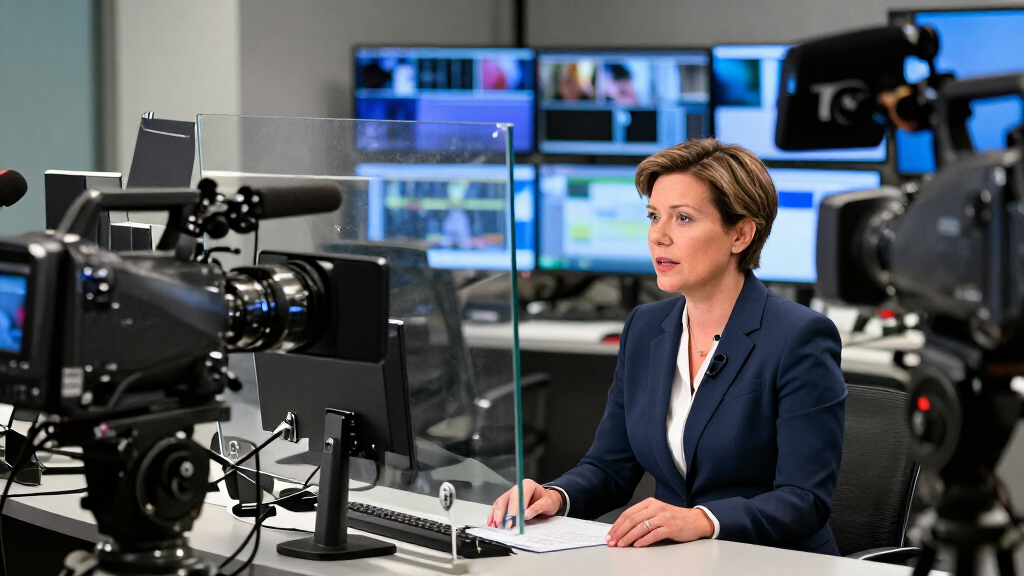
I ranked these newsroom teleprompters by how well their design aligns with actual production setups: camera-mounted prompting, presenter monitoring, compact desk use, or larger studio operation. I weighed prompt-screen usability, monitor arrangement, control method, connection options, portability, and the amount of setup a team must manage. A larger display can help talent read comfortably from farther away, but it can also add bulk and installation demands; a compact system is easier to place, but may be less suited to a full studio floor.
The ranking favors options with a clear role and a practical balance for their likely buyer, rather than treating the largest or most feature-rich product as automatically best. The NEEWER X14 III ranks first as a versatile camera-oriented choice; Autoscript systems rank higher for dedicated studio workflows, while the MOGX Pro’s 27-inch format is a specialized fit rather than a universal newsroom solution. The Elgato and entry-level NEEWER models earn attention for simpler or smaller setups, with their limitations weighed against those strengths.
Factors to Consider When Choosing Newsroom Teleprompters
Before choosing among these newsroom teleprompters, map the equipment to the room and the people who will use it. A prompt system has to work with camera placement, talent sightlines, the way scripts reach the display, and the time available for setup between segments. These broader checks can prevent a screen that looks suitable on paper from becoming awkward in daily production.
Match the monitor layout to the presenter’s sightline
Decide whether talent needs to read through camera-mounted glass or from a separate monitor positioned near the lens. These are different workflows, even when both products are called teleprompters. A prompt monitor that sits too far from the lens can make eye direction obvious on camera, while a camera-mounted system may not serve a standing presenter well. Check camera height, presenter distance, and whether talent sits or stands before choosing a screen size. For a multi-camera studio, confirm that the chosen placement works across the shots used most often. Avoid buying by diagonal measurement alone; usable reading distance and mounting position matter just as much.
Choose a screen size for reading distance, not maximum size
A larger prompt display can make text easier to read from farther away, but it also adds weight, takes up space, and may complicate camera support. In a compact booth or desk setup, a smaller display can be easier to position and manage. For presenters standing several feet from the prompt, a small screen may force changes to script formatting or talent distance. Think about the longest expected reading distance and the largest text the script workflow can support. Ask how the display will fit with the lens, matte box, and any accessories already on the camera. The best size is the one that supports comfortable reading without dictating the rest of the rig.
Plan the script-control workflow before choosing an app or remote
Prompting works best when the person advancing the script and the person speaking can follow a predictable routine. A remote and app can suit a small crew, but a production with a dedicated operator may prefer a separate control position and established prompting software. Check whether scripts are prepared on the devices your team already uses and who will handle edits just before a segment. Also think through what happens if wireless control, an app, or a connected device is unavailable. A simple fallback plan can matter more on a live rundown than another feature on a product sheet. Choose controls that match the crew’s responsibilities, not just the interface that appears easiest at first.
Check camera support, mounting, and room to reconfigure
Teleprompters add equipment in front of or around the camera, so confirm that the camera and support system can handle the setup. Review how the unit attaches, where cables run, and whether the camera can still be adjusted quickly. A stand-based arrangement may give a newsroom more freedom to place a prompt monitor, but it can use valuable floor space and create extra setup steps. If cameras change between studio and field work, look for a system that fits the actual range of configurations rather than assuming one mount will cover everything. Leave room for lighting, microphones, and operator access when planning the footprint. A physically compatible system can still be a poor fit if it slows routine camera moves.
Treat video connections and talent monitoring as workflow decisions
SDI, HDMI, and IP features matter only when they fit the production’s existing signal path and monitoring plan. Before purchasing, identify which devices need to feed the prompt or talent display and which connections the studio already uses. A dedicated talent monitor can help presenters maintain eye contact without relying on a camera-mounted prompt alone, but it adds another screen and signal path to place and manage. IP capability may suit a networked installation, while a simpler rig can be easier for a small crew to troubleshoot. Confirm the required inputs, outputs, cable runs, and power arrangements with the technical team. This prevents paying for connectivity the newsroom cannot use—or overlooking a connection it depends on.
Account for setup time, maintenance, and backup plans
A teleprompter that takes too long to align or configure can create pressure during a fast-moving broadcast day. Ask who will assemble it, how often it will move, and whether the team can restore a known setup after a camera or room change. Glass, displays, cables, and control devices all need basic care, so consider how easy those parts are to inspect and replace. Keep a fallback for script delivery if the main display or control method stops working during production. For a fixed studio, a more involved system may be sensible if staff can support it; for rotating crews, ease of repeatable setup may deserve more weight. Judge the purchase by the daily workflow it creates, not only by what it can do when fully configured.
Frequently Asked Questions
Should I choose a camera-mounted teleprompter or a separate talent monitor?
Choose based on where the presenter needs to look and how the shot is framed. Camera-mounted glass keeps the script close to the lens, which can make direct-to-camera delivery more natural. A separate talent monitor may work better for standing presenters or studio setups where a dedicated prompt position is easier to arrange. Some productions use both prompt and talent monitors, but that adds placement and signal-path decisions. Before choosing, test the intended sightline from the actual camera and presenter positions.
Is a 27-inch teleprompter a sensible choice for a small newsroom?
It can be, if presenters read from farther away or the production needs a large prompt surface with SDI and HDMI connections. The MOGX Pro 27-inch is much more specialized than compact camera-mounted options, so its size and installation demands may outweigh its benefits in a tight booth. Consider whether the room can accommodate the display without crowding cameras, talent, or crew. Also confirm that the existing signal workflow can use its connections. For a small setup with close camera framing, a more compact system may be easier to place and maintain.
Do newsroom teams need separate prompt and talent monitors?
Not every team does. A camera-mounted prompt can be enough when one presenter reads directly to a single camera and the setup stays consistent. Separate prompt and talent displays can make more sense when presenters stand away from the camera, when studio positions vary, or when the production calls for dedicated monitor placement. They also introduce extra hardware, connections, and alignment work. Decide whether the added sightline flexibility solves a real production problem before choosing a multi-monitor package.
What should I verify before buying a tablet-based teleprompter?
Check that the tablet or phone you plan to use fits the holder and that its screen is readable at the distance required by your camera position. Confirm how scripts are loaded, which device controls scrolling, and whether the newsroom can keep that device dedicated to prompting during production. Consider how the rig attaches to your camera and whether the added weight or dimensions will interfere with existing accessories. A tablet-based model can simplify a modest setup, but it may not replace dedicated prompt and talent monitors in a larger studio. Plan a backup script display or printed copy for live segments.
When does a newsroom need IP or SDI connectivity instead of a simpler setup?
Choose IP or SDI features when they match the studio’s established routing, monitoring, or control requirements. These connections can be useful in a dedicated installation, particularly when multiple devices or positions must work together. They add little value if the production cannot connect them to its current equipment or support the related setup. Ask the technical lead to confirm signal formats, cable routes, and the intended role of each display before ordering. A simpler camera-mounted system may be a better fit for a small crew that mainly needs readable scripts and straightforward control.
Conclusion
For most camera-based newsroom setups, I recommend the NEEWER X14 III as best overall because its screen format and remote-and-app controls make it a balanced choice. The NEEWER X12B is my best value-style pick for buyers who want a smaller, straightforward camera-mounted option, while the Elgato Prompter is best for beginners and compact desk setups that benefit from a built-in display. For established studios that need dedicated prompt and talent monitoring, the Autoscript E.P.I.C. systems are my premium recommendation; choose among the 17-inch, 19-inch, and IP package according to the room and signal workflow. The MOGX Pro 27-inch is best for a specific need: productions that require a notably larger display and SDI/HDMI connectivity and can accommodate its installation. Match the system to your camera position, presenter sightline, and crew workflow, and the right choice should become clear.
Halloween Picks
halloween
As an affiliate, we earn on qualifying purchases.