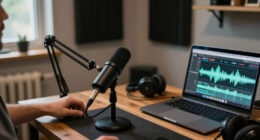
For most solo podcasters, I’d start with the RØDE PodMic USB: its dynamic design and USB/XLR connections suit voice recording and leave room to grow. The FIFINE AmpliGame AM8 is a more accessible dynamic option with USB and XLR, while the Blue Yeti offers multiple pickup patterns for people recording more than one kind of audio. The main tradeoff is between a dynamic mic that can help limit room noise and a condenser mic that can capture more detail but may pick up more of the room. Bundled boom arms and controls also affect convenience, though they do not replace good mic placement. Read on for the full comparison and picks for different podcast setups.

Get everyday essentials delivered free — and shop member deals
- Fast, free delivery on millions of items
- Access to Prime Big Deal Days deals on October 6–7
- Prime Video, Amazon Music and more included
Complete the kit



Key Takeaways
- The amazon.com/dp/B0BQM4TKF7?tag=press-report-20&ascsubtag=dc-1108195″ target=”_blank” rel=”nofollow sponsored noopener”>RØDE PodMic USB leads for upgrade flexibility: its USB and XLR connections suit a direct-to-computer setup now and a mixer-based setup later.
- Dynamic models suit untreated rooms better: the PodMic USB, FIFINE AM8, and MAONO PD200W are voice-focused alternatives to the more room-sensitive condenser options.
- The Blue Yeti’s pickup patterns serve varied recording tasks: they add flexibility for interviews and group audio, while a solo host may prefer a simpler directional mic.
- Bundles solve setup gaps, not every recording problem: kits such as the FIFINE T669 and TONOR TC-777 include mounting or pop-filter accessories, but placement and room acoustics still matter.
- Gaming features are not podcast essentials: RGB lighting and tap-mute controls on options like the FIFINE A6V and TONOR TC310+ may help a streaming desk, but voice pickup and monitoring deserve priority.
| ZealSound K66 USB Podcast Microphone with Noise Reduction, Gain and Echo Controls |  | Best for Flexible Device Switching | Microphone type: USB condenser | Pickup pattern: Cardioid | Frequency response: 40 Hz–18 kHz | VIEW LATEST PRICE | See Our Full Breakdown |
| FIFINE T669 USB Condenser Microphone Kit |  | Best Complete Starter Kit | Microphone type: USB condenser | Polar pattern: Cardioid | Compatibility: PC and laptop; incompatible with Xbox | VIEW LATEST PRICE | See Our Full Breakdown |
| FIFINE AmpliGame AM8 USB/XLR Dynamic Microphone |  | Best Upgrade Path | Connectivity: USB and XLR | Polar pattern: Cardioid (unidirectional) | Frequency response: 50 Hz–16 kHz | VIEW LATEST PRICE | See Our Full Breakdown |
| FIFINE AmpliGame A6V USB Gaming Microphone with RGB Lighting |  | Best for a Compact USB Desk Setup | Microphone type: USB condenser | Sampling rate: 192 kHz | Polar pattern: Cardioid | VIEW LATEST PRICE | See Our Full Breakdown |
| RØDE PodMic USB Dynamic Broadcast Microphone |  | Best Premium Broadcast Pick | Connections: XLR and USB-C | Microphone type: Dynamic broadcast | Audio processing: APHEX DSP over USB | VIEW LATEST PRICE | See Our Full Breakdown |
| TONOR TC310+ Gaming Microphone Set with Boom Arm |  | Best Complete Gaming Setup | Microphone type: Condenser | Connectivity: USB-A / USB-C | Polar pattern: Unidirectional | VIEW LATEST PRICE | See Our Full Breakdown |
| MAONO PD200W Hybrid Wireless Podcast Microphone |  | Best for Wireless and XLR Flexibility | Microphone type: Dynamic | Connections: Wireless, USB, XLR | Capsule: 30 mm | VIEW LATEST PRICE | See Our Full Breakdown |
| FIFINE AmpliGame AM8T XLR/USB Dynamic Gaming Microphone Set |  | Best USB-to-XLR Starter Kit | Microphone type: Dynamic | Connectivity: USB and XLR | Polar pattern: Cardioid | VIEW LATEST PRICE | See Our Full Breakdown |
| Logitech Blue Yeti USB Microphone with Blue VO!CE, Four Pickup Patterns, Blackout |  | Best for Multiple Recording Setups | Microphone type: USB condenser | Pickup patterns: Cardioid, omnidirectional, bidirectional, stereo | Controls: Headphone volume, pattern selection, mute, microphone gain | VIEW LATEST PRICE | See Our Full Breakdown |
| MAONO A04 USB Condenser Microphone Kit |  | Best Accessory-Rich Condenser Kit | Connectivity: USB, USB Type-C | Capsule: 16 mm electret condenser | Sampling rate and bit depth: 192 kHz / 24-bit | VIEW LATEST PRICE | See Our Full Breakdown |
| FIFINE K669B USB Condenser Microphone |  | Best for a Simple Desktop Setup | Connectivity: USB-A | Pickup pattern: Cardioid | Power: USB-powered; no 48V phantom power required | VIEW LATEST PRICE | See Our Full Breakdown |
| FIFINE AmpliTank K688CT Podcast Microphone Kit with Boom Arm |  | Best for a Flexible Upgrade Path | Connectivity: USB and XLR | Microphone type: Dynamic vocal microphone | Polar pattern: Cardioid (unidirectional) | VIEW LATEST PRICE | See Our Full Breakdown |
| Amazon Basics USB Condenser Microphone with Adjustable Stand |  | Best for Quick Mute Access | Connectivity: USB | Pickup pattern: Cardioid (unidirectional) | Diaphragm: 14 mm | VIEW LATEST PRICE | See Our Full Breakdown |
| TONOR TC-777 USB Podcast Microphone with Tripod Stand, Pop Filter, and Shock Mount |  | Best Starter Kit for PlayStation | Model: TC-777 | Connectivity: USB 2.0 | Polar pattern: Cardioid (unidirectional) | VIEW LATEST PRICE | See Our Full Breakdown |
| Logitech Blue Yeti USB Microphone, Midnight Blue |  | Best for Multi-Person Recording | Microphone type: USB condenser | Pickup patterns: Cardioid, omnidirectional, bidirectional, and stereo | Controls: Headphone volume, pattern selection, mute, and microphone gain | VIEW LATEST PRICE | See Our Full Breakdown |
| USB podcast microphone | Microphone type | Compatibility | Polar pattern | Connectivity |
|---|---|---|---|---|
| ZealSound K66 USB Podcast Micr | USB condenser | Windows PC, Mac, PS4, PS5, iPhone, iPad, and compatible USB-C devices | — | — |
| FIFINE T669 USB Condenser Micr | USB condenser | PC and laptop; incompatible with Xbox | Cardioid | — |
| FIFINE AmpliGame AM8 USB/XLR D | — | — | Cardioid (unidirectional) | USB and XLR |
| FIFINE AmpliGame A6V USB Gamin | USB condenser | PS4, PS5, desktop, laptop, Windows, and Mac OS | Cardioid | — |
| RØDE PodMic USB Dynamic Broadc | Dynamic broadcast | — | — | — |
| TONOR TC310+ Gaming Microphone | Condenser | — | Unidirectional | USB-A / USB-C |
| MAONO PD200W Hybrid Wireless P | Dynamic | — | — | — |
| FIFINE AmpliGame AM8T XLR/USB | Dynamic | — | Cardioid | USB and XLR |
| Logitech Blue Yeti USB Microph | USB condenser | Mac and PC | — | — |
| MAONO A04 USB Condenser Microp | — | PC, laptop, Mac OS, PS4, PS5, mobile phones; not Xbox | Cardioid | USB, USB Type-C |
| FIFINE K669B USB Condenser Mic | — | Desktop computers, laptops, PS4, and PS5 | — | USB-A |
| FIFINE AmpliTank K688CT Podcas | Dynamic vocal microphone | — | Cardioid (unidirectional) | USB and XLR |
| Amazon Basics USB Condenser Mi | — | Windows 7 or higher; macOS 10.10 or higher | — | USB |
| TONOR TC-777 USB Podcast Micro | — | — | Cardioid (unidirectional) | USB 2.0 |
| Logitech Blue Yeti USB Microph | USB condenser | Mac and PC | — | — |
More Details on Our Top Picks
ZealSound K66 USB Podcast Microphone with Noise Reduction, Gain and Echo Controls
The ZealSound K66 suits podcasters who want a single USB mic for a computer and compatible mobile devices. Its included USB-C and Lightning adapters make that easier than with the PC-focused FIFINE T669, while physical mic, monitor, and echo controls let you adjust your sound without digging through software. Zero-latency headphone monitoring can help you catch levels as you speak, and the mute button has an LED indicator.
The cardioid condenser design and noise reduction mode are intended to help focus voice capture, but the noise reduction is described as reducing background sound, not removing it. Compared with the dynamic RØDE PodMic USB, the K66 offers more device adapters and echo control, while the RØDE adds APHEX processing over USB. The K66’s 46 kHz sampling rate and adapter-dependent compatibility may also limit its appeal for buyers seeking a more specialized setup.
Pros:- Included USB-C and Lightning adapters support compatible mobile devices
- Zero-latency headphone monitoring through a 3.5 mm jack
- Physical microphone, monitoring, echo, and mute controls
- Noise reduction mode is available for voice recording
Cons:- Noise reduction is described as reducing background sounds, not eliminating them
- Mobile compatibility depends on the included adapters and the device
- 46 kHz sampling rate is less suited to buyers seeking higher-rate recording
Best for: Podcasters who switch between a computer and compatible iPhone, iPad, or USB-C device and want physical controls.
Not ideal for: Recorders working in noisy rooms who need background sound removed, or buyers who want a dynamic broadcast microphone with USB processing.
- Microphone type:USB condenser
- Pickup pattern:Cardioid
- Frequency response:40 Hz–18 kHz
- Sampling rate:46 kHz
- Sensitivity:−45 dB ±3 dB
- Monitoring:Zero-latency via 3.5 mm headphone jack
- Controls:Microphone volume, monitoring volume, echo, and mute
- Compatibility:Windows PC, Mac, PS4, PS5, iPhone, iPad, and compatible USB-C devices
- Included adapters:USB-C and Lightning
Our verdict“Choose the K66 if you want one USB podcast mic with onboard controls and adapters for compatible computers and mobile devices.”
FIFINE T669 USB Condenser Microphone Kit
The FIFINE T669 is a practical starting point for a first podcast desk: the kit pairs a plug-and-play USB condenser mic with a 30-inch adjustable boom arm, shock mount, and double-layer pop filter. Those pieces let you position the mic close to your mouth and help manage plosives and desk movement, so you need fewer separate accessories than with the compact ZealSound K66. Its cardioid capsule is aimed at sound from the front and can help reduce ambient pickup.
That bundled setup is most useful for PC and laptop recording, but the listed compatibility excludes Xbox. Unlike the FIFINE AmpliGame AM8, the T669 has no XLR connection for a later interface-based recording setup. Buyers should also account for the arm’s clamp and reach when planning desk space; it is a more involved installation than a tabletop mic. The USB-B to USB-A/C cable adds connection flexibility within its stated PC and laptop use.
Pros:- Includes an adjustable boom arm, clamp, shock mount, and double pop filter
- Cardioid capsule focuses on sound from the front
- Plug-and-play USB setup for PCs and laptops
- Steel arm construction
Cons:- Listed as incompatible with Xbox
- Clamp-mounted arm needs desk space and setup
- No XLR connection for adding an audio interface
Best for: First-time podcasters recording on a PC or laptop who need a mic arm, pop filter, and shock mount in one kit.
Not ideal for: Xbox users or podcasters who want XLR connectivity for an interface-based setup.
- Microphone type:USB condenser
- Polar pattern:Cardioid
- Compatibility:PC and laptop; incompatible with Xbox
- Boom arm rotation:180° up and down
- Boom arm extension:135° forward and backward
- Arm reach:30 in
- Fixed horizontal arm:13 in
- USB cable length:8.2 ft
- Included accessories:Boom arm, C-clamp, desktop mount, shock mount, double pop filter, USB-B to USB-A/C cable, and user manual
Our verdict“Pick the T669 if you want a PC podcast starter kit with an arm and recording accessories included.”
FIFINE AmpliGame AM8 USB/XLR Dynamic Microphone
The FIFINE AmpliGame AM8 makes sense for podcasters who want to start with USB and keep the option of moving to XLR later. USB mode supplies headphone monitoring, gain control, and tap-to-mute, while its cardioid dynamic design is aimed at voice pickup from the front. That combination gives it a different upgrade path from the USB-only condenser FIFINE T669, whose kit focuses more on supplying an arm and pop filter from the outset.
There are tradeoffs to that flexibility: an XLR cable is not included, and switching to XLR disables the RGB lighting and function key. The 50 Hz–16 kHz response is specified, but the supplied details do not include a sampling rate or stand, so buyers should check their recording and mounting needs. Compared with the RØDE PodMic USB, the AM8 offers gaming-oriented RGB and USB controls; the RØDE adds APHEX DSP over USB.
Pros:- Supports both USB and XLR connections
- Cardioid dynamic design targets sound from the front
- USB mode includes tap-to-mute and a mute indicator
- Built-in headphone monitoring and adjustable gain
Cons:- XLR cable is not included
- RGB lighting and function key work only in USB mode
- Product details do not specify an included stand
Best for: Podcasters who want a dynamic mic with USB controls now and the option to connect through XLR later.
Not ideal for: Buyers who need an XLR cable included or want RGB lighting and the function key available in XLR mode.
- Connectivity:USB and XLR
- Polar pattern:Cardioid (unidirectional)
- Frequency response:50 Hz–16 kHz
- Signal-to-noise ratio:80 dB
- Channels:1
- Controls and features:Tap-to-mute, RGB lighting, headphone jack, monitoring volume control, and gain control
- Stand compatibility:Built-in 3/8-inch and 5/8-inch threads
- Power source:Corded electric
- Enclosure material:ABS plastic and metal
Our verdict“Choose the AM8 if you want USB podcasting controls with an XLR connection option for a future setup.”
FIFINE AmpliGame A6V USB Gaming Microphone with RGB Lighting
The FIFINE AmpliGame A6V is a straightforward USB condenser option for a podcast desk that also serves gaming, streaming, or calls. Its tripod stand, shock mount, and pop filter come in the box, avoiding the clamp-mounted arm required by the FIFINE T669. A gain knob and tap-to-mute button keep basic adjustments within reach, while the detachable 6.6-foot cable gives some freedom in placing the mic on a desktop.
The listed 192 kHz sampling rate and 70 dB signal-to-noise ratio distinguish it on paper from the ZealSound K66, though those figures alone do not establish real-world recording quality. The tradeoff is a tabletop tripod that occupies desk space and offers less reach than a boom arm. Its RGB lighting also favors a gaming-styled setup; podcasters after a plain broadcast look may prefer the RØDE PodMic USB, which instead offers XLR and APHEX DSP over USB.
Pros:- Includes shock mount, pop filter, and tripod stand
- Tap-to-mute button and gain knob provide direct control
- Detachable 6.6-foot USB cable
- Listed compatibility includes PS4, PS5, desktop, laptop, Windows, and Mac OS
Cons:- Tripod stand occupies desk space
- RGB lighting may not suit a plain recording setup
- USB-only connectivity offers no XLR upgrade option
Best for: Desktop podcasters who also game or stream and want an included stand, pop filter, and quick mute control.
Not ideal for: Minimalist recording setups or users who need a boom arm to keep the microphone base clear of the desk.
- Microphone type:USB condenser
- Sampling rate:192 kHz
- Polar pattern:Cardioid
- Signal-to-noise ratio:70 dB
- Cable length:6.6 ft
- Controls:Tap-to-mute button and gain knob
- Lighting:Bicolored RGB with 7 gradient colors
- Included accessories:Shock mount, pop filter, tripod stand, USB cable, and user manual
- Compatibility:PS4, PS5, desktop, laptop, Windows, and Mac OS
Our verdict“Pick the A6V if you want a ready-to-use desktop USB mic with gaming features and included voice-recording accessories.”
RØDE PodMic USB Dynamic Broadcast Microphone
The RØDE PodMic USB is the broadcast-focused choice in this group, with USB-C and XLR connections and built-in APHEX DSP for USB recording. That makes it more adaptable to a studio path than the USB-only ZealSound K66, while its zero-latency headphone monitoring helps you listen to your voice as you record. The included swing mount, cable, and pouch support a cleaner desk setup and storage between sessions.
Its main distinction is the processing and connection flexibility, rather than gaming extras: unlike the FIFINE AmpliGame AM8, it does not list RGB lighting or USB gain and mute controls. APHEX DSP features are specified for USB use, so buyers should not assume the same processing over XLR. This dynamic broadcast model is a stronger fit for a dedicated voice setup than for someone seeking a small tabletop starter kit with a tripod and pop filter.
Pros:- Offers both XLR and USB-C connections
- Built-in APHEX DSP for USB recording
- Zero-latency headphone monitoring
- Includes swing mount, USB-C cable, and pouch
Cons:- APHEX DSP features are specified for USB use
- Supplied details do not list a sampling rate or frequency response
- Does not include a listed tabletop tripod or pop filter
Best for: Podcasters building a broadcast-style voice setup who want USB processing today and XLR connectivity as an option.
Not ideal for: Beginners looking for an all-in-one tabletop kit with a tripod, pop filter, and listed onboard gaming controls.
- Connections:XLR and USB-C
- Microphone type:Dynamic broadcast
- Audio processing:APHEX DSP over USB
- Monitoring:Zero-latency headphone monitoring
- Included accessories:Swing mount, USB-C cable, and pouch
- Compatible devices:Mac, PC, iPad, and Android
Our verdict“Choose the PodMic USB if broadcast-style recording, USB processing, and an XLR option matter more than gaming features or a bundled tabletop kit.”
TONOR TC310+ Gaming Microphone Set with Boom Arm
The TC310+ bundles a unidirectional USB condenser mic with a metal boom arm, clamp, tap mute, and gain control, so a streamer can position and adjust it without piecing together a separate stand. Its RGB lighting gives it a more gaming-focused look than the understated MAONO A04, while both kits include an arm and target straightforward computer setup. The TC310+ also lists PS4 and PS5 compatibility, making it a fit for console creators who want the same mic at a desk or gaming station. The tradeoff is a desk clamp limited to 2.36 inches and a USB connection that calls for the right port and Type-C connection. Buyers prioritizing recording flexibility over lighting may prefer the Blue Yeti’s multiple pickup patterns.
Pros:- Includes a metal boom arm and clamp for flexible mic placement.
- Tap-to-mute and rotary gain control are accessible during recording.
- Four RGB modes with brightness control suit gaming setups.
- Compatible with PC, Mac, PS4, and PS5.
Cons:- The clamp may not fit desks thicker than 2.36 inches.
- USB port and Type-C connection requirements may complicate some setups.
- Its unidirectional pattern is less adaptable than the Blue Yeti’s four patterns.
Best for: PC and PS4/PS5 streamers who want a boom arm, quick mute, and gaming-style lighting in one kit.
Not ideal for: People with desks thicker than 2.36 inches or podcasters who need multiple pickup patterns for different recording setups.
- Microphone type:Condenser
- Connectivity:USB-A / USB-C
- Polar pattern:Unidirectional
- Signal-to-noise ratio:78 dB
- Controls:Tap mute and gain adjustment
- Lighting:Four RGB modes with brightness control
- Compatible devices:PC, laptop, Mac, PS4, PS5
- Enclosure material:ABS and alloy steel
Our verdict“Choose the TC310+ if you want an all-in-one USB mic and boom arm for a gaming or streaming desk.”
MAONO PD200W Hybrid Wireless Podcast Microphone
The PD200W is the most connection-flexible pick here: it supports wireless, USB, and XLR, so a creator can start with a computer and later move into a mixer-based setup. Its dynamic cardioid capsule and three-stage noise cancellation suit spoken audio in less controlled rooms, where a condenser such as the MAONO A04 may pick up more surrounding sound. The listed wireless range reaches 60 m, and battery life is up to 60 hours with RGB off; it can also support two wireless mics on separate tracks. That freedom adds setup complexity: the receiver and cables may need adapters, and camera or Lightning accessories are separate purchases. For a simple desktop podcast, the FIFINE AM8T provides USB/XLR switching with a boom arm, but lacks the PD200W’s wireless option.
Pros:- Supports wireless, USB, and XLR connections.
- Can record two wireless microphones on separate tracks.
- Three-stage noise cancellation is suited to less controlled rooms.
- Up to 60 hours of battery life with RGB lighting off.
Cons:- Camera and Lightning accessories are sold separately.
- The receiver and included cables may require device-specific adapters.
- Wireless and app controls add setup steps compared with a basic USB microphone.
Best for: Podcasters who record away from a desk or want to move between wireless, computer USB, and XLR workflows.
Not ideal for: Beginners seeking the simplest plug-in desktop setup or mobile creators who need camera and Lightning accessories included.
- Microphone type:Dynamic
- Connections:Wireless, USB, XLR
- Capsule:30 mm
- Pickup pattern:Cardioid
- Signal-to-noise ratio:82 dB
- Maximum SPL:128 dB
- Wireless range:Up to 60 m
- Battery life:Up to 60 hours with RGB off
- Noise cancellation:Three-stage
Our verdict“Pick the PD200W if wireless recording and a path to USB or XLR matter more than a minimal desktop setup.”
FIFINE AmpliGame AM8T XLR/USB Dynamic Gaming Microphone Set
The AM8T gives a USB podcast setup a clear upgrade path: plug it into a PC to start, then use its XLR output with a mixer or audio interface when the recording chain grows. Its dynamic cardioid design focuses on the speaker, while the included metal boom arm and on-mic gain, mute, and headphone controls make desk recording easy to manage. Compared with the wireless MAONO PD200W, this is a more anchored, desk-first arrangement; compared with the TONOR TC310+, it trades a listed broad console compatibility claim for XLR support. The included arm is useful, but the clamp only fits desks up to 2 inches. Moving to XLR also requires buying a cable separately, so the future upgrade path has an added accessory cost.
Pros:- USB and XLR connections support both simple and mixer-based setups.
- Includes an adjustable metal boom arm and desk clamp.
- On-mic mute, gain, and headphone volume controls.
- Cardioid dynamic pickup suits focused spoken-word recording.
Cons:- XLR cable is not included.
- Desk clamp fits desktops only up to 2 inches thick.
- RGB styling is less relevant to buyers seeking a plain broadcast setup.
Best for: New podcasters who want an included boom arm now and the option to connect through XLR equipment later.
Not ideal for: People with desks over 2 inches thick or anyone expecting an XLR cable in the box.
- Microphone type:Dynamic
- Connectivity:USB and XLR
- Polar pattern:Cardioid
- Sensitivity:-50 dB
- Included accessories:Boom arm stand, C-clamp, 8.2 ft USB to USB-C cable, user manual
- Desk thickness compatibility:Up to 2 inches
- XLR cable:Not included
- Lighting:Customizable RGB
Our verdict“Choose the AM8T if you want a desk-mounted dynamic mic that can move from USB recording to XLR gear.”
Logitech Blue Yeti USB Microphone with Blue VO!CE, Four Pickup Patterns, Blackout
The Blue Yeti earns its place through recording versatility: cardioid works for a solo host, while omnidirectional, bidirectional, and stereo modes support group conversations and other arrangements. That makes it a more adaptable desktop choice than the single-pattern MAONO A04 or dynamic FIFINE AM8T. Onboard controls for pattern, gain, mute, and headphone volume let a host make changes at the mic, and zero-latency monitoring helps catch audio as it is recorded. The compromise is a USB-only workflow, without the AM8T’s XLR path or the PD200W’s wireless option. Full functionality also requires Logitech G HUB, which adds a software step for buyers who prefer to keep setup hardware-only. Choose it when pattern choice matters more than a compact, single-purpose podcast rig.
Pros:- Four pickup patterns cover solo, group, and stereo recording arrangements.
- Onboard controls provide access to mute, gain, pattern, and headphone volume.
- Zero-latency headphone monitoring supports real-time listening.
- Desktop stand included, with mic stand and boom arm mounting support.
Cons:- Full functionality requires Logitech G HUB.
- USB-only connectivity offers no XLR or wireless upgrade path.
- Multiple pattern options may be unnecessary for a single-host desk setup.
Best for: Hosts recording solo episodes, interviews, or stereo audio at a computer who want to change pickup patterns on the mic.
Not ideal for: Creators who need a wireless setup, XLR connection, or a simple single-pattern microphone without companion software.
- Microphone type:USB condenser
- Pickup patterns:Cardioid, omnidirectional, bidirectional, stereo
- Controls:Headphone volume, pattern selection, mute, microphone gain
- Monitoring:Zero-latency headphone monitoring
- Compatibility:Mac and PC
- Software:Logitech G HUB required for full functionality
- Color:Blackout
Our verdict“Pick the Blue Yeti if you expect to switch between solo, interview, and stereo recording on one USB microphone.”
MAONO A04 USB Condenser Microphone Kit
The MAONO A04 arrives with the support gear a new host often has to source separately: a scissor arm, shock mount, pop filter, windscreen, and USB cables. Its 16 mm cardioid condenser capsule and stated 192 kHz/24-bit sampling make it a specification-rich choice for close-mic voice recording, with a recommended distance of 2–6 inches. Compared with the Blue Yeti, it offers a more complete arm-mounted kit but only one pickup pattern; unlike the dynamic FIFINE AM8T, it is a condenser design. That can suit a treated or quiet space, though the listed 70 dB signal-to-noise ratio and condenser format make room conditions worth weighing. It works with many computers and consoles, but not Xbox, and its clamp requires a desk under 2.1 inches thick.
Pros:- Includes scissor arm, shock mount, pop filter, and foam windscreen.
- Plug-and-play USB connection requires no extra driver or sound card.
- Cardioid condenser capsule and stated 192 kHz/24-bit sampling.
- Compatible with computers, PS4, PS5, and mobile phones.
Cons:- Not compatible with Xbox.
- Desk clamp fits only desks less than 2.1 inches thick.
- Single cardioid pattern offers less setup flexibility than the Blue Yeti.
Best for: First-time podcasters recording close to the mic at a computer who want an arm, pop filter, and shock mount included.
Not ideal for: Xbox users, owners of desks 2.1 inches thick or more, and speakers recording in noisy rooms who prefer a dynamic mic.
- Connectivity:USB, USB Type-C
- Capsule:16 mm electret condenser
- Sampling rate and bit depth:192 kHz / 24-bit
- Polar pattern:Cardioid
- Frequency response:30 Hz–16 kHz
- Signal-to-noise ratio:70 dB
- Recommended recording distance:2–6 inches
- Compatibility:PC, laptop, Mac OS, PS4, PS5, mobile phones; not Xbox
- Included accessories:Scissor arm, shock mount, pop filter, foam windscreen, USB cables
Our verdict“Choose the A04 if you want a close-recording USB condenser kit with the main mounting and pop-control accessories included.”
FIFINE K669B USB Condenser Microphone
The K669B keeps a podcast setup straightforward: its USB-A connection, included tripod, and onboard volume knob cover the basics without an audio interface. Its cardioid pattern is suited to one person speaking toward the mic, while the metal body gives it a sturdier feel than a bare plastic desktop option. Compared with the Amazon Basics USB Condenser Microphone, the K669B specifically lists PS4 and PS5 compatibility and has a mute setting on its volume control; the Amazon Basics model instead adds a one-tap mute and adjustable stand. The tradeoff is a more limited setup: there is no XLR path, and application settings may need attention to keep recording volume steady. I’d choose it for solo computer or PlayStation voice recording, but skip it if you need phone or Xbox support.
Pros:- USB-powered setup needs no 48V phantom power
- Cardioid pickup pattern focuses on the speaker in front
- Metal body and included tripod provide a ready-to-use desktop setup
- Volume control includes a mute setting
Cons:- Does not support Xbox consoles or phones
- Recording applications may need adjustment to prevent volume changes
- USB-only connectivity offers no XLR upgrade path
Best for: Solo podcasters and console streamers using a compatible computer or PS4/PS5 who want a basic USB mic with a physical volume control.
Not ideal for: Phone or Xbox users, and podcasters planning to add an audio interface or move to XLR later.
- Connectivity:USB-A
- Pickup pattern:Cardioid
- Power:USB-powered; no 48V phantom power required
- Compatibility:Desktop computers, laptops, PS4, and PS5
- Cable length:5.9 ft
- Construction:Metal body
- Included accessory:Tripod stand
Our verdict“Pick the K669B for simple solo recording on a computer or PlayStation if USB-only connectivity suits your setup.”
FIFINE AmpliTank K688CT Podcast Microphone Kit with Boom Arm
The K688CT is the most expandable choice here for someone who wants a dynamic microphone and a complete boom-arm setup. USB gets a new podcast running without separate recording hardware, while XLR connectivity leaves room to connect an interface or mixer later. Its boom arm, shock mount, and windscreen help keep the mic positioned close and reduce desk vibration and breath noise. Compared with the USB-only FIFINE K669B, this kit takes up less desktop space and supports a more advanced recording chain, but it asks for close mic technique: the stated optimal distance is 2–6 inches. Its mute and gain controls also work over USB, not XLR, so they won’t carry over to an interface-based setup. Check desk thickness before buying, since the clamp fits desks under 2 inches.
Pros:- USB and XLR connectivity support both simple and expandable setups
- Included metal boom arm frees desk space and positions the mic close
- Shock mount and windscreen help limit vibration and plosive noise
- Cardioid pattern focuses pickup toward the speaker
Cons:- Optimal input volume requires a close 2–6 inch speaking distance
- Mute and gain controls are disabled over XLR
- Boom-arm clamp fits desks under 2 inches thick
Best for: Podcasters who want a close-miked dynamic USB setup now and the option to switch to an XLR interface or mixer later.
Not ideal for: People who speak from farther away, need onboard controls over XLR, or have a desk 2 inches thick or more.
- Connectivity:USB and XLR
- Microphone type:Dynamic vocal microphone
- Polar pattern:Cardioid (unidirectional)
- Frequency response:50 Hz–16 kHz
- Signal-to-noise ratio:80 dB
- Maximum SPL:130 dB
- Included accessories:Boom arm, shock mount, and windscreen
- Compatible devices:PC, laptop, audio interface, and mixer
Our verdict“Choose the K688CT if you want a dynamic USB mic with a supplied boom arm and a practical route to XLR recording.”
Amazon Basics USB Condenser Microphone with Adjustable Stand
A one-tap mute and 360° adjustable stand make this Amazon Basics mic handy for podcasters who switch between speaking and handling notes, calls, or interruptions. The 14 mm diaphragm and cardioid pickup are aimed at a single speaker, and its built-in shock absorber helps reduce some handling or desk vibration. Compared with the FIFINE K669B, this model has a dedicated mute function and a stand that adjusts around the mic; the K669B instead lists PlayStation compatibility and puts mute on its volume control. This is a simple USB-only condenser with a single audio channel, so it suits a solo desk setup better than a multi-mic recording chain. It works with Windows 7 or later and macOS 10.10 or later, but the corded connection and lack of listed console support narrow its flexibility.
Pros:- One-tap mute is convenient during calls and recording breaks
- 360° adjustable stand allows flexible desktop positioning
- Cardioid pickup is suited to a single speaker
- Built-in shock absorber helps reduce vibration
Cons:- Single audio channel limits multichannel recording setups
- Corded USB connection restricts placement
- No XLR connectivity or console compatibility is listed
Best for: Solo podcasters on Windows or Mac who want a compact desktop mic with a dedicated mute button and adjustable positioning.
Not ideal for: People recording multiple channels, using a phone or console, or seeking XLR connectivity for an interface-based setup.
- Connectivity:USB
- Pickup pattern:Cardioid (unidirectional)
- Diaphragm:14 mm
- Frequency response:20 Hz–20 kHz
- Signal-to-noise ratio:75 dB
- Stand:360° adjustable
- Compatibility:Windows 7 or higher; macOS 10.10 or higher
- Dimensions:3.37 × 3.37 × 5.79 inches
Our verdict“Choose this Amazon Basics mic for solo computer recording when a dedicated mute button and adjustable stand matter most.”
TONOR TC-777 USB Podcast Microphone with Tripod Stand, Pop Filter, and Shock Mount
The TC-777 bundles the pieces a new solo podcaster might otherwise need to source separately: a tripod stand, shock mount, and pop filter. Its USB 2.0 connection is listed for PC, Mac, PS4, and PS5, giving it a broader console fit than the USB-only Amazon Basics model. The cardioid pattern and included pop filter suit one speaker at a desk, while the one-click mute and volume controls keep basic adjustments close at hand. Compared with the FIFINE K669B, the TONOR arrives with more voice-focused accessories, though the K669B has a metal body and a shorter listed cable. The TC-777 is still a fixed USB condenser setup: it does not support Xbox, and its listed 680-ohm impedance may call for checking compatibility with some audio interfaces.
Pros:- Includes tripod stand, shock mount, and pop filter
- USB connection is listed for PC, Mac, PS4, and PS5
- One-click mute and volume controls simplify operation
- Cardioid pickup pattern suits a single speaker
Cons:- Not compatible with Xbox consoles
- 680-ohm impedance may require setup checks with some interfaces
- USB-only design does not provide an XLR upgrade path
Best for: First-time podcasters or PS4/PS5 streamers who want a USB mic with a pop filter and shock mount in the box.
Not ideal for: Xbox users or podcasters who want XLR flexibility and a straightforward interface upgrade path.
- Model:TC-777
- Connectivity:USB 2.0
- Polar pattern:Cardioid (unidirectional)
- Frequency response:20 Hz–20 kHz
- Signal-to-noise ratio:80 dB
- Impedance:680 ohm
- Compatible devices:PC, Mac, PS4, and PS5
- Cable length:1.9 m (approximately 70 inches)
- Included accessories:Tripod stand, shock mount, and pop filter
Our verdict“Pick the TC-777 for a ready-to-use solo podcast setup on a computer or PlayStation, provided you do not need Xbox or XLR support.”
Logitech Blue Yeti USB Microphone, Midnight Blue
The Blue Yeti offers more recording layouts than the other mics in this batch: its four selectable patterns cover solo speech, stereo capture, and voices coming from multiple directions. That flexibility can help when a podcast moves from solo narration to a two-person conversation, while zero-latency headphone monitoring lets the speaker hear the mic feed as they talk. Compared with the TONOR TC-777, the Yeti adds bidirectional and omnidirectional modes plus onboard pattern selection, but it does not include the TC-777’s pop filter and shock mount. The desktop stand also anchors it to a desk unless a different mounting setup is arranged. Blue VO!CE effects require Logitech G HUB for full functionality, so this is a stronger fit for buyers willing to configure software than for someone seeking the simplest plug-in-and-record option.
Pros:- Four pickup patterns support different recording arrangements
- Onboard controls provide access to mute, gain, headphone volume, and pattern selection
- Zero-latency headphone monitoring supports real-time listening
- Blue VO!CE effects add software-based voice options
Cons:- Full functionality requires Logitech G HUB
- Included adjustable stand is designed for desktop use
- More pickup-pattern choices require selecting the right mode for each setup
Best for: Solo podcasters and small interview setups that need selectable pickup patterns and real-time headphone monitoring on Mac or PC.
Not ideal for: Buyers who want a compact boom-arm setup, included pop-filter accessories, or full features without installing Logitech G HUB.
- Microphone type:USB condenser
- Pickup patterns:Cardioid, omnidirectional, bidirectional, and stereo
- Controls:Headphone volume, pattern selection, mute, and microphone gain
- Monitoring:Zero-latency headphone monitoring
- Compatibility:Mac and PC
- Software:Logitech G HUB required for full functionality
- Included:Adjustable desktop stand
- Color:Midnight Blue
Our verdict“Choose the Blue Yeti if you want one USB mic for solo speech and changing interview layouts, and are comfortable using its software.”

How We Picked
I compared these USB podcast microphones by how well their connection options, pickup style, and controls match common recording setups. For voice-first use, I gave weight to dynamic designs that can help reduce the amount of room sound captured, while also accounting for condenser models that offer useful sensitivity or bundled accessories. I looked at setup needs, included stands or boom arms, mute and gain controls, and whether the mic can also work with XLR equipment.
The ranking favors useful recording flexibility and a clear fit for podcasting over decorative extras. That puts the RØDE PodMic USB and FIFINE AM8 near the top for their dynamic voice focus and USB/XLR paths, while the Blue Yeti ranks well for its pickup-pattern range. Simpler condenser kits remain viable for basic desks and tighter setups, but their room sensitivity and limited upgrade paths make them less universal picks. Gaming-oriented models earn a place for their practical controls or bundled mounts, not for lighting alone.
| USB podcast microphone | Microphone type | Polar pattern | Connectivity |
|---|---|---|---|
| ZealSound K66 USB Podcast Micr | USB condenser | — | — |
| FIFINE T669 USB Condenser Micr | USB condenser | Cardioid | — |
| FIFINE AmpliGame AM8 USB/XLR D | — | Cardioid (unidirectional) | USB and XLR |
| FIFINE AmpliGame A6V USB Gamin | USB condenser | Cardioid | — |
| RØDE PodMic USB Dynamic Broadc | Dynamic broadcast | — | — |
| TONOR TC310+ Gaming Microphone | Condenser | Unidirectional | USB-A / USB-C |
| MAONO PD200W Hybrid Wireless P | Dynamic | — | — |
| FIFINE AmpliGame AM8T XLR/USB | Dynamic | Cardioid | USB and XLR |
| Logitech Blue Yeti USB Microph | USB condenser | — | — |
| MAONO A04 USB Condenser Microp | — | Cardioid | USB, USB Type-C |
| FIFINE K669B USB Condenser Mic | — | — | USB-A |
| FIFINE AmpliTank K688CT Podcas | Dynamic vocal microphone | Cardioid (unidirectional) | USB and XLR |
| Amazon Basics USB Condenser Mi | — | — | USB |
| TONOR TC-777 USB Podcast Micro | — | Cardioid (unidirectional) | USB 2.0 |
| Logitech Blue Yeti USB Microph | USB condenser | — | — |
Factors to Consider When Choosing USB Podcast Microphones
Choosing a podcast mic is partly about the room, the number of speakers, and how much equipment you want to add later. I’d settle those questions before comparing accessory bundles or desk features.
Match the pickup style to your room
A microphone cannot remove a noisy room by itself, so the space around it should guide your choice. In a reflective room or one with a computer fan nearby, a close-positioned dynamic mic can make the voice more prominent relative to background sound. Condenser models can capture detail well, but they may also pick up keyboard taps, traffic, and room reflections. That does not make condensers unsuitable for podcasting; it means they often reward a quieter, softer space. Before buying, check whether you can record close to the mic and add soft furnishings or move away from noise. A good recording position can matter more than a longer feature list.
Choose for the number and placement of speakers
A solo host usually benefits from a mic aimed toward one person, with a simple mute or gain control within reach. Two people sharing one microphone need to sit at compatible distances and angles, which can be awkward even when a model offers more than one pickup pattern. For separate voices, two microphones generally give each speaker more consistent level control, but that adds connections and setup work. Pattern options are most useful when the recording format changes often, such as a host switching between solo narration and a small group discussion. Do not assume a multi-pattern mic will make every room setup sound equally clean. Sketch where speakers will sit before choosing a shared-mic arrangement.
Decide whether USB alone is enough
USB keeps a basic setup straightforward: connect the mic to a computer and record with compatible software. XLR can add a path to an audio interface or mixer, which may help if you plan to use multiple microphones or more hands-on audio controls. A dual-connection mic can bridge those stages, but XLR use typically involves extra equipment and cables. If you expect to record alone at a desk for the foreseeable future, buying an XLR-capable model may not improve your current workflow. If you anticipate a co-host, live production, or a mixer, the extra connection can preserve options. Choose for a realistic next step rather than a hypothetical studio.
Treat included accessories as a starting point
A stand or boom arm helps position a mic, and a pop filter can soften bursts of air from certain consonants. Those accessories can make a kit easier to set up, but they vary in stability, reach, and compatibility with your desk. A tripod stand may occupy useful workspace, while a boom arm needs a suitable desk edge and enough clearance. A shock mount can reduce some vibration transmitted through a stand, but it will not silence a loud keyboard or a rumbling room. Check the mounting method and available desk space before treating a bundle as a complete solution. You may get better results from a stable mount that fits your setup than from a kit with more pieces.
Prioritize controls you will use while recording
A physical mute button is handy when a recording session includes coughs, interruptions, or live calls. Gain control can help set a usable input level, but it does not replace correct microphone distance or recording software settings. Headphone monitoring, when available, lets you catch clipping, noise, or a loose connection while recording instead of after the session. RGB lighting may suit a camera-facing streaming setup, yet it does not improve the recorded voice. Think through what you need to adjust without leaving your chair. A few accessible controls can make a simple mic easier to operate than a feature-heavy model whose extras go unused.
Frequently Asked Questions
Is a dynamic USB microphone a better choice for a bedroom podcast?
It can be a practical choice when the room has fan noise, reflections, or other sounds you cannot fully control. Dynamic models such as the PodMic USB and FIFINE AM8 are intended for close voice use, which can help keep the speaker prominent. You still need to speak close to the mic and point it correctly; distance can make room sound more noticeable. A condenser can work in a treated or quiet room and may suit other recording tasks. Choose based on your space and speaking position, not the mic type alone.
Can I record two podcast hosts with one USB microphone?
Yes, but both speakers need to stay within the microphone’s useful pickup area and at similar distances for balanced levels. A multi-pattern model such as the Blue Yeti offers more placement choices, though it does not give each host a separate recording channel. That can make editing one speaker independently difficult. For a regular two-person show, separate microphones provide more control over voice levels and interruptions, with extra equipment and setup. One mic can work for occasional conversations if the room is quiet and both hosts can sit close together.
Do I need an XLR connection if I am recording straight to a laptop?
No. A USB connection is enough for many solo shows, and it keeps the path from microphone to computer simple. XLR matters if you plan to use an audio interface or mixer, connect multiple mics, or change your recording setup later. Some models in this roundup offer both connections, giving you a choice of workflow, but XLR does not automatically improve sound. It also calls for additional hardware and cables. Buy the connection you can use now unless you have a concrete plan to expand.
Will a microphone kit’s boom arm and pop filter make my recordings sound professional?
They can improve positioning and reduce plosive bursts, but they do not fix room echo, background noise, or inconsistent speaking distance. A boom arm is useful when it lets you place the mic close to your mouth without crowding the desk. A pop filter can soften strong air sounds, while a shock mount may reduce some desk vibration. The bundled parts may not fit every desk or provide the stability you want. I’d treat them as setup conveniences and check your room and mounting needs separately.
Should I choose a gaming USB mic for a podcast?
A gaming-focused mic can suit a podcast if its voice pickup, connection, and controls match your setup. Features such as tap mute or accessible gain control can be useful during live recording, while RGB lighting is mainly a visual choice for camera use. Compare gaming models with voice-focused dynamics such as the FIFINE AM8 or PodMic USB on room suitability and upgrade options. A condenser gaming mic may capture more surrounding sound in an untreated space. Let recording conditions and workflow decide; the product label alone does not.
Conclusion
For the broadest voice-first recommendation, I’d choose the RØDE PodMic USB as best overall, especially if XLR expansion may matter later. The FIFINE AM8 is my best value direction for a dynamic USB/XLR setup with accessible controls, while the Blue Yeti is the better fit for beginners who want multiple pickup patterns and a familiar USB workflow. For a premium broadcast-focused choice, the PodMic USB is the standout; for a compact, straightforward desk setup, consider a basic condenser such as the FIFINE K669B, provided the room is quiet. If you need a bundled arm and accessories, compare the FIFINE T669 and TC-777; for wireless flexibility, look at the MAONO PD200W. Pick according to room, speaker count, and upgrade plans, since those will shape your recording more than lighting or extra controls.
Fall Picks
fall essentials
As an affiliate, we earn on qualifying purchases.