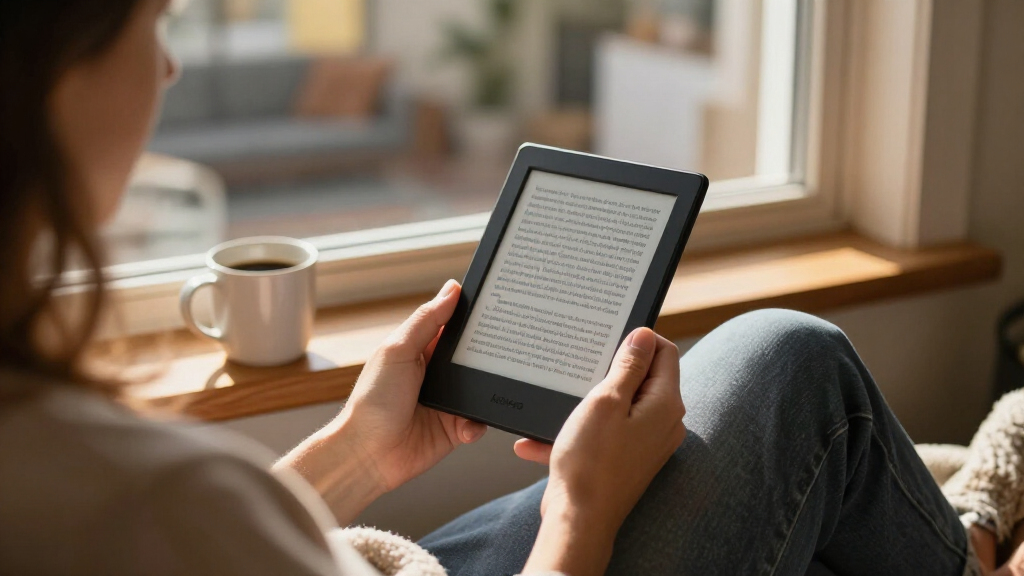
Choosing between Kindle e-readers in 2026 comes down to three questions: do you want color, how big should the screen be, and how much are you willing to pay for premium touches like wireless charging and more storage? The Kindle Paperwhite Signature Edition stands out as the best overall pick for most readers, pairing a fast 7-inch display, 32GB of storage, and auto-adjusting front light at a sensible midpoint. If you want color covers and comics, the Kindle Colorsoft Signature Edition justifies its premium price, while the base Kindle (16GB) remains the smart entry point for casual readers. The refurbished options in this lineup offer real savings if you’re comfortable with like-new hardware, and the Scribe models serve a niche of note-takers willing to carry a larger device. Read on for the full breakdown of all 15 models.

Get everyday essentials delivered free — and shop member deals
- Fast, free delivery on millions of items
- Access to Prime Big Deal Days deals on October 6–7
- Prime Video, Amazon Music and more included
Key Takeaways
- The Paperwhite Signature Edition beat every standard model on balance: its 32GB storage, wireless charging, and auto-adjusting light solve the three most common complaints about cheaper Kindles without jumping to premium pricing.
- Color is now split across two tiers — the Colorsoft for portable color reading and the Scribe Colorsoft for color plus note-taking — and the comparison showed color displays trade a small amount of text sharpness and battery life for visual richness.
- The lineup contains three distinct 16GB base Kindle listings that are essentially the same device in different colors and conditions, which means buyers should choose on refurb status and finish, not specs.
- Refurbished units (the Like-New Matcha Kindle and Colorsoft Signature) closed most of the gap to new models, making them the strongest value plays if cosmetic perfection isn’t a priority.
- The 11-inch Scribe models are the only picks with pen input, but they cost more, weigh more, and are worse for one-handed reading than every 6-7 inch option — they’re a tool for annotators, not general readers.
| Amazon Kindle Scribe Colorsoft 64GB with Premium Pen (Fig) |  | Best Premium Pick | Display: 11″ Colorsoft, 300 ppi B&W / 150 ppi color, front light | Storage: 64 GB (50 GB available to user) | Dimensions: 7.4″ x 9.6″ x 0.21″ | VIEW LATEST PRICE | See Our Full Breakdown |
| Amazon Kindle (16 GB, Matcha, Certified Refurbished) |  | Best Value Pick | Condition: Certified refurbished (like-new) | Display: 6-inch glare-free | Front Light: Adjustable, up to 25% brighter at maximum | VIEW LATEST PRICE | See Our Full Breakdown |
| Amazon Kindle Paperwhite (16GB, 7-inch, Black) |  | Best All-Around E-Reader | Display: 7-inch glare-free | Storage: 16 GB | Battery Life: Up to 12 weeks | VIEW LATEST PRICE | See Our Full Breakdown |
| Amazon Kindle Scribe Colorsoft, 64GB, 11-inch with Premium Pen |  | Best for Document Annotators | Display: 11″ Colorsoft, 300 ppi B&W / 150 ppi color, front light | Storage: 64 GB (50 GB available to user) | Dimensions: 7.4 × 9.6 × 0.21 inches | VIEW LATEST PRICE | See Our Full Breakdown |
| Amazon Kindle Scribe 64GB with Pen (Graphite, 11″) |  | Best for Note-Taking Purists | Display: 11″ glare-free, front light with adjustable warmth | Storage: 64 GB | Thickness: 5.4 mm | VIEW LATEST PRICE | See Our Full Breakdown |
| Amazon Kindle (11th Generation, 2024), 16 GB, Black |  | Best Entry-Level Pick | Display: 6-inch glare-free, 300 ppi, adjustable front light, 16-level grayscale | Storage: 16 GB | Battery Life: Up to 6 weeks | VIEW LATEST PRICE | See Our Full Breakdown |
| Amazon Kindle Colorsoft 16 GB (Newest Model) – Color Display, No Ads – Black |  | Best for Color Reading | Display: 7-inch Colorsoft color display | Storage: 16 GB | Battery Life: Up to 8 weeks per charge | VIEW LATEST PRICE | See Our Full Breakdown |
| Amazon Kindle 16 GB e-reader, Matcha |  | Best for Style-Conscious Beginners | Display: 6-inch glare-free with adjustable front light | Storage: 16 GB | Battery Life: Up to 6 weeks per charge | VIEW LATEST PRICE | See Our Full Breakdown |
| Amazon Kindle Paperwhite Signature Edition 32GB (Newest Model) – Metallic Raspberry |  | Best Premium Pick | Display: 7-inch glare-free, higher contrast | Storage: 32 GB | Battery Life: Up to 12 weeks | VIEW LATEST PRICE | See Our Full Breakdown |
| Amazon Kindle (2024, 11th Generation), 16 GB, Matcha | | Best Lightweight Travel Pick | Display: 6-inch glare-free, 300 ppi, built-in light, 16-level grayscale | Storage: 16 GB | Battery Life: Up to 6 weeks | VIEW LATEST PRICE | See Our Full Breakdown |
| Amazon Kindle Paperwhite 16GB (12th Gen, 2024) – Raspberry |  | Best Overall | Display: 7-inch, 300 ppi, glare-free, 16-level grayscale, adjustable warm light | Storage: 16 GB + free cloud storage | Battery Life: Up to 12 weeks (30 min/day, wireless off) | VIEW LATEST PRICE | See Our Full Breakdown |
| Amazon Kindle Paperwhite Signature Edition 32GB (12th Generation, 2024) – Metallic Black |  | Best Premium | Display: 7-inch, 300 ppi, glare-free with auto-adjusting front light | Storage: 32 GB | Battery Life: Up to 12 weeks per charge | VIEW LATEST PRICE | See Our Full Breakdown |
| Amazon Kindle Colorsoft Signature Edition 32GB (Like-New, Refurbished) – Metallic Black |  | Best Color Display Value | Display: 7-inch Colorsoft high-contrast color display, glare-free | Front Light: Auto-adjusting | Storage: 32 GB | VIEW LATEST PRICE | See Our Full Breakdown |
| Amazon Kindle Paperwhite (12th Generation, 2024), 16 GB, 7-inch Display, Jade |  | Best Value Pick | Display: 7-inch Paperwhite, 300 ppi, 16-level grayscale | Storage: 16 GB | Battery Life: Up to 12 weeks under specified conditions | VIEW LATEST PRICE | See Our Full Breakdown |
| Amazon Kindle Paperwhite Signature Edition 32GB (Metallic Jade) |  | Best Style-Minded Premium Pick | Display: 7-inch glare-free, higher contrast, 25% faster page turns | Front Light: Auto-adjusting | Storage: 32 GB | VIEW LATEST PRICE | See Our Full Breakdown |
| kindle e-reader | Display | Storage | Battery Life | Charging |
|---|---|---|---|---|
| Amazon Kindle Scribe Colorsoft | 11" Colorsoft, 300 ppi B&W / 150 ppi color, front light | 64 GB (50 GB available to user) | — | — |
| Amazon Kindle | 6-inch glare-free | 16 GB | Up to 6 weeks per charge | — |
| Amazon Kindle Paperwhite | 7-inch glare-free | 16 GB | Up to 12 weeks | USB-C |
| Amazon Kindle Scribe Colorsoft | 11" Colorsoft, 300 ppi B&W / 150 ppi color, front light | 64 GB (50 GB available to user) | — | — |
| Amazon Kindle Scribe 64GB with | 11" glare-free, front light with adjustable warmth | 64 GB | Weeks per charge | — |
| Amazon Kindle | 6-inch glare-free, 300 ppi, adjustable front light, 16-level grayscale | 16 GB | Up to 6 weeks | USB-C |
| Amazon Kindle Colorsoft 16 GB | 7-inch Colorsoft color display | 16 GB | Up to 8 weeks per charge | USB-C |
| Amazon Kindle 16 GB e-reader | 6-inch glare-free with adjustable front light | 16 GB | Up to 6 weeks per charge | — |
| Amazon Kindle Paperwhite Signa | 7-inch glare-free, higher contrast | 32 GB | Up to 12 weeks | USB-C, wireless charging (dock sold separately) |
| Amazon Kindle | 6-inch glare-free, 300 ppi, built-in light, 16-level grayscale | 16 GB | Up to 6 weeks | USB-C |
| Amazon Kindle Paperwhite 16GB | 7-inch, 300 ppi, glare-free, 16-level grayscale, adjustable warm light | 16 GB + free cloud storage | Up to 12 weeks (30 min/day, wireless off) | USB-C, under 2.5 hours with 9W adapter |
| Amazon Kindle Paperwhite Signa | 7-inch, 300 ppi, glare-free with auto-adjusting front light | 32 GB | Up to 12 weeks per charge | USB-C (under 2.5 hrs) + wireless charging support |
| Amazon Kindle Colorsoft Signat | 7-inch Colorsoft high-contrast color display, glare-free | 32 GB | Up to 8 weeks per charge | USB-C; wireless charging (dock sold separately) |
| Amazon Kindle Paperwhite | 7-inch Paperwhite, 300 ppi, 16-level grayscale | 16 GB | Up to 12 weeks under specified conditions | USB-C, full charge under 2.5 hours (9W adapter) |
| Amazon Kindle Paperwhite Signa | 7-inch glare-free, higher contrast, 25% faster page turns | 32 GB | Up to 12 weeks | USB-C fast charging; wireless (dock sold separately) |
More Details on Our Top Picks
Amazon Kindle Scribe Colorsoft 64GB with Premium Pen (Fig)
This is the most capable device in the entire Kindle lineup, and it earns the top spot for readers who refuse to compromise. The 11-inch Colorsoft display delivers 300 ppi in black and white for sharp novel reading, while adding color for comics, textbooks, and PDFs — something the standard Kindle Scribe simply cannot do. The included Premium Pen never needs charging and feels closer to real paper than any smaller Kindle allows, with an eraser and shortcut button that make margin notes effortless.
The tradeoffs are real, though. At 14.1 oz and nearly ten inches tall, it is far less portable than the Kindle Paperwhite, and the color layer runs at half the resolution of the black-and-white mode, so images look softer than on a tablet. It is also a single-purpose device — no apps, no notifications, no browser.
Pros:- Largest display in the Kindle lineup with paper-like color for comics, documents, and textbooks
- Premium Pen requires no charging and includes a built-in eraser and shortcut button
- AI tools summarize, search, and convert handwritten notes into editable text
- Cloud integration with Google Drive, OneDrive, and OneNote streamlines document workflows
Cons:- Color resolution is only 150 ppi, noticeably softer than the 300 ppi black-and-white mode
- Bulky and heavy compared to every standard Kindle in this roundup
- No apps or tablet functionality — strictly reading and writing
Best for: Readers and professionals who annotate PDFs, journals, or textbooks and want the largest, most capable screen Amazon makes
Not ideal for: Commuters and travelers who mostly read novels — the size and weight make one-handed reading impractical compared to a 6-inch Kindle
- Display:11″ Colorsoft, 300 ppi B&W / 150 ppi color, front light
- Storage:64 GB (50 GB available to user)
- Dimensions:7.4″ x 9.6″ x 0.21″
- Weight:14.1 oz (400 g)
- Connectivity:Dual-band Wi-Fi 2.4/5.0 GHz
- Formats:AZW3, PDF, MOBI, DOCX, EPUB, HTML, RTF, JPEG, PNG and more
- In the Box:Device, Premium Pen, USB-C cable, replacement tips
- Warranty:1-year limited warranty
Our verdict“If reading and writing on one large canvas matters more than portability, this is the Kindle to buy.”
Amazon Kindle (16 GB, Matcha, Certified Refurbished)
For budget-conscious buyers, this certified refurbished base-model Kindle is the smartest entry point in the roundup. It covers the fundamentals well: a 6-inch glare-free display, an adjustable front light with dark mode, and battery life measured in weeks rather than hours. Compared with the Kindle Paperwhite, you give up the larger 7-inch screen, waterproofing, and the warm amber lighting — but the core reading experience is nearly identical for plain text novels.
The refurbishment is backed by the same limited warranty as a new device, which softens the usual used-gear risk, though it may arrive in generic Amazon packaging. The Matcha colorway is a nice touch that makes it feel less like a commodity gadget. Storage is generous for the price bracket; sixteen gigabytes holds thousands of books with room to spare.
Pros:- Certified refurbished with the same limited warranty as a new device
- Up to six weeks of battery life per charge
- Compact and light enough for genuinely one-handed reading
- 16 GB of storage holds thousands of books
Cons:- No waterproofing, unlike the Paperwhite lineup
- May arrive in generic Amazon-branded packaging rather than retail packaging
Best for: First-time e-reader buyers and casual readers who want genuine Kindle quality at the lowest possible cost
Not ideal for: Bathtub, beach, and poolside readers — there is no waterproofing here, and the smaller screen will frustrate anyone used to a Paperwhite
- Condition:Certified refurbished (like-new)
- Display:6-inch glare-free
- Front Light:Adjustable, up to 25% brighter at maximum
- Storage:16 GB
- Battery Life:Up to 6 weeks per charge
- Color:Matcha
- Warranty:Same limited warranty as new
Our verdict“The cheapest way into distraction-free Kindle reading without sacrificing battery life or warranty protection.”
Amazon Kindle Paperwhite (16GB, 7-inch, Black)
The Paperwhite hits the sweet spot most readers actually need, which is why it ranks above the base Kindle and below only the premium Scribe models. Its 7-inch glare-free display offers more text per page and higher contrast than the 6-inch refurbished Kindle, while adjustable white-to-amber lighting makes late-night reading far gentler on the eyes — a feature the entry-level device lacks entirely.
Two strengths separate it from everything cheaper in this lineup: an IPX-rated waterproof build that survives the tub or beach, and up to 12 weeks of battery life, double what the standard Kindle claims. USB-C charging is a welcome modern touch. The honest tradeoff is that it stays black-and-white while the Scribe Colorsoft and Colorsoft models offer color, and there is no note-taking capability at all. For pure book reading, though, those extras are dead weight you would be paying for.
Pros:- Waterproof design safe for bath, beach, and poolside reading
- Up to 12 weeks of battery life per charge
- Adjustable warm lighting for comfortable nighttime reading
- Larger 7-inch screen fits more text per page than the base Kindle
Cons:- Black-and-white only — no color content support
- No pen input or note-taking features of any kind
Best for: Dedicated book readers who want a bigger, brighter screen and rugged build without paying for writing or color features
Not ideal for: Note-takers and anyone who reads color-heavy content like comics or illustrated textbooks — this display cannot do either
- Display:7-inch glare-free
- Storage:16 GB
- Battery Life:Up to 12 weeks
- Charging:USB-C
- Lighting:Adjustable white-to-amber
- Waterproof:Yes
- Color:Black
Our verdict“The most balanced Kindle for people whose only goal is reading books really well.”
Amazon Kindle Scribe Colorsoft, 64GB, 11-inch with Premium Pen
This Scribe Colorsoft variant earns a separate slot because of how it handles documents rather than books. The built-in notebook plus cloud file imports make it the strongest choice in the lineup for marking up reports, contracts, and academic papers — workflow the Kindle Paperwhite was never designed for and the smaller Kindles handle poorly. Pair it with the no-charge Premium Pen, and annotation on an 11-inch front-lit color canvas feels closer to printing a document and reaching for a red pen.
It shares hardware with the Scribe Colorsoft with Premium Pen in Fig, so the choice between them comes down to configuration and availability rather than capability. The same compromises apply: color content renders at 150 ppi, half the sharpness of the 300 ppi black-and-white mode, and the 400 g weight rules out casual one-handed use. Buyers wanting sharper monochrome text and faster page turns should look at the standard Kindle Scribe instead.
Pros:- Cloud imports and PDF annotation handled natively on a large color canvas
- Included pen needs no charging and has an eraser and shortcut button
- AI tools search, summarize, and clean up handwritten notes
- Weeks of battery life despite the large display
Cons:- Color resolution of 150 ppi is visibly lower than the 300 ppi text mode
- Heavy and large compared to standard e-readers
- No app ecosystem — it cannot replace a tablet for general tasks
Best for: Students, lawyers, and researchers who import documents from the cloud and annotate them heavily on a large screen
Not ideal for: Novel-first readers — the color display actually softens text sharpness compared to monochrome Scribe and Paperwhite models
- Display:11″ Colorsoft, 300 ppi B&W / 150 ppi color, front light
- Storage:64 GB (50 GB available to user)
- Dimensions:7.4 × 9.6 × 0.21 inches
- Weight:14.1 oz (400 g)
- Connectivity:Dual-band 2.4/5.0 GHz Wi-Fi
- Included:Premium Pen, USB-C cable, replacement tips
- Warranty:1-year limited warranty
Our verdict“The document-workflow Kindle: buy it for annotation, not for casual reading.”
Amazon Kindle Scribe 64GB with Pen (Graphite, 11″)
Where the Scribe Colorsoft prioritizes color documents, this monochrome Kindle Scribe prioritizes the writing itself — and it wins on fundamentals. Text renders at full sharpness without the color filter layer, writing and page turns run 40% faster than the previous generation, and the display’s textured surface gives the pen a paper-like bite that glass tablets cannot match. For journaling, meeting notes, and margin scribbles, this model makes more sense than its color sibling, which trades some crispness and responsiveness for hue.
The AI note tools — search, summaries, handwriting cleanup, and conversion to text — plus Google Drive, OneDrive, and OneNote integration round out a serious productivity package. The tradeoff is cost: it sits well above the Paperwhite and every base Kindle here, and some advanced features require subscriptions or extra setup. At 5.4 mm thin it is remarkably sleek for its size, but it is still a two-handed device.
Pros:- Textured, paper-like writing surface with 40% faster writing and page turns
- Full-sharpness monochrome display with adjustable warm front light
- AI features for note search, summaries, and handwriting-to-text conversion
- Sleek 5.4 mm chassis with weeks of battery life
Cons:- Commands a premium price over standard Kindles
- Reading and writing only — not a tablet replacement
- Some advanced AI and cloud features require subscriptions or additional setup
Best for: Writers, students, and journaling enthusiasts who want the sharpest text and most responsive pen experience in the lineup
Not ideal for: Readers of comics, magazines, or illustrated PDFs — the monochrome display washes out anything built around color
- Display:11″ glare-free, front light with adjustable warmth
- Storage:64 GB
- Thickness:5.4 mm
- Weight:400 g
- Pen:Included; no charging, built-in eraser and shortcut button
- Cloud Services:Google Drive, OneDrive, OneNote
- Battery Life:Weeks per charge
- Color:Graphite
Our verdict“The best pure writing Kindle available, ideal when pen feel and text clarity matter more than color.”
Amazon Kindle (11th Generation, 2024), 16 GB, Black
The base Kindle (11th Generation) stands out as the smartest on-ramp into e-reading without paying for features you may never use. Its 6-inch 300 ppi display matches the pixel density of models costing far more, so text looks just as crisp as it does on the Kindle Paperwhite — what you give up is screen size, waterproofing, and the Paperwhite’s longer battery runtime.
At 5.56 oz, this is the lightest way to carry an entire library, and the adjustable front light plus dark mode means comfortable reading day or night. Compared with the Kindle Colorsoft, there’s no color here, but for novel readers, black-and-white text remains the sharper, simpler choice.
The tradeoffs are real: no waterproofing rules out bath or beach reading, and 16 GB fills faster if you hoard comics or manga. Some personal document formats also require conversion before loading.
Pros:- Crisp 300 ppi display matches more expensive models
- Featherlight 5.56 oz body is easy to hold one-handed
- Adjustable front light and dark mode for any lighting
- Six weeks of battery life on a single charge
Cons:- Not waterproof, unlike the Paperwhite or Colorsoft
- 16 GB storage fills quickly for graphic-heavy libraries
- Some personal document formats need conversion
Best for: First-time e-reader buyers and casual novel readers who want crisp text and portability at the lowest barrier to entry
Not ideal for: Comics and manga collectors, or anyone who reads in the bath or pool — no color display and no waterproofing here
- Display:6-inch glare-free, 300 ppi, adjustable front light, 16-level grayscale
- Storage:16 GB
- Battery Life:Up to 6 weeks
- Dimensions:6.2 x 4.3 x 0.32 inches
- Weight:5.56 oz (158 g)
- Connectivity:Dual-band 2.4 GHz and 5.0 GHz Wi-Fi
- Charging:USB-C
- Warranty:1-year limited warranty
Our verdict“This is the Kindle for readers who want sharp text, long battery life, and nothing they don’t need — skip it only if waterproofing or color matters to you.”
Amazon Kindle Colorsoft 16 GB (Newest Model) – Color Display, No Ads – Black
The Kindle Colorsoft makes the most sense for readers whose libraries go beyond plain prose. Colored book covers, highlights, and illustrated content finally look the way the author intended, which the standard Kindle (11th Generation) simply cannot replicate. That color capability also makes it a far better fit for comics, cookbooks, and graphic novels than any black-and-white model in this lineup.
Beyond the screen, it matches the Paperwhite Signature Edition in the ways that count: a 7-inch display, waterproof construction, an adjustable white-to-amber front light, and up to eight weeks of battery. Where it falls short of the Signature Edition is storage — 16 GB versus 32 GB — a meaningful gap if your color library grows quickly.
The other honest tradeoff: optimizing the display for color means black-and-white sharpness trails the Paperwhite. Pure novel readers may prefer that crisper monochrome text.
Pros:- Color display brings covers, highlights, and illustrated content to life
- Waterproof design for bath and pool reading
- Adjustable white-to-amber front light with Dark Mode
- Up to 8 weeks of battery per USB-C charge
Cons:- Black-and-white text sharpness trails the monochrome Paperwhite
- 16 GB storage limits large color comic and manga libraries
Best for: Readers of comics, manga, cookbooks, and illustrated titles who want color without giving up the Kindle ecosystem
Not ideal for: Pure text readers who prioritize maximum text sharpness — the Paperwhite’s monochrome display renders crisper print-like text
- Display:7-inch Colorsoft color display
- Storage:16 GB
- Battery Life:Up to 8 weeks per charge
- Charging:USB-C
- Waterproof:Yes
- Special Offers:No ads
- Color:Black
Our verdict“Buy the Colorsoft if color content is central to your reading life; choose the Paperwhite instead if you only read text and want the sharpest page.”
Amazon Kindle 16 GB e-reader, Matcha
Functionally, the Kindle in Matcha sits alongside the Kindle (11th Generation, 2024) — same 6-inch glare-free display, same 16 GB of storage, same six-week battery. What separates it is what comes in the box and how it’s made: three months of Kindle Unlimited and a chassis built from 75% recycled plastics and 90% recycled magnesium, shipped in fully recyclable packaging.
For a new e-reader buyer, that bundled subscription changes the calculus — you can sample a massive catalog before committing to purchases, something the entry Kindle doesn’t offer. The matcha finish also gives it personality the black model lacks, if your device lives on a nightstand rather than in a case.
The caveats deserve attention. Kindle Unlimited auto-renews after three months unless you cancel, and like the base Kindle, there’s no color display or waterproofing — the Colorsoft covers both if you’ll pay more.
Pros:- Includes 3 months of Kindle Unlimited to explore a huge catalog
- Built with 75% recycled plastics and 90% recycled magnesium
- 25% brighter adjustable front light with dark mode
- Compact, lightweight body ideal for one-handed reading
Cons:- Kindle Unlimited auto-renews after the free period unless cancelled
- No color display or waterproofing at this price tier
Best for: New e-reader buyers who want a head start with three months of Kindle Unlimited and prefer a sustainable, distinctive design
Not ideal for: Existing Kindle owners upgrading — the hardware is identical to the standard model, so the perks are the only reason to pick this variant
- Display:6-inch glare-free with adjustable front light
- Storage:16 GB
- Battery Life:Up to 6 weeks per charge
- Lighting:Adjustable front light, 25% brighter at maximum setting
- Reading Modes:Dark mode
- Included Subscription:3 months of Kindle Unlimited (auto-renews)
- Recycled Materials:75% recycled plastics, 90% recycled magnesium
- Color:Matcha
Our verdict“Pick this over the identical black Kindle when the bundled Kindle Unlimited and eco-friendly build appeal — just remember to cancel the auto-renewal if you don’t keep it.”
Amazon Kindle Paperwhite Signature Edition 32GB (Newest Model) – Metallic Raspberry
The Paperwhite Signature Edition is the most complete reading device in this batch before you step up to the note-taking Kindle Scribe. Its 7-inch high-contrast display delivers noticeably sharper, more paper-like text than the base Kindle, and the auto-adjusting front light removes the last bit of friction — no tapping settings when you move from a sunny patio to a dim bedroom.
Compared with the Kindle Colorsoft, it trades color for crisper monochrome text and doubles the storage to 32 GB, plus a class-leading 12-week battery. Faster page turns make dense novels feel closer to flipping physical pages.
Two honest drawbacks: the wireless charging dock is sold separately, which stings on a premium device, and there are no apps or multimedia — this is a single-purpose reader by design, not a tablet alternative.
Pros:- Sharpest high-contrast 7-inch monochrome display in the lineup
- Up to 12 weeks of battery life per charge
- 32 GB storage for very large libraries
- Auto-adjusting front light and waterproof build
Cons:- Wireless charging dock sold separately
- No apps, notifications, or multimedia features
- Premium positioning overkill for light readers
Best for: Heavy readers who want the best text display, longest battery, and most storage without moving up to a note-taking Scribe
Not ideal for: Anyone hoping for apps, audiobooks on the go, or color content — this is a distraction-free text reader, not a tablet
- Display:7-inch glare-free, higher contrast
- Storage:32 GB
- Battery Life:Up to 12 weeks
- Page Turn Speed:25% faster
- Front Light:Auto-adjusting
- Charging:USB-C, wireless charging (dock sold separately)
- Waterproof:Yes
- Color:Metallic Raspberry
Our verdict“If reading is your primary leisure activity and you want the best monochrome experience short of a Scribe, this is the one to buy.”
Amazon Kindle (2024, 11th Generation), 16 GB, Matcha
The Matcha Kindle (11th Generation) earns its place as the grab-and-go option. At 5.56 oz and just 0.32 inches thick, it slips into a jacket pocket or carry-on the way a paperback never could, making it a better travel companion than the larger 7-inch Paperwhite Signature Edition or the Colorsoft.
Despite the small footprint, nothing essential is sacrificed: the 300 ppi display is the same density as Amazon’s bigger readers, dual-band Wi-Fi means fast wireless downloads without a computer, and the adjustable front light plus dark mode handles red-eye flights and hotel rooms alike.
The compromises mirror the black 11th Generation Kindle — no waterproofing and 16 GB of storage — plus one quirk worth knowing: it doesn’t support ad-hoc or peer-to-peer Wi-Fi networks, which matters for travelers relying on phone hotspots in some configurations. Battery runtime also varies with light settings and usage.
Pros:- Pocketable 5.56 oz body, just 0.32 inches thick
- 300 ppi display matches larger models for text clarity
- Dual-band Wi-Fi for fast wireless downloads
- Six weeks of typical battery life per charge
Cons:- No support for ad-hoc or peer-to-peer Wi-Fi networks
- Not waterproof for beach or bath reading
- 16 GB storage limits graphic-heavy libraries
Best for: Commuters and frequent travelers who want a full library in a pocket-sized, featherlight device
Not ideal for: Readers with large libraries or those who read near water — 16 GB and no waterproofing push them toward the Paperwhite line
- Display:6-inch glare-free, 300 ppi, built-in light, 16-level grayscale
- Storage:16 GB
- Battery Life:Up to 6 weeks
- Dimensions:6.2 × 4.3 × 0.32 inches
- Weight:5.56 oz (158 g)
- Connectivity:Dual-band 2.4 GHz and 5.0 GHz Wi-Fi
- Generation:11th Generation, 2024 release
- Charging:USB-C
- Warranty:1-year limited warranty
Our verdict“For readers who live out of a bag, this matcha Kindle’s pocketability and sharp screen make it the easiest one to always have with you.”
Amazon Kindle Paperwhite 16GB (12th Gen, 2024) – Raspberry
The Kindle Paperwhite (12th Gen) hits the sweet spot most readers actually need: a large 7-inch, 300 ppi glare-free display, IPX8 waterproofing, and a genuinely huge 12-week battery. The adjustable warm light means bedtime reading doesn’t strain my eyes the way a cold white screen can, and 25% faster page turns make long sessions feel smoother than on the base Kindle (11th Generation). Compared with the Signature Edition, the tradeoffs are clear — no wireless charging, no auto-adjusting light, and half the storage — but for text-heavy readers, 16GB still holds thousands of books. The Raspberry colorway also stands out if the standard black feels dull. This pick makes the most sense for buyers who want the core Paperwhite experience without paying extra for premium extras they may never touch.
Pros:- 7-inch 300 ppi glare-free display with adjustable warm light
- IPX8 waterproof for bath, beach, and pool reading
- Up to 12 weeks of battery life per charge
- Distraction-free — no apps, notifications, or social media
Cons:- Lockscreen ads appear unless removed for a fee
- Audible audiobook streaming drains battery far faster than reading
Best for: Avid readers who want a big, waterproof screen and long battery without the Signature Edition’s premium price
Not ideal for: Audiobook heavy listeners and readers with massive libraries — battery drops fast with Audible streaming and 16GB fills quicker than 32GB
- Display:7-inch, 300 ppi, glare-free, 16-level grayscale, adjustable warm light
- Storage:16 GB + free cloud storage
- Battery Life:Up to 12 weeks (30 min/day, wireless off)
- Waterproofing:IPX8 — 2m fresh water for 60 minutes
- Charging:USB-C, under 2.5 hours with 9W adapter
- Weight:7.4 oz (211 g)
- Wi-Fi:Dual-band 2.4/5.0 GHz
- Generation:12th Generation (2024 release)
Our verdict“The most balanced Kindle for most readers: premium screen and waterproofing without premium-tier cost.”
Amazon Kindle Paperwhite Signature Edition 32GB (12th Generation, 2024) – Metallic Black
The Paperwhite Signature Edition is what happens when Amazon takes the standard Paperwhite and removes nearly every compromise. The standout upgrade over the Kindle Paperwhite 16GB is the auto-adjusting front light — it reads the room and dims or brightens on its own, which matters more day-to-day than any spec sheet suggests. Add 32GB of storage and wireless charging support, and this becomes the device for readers who never want to think about their e-reader again. The Metallic Black finish also hides fingerprints better than lighter colors. That said, the wireless dock is sold separately, so the charging convenience isn’t automatic — buyers comparing it against the standard Paperwhite should weigh whether an auto light and extra storage justify stepping up.
Pros:- Auto-adjusting front light adapts to any environment hands-free
- 32 GB storage handles large libraries and heavier files
- Wireless charging support (Qi-compatible)
- Same 12-week battery and IPX8 waterproofing as the Paperwhite line
Cons:- Wireless charging dock sold separately
- No ad-hoc (peer-to-peer) Wi-Fi network support
Best for: Heavy readers with large libraries and comics or PDF-heavy collections who want zero-fuss lighting
Not ideal for: Budget-focused buyers who mostly read plain text — the standard Paperwhite covers those needs at a lower tier
- Display:7-inch, 300 ppi, glare-free with auto-adjusting front light
- Storage:32 GB
- Battery Life:Up to 12 weeks per charge
- Charging:USB-C (under 2.5 hrs) + wireless charging support
- Waterproofing:IPX8
- Weight:7.5 oz (214 g)
- Connectivity:Dual-band Wi-Fi (WPA3, OWE supported)
- Generation:12th Generation (2024 release)
Our verdict“The Paperwhite at its most effortless — worth it if auto lighting and double storage matter to you.”
Amazon Kindle Colorsoft Signature Edition 32GB (Like-New, Refurbished) – Metallic Black
Color on an e-reader used to mean serious compromise; the Colorsoft Signature Edition mostly changes that. Covers, illustrated guides, and color-coded highlights (yellow, orange, blue, pink) genuinely benefit, and the paper-like color display stays glare-free and readable outdoors. Buying certified refurbished is the smart play here — the same limited warranty as new softens the risk, though it arrives in generic Amazon packaging rather than a retail box. Compared with the Paperwhite Signature Edition, the Colorsoft trades about four weeks of battery life (8 vs. 12) for color, and text sharpness leans slightly toward the Paperwhite’s black-and-white-optimized screen. Compared with the large Scribe Colorsoft, this is the far more portable way to get color. This option stands out for highlighters, cookbook users, and manga readers.
Pros:- Color display enhances covers, illustrations, and multi-color highlighting
- Auto-adjusting, glare-free front light
- Certified refurbished with the same warranty as a new device
- Waterproof with wireless charging support
Cons:- Shorter battery life than Paperwhite models (up to 8 vs. 12 weeks)
- Ships in generic Amazon packaging, not original retail box
Best for: Readers who highlight heavily or read comics, cookbooks, and illustrated content and want color at a lower entry point
Not ideal for: Purists who read only long-form text — the Paperwhite’s monochrome screen renders text crisper and lasts longer per charge
- Display:7-inch Colorsoft high-contrast color display, glare-free
- Front Light:Auto-adjusting
- Storage:32 GB
- Battery Life:Up to 8 weeks per charge
- Charging:USB-C; wireless charging (dock sold separately)
- Waterproofing:Yes
- Highlight Colors:Yellow, orange, blue, pink
- Condition:Like-New, certified refurbished
- Warranty:Same limited warranty as new device
Our verdict“The most affordable path into color E Ink — ideal for highlighters and visual readers, with a warranty that removes the refurb gamble.”
Amazon Kindle Paperwhite (12th Generation, 2024), 16 GB, 7-inch Display, Jade
This Jade Paperwhite is functionally the same reader as the Raspberry Paperwhite (12th Gen) — identical 7-inch 300 ppi screen, 12-week battery, and IPX8 waterproofing — so the color choice is purely personal. Where the value story gets interesting is against the smaller Kindle (11th Generation, 2024): for a modest step up, this model adds a noticeably larger screen, a warmer front light, and genuine waterproofing, which the base Kindle lacks. That combination is why this pick makes the most sense as the entry point into serious e-reading. The adjustable warm light and dark mode together make late-night sessions far easier on the eyes. The honest tradeoff versus the Signature Edition is missing wireless charging, auto-brightness, and 32GB — none of which a first-time buyer will miss.
Pros:- Larger 7-inch 300 ppi screen than the base Kindle at a mid-tier price
- Adjustable warm light plus dark mode for night reading
- IPX8 waterproofing the entry Kindle doesn’t offer
- USB-C fast charging in under 2.5 hours
Cons:- Battery life drops considerably with Audible audiobook streaming
- No auto-adjusting light or wireless charging like the Signature Edition
Best for: First-time Kindle upgraders who want a big waterproof screen and warm light at the mid-tier price
Not ideal for: Power users with huge libraries or audiobook habits — 16GB and streaming-dependent battery will pinch eventually
- Display:7-inch Paperwhite, 300 ppi, 16-level grayscale
- Storage:16 GB
- Battery Life:Up to 12 weeks under specified conditions
- Charging:USB-C, full charge under 2.5 hours (9W adapter)
- Waterproofing:IPX8 — 2m fresh water for 60 minutes
- Connectivity:Dual-band Wi-Fi; Bluetooth audio
- Accessibility:VoiceView screen reader, dark mode, adjustable text layout
- Generation:12th Generation, 2024 release
Our verdict“The smartest mid-tier Kindle: nearly all the Paperwhite essentials, no premium padding.”
Amazon Kindle Paperwhite Signature Edition 32GB (Metallic Jade)
Feature for feature, this Metallic Jade Signature Edition matches the Metallic Black Signature Edition — same 32GB, same auto-adjusting front light, same wireless charging support and 12-week battery. What sets it apart is aesthetic: the metallic jade finish gives the device a jewelry-like quality that a plain black slab simply doesn’t have, which makes it a natural gift pick or a treat-yourself upgrade. Against the refurbished Colorsoft, this stays the better choice for text-first readers, since the higher-contrast monochrome screen and extra month of battery outweigh the color novelty. Just know that wireless charging still requires buying the dock separately, and the distraction-free software means no apps or notifications — a feature for some, a limitation for others.
Pros:- Distinctive metallic jade finish over identical flagship specs
- Auto-adjusting front light for seamless day-to-night reading
- 32 GB storage plus wireless charging support
- Higher-contrast display with 25% faster page turns
Cons:- Wireless charging dock sold separately
- App-free, notification-free design limits it to reading only
Best for: Style-conscious readers and gift-givers who want full Signature-tier specs in a standout finish
Not ideal for: Anyone wanting color content or app versatility — a monochrome, app-free device at this price may feel limiting
- Display:7-inch glare-free, higher contrast, 25% faster page turns
- Front Light:Auto-adjusting
- Storage:32 GB
- Battery Life:Up to 12 weeks
- Charging:USB-C fast charging; wireless (dock sold separately)
- Waterproofing:Yes (IPX8-rated Paperwhite line)
- Color:Metallic Jade
Our verdict“The Signature Edition for readers who care how their device looks on the nightstand as much as how it reads.”
How We Picked
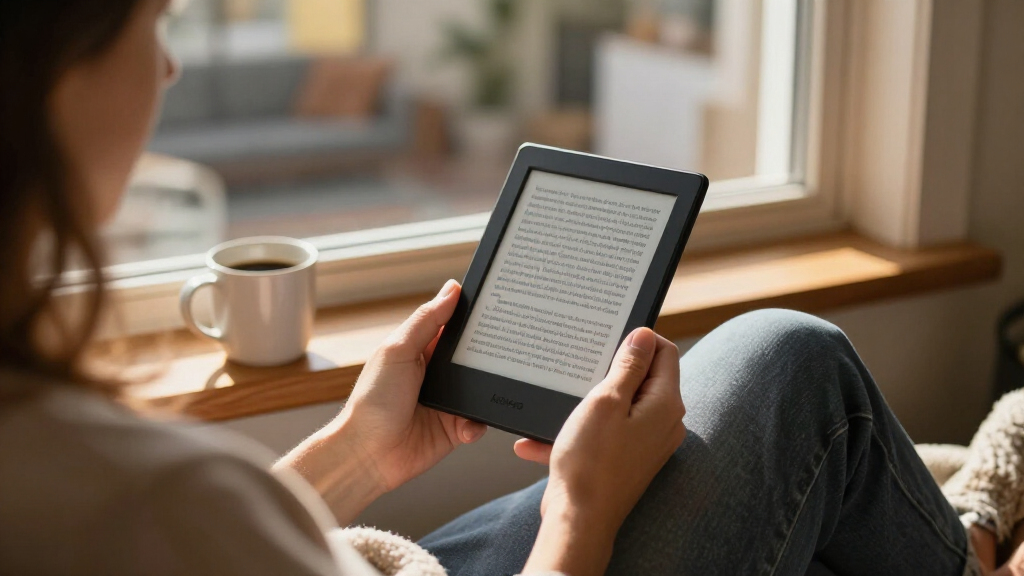
I ranked these Kindle e-readers by how well each serves a specific reader rather than by spec sheets alone. The core criteria were display size and type (6-inch vs 7-inch vs 11-inch, monochrome vs color), storage adequacy (16GB is fine for text-only libraries, 32GB and up matters for audiobooks and comics), charging and lighting features (wireless charging and auto-brightness separated Signature tiers), and value retention — whether a refurbished unit or older generation delivers enough of the experience to justify skipping the newest model.
The ranking logic follows a decision tree a buyer would actually walk: start with the balanced all-rounder, then branch by budget, by desire for color, and by note-taking needs. Models that duplicated each other’s hardware — like the multiple 16GB base Kindle listings — were differentiated by condition and finish rather than treated as separate products. Every pick had to earn its place by being the clear best answer to one buyer question, and any model with a meaningful tradeoff (added weight, shorter color-display battery life, refurb uncertainty) has that drawback stated plainly.
Factors to Consider When Choosing Kindle E-readers
Before picking a specific model, it helps to understand what actually separates Kindle tiers and where buyers most often overspend or underbuy. These are the factors that drove my ranking.Screen Size Changes the Whole Experience
The jump from a 6-inch base Kindle to a 7-inch Paperwhite is more meaningful than the numbers suggest: the larger panel fits noticeably more text per page, which reduces page turns and helps with long reading sessions. Going up to the 11-inch Scribe models transforms the device entirely — great for PDFs, sheet music, and margin notes, but awkward for commutes and one-handed use. A common mistake is buying the biggest screen available and then realizing it doesn’t fit the bag or hand you actually read with. Match the screen to where you read, not to what looks impressive on a product page.
Color vs Monochrome: Know What You’re Paying For
Color displays on the Colorsoft and Scribe Colorsoft shine for book covers, illustrated content, manga, and highlighting in different colors — but black-on-white text is marginally crisper on monochrome panels, and color screens typically drain the battery faster. If you read mostly novels, color is a luxury; if you read comics, cookbooks, or textbooks, it approaches being a requirement. Buyers also often assume color improves readability, when its real benefit is content richness. Decide based on what’s on your library shelf, not the novelty of the feature.
Storage: When 16GB Is Enough and When It Isn’t
A 16GB Kindle holds thousands of text-only books, so casual readers rarely need more. Where the 32GB Signature tiers earn their keep is audiobook storage (Audible files are large), heavy manga and comic libraries on color displays, and people who hoard books offline for travel. The 64GB Scribe models exist mainly because note-taking files, PDFs, and documents accumulate quickly on a device you write on. Underbuying storage is annoying but rarely fatal — you can manage a library in the cloud. Overbuying it is just wasted money.
The Signature Tier and What It Actually Adds
Signature Editions across the Paperwhite and Colorsoft lines add wireless charging, an auto-adjusting front light, and double the storage. None of these are revolutionary alone, but the auto-brightness is the feature people miss most when they go back to a standard model — manually adjusting the light every evening gets old fast. Wireless charging matters mainly if you already have a Qi pad on your nightstand. If neither of those fits your habits, the standard Paperwhite delivers the same core reading experience for less, and that’s a perfectly rational choice.
Refurbished Kindles: Real Savings With Small Caveats
Amazon’s Like-New refurbished units carry the same warranty as new devices and typically show minimal cosmetic wear. The genuine tradeoffs are limited color availability and the possibility of non-original packaging — functionally, they perform identically. For buyers eyeing the premium Colorsoft Signature or the budget Kindle, the refurbished route can bring a higher tier within reach. The mistake to avoid is paying near-new prices for a refurb; the discount has to be meaningful for the math to work.
Pen Support Is a Commitment, Not a Bonus
Only the Scribe models support pen input, and that single feature drives their price, size, and weight. If you annotate documents, keep a digital journal, or review manuscripts, the pen justifies everything else you tolerate. If you only think you might occasionally jot a note, the pen will likely go unused within a month, and you’d be happier with a lighter Paperwhite or Colorsoft. Be honest about your note-taking habits before this purchase — it’s the most commonly regretted upgrade in the Kindle lineup.
Frequently Asked Questions
Is the Kindle Paperwhite worth upgrading to over the base Kindle?
For most readers, yes. The Paperwhite’s 7-inch display fits more text per page, its screen is flush with the bezel (easier to clean, fewer dust traps), and it’s typically rated for longer battery life and better water resistance — relevant if you read in the bath or by a pool. The base Kindle remains a fine choice for light readers or as a first device for kids, but the Paperwhite is the model people stay satisfied with longer. If the price gap feels steep, a refurbished base Kindle narrows it further, though it doesn’t change the hardware differences.
Do I need a color Kindle like the Colorsoft?
Only if color content is a meaningful part of your reading. The Colorsoft makes covers, comics, manga, and illustrated guides look dramatically better, and color-coded highlights genuinely help students and researchers. But for pure novel reading, the monochrome Paperwhite text is slightly sharper and the battery lasts longer. A good test: if you couldn’t name three color-heavy items in your current library, save the money. If manga or textbooks dominate your shelf, the Colorsoft Signature Edition is the better long-term fit.
What’s the difference between the Paperwhite and the Paperwhite Signature Edition?
The Signature Edition adds 32GB of storage instead of 16GB, wireless charging, and an auto-adjusting front light, on top of an aluminum rear shell. The core display, processor, and reading experience are identical between the two. Auto-brightness is the feature owners cite most often as the daily quality-of-life improvement — the light subtly adapts as your room dims without any input. If you read nightly and keep devices for years, the Signature justifies itself; occasional readers can comfortably take the standard model.
Should I buy the Kindle Scribe if I don’t take notes?
Not really. Without the pen, the Scribe is essentially a very large, very expensive Kindle — and its 11-inch size makes it worse than a Paperwhite for couch or commute reading. The Scribe’s entire value proposition is the writing experience: annotating documents, journaling, marking up PDFs. If those aren’t part of your routine, the same money buys a Colorsoft Signature with change left over, or a Paperwhite Signature plus a large library of books. The Scribe Colorsoft adds color to the equation, but the same logic applies — it’s an annotator’s tool first.
Are refurbished Kindles a safe buy?
Amazon’s Like-New refurbs are inspected, reset, and sold with the same warranty as new units, so the functional risk is low. Cosmetic condition is generally excellent, though you may see minor marks or receive plain packaging. The real decision is arithmetic: the discount needs to be large enough to matter for it to beat a new model, especially since new Kindles go on sale regularly during promotional events. Refurbs make the most sense on premium tiers like the Colorsoft Signature, where the savings compound, and less sense on the already-inexpensive base Kindle.
Conclusion
The right Kindle e-reader depends less on specs and more on how you read. For best overall, the Kindle Paperwhite Signature Edition hits the sweet spot of display, storage, and charging features without premium-tier pricing. For best value, the refurbished base Kindle in Matcha delivers the core Kindle experience for the least money, with the standard Paperwhite as the value pick if you want the larger screen. For best premium, the Colorsoft Signature Edition is the most complete portable Kindle made, and the Scribe Colorsoft takes the premium crown if note-taking matters. For beginners, the 16GB base Kindle (11th Generation) is the low-risk way to find out whether e-reading sticks. And for specific needs: manga and comics readers should target the Colorsoft, annotators the Scribe 64GB with pen, audiobook-heavy users any 32GB Signature model, and budget-conscious premium seekers the refurbished Colorsoft Signature. Whatever you choose, buy for the library you actually have — not the one you imagine.
Evergreen bestsellers Picks
bestsellers
As an affiliate, we earn on qualifying purchases.