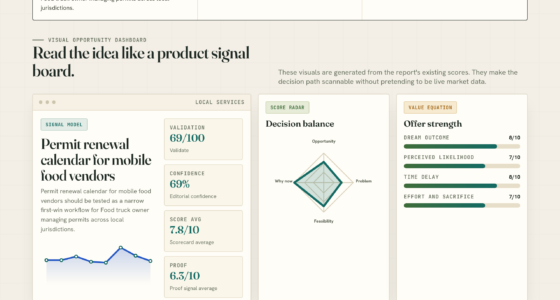

📊 Full opportunity report: Undervolting Your GPU for Local Inference: Lower Heat, Same Tokens/sec on ThorstenMeyerAI.com — validation score, market gap, and execution plan.
TL;DR
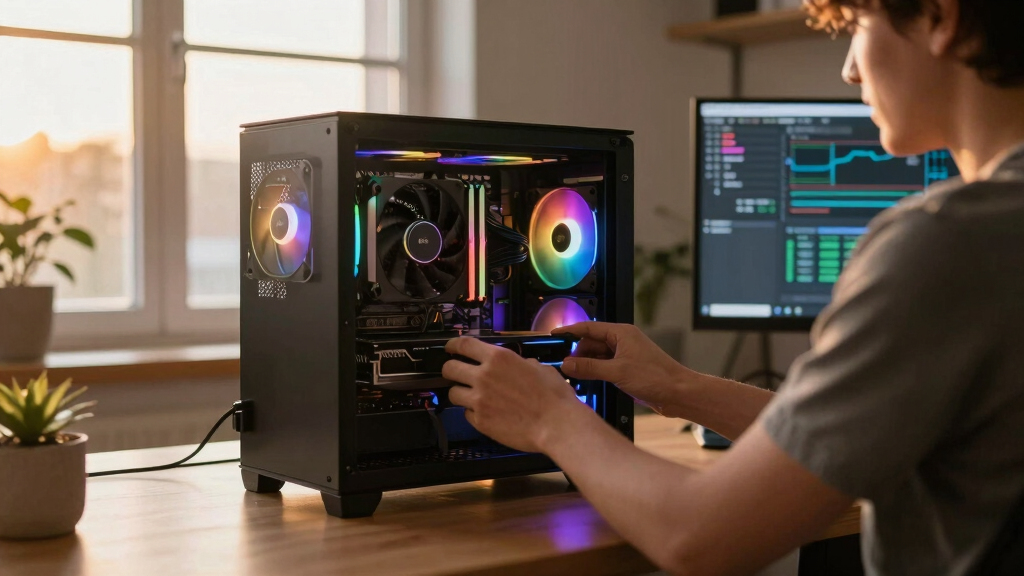
Undervolting your GPU by setting a power limit can significantly lower heat and noise during AI inference without sacrificing performance. This approach is simple, reversible, and highly effective for inference workloads where memory bandwidth, not compute power, is the bottleneck.
Recent practical tests confirm that undervolting GPUs through power limiting during local AI inference reduces heat output and noise with negligible impact on tokens per second.
Multiple developers and testers have demonstrated that setting a GPU’s power limit to around 50-70% can cut heat generation by up to 40% while maintaining over 90% of the original inference speed. This method involves adjusting a slider in GPU management tools like MSI Afterburner, which limits power consumption without altering core voltages directly.
Data from tests on RTX 4090 and RTX 5090 GPUs show that reducing power limits from 100% to around 70% results in significant temperature drops (up to 10°C) and lower fan noise, with performance drops typically below 7%. Experts emphasize that because inference workloads are memory bandwidth-bound, the GPU core’s clock speed is less critical, allowing for aggressive undervolting or power capping without major speed loss.
This approach is recommended as a first step for those operating high-power GPUs in inference settings, as it is reversible, safe, and requires no stability testing, making it accessible for most users.
Undervolt for inference:
lower heat, same tokens/sec.
Local inference is memory-bound — the GPU core spends much of its time waiting on VRAM, not maxing out compute. So when you cap its power, heat falls fast while throughput barely moves. Drag the slider in Part 2 to see the trade for yourself.
(the real limit)
(often waiting)
you pay for in heat
| Power limit | Power draw | Temp | Speed kept | Efficiency |
|---|---|---|---|---|
| 100% (stock) | 390 W | 72°C | 100% | baseline |
| 80% | 330 W | 70°C | 98.6% | +17% |
| 70%recommended | 300 W | 67°C | 93.4% | +22% |
| 60% | 260 W | 62°C | 91.5% | +37% |
| 55%peak efficiency | 240 W | 60°C | 89.2% | +45% |
| 50% | 220 W | 58°C | 82.6% | +46% |
| 40% (too far) | 180 W | 52°C | 61.3% | falls off |
- One slider, 100% → 70%. The card reduces voltage and clocks on its own.
- Can’t damage anything — you’re restricting the card, not pushing it.
- No stability testing needed.
- Captures most of the available benefit.
- Edit the voltage-frequency curve — hold a clock at lower voltage.
- Target around 0.9–0.95V to start; better chips go lower.
- Keeps more performance for the same heat cut.
- Test under your real workload — a curve stable for 10 min can fail on hour 3.
MSI Afterburner (works on any brand). Headless Linux: nvidia-smi or LACT.sudo nvidia-smi -pl 300.Impact of Power Limiting on GPU Inference Efficiency
Undervolting via power limiting offers a straightforward way to improve thermal management and reduce noise in AI inference setups. For users running GPUs continuously, this method can extend hardware lifespan, lower cooling costs, and improve workspace comfort without sacrificing throughput. It highlights a shift in optimization focus from raw compute performance to efficiency, especially relevant as AI workloads become more prevalent and power-conscious operation gains importance.

MSI Gaming GeForce RTX 3060 12GB 15 Gbps GDRR6 192-Bit HDMI/DP PCIe 4 Torx Twin Fan Ampere OC Graphics Card
- GPU Model: NVIDIA GeForce RTX 3060 12GB
- Memory Speed: 1807 MHz GDDR6
- Display Outputs: 3 DisplayPort, 1 HDMI 2.1
As an affiliate, we earn on qualifying purchases.
As an affiliate, we earn on qualifying purchases.
GPU Factory Settings and Inference Workloads
Modern GPUs, including NVIDIA's RTX series, are factory-tuned for peak benchmark performance, with conservative voltage curves to ensure stability across all units. These settings often lead to excess heat and power draw because the GPU's core voltage is higher than necessary for many inference tasks. Since most local large language model (LLM) inference is memory bandwidth-bound rather than compute-bound, the GPU's maximum clock speed is not always required, opening opportunities for power and heat reduction.
Previous guides focused mainly on gaming, where performance loss from undervolting is more noticeable due to compute-bound workloads. In inference, the bottleneck is often data transfer, meaning the GPU can operate at lower power without impacting throughput significantly. Recent tests and user experiences confirm this approach's effectiveness, especially with high-end GPUs like the RTX 4090 and 5090.
"Most inference workloads are memory bandwidth-bound, so reducing power and heat doesn't significantly affect tokens/sec."
— Thorsten Meyer, AI tuning expert

Graphics Cards GPU Brace Support Magnetic Adjustable Height 49mm-80mm Black
- Material: Aluminum-magnesium alloy for durability
- Height Adjustment: Supports 49-80mm height with telescopic screw
- Easy Installation: Tool-less setup, quick and safe
As an affiliate, we earn on qualifying purchases.
As an affiliate, we earn on qualifying purchases.
Remaining Questions on Long-Term Stability and Compatibility
While initial tests show promising results, it remains unclear how sustained undervolting or aggressive power limits affect GPU longevity over months or years. Compatibility with different GPU models and workloads may vary, and some users report stability issues when attempting undervolting beyond recommended settings. Further long-term studies are needed to confirm safety and durability.

Thermal Grizzly WireView Pro II GPU Black Reversed - GPU Monitoring Device for 12V-2x6 and 12VHPWR Graphics Cards with Per-Pin Current Monitoring, TFT-IPS Display and 90-Degree Cable Routing
- GPU Monitoring Capabilities: Tracks current, voltage, temperature, power
- Per-Pin Data Display: Real-time per-pin current readings on TFT display
- Alerts and Logging: Audible/visual alerts, 60s data logs, temperature monitoring
As an affiliate, we earn on qualifying purchases.
As an affiliate, we earn on qualifying purchases.
Next Steps for Inference Optimization and User Adoption
Expect more detailed guidelines and software updates to facilitate safe undervolting for inference. Manufacturers and third-party tools may introduce automatic or semi-automatic power limiting features tailored for inference workloads. Users are advised to start with conservative limits and monitor temperatures and stability, gradually adjusting as needed.
As an affiliate, we earn on qualifying purchases.
Key Questions
Can undervolting damage my GPU?
No, undervolting via power limiting is reversible and safe when done within recommended parameters. It is a non-destructive way to reduce heat and noise.
Will undervolting affect gaming performance?
Yes, in gaming workloads where compute is the bottleneck, undervolting may lead to performance drops. This technique is primarily suited for inference tasks.
How do I start undervolting my GPU for inference?
Begin with setting a power limit in tools like MSI Afterburner to around 70%, monitor temperatures and stability, and adjust gradually. No advanced technical skills are required for this initial step.
Does undervolting reduce power consumption?
Yes, lowering the power limit directly reduces power draw, which decreases heat output and noise, making systems more efficient and quieter.
Is this approach applicable to all GPU models?
Most modern NVIDIA GPUs support power limiting, but the effectiveness and safety margins may vary. Users should consult their GPU manufacturer's guidelines and test carefully.
Source: ThorstenMeyerAI.com